HTML Artifact Builder
Web artifacts builder
Suite of tools for creating elaborate, multi-component claude.ai HTML artifacts using modern frontend web technologies (React, Tailwind CSS, shadcn/ui). Use for complex artifacts requiring state management, routing, or shadcn/ui…
---
name: web-artifacts-builder
description: Suite of tools for creating elaborate, multi-component claude.ai HTML artifacts using modern frontend web technologies (React, Tailwind CSS, shadcn/ui). Use for complex artifacts requiring state management, routing, or shadcn/ui components - not for simple single-file HTML/JSX artifacts.
license: Complete terms in LICENSE.txt
---

# Web Artifacts Builder

To build powerful frontend claude.ai artifacts, follow these steps:
1. Initialize the frontend repo using `scripts/init-artifact.sh`
2. Develop your artifact by editing the generated code
3. Bundle all code into a single HTML file using `scripts/bundle-artifact.sh`
4. Display artifact to user
5. (Optional) Test the artifact

**Stack**: React 18 + TypeScript + Vite + Parcel (bundling) + Tailwind CSS + shadcn/ui

## Design & Style Guidelines
Overview
To build powerful frontend claude.ai artifacts, follow these steps: 1. Initialize the frontend repo using scripts/init-artifact.sh 2. Develop your artifact by editing the generated code 3. Bundle all code into a single HTML file using scripts/bundle-artifact.sh 4. Display artifact to user 5. (Optional) Test the artifact
Manual install (npx, ZIP)
npx skills add anthropics/skills --skill web-artifacts-builder -g -a claude-codenpx degit anthropics/skills/skills/web-artifacts-builder#main ~/.claude/skills/web-artifacts-builderConnects with Agent Alley MCP · agentalley.io/mcp
Files included
SKILL.md3.0 KB
Read SKILL.md here
Show the full text74 lines
Web Artifacts Builder
To build powerful frontend claude.ai artifacts, follow these steps:
- Initialize the frontend repo using
scripts/init-artifact.sh - Develop your artifact by editing the generated code
- Bundle all code into a single HTML file using
scripts/bundle-artifact.sh - Display artifact to user
- (Optional) Test the artifact
Stack: React 18 + TypeScript + Vite + Parcel (bundling) + Tailwind CSS + shadcn/ui
Design & Style Guidelines
VERY IMPORTANT: To avoid what is often referred to as "AI slop", avoid using excessive centered layouts, purple gradients, uniform rounded corners, and Inter font.
Quick Start
Step 1: Initialize Project
Run the initialization script to create a new React project:
bash scripts/init-artifact.sh <project-name>
cd <project-name>
This creates a fully configured project with:
- ✅ React + TypeScript (via Vite)
- ✅ Tailwind CSS 3.4.1 with shadcn/ui theming system
- ✅ Path aliases (
@/) configured - ✅ 40+ shadcn/ui components pre-installed
- ✅ All Radix UI dependencies included
- ✅ Parcel configured for bundling (via .parcelrc)
- ✅ Node 18+ compatibility (auto-detects and pins Vite version)
Step 2: Develop Your Artifact
To build the artifact, edit the generated files. See Common Development Tasks below for guidance.
Step 3: Bundle to Single HTML File
To bundle the React app into a single HTML artifact:
bash scripts/bundle-artifact.sh
This creates bundle.html - a self-contained artifact with all JavaScript, CSS, and dependencies inlined. This file can be directly shared in Claude conversations as an artifact.
Requirements: Your project must have an index.html in the root directory.
What the script does:
- Installs bundling dependencies (parcel, @parcel/config-default, parcel-resolver-tspaths, html-inline)
- Creates
.parcelrcconfig with path alias support - Builds with Parcel (no source maps)
- Inlines all assets into single HTML using html-inline
Step 4: Share Artifact with User
Finally, share the bundled HTML file in conversation with the user so they can view it as an artifact.
Step 5: Testing/Visualizing the Artifact (Optional)
Note: This is a completely optional step. Only perform if necessary or requested.
To test/visualize the artifact, use available tools (including other Skills or built-in tools like Playwright or Puppeteer). In general, avoid testing the artifact upfront as it adds latency between the request and when the finished artifact can be seen. Test later, after presenting the artifact, if requested or if issues arise.
Reference
- shadcn/ui components: https://ui.shadcn.com/docs/components
| 1 | |
| 2 | name web-artifacts-builder |
| 3 | description Suite of tools for creating elaborate, multi-component claude.ai HTML artifacts using modern frontend web technologies (React, Tailwind CSS, shadcn/ui). Use for complex artifacts requiring state management, routing, or shadcn/ui components - not for simple single-file HTML/JSX artifacts. |
| 4 | license Complete terms in LICENSE.txt |
| 5 | |
| 6 | |
| 7 | # Web Artifacts Builder |
| 8 | |
| 9 | To build powerful frontend claude.ai artifacts, follow these steps: |
| 10 | Initialize the frontend repo using `scripts/init-artifact.sh` |
| 11 | Develop your artifact by editing the generated code |
| 12 | Bundle all code into a single HTML file using `scripts/bundle-artifact.sh` |
| 13 | Display artifact to user |
| 14 | (Optional) Test the artifact |
| 15 | |
| 16 | **Stack**: React 18 + TypeScript + Vite + Parcel (bundling) + Tailwind CSS + shadcn/ui |
| 17 | |
| 18 | ## Design & Style Guidelines |
| 19 | |
| 20 | VERY IMPORTANT: To avoid what is often referred to as "AI slop", avoid using excessive centered layouts, purple gradients, uniform rounded corners, and Inter font. |
| 21 | |
| 22 | ## Quick Start |
| 23 | |
| 24 | ### Step 1: Initialize Project |
| 25 | |
| 26 | Run the initialization script to create a new React project: |
| 27 | |
| 28 | bash scripts/init-artifact.sh <project-name> |
| 29 | cd <project-name> |
| 30 | |
| 31 | |
| 32 | This creates a fully configured project with: |
| 33 | ✅ React + TypeScript (via Vite) |
| 34 | ✅ Tailwind CSS 3.4.1 with shadcn/ui theming system |
| 35 | ✅ Path aliases (`@/`) configured |
| 36 | ✅ 40+ shadcn/ui components pre-installed |
| 37 | ✅ All Radix UI dependencies included |
| 38 | ✅ Parcel configured for bundling (via .parcelrc) |
| 39 | ✅ Node 18+ compatibility (auto-detects and pins Vite version) |
| 40 | |
| 41 | ### Step 2: Develop Your Artifact |
| 42 | |
| 43 | To build the artifact, edit the generated files. See **Common Development Tasks** below for guidance. |
| 44 | |
| 45 | ### Step 3: Bundle to Single HTML File |
| 46 | |
| 47 | To bundle the React app into a single HTML artifact: |
| 48 | |
| 49 | bash scripts/bundle-artifact.sh |
| 50 | |
| 51 | |
| 52 | This creates `bundle.html` - a self-contained artifact with all JavaScript, CSS, and dependencies inlined. This file can be directly shared in Claude conversations as an artifact. |
| 53 | |
| 54 | **Requirements**: Your project must have an `index.html` in the root directory. |
| 55 | |
| 56 | **What the script does**: |
| 57 | Installs bundling dependencies (parcel, @parcel/config-default, parcel-resolver-tspaths, html-inline) |
| 58 | Creates `.parcelrc` config with path alias support |
| 59 | Builds with Parcel (no source maps) |
| 60 | Inlines all assets into single HTML using html-inline |
| 61 | |
| 62 | ### Step 4: Share Artifact with User |
| 63 | |
| 64 | Finally, share the bundled HTML file in conversation with the user so they can view it as an artifact. |
| 65 | |
| 66 | ### Step 5: Testing/Visualizing the Artifact (Optional) |
| 67 | |
| 68 | Note: This is a completely optional step. Only perform if necessary or requested. |
| 69 | |
| 70 | To test/visualize the artifact, use available tools (including other Skills or built-in tools like Playwright or Puppeteer). In general, avoid testing the artifact upfront as it adds latency between the request and when the finished artifact can be seen. Test later, after presenting the artifact, if requested or if issues arise. |
| 71 | |
| 72 | ## Reference |
| 73 | |
| 74 | **shadcn/ui components**: https://ui.shadcn.com/docs/components |
Details
- Updated
- Sep 10, 2026
- License
- Apache-2.0
- Stars on the repo
- ★ 177,518
- Checked
- Source
- anthropics/skills ↗
- Creator
- anthropics · 35 listings
Similar skills
See all → Skillshadcn/ui
 shadcn-ui/ui · by shadcn-uiManages shadcn components and projects — adding, searching, fixing, debugging, styling, and composing UI, including chat interfaces. Provides project context, component docs, and usage examples. Applies when working with shadcn/ui, component registries, presets, --preset codes, or any project with a components.json file. Also triggers for "shadcn init", "create an app with --preset", or "switch to --preset".★ 124k GitHub stars
 SkillGoogle Agent ADK Guide
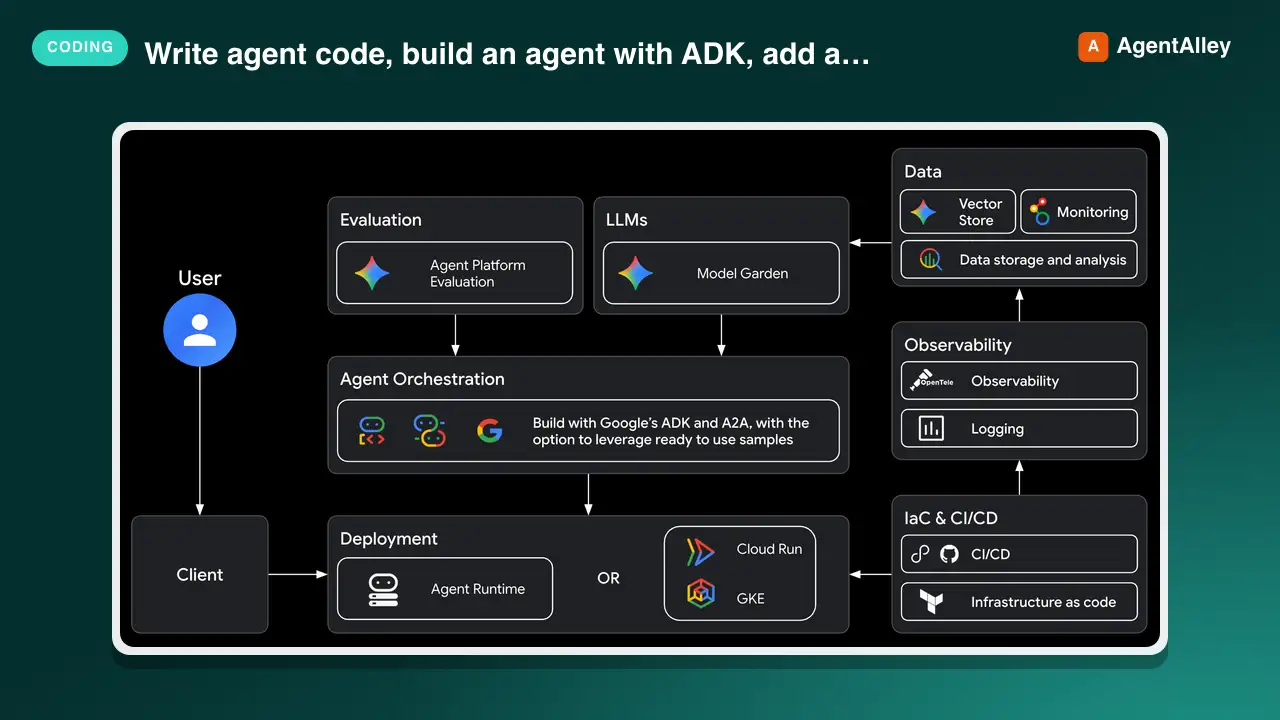
 google/agents-cli · by googleThis skill should be used when the user wants to "write agent code", build an agent with ADK", "add a tool", "create a callback", "define an agent", use state management" — in a project that needs ADK (Agent Development Kit) API patterns and code examples. It provides a quick reference for agent types, tool definitions, orchestration patterns, callbacks, state management, the graph Workflow API, and reference recipes to study. Do NOT use for scaffolding (use google-agents-cli-scaffold) or deployment (use google-agents-cli-deploy).★ 6k GitHub stars
 SkillLive Visual Editor
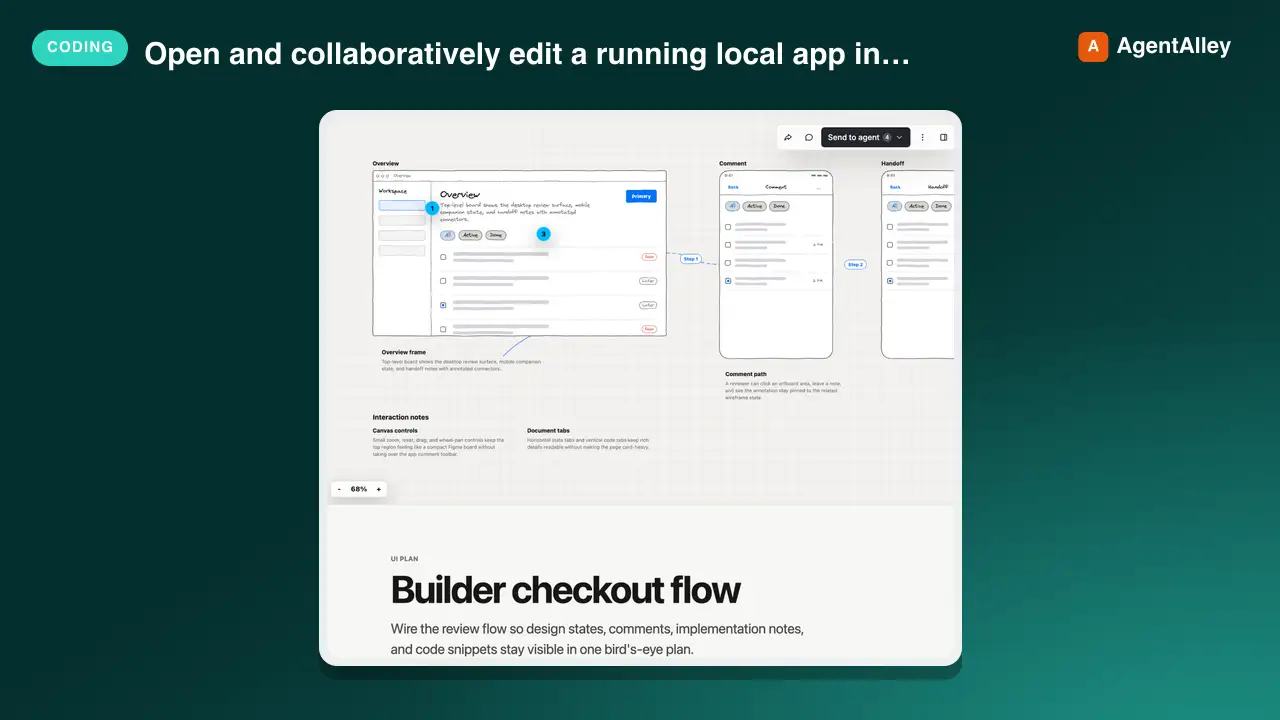
 BuilderIO/skills · by BuilderIOOpen and collaboratively edit a running local app in Design, with shared fallback previews and source handoff. Use when the user asks to inspect, share, or edit a real local app in Design.★ 4.5k GitHub stars
 SkillClaude Mods Templates
 DannyMac180/skills · by DannyMac180Patterns, cost review and ready templates for Claude Mods (Claude Code plugins whose behaviour is a function-hooks module). Adds what the built-in mod authoring does not: proven designs (fork-check-draw, tool + ledger, mode registry, artifact-backed state), prompt-cache and token-cost review, a vetting pass for someone else's mod, and rules for mods that compose. USE WHEN: build a mod, make a claude mod, mod templates, quiz me after each turn, assumptions tool / register_assumption, supervisor that checks the turn, next-steps check, mode selector / mode registry, effort by domain, model router that keeps the cache, prompt cache cost of a mod, what does this mod cost per turn, review or vet someone's mod before installing, mods that work together, Kanban artifact as shared project state. NOT FOR: classic shell-command hooks in settings.json (PreToolUse etc.), a plain skill or slash command, MCP server authoring, or looking up the hooks API itself (use the engine's plugin-authoring guidance and generated types).★ 535 GitHub stars
 SkillHook Variant A/B Generator
 Ootto-AI/claude-content-skills · by Ootto-AIGenerates two genuinely distinct hook variants for the same reel so you can post-test which opening actually wins. Use when the user says "give me two hooks to test", "A/B this hook", "which opening should I use", "hook variants".★ 139 GitHub stars
 SkillPhysics-Based UI Motion
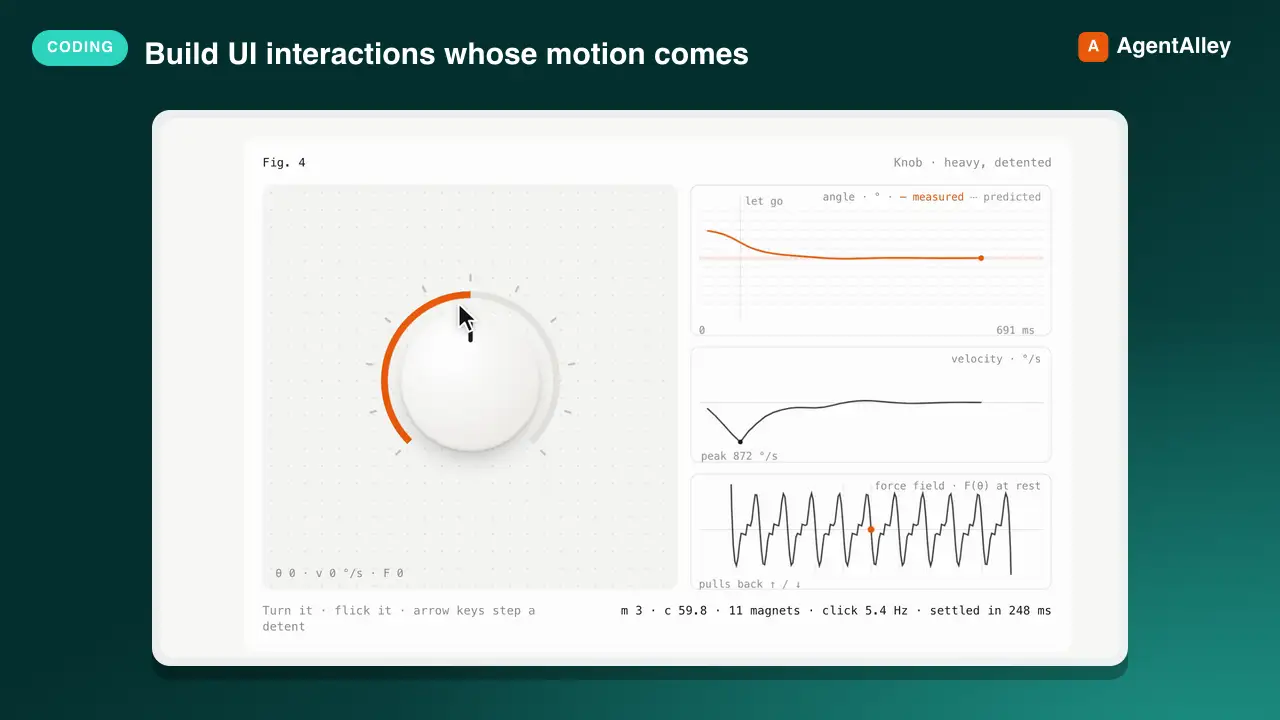
 diip3sh/feel · by diip3shBuild UI interactions whose motion comes from a physical model instead of durations and easing curves. Turn a feel described in words ("a toggle that feels heavy", "a drawer with a magnetic snap", "a card you throw into a corner", "a knob with heavy detents", "a sticky slider") into a production component driven by mass, stiffness, damping and force fields (magnets, friction, walls), on a line, in a plane or around a dial, plus a test rig that plots position, velocity and the force field, overlays the model's prediction on the measured motion, and exports the same spring to Framer Motion, react-spring, SwiftUI, Compose or CSS linear(). Use this whenever someone asks for an animation, transition, spring, gesture, drag, flick, snap points, bottom sheet, toggle, slider, carousel or any micro-interaction that should "feel" a certain way, or wants to tune or explain a spring, even if they never say "physics".★ 48 GitHub stars
More from anthropics
 SkillAcademy Guide
 anthropics/skills · by anthropicsStop and check this skill before finishing any reply to a question about how to use Claude or a Claude product — it recommends matching courses, tutorials, and use cases from Claude Academy (academy.claude.com), Anthropic's learning hub. Trigger on: "how do I", "how can I", "getting started with", "what can Claude do", "teach me", "learn to use"; questions about artifacts, projects, skills, plugins, connectors, MCP; requests about rolling Claude out to a team, class, or organization; and any ask for training materials, onboarding content, or learning resources. Use it when the user is learning how to use a feature or product — not when they are mid-task and just want the task done. This skill composes with other skills: after consulting product documentation to answer how a Claude feature works, also check here for a matching course or tutorial — a docs-grounded answer and an Academy recommendation belong together. Only recommend on a strong match; never invent Academy content.★ 178k GitHub stars
 SkillGenerative Art Creatoranthropics/skills · by anthropicsCreating algorithmic art using p5.js with seeded randomness and interactive parameter exploration. Use this when users request creating art using code, generative art, algorithmic art, flow fields, or particle systems. Create original algorithmic art rather than copying existing artists' work to avoid copyright violations.★ 178k GitHub stars
 SkillAnthropic Style Guideanthropics/skills · by anthropicsApplies Anthropic's official brand colors and typography to any sort of artifact that may benefit from having Anthropic's look-and-feel. Use it when brand colors or style guidelines, visual formatting, or company design standards apply.★ 178k GitHub stars
 SkillDiscord Channel Setupanthropics/claude-plugins-official · by anthropicsSet up the Discord channel — save the bot token and review access policy. Use when the user pastes a Discord bot token, asks to configure Discord, asks "how do I set this up" or "who can reach me," or wants to check channel status.★ 37.6k GitHub stars
 SkillM5Stack Setup Guideanthropics/claude-plugins-official · by anthropicsEnd-to-end onboarding for a freshly-plugged-in M5Stack ESP32 device (Cardputer, Cardputer-Adv, Core, CoreS3, Stick) — detect on USB, flash UIFlow 2.0 firmware, and install the Claude Buddy MicroPython app bundle. Use whenever the user plugs in or wants to flash/provision/reset an M5Stack or ESP32 board, or says "m5-onboard go".★ 37.6k GitHub stars
 SkillBuild Script Verificationanthropics/claude-agent-sdk-python · by anthropicsDrive this repo's build/release scripts end-to-end without touching the network. Use when verifying changes to scripts/download_cli.py, scripts/build_wheel.py, scripts/update_cli_version.py, or scripts/_cli_version_validation.py.★ 8.2k GitHub stars