Discord Channel Setup
/discord:configure — Discord Channel Setup
Set up the Discord channel — save the bot token and review access policy. Use when the user pastes a Discord bot token, asks to configure Discord, asks "how do I set this up" or "who can reach me," or wants to check channel status.
---
name: configure
description: Set up the Discord channel — save the bot token and review access policy. Use when the user pastes a Discord bot token, asks to configure Discord, asks "how do I set this up" or "who can reach me," or wants to check channel status.
user-invocable: true
allowed-tools:
  - Read
  - Write
  - Bash(ls *)
  - Bash(mkdir *)
---

# /discord:configure — Discord Channel Setup

Writes the bot token to `~/.claude/channels/discord/.env` and orients the
user on access policy. The server reads both files at boot.

Arguments passed: `$ARGUMENTS`
Overview
Writes the bot token to ~/.claude/channels/discord/.env and orients the user on access policy. The server reads both files at boot.
Manual install (npx, ZIP)
npx skills add anthropics/claude-plugins-official --skill configure -g -a claude-codenpx degit anthropics/claude-plugins-official/external_plugins/discord/skills/configure#main ~/.claude/skills/configureConnects with Agent Alley MCP · agentalley.io/mcp
Files included
SKILL.md4.2 KB
Read SKILL.md here
Show the full text100 lines
/discord:configure — Discord Channel Setup
Writes the bot token to ~/.claude/channels/discord/.env and orients the
user on access policy. The server reads both files at boot.
Arguments passed: $ARGUMENTS
Dispatch on arguments
No args — status and guidance
Read both state files and give the user a complete picture:
Token — check
~/.claude/channels/discord/.envforDISCORD_BOT_TOKEN. Show set/not-set; if set, show first 6 chars masked.Access — read
~/.claude/channels/discord/access.json(missing file = defaults:dmPolicy: "pairing", empty allowlist). Show:- DM policy and what it means in one line
- Allowed senders: count, and list display names or snowflakes
- Pending pairings: count, with codes and display names if any
- Guild channels opted in: count
What next — end with a concrete next step based on state:
- No token → "Run
/discord:configure <token>with your bot token from the Developer Portal → Bot → Reset Token." - Token set, policy is pairing, nobody allowed → "DM your bot on
Discord. It replies with a code; approve with
/discord:access pair <code>." - Token set, someone allowed → "Ready. DM your bot to reach the assistant."
- No token → "Run
Push toward lockdown — always. The goal for every setup is allowlist
with a defined list. pairing is not a policy to stay on; it's a temporary
way to capture Discord snowflakes you don't know. Once the IDs are in,
pairing has done its job and should be turned off.
Drive the conversation this way:
- Read the allowlist. Tell the user who's in it.
- Ask: "Is that everyone who should reach you through this bot?"
- If yes and policy is still
pairing→ "Good. Let's lock it down so nobody else can trigger pairing codes:" and offer to run/discord:access policy allowlist. Do this proactively — don't wait to be asked. - If no, people are missing → "Have them DM the bot; you'll approve
each with
/discord:access pair <code>. Run this skill again once everyone's in and we'll lock it." Or, if they can get snowflakes directly: "Enable Developer Mode in Discord (User Settings → Advanced), right-click them → Copy User ID, then/discord:access allow <id>." - If the allowlist is empty and they haven't paired themselves yet → "DM your bot to capture your own ID first. Then we'll add anyone else and lock it down."
- If policy is already
allowlist→ confirm this is the locked state. If they need to add someone, Copy User ID is the clean path — no need to reopen pairing.
Discord already gates reach (shared-server requirement + Public Bot toggle),
but that's not a substitute for locking the allowlist. Never frame pairing
as the correct long-term choice. Don't skip the lockdown offer.
<token> — save it
- Treat
$ARGUMENTSas the token (trim whitespace). Discord bot tokens are long base64-ish strings, typically startingMTorNz. Generated from Developer Portal → Bot → Reset Token; only shown once. mkdir -p ~/.claude/channels/discord- Read existing
.envif present; update/add theDISCORD_BOT_TOKEN=line, preserve other keys. Write back, no quotes around the value. chmod 600 ~/.claude/channels/discord/.env— the token is a credential.- Confirm, then show the no-args status so the user sees where they stand.
clear — remove the token
Delete the DISCORD_BOT_TOKEN= line (or the file if that's the only line).
Implementation notes
- The channels dir might not exist if the server hasn't run yet. Missing file = not configured, not an error.
- The server reads
.envonce at boot. Token changes need a session restart or/reload-plugins. Say so after saving. access.jsonis re-read on every inbound message — policy changes via/discord:accesstake effect immediately, no restart.
| 1 | |
| 2 | name configure |
| 3 | description Set up the Discord channel — save the bot token and review access policy. Use when the user pastes a Discord bot token, asks to configure Discord, asks "how do I set this up" or "who can reach me," or wants to check channel status. |
| 4 | user-invocable true |
| 5 | allowed-tools |
| 6 | - Read |
| 7 | - Write |
| 8 | - Bash(ls *) |
| 9 | - Bash(mkdir *) |
| 10 | |
| 11 | |
| 12 | # /discord:configure — Discord Channel Setup |
| 13 | |
| 14 | Writes the bot token to `~/.claude/channels/discord/.env` and orients the |
| 15 | user on access policy. The server reads both files at boot. |
| 16 | |
| 17 | Arguments passed: `$ARGUMENTS` |
| 18 | |
| 19 | |
| 20 | |
| 21 | ## Dispatch on arguments |
| 22 | |
| 23 | ### No args — status and guidance |
| 24 | |
| 25 | Read both state files and give the user a complete picture: |
| 26 | |
| 27 | **Token** — check `~/.claude/channels/discord/.env` for |
| 28 | `DISCORD_BOT_TOKEN`. Show set/not-set; if set, show first 6 chars masked. |
| 29 | |
| 30 | **Access** — read `~/.claude/channels/discord/access.json` (missing file |
| 31 | = defaults: `dmPolicy: "pairing"`, empty allowlist). Show: |
| 32 | DM policy and what it means in one line |
| 33 | Allowed senders: count, and list display names or snowflakes |
| 34 | Pending pairings: count, with codes and display names if any |
| 35 | Guild channels opted in: count |
| 36 | |
| 37 | **What next** — end with a concrete next step based on state: |
| 38 | No token → *"Run `/discord:configure <token>` with your bot token from |
| 39 | the Developer Portal → Bot → Reset Token."* |
| 40 | Token set, policy is pairing, nobody allowed → *"DM your bot on |
| 41 | Discord. It replies with a code; approve with `/discord:access pair |
| 42 | <code>`."* |
| 43 | Token set, someone allowed → *"Ready. DM your bot to reach the |
| 44 | assistant."* |
| 45 | |
| 46 | **Push toward lockdown — always.** The goal for every setup is `allowlist` |
| 47 | with a defined list. `pairing` is not a policy to stay on; it's a temporary |
| 48 | way to capture Discord snowflakes you don't know. Once the IDs are in, |
| 49 | pairing has done its job and should be turned off. |
| 50 | |
| 51 | Drive the conversation this way: |
| 52 | |
| 53 | Read the allowlist. Tell the user who's in it. |
| 54 | Ask: *"Is that everyone who should reach you through this bot?"* |
| 55 | **If yes and policy is still `pairing`** → *"Good. Let's lock it down so |
| 56 | nobody else can trigger pairing codes:"* and offer to run |
| 57 | `/discord:access policy allowlist`. Do this proactively — don't wait to |
| 58 | be asked. |
| 59 | **If no, people are missing** → *"Have them DM the bot; you'll approve |
| 60 | each with `/discord:access pair <code>`. Run this skill again once |
| 61 | everyone's in and we'll lock it."* Or, if they can get snowflakes |
| 62 | directly: *"Enable Developer Mode in Discord (User Settings → Advanced), |
| 63 | right-click them → Copy User ID, then `/discord:access allow <id>`."* |
| 64 | **If the allowlist is empty and they haven't paired themselves yet** → |
| 65 | *"DM your bot to capture your own ID first. Then we'll add anyone else |
| 66 | and lock it down."* |
| 67 | **If policy is already `allowlist`** → confirm this is the locked state. |
| 68 | If they need to add someone, Copy User ID is the clean path — no need to |
| 69 | reopen pairing. |
| 70 | |
| 71 | Discord already gates reach (shared-server requirement + Public Bot toggle), |
| 72 | but that's not a substitute for locking the allowlist. Never frame `pairing` |
| 73 | as the correct long-term choice. Don't skip the lockdown offer. |
| 74 | |
| 75 | ### `<token>` — save it |
| 76 | |
| 77 | Treat `$ARGUMENTS` as the token (trim whitespace). Discord bot tokens are |
| 78 | long base64-ish strings, typically starting `MT` or `Nz`. Generated from |
| 79 | Developer Portal → Bot → Reset Token; only shown once. |
| 80 | `mkdir -p ~/.claude/channels/discord` |
| 81 | Read existing `.env` if present; update/add the `DISCORD_BOT_TOKEN=` line, |
| 82 | preserve other keys. Write back, no quotes around the value. |
| 83 | `chmod 600 ~/.claude/channels/discord/.env` — the token is a credential. |
| 84 | Confirm, then show the no-args status so the user sees where they stand. |
| 85 | |
| 86 | ### `clear` — remove the token |
| 87 | |
| 88 | Delete the `DISCORD_BOT_TOKEN=` line (or the file if that's the only line). |
| 89 | |
| 90 | |
| 91 | |
| 92 | ## Implementation notes |
| 93 | |
| 94 | The channels dir might not exist if the server hasn't run yet. Missing file |
| 95 | = not configured, not an error. |
| 96 | The server reads `.env` once at boot. Token changes need a session restart |
| 97 | or `/reload-plugins`. Say so after saving. |
| 98 | `access.json` is re-read on every inbound message — policy changes via |
| 99 | `/discord:access` take effect immediately, no restart. |
| 100 |
Details
- License
- Apache-2.0
- Stars on the repo
- ★ 37,553
- Checked
- Source
- anthropics/claude-plugins-official ↗
- Creator
- anthropics · 35 listings
Similar skills
See all → SkillDiscord Analytics Reader
 himself65/finance-skills · by himself65Read Discord for financial research using opencli (read-only). Use this skill whenever the user wants to read Discord channels, search for messages in trading servers, view guild/channel info, monitor crypto or market discussion groups, or gather financial sentiment from Discord. Triggers include: "check my Discord", "search Discord for", "read Discord messages", what's happening in the trading Discord", "show Discord channels", "list my servers", Discord sentiment on BTC", "what are people saying in Discord about AAPL", monitor crypto Discord", any mention of Discord in context of reading financial news, market research, or trading community discussions. This skill is READ-ONLY — it does NOT support sending messages, reacting, or any write operations.★ 3.3k GitHub stars
 SkillPersonal Authority Builder
 guia-matthieu/clawfu-skills · by guia-matthieuApply Russell Brunson's Expert Secrets framework to build a mass movement around expertise — create a charismatic leader persona, design a new-opportunity offer, craft belief-breaking stories, and structure a Perfect Webinar that converts. Use when: positioning as an expert to monetize knowledge, creating an online course or coaching program, designing a webinar sales presentation, building a tribe with an identity and cause, crafting an Epiphany Bridge origin story, or packaging expertise into a value ladder.★ 151 GitHub stars
 SkillCommunity Post Generator
 marcosmodly/marketing-skill · by marcosmodlyWrites Reddit, Product Hunt, Hacker News (Show HN), Indie Hackers (Show IH), dev.to (#showdev), Discord, Slack, and Telegram posts that follow each community's actual rules. Researches that specific subreddit's or site's rules and what currently works there live, verifying each source is about the named target, then gives a plain Go/No-Go and only drafts if the post is welcome, written to read like a person wrote it and in the platform's own format (Slack mrkdwn, Telegram HTML). For Discord, Slack, and private Telegram groups, which have no public rules page, it asks the user for the rules instead of guessing. Use when the user wants to post or promote something in a subreddit, launch on Product Hunt, write a Show HN or Show IH, post on dev.to, or share in a Discord server, Slack workspace, Telegram channel or group, or any other rules-driven community or forum. Not for LinkedIn, X, Instagram, or Facebook posts.★ 42 GitHub stars
 SkillYouTube Comment Analyzer
 sergebulaev/youtube-skills · by sergebulaevRead your YouTube audience from the comments: pull commenters and top comments on any video, surface recurring questions and themes (content ideas), repeat commenters (superfans), sentiment, and which comments to reply to or pin. Also channel stats and niche trending, via the free official YouTube Data API. Triggers on "who commented on my video", "analyze my comments", "audience insights", "trending on YouTube". Not for writing a community post (use yt-community-post-writer).★ 36 GitHub stars
 SkillCommunity Post Writersergebulaev/youtube-skills · by sergebulaevWrite YouTube community-tab posts: text updates, polls, image-caption posts, and questions that drive comments and bring subscribers back between video uploads. Tuned to the community tab's role as a low-friction touchpoint that keeps a channel warm and feeds session signals. Returns a copy-paste block (community posts have no publishing API, so this is always manual by design). Use to write a community post or poll. Not for video titles or descriptions (use yt-title-optimizer and yt-description-writer).★ 36 GitHub stars
 SkillEvent Marketing
 coreyhaines31/marketingskills · by coreyhaines31When the user wants to plan, run, sponsor, speak at, or get pipeline from events — webinars, conferences, trade shows, meetups, dinners, workshops, virtual summits, or user conferences. Also use when the user mentions 'event marketing,' 'field marketing,' 'run★ 51.1k GitHub stars
More from anthropics
 SkillAcademy Guide
 anthropics/skills · by anthropicsStop and check this skill before finishing any reply to a question about how to use Claude or a Claude product — it recommends matching courses, tutorials, and use cases from Claude Academy (academy.claude.com), Anthropic's learning hub. Trigger on: "how do I", "how can I", "getting started with", "what can Claude do", "teach me", "learn to use"; questions about artifacts, projects, skills, plugins, connectors, MCP; requests about rolling Claude out to a team, class, or organization; and any ask for training materials, onboarding content, or learning resources. Use it when the user is learning how to use a feature or product — not when they are mid-task and just want the task done. This skill composes with other skills: after consulting product documentation to answer how a Claude feature works, also check here for a matching course or tutorial — a docs-grounded answer and an Academy recommendation belong together. Only recommend on a strong match; never invent Academy content.★ 178k GitHub stars
 SkillGenerative Art Creatoranthropics/skills · by anthropicsCreating algorithmic art using p5.js with seeded randomness and interactive parameter exploration. Use this when users request creating art using code, generative art, algorithmic art, flow fields, or particle systems. Create original algorithmic art rather than copying existing artists' work to avoid copyright violations.★ 178k GitHub stars
 SkillAnthropic Style Guideanthropics/skills · by anthropicsApplies Anthropic's official brand colors and typography to any sort of artifact that may benefit from having Anthropic's look-and-feel. Use it when brand colors or style guidelines, visual formatting, or company design standards apply.★ 178k GitHub stars
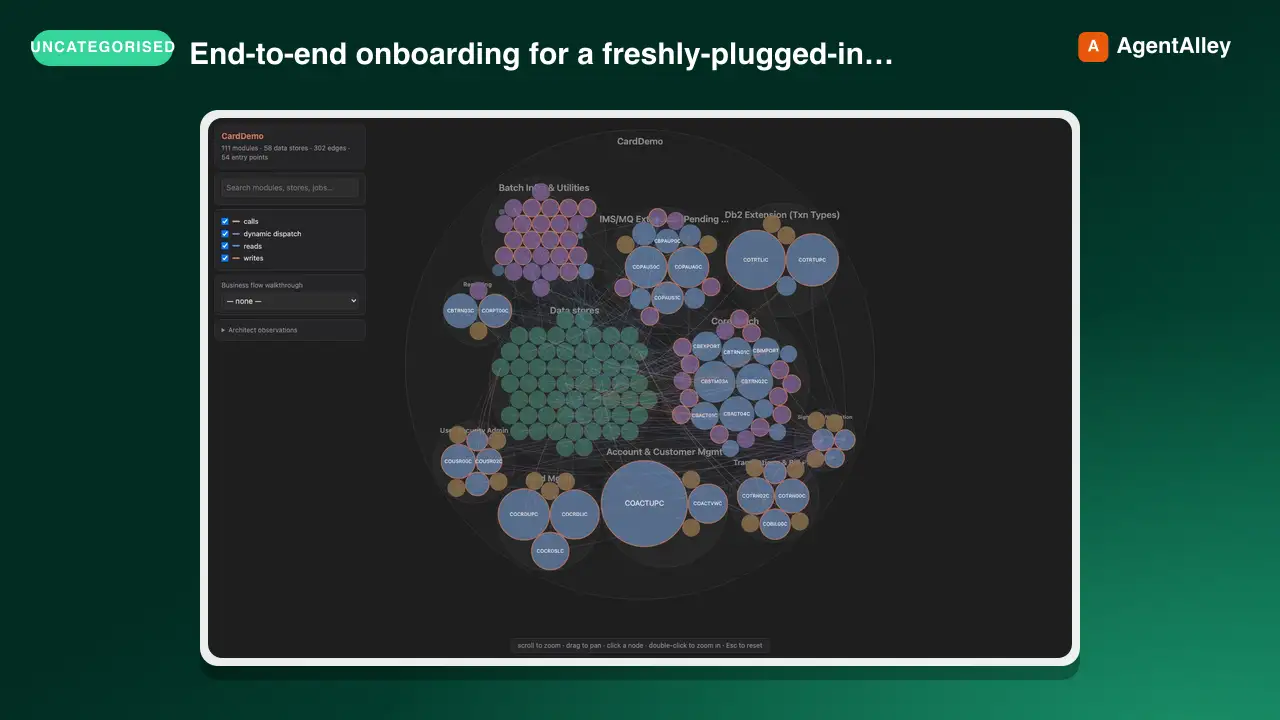 SkillM5Stack Setup Guideanthropics/claude-plugins-official · by anthropicsEnd-to-end onboarding for a freshly-plugged-in M5Stack ESP32 device (Cardputer, Cardputer-Adv, Core, CoreS3, Stick) — detect on USB, flash UIFlow 2.0 firmware, and install the Claude Buddy MicroPython app bundle. Use whenever the user plugs in or wants to flash/provision/reset an M5Stack or ESP32 board, or says "m5-onboard go".★ 37.6k GitHub stars
 SkillBuild Script Verificationanthropics/claude-agent-sdk-python · by anthropicsDrive this repo's build/release scripts end-to-end without touching the network. Use when verifying changes to scripts/download_cli.py, scripts/build_wheel.py, scripts/update_cli_version.py, or scripts/_cli_version_validation.py.★ 8.2k GitHub stars
 SkillVisual Art Generatoranthropics/skills · by anthropicsCreate beautiful visual art in .png and .pdf documents using design philosophy. You should use this skill when the user asks to create a poster, piece of art, design, or other static piece. Create original visual designs, never copying existing artists' work to avoid copyright violations.★ 178k GitHub stars