Artifact Theme Styler
Theme factory
Toolkit for styling artifacts with a theme. These artifacts can be slides, docs, reportings, HTML landing pages, etc.
---
name: theme-factory
description: Toolkit for styling artifacts with a theme. These artifacts can be slides, docs, reportings, HTML landing pages, etc. There are 10 pre-set themes with colors/fonts that you can apply to any artifact that has been creating, or can generate a new theme on-the-fly.
license: Complete terms in LICENSE.txt
---


# Theme Factory Skill

This skill provides a curated collection of professional font and color themes themes, each with carefully selected color palettes and font pairings. Once a theme is chosen, it can be applied to any artifact.

## Purpose

To apply consistent, professional styling to presentation slide decks, use this skill. Each theme includes:
- A cohesive color palette with hex codes
- Complementary font pairings for headers and body text
- A distinct visual identity suitable for different contexts and audiences
Overview
This skill provides a curated collection of professional font and color themes themes, each with carefully selected color palettes and font pairings. Once a theme is chosen, it can be applied to any artifact.
Manual install (npx, ZIP)
npx skills add anthropics/skills --skill theme-factory -g -a claude-codenpx degit anthropics/skills/skills/theme-factory#main ~/.claude/skills/theme-factoryConnects with Agent Alley MCP · agentalley.io/mcp
Files included
SKILL.md3.1 KB
Read SKILL.md here
Show the full text60 lines
Theme Factory Skill
This skill provides a curated collection of professional font and color themes themes, each with carefully selected color palettes and font pairings. Once a theme is chosen, it can be applied to any artifact.
Purpose
To apply consistent, professional styling to presentation slide decks, use this skill. Each theme includes:
- A cohesive color palette with hex codes
- Complementary font pairings for headers and body text
- A distinct visual identity suitable for different contexts and audiences
Usage Instructions
To apply styling to a slide deck or other artifact:
- Show the theme showcase: Display the
theme-showcase.pdffile to allow users to see all available themes visually. Do not make any modifications to it; simply show the file for viewing. - Ask for their choice: Ask which theme to apply to the deck
- Wait for selection: Get explicit confirmation about the chosen theme
- Apply the theme: Once a theme has been chosen, apply the selected theme's colors and fonts to the deck/artifact
Themes Available
The following 10 themes are available, each showcased in theme-showcase.pdf:
- Ocean Depths - Professional and calming maritime theme
- Sunset Boulevard - Warm and vibrant sunset colors
- Forest Canopy - Natural and grounded earth tones
- Modern Minimalist - Clean and contemporary grayscale
- Golden Hour - Rich and warm autumnal palette
- Arctic Frost - Cool and crisp winter-inspired theme
- Desert Rose - Soft and sophisticated dusty tones
- Tech Innovation - Bold and modern tech aesthetic
- Botanical Garden - Fresh and organic garden colors
- Midnight Galaxy - Dramatic and cosmic deep tones
Theme Details
Each theme is defined in the themes/ directory with complete specifications including:
- Cohesive color palette with hex codes
- Complementary font pairings for headers and body text
- Distinct visual identity suitable for different contexts and audiences
Application Process
After a preferred theme is selected:
- Read the corresponding theme file from the
themes/directory - Apply the specified colors and fonts consistently throughout the deck
- Ensure proper contrast and readability
- Maintain the theme's visual identity across all slides
Create your Own Theme
To handle cases where none of the existing themes work for an artifact, create a custom theme. Based on provided inputs, generate a new theme similar to the ones above. Give the theme a similar name describing what the font/color combinations represent. Use any basic description provided to choose appropriate colors/fonts. After generating the theme, show it for review and verification. Following that, apply the theme as described above.
| 1 | |
| 2 | name theme-factory |
| 3 | description Toolkit for styling artifacts with a theme. These artifacts can be slides, docs, reportings, HTML landing pages, etc. There are 10 pre-set themes with colors/fonts that you can apply to any artifact that has been creating, or can generate a new theme on-the-fly. |
| 4 | license Complete terms in LICENSE.txt |
| 5 | |
| 6 | |
| 7 | |
| 8 | # Theme Factory Skill |
| 9 | |
| 10 | This skill provides a curated collection of professional font and color themes themes, each with carefully selected color palettes and font pairings. Once a theme is chosen, it can be applied to any artifact. |
| 11 | |
| 12 | ## Purpose |
| 13 | |
| 14 | To apply consistent, professional styling to presentation slide decks, use this skill. Each theme includes: |
| 15 | A cohesive color palette with hex codes |
| 16 | Complementary font pairings for headers and body text |
| 17 | A distinct visual identity suitable for different contexts and audiences |
| 18 | |
| 19 | ## Usage Instructions |
| 20 | |
| 21 | To apply styling to a slide deck or other artifact: |
| 22 | |
| 23 | **Show the theme showcase**: Display the `theme-showcase.pdf` file to allow users to see all available themes visually. Do not make any modifications to it; simply show the file for viewing. |
| 24 | **Ask for their choice**: Ask which theme to apply to the deck |
| 25 | **Wait for selection**: Get explicit confirmation about the chosen theme |
| 26 | **Apply the theme**: Once a theme has been chosen, apply the selected theme's colors and fonts to the deck/artifact |
| 27 | |
| 28 | ## Themes Available |
| 29 | |
| 30 | The following 10 themes are available, each showcased in `theme-showcase.pdf`: |
| 31 | |
| 32 | **Ocean Depths** - Professional and calming maritime theme |
| 33 | **Sunset Boulevard** - Warm and vibrant sunset colors |
| 34 | **Forest Canopy** - Natural and grounded earth tones |
| 35 | **Modern Minimalist** - Clean and contemporary grayscale |
| 36 | **Golden Hour** - Rich and warm autumnal palette |
| 37 | **Arctic Frost** - Cool and crisp winter-inspired theme |
| 38 | **Desert Rose** - Soft and sophisticated dusty tones |
| 39 | **Tech Innovation** - Bold and modern tech aesthetic |
| 40 | **Botanical Garden** - Fresh and organic garden colors |
| 41 | **Midnight Galaxy** - Dramatic and cosmic deep tones |
| 42 | |
| 43 | ## Theme Details |
| 44 | |
| 45 | Each theme is defined in the `themes/` directory with complete specifications including: |
| 46 | Cohesive color palette with hex codes |
| 47 | Complementary font pairings for headers and body text |
| 48 | Distinct visual identity suitable for different contexts and audiences |
| 49 | |
| 50 | ## Application Process |
| 51 | |
| 52 | After a preferred theme is selected: |
| 53 | Read the corresponding theme file from the `themes/` directory |
| 54 | Apply the specified colors and fonts consistently throughout the deck |
| 55 | Ensure proper contrast and readability |
| 56 | Maintain the theme's visual identity across all slides |
| 57 | |
| 58 | ## Create your Own Theme |
| 59 | To handle cases where none of the existing themes work for an artifact, create a custom theme. Based on provided inputs, generate a new theme similar to the ones above. Give the theme a similar name describing what the font/color combinations represent. Use any basic description provided to choose appropriate colors/fonts. After generating the theme, show it for review and verification. Following that, apply the theme as described above. |
| 60 |
Details
- Updated
- Sep 10, 2026
- License
- Apache-2.0
- Stars on the repo
- ★ 177,518
- Checked
- Source
- anthropics/skills ↗
- Creator
- anthropics · 35 listings
Similar skills
See all → SkillCross-Platform Reverse Engineer
 morluto/rea · by morlutoReverse engineer native, managed, Electron/JavaScript, packaged, firmware, and browser targets with REA. Use shipped-artifact or requested runtime evidence to explain features, compare versions, decompile code, or guide a reconstruction. Skip REA for ordinary source-repository architecture analysis.★ 316k GitHub stars
 SkillBrainstorm Ideas
 obra/superpowers · by obraYou MUST use this before any creative work - creating features, building components, adding functionality, or modifying behavior. Explores user intent, requirements and design before implementation.★ 290k GitHub stars
 SkillCode Review Feedback Analyzerobra/superpowers · by obraUse when receiving code review feedback, before implementing suggestions, especially if feedback seems unclear or technically questionable - requires technical rigor and verification, not performative agreement or blind implementation★ 290k GitHub stars
 SkillBug Diagnosis Framework
 mattpocock/skills · by mattpocockDiagnosis loop for hard bugs and performance regressions. Use when the user says "diagnose"/"debug this", or reports something broken/throwing/failing/slow.★ 267k GitHub stars
 SkillImplement Specmattpocock/skills · by mattpocockImplement the result of /to-spec and /to-tickets in code.★ 267k GitHub stars
 SkillPR Description Writermattpocock/skills · by mattpocockUse when writing a PR body.★ 267k GitHub stars
More from anthropics
 SkillAcademy Guide
 anthropics/skills · by anthropicsStop and check this skill before finishing any reply to a question about how to use Claude or a Claude product — it recommends matching courses, tutorials, and use cases from Claude Academy (academy.claude.com), Anthropic's learning hub. Trigger on: "how do I", "how can I", "getting started with", "what can Claude do", "teach me", "learn to use"; questions about artifacts, projects, skills, plugins, connectors, MCP; requests about rolling Claude out to a team, class, or organization; and any ask for training materials, onboarding content, or learning resources. Use it when the user is learning how to use a feature or product — not when they are mid-task and just want the task done. This skill composes with other skills: after consulting product documentation to answer how a Claude feature works, also check here for a matching course or tutorial — a docs-grounded answer and an Academy recommendation belong together. Only recommend on a strong match; never invent Academy content.★ 178k GitHub stars
 SkillGenerative Art Creatoranthropics/skills · by anthropicsCreating algorithmic art using p5.js with seeded randomness and interactive parameter exploration. Use this when users request creating art using code, generative art, algorithmic art, flow fields, or particle systems. Create original algorithmic art rather than copying existing artists' work to avoid copyright violations.★ 178k GitHub stars
 SkillAnthropic Style Guideanthropics/skills · by anthropicsApplies Anthropic's official brand colors and typography to any sort of artifact that may benefit from having Anthropic's look-and-feel. Use it when brand colors or style guidelines, visual formatting, or company design standards apply.★ 178k GitHub stars
 SkillDiscord Channel Setupanthropics/claude-plugins-official · by anthropicsSet up the Discord channel — save the bot token and review access policy. Use when the user pastes a Discord bot token, asks to configure Discord, asks "how do I set this up" or "who can reach me," or wants to check channel status.★ 37.6k GitHub stars
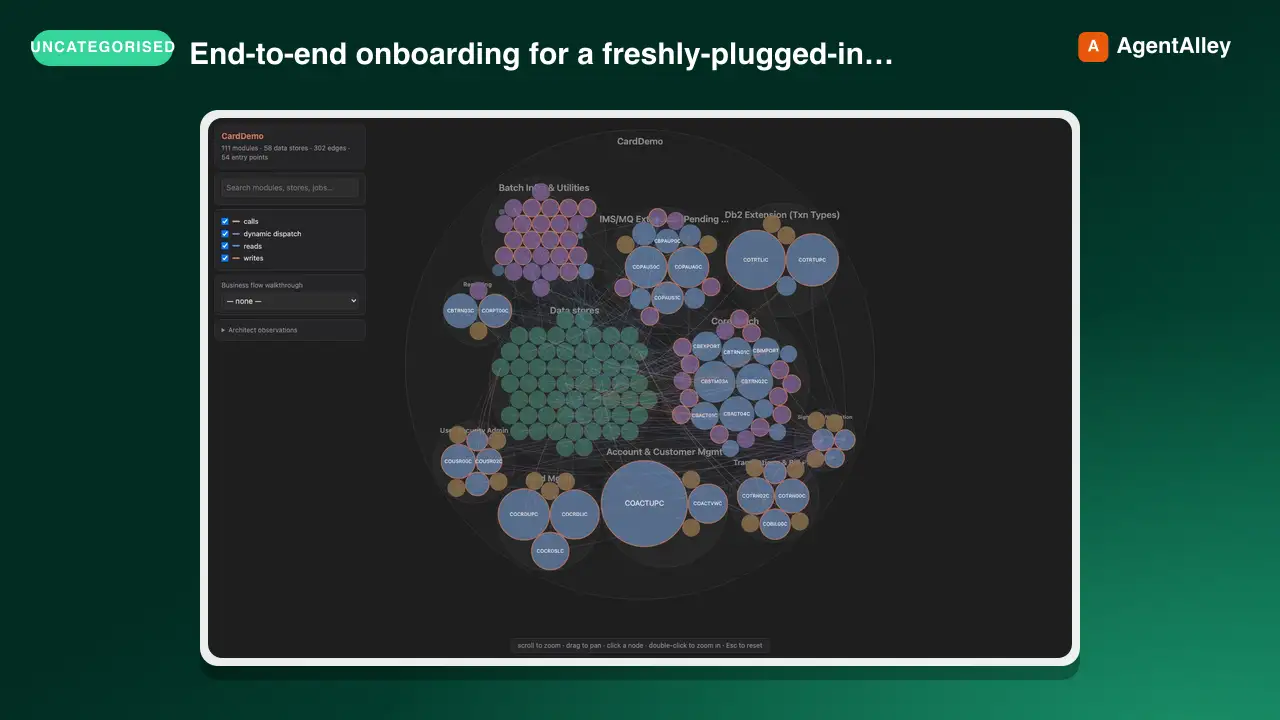 SkillM5Stack Setup Guideanthropics/claude-plugins-official · by anthropicsEnd-to-end onboarding for a freshly-plugged-in M5Stack ESP32 device (Cardputer, Cardputer-Adv, Core, CoreS3, Stick) — detect on USB, flash UIFlow 2.0 firmware, and install the Claude Buddy MicroPython app bundle. Use whenever the user plugs in or wants to flash/provision/reset an M5Stack or ESP32 board, or says "m5-onboard go".★ 37.6k GitHub stars
 SkillBuild Script Verificationanthropics/claude-agent-sdk-python · by anthropicsDrive this repo's build/release scripts end-to-end without touching the network. Use when verifying changes to scripts/download_cli.py, scripts/build_wheel.py, scripts/update_cli_version.py, or scripts/_cli_version_validation.py.★ 8.2k GitHub stars