Slack App Builder
Slack bot builder
Build Slack apps using the Bolt framework across Python, JavaScript, and Java. Covers Block Kit for rich UIs, interactive components, slash commands, event handling, OAuth installation flows, and Workflow Builder integration.
---
name: slack-bot-builder
description: "Build Slack apps using the Bolt framework across Python, JavaScript, and Java. Covers Block Kit for rich UIs, interactive components, slash commands, event handling, OAuth installation flows, and Workflow Builder integration. Focus on best practices for production-ready Slack apps. Use when: slack bot, slack app, bolt framework, block kit, slash command."
source: vibeship-spawner-skills (Apache 2.0)
---

# Slack Bot Builder

## Patterns

### Bolt App Foundation Pattern

The Bolt framework is Slack's recommended approach for building apps.
It handles authentication, event routing, request verification, and
HTTP request processing so you can focus on app logic.

Key benefits:
- Event handling in a few lines of code
Overview
The Bolt framework is Slack's recommended approach for building apps. It handles authentication, event routing, request verification, and HTTP request processing so you can focus on app logic.
Manual install (npx, ZIP)
npx skills add davila7/claude-code-templates --skill slack-bot-builder -g -a claude-codenpx degit davila7/claude-code-templates/cli-tool/components/skills/enterprise-communication/slack-bot-builder#main ~/.claude/skills/slack-bot-builderConnects with Agent Alley MCP · agentalley.io/mcp
Files included
SKILL.md8.6 KB
Read SKILL.md here
Show the full text265 lines
Slack Bot Builder
Patterns
Bolt App Foundation Pattern
The Bolt framework is Slack's recommended approach for building apps. It handles authentication, event routing, request verification, and HTTP request processing so you can focus on app logic.
Key benefits:
- Event handling in a few lines of code
- Security checks and payload validation built-in
- Organized, consistent patterns
- Works for experiments and production
Available in: Python, JavaScript (Node.js), Java
When to use: ['Starting any new Slack app', 'Migrating from legacy Slack APIs', 'Building production Slack integrations']
# Python Bolt App
from slack_bolt import App
from slack_bolt.adapter.socket_mode import SocketModeHandler
import os

# Initialize with tokens from environment
app = App(
    token=os.environ["SLACK_BOT_TOKEN"],
    signing_secret=os.environ["SLACK_SIGNING_SECRET"]
)

# Handle messages containing "hello"
@app.message("hello")
def handle_hello(message, say):
    """Respond to messages containing 'hello'."""
    user = message["user"]
    say(f"Hey there <@{user}>!")

# Handle slash command
@app.command("/ticket")
def handle_ticket_command(ack, body, client):
    """Handle /ticket slash command."""
    # Acknowledge immediately (within 3 seconds)
    ack()

    # Open a modal for ticket creation
    client.views_open(
        trigger_id=body["trigger_id"],
        view={
            "type": "modal",
            "callback_id": "ticket_modal",
            "title": {"type": "plain_text", "text": "Create Ticket"},
            "submit": {"type": "plain_text", "text": "Submit"},
            "blocks": [
                {
                    "type": "input",
                    "block_id": "title_block",
                    "element": {
                        "type": "plain_text_input",
                        "action_id": "title_input"
                    },
                    "label": {"type": "plain_text", "text": "Title"}
                },
                {
                    "type": "input",
                    "block_id": "desc_block",
                    "element": {
                        "type": "plain_text_input",
                        "multiline": True,
                        "action_id": "desc_input"
                    },
                    "label": {"type": "plain_text", "text": "Description"}
                },
                {
                    "type": "input",
                    "block_id": "priority_block",
                    "element": {
                        "type": "static_select",
                        "action_id": "priority_select",
Block Kit UI Pattern
Block Kit is Slack's UI framework for building rich, interactive messages. Compose messages using blocks (sections, actions, inputs) and elements (buttons, menus, text inputs).
Limits:
- Up to 50 blocks per message
- Up to 100 blocks in modals/Home tabs
- Block text limited to 3000 characters
Use Block Kit Builder to prototype: https://app.slack.com/block-kit-builder
When to use: ['Building rich message layouts', 'Adding interactive components to messages', 'Creating forms in modals', 'Building Home tab experiences']
from slack_bolt import App
import os

app = App(token=os.environ["SLACK_BOT_TOKEN"])

def build_notification_blocks(incident: dict) -> list:
    """Build Block Kit blocks for incident notification."""
    severity_emoji = {
        "critical": ":red_circle:",
        "high": ":large_orange_circle:",
        "medium": ":large_yellow_circle:",
        "low": ":white_circle:"
    }

    return [
        # Header
        {
            "type": "header",
            "text": {
                "type": "plain_text",
                "text": f"{severity_emoji.get(incident['severity'], '')} Incident Alert"
            }
        },
        # Details section
        {
            "type": "section",
            "fields": [
                {
                    "type": "mrkdwn",
                    "text": f"*Incident:*\n{incident['title']}"
                },
                {
                    "type": "mrkdwn",
                    "text": f"*Severity:*\n{incident['severity'].upper()}"
                },
                {
                    "type": "mrkdwn",
                    "text": f"*Service:*\n{incident['service']}"
                },
                {
                    "type": "mrkdwn",
                    "text": f"*Reported:*\n<!date^{incident['timestamp']}^{date_short} {time}|{incident['timestamp']}>"
                }
            ]
        },
        # Description
        {
            "type": "section",
            "text": {
                "type": "mrkdwn",
                "text": f"*Description:*\n{incident['description'][:2000]}"
            }
        },
        # Divider
        {"type": "divider"},
        # Action buttons
        {
            "type": "actions",
            "block_id": f"incident_actions_{incident['id']}",
            "elements": [
                {
                    "type": "button",
                    "text": {"type": "plain_text", "text": "Acknowledge"},
                    "style": "primary",
                    "action_id": "acknowle
OAuth Installation Pattern
Enable users to install your app in their workspaces via OAuth 2.0. Bolt handles most of the OAuth flow, but you need to configure it and store tokens securely.
Key OAuth concepts:
- Scopes define permissions (request minimum needed)
- Tokens are workspace-specific
- Installation data must be stored persistently
- Users can add scopes later (additive)
70% of users abandon installation when confronted with excessive permission requests - request only what you need!
When to use: ['Distributing app to multiple workspaces', 'Building public Slack apps', 'Enterprise-grade integrations']
from slack_bolt import App
from slack_bolt.oauth.oauth_settings import OAuthSettings
from slack_sdk.oauth.installation_store import FileInstallationStore
from slack_sdk.oauth.state_store import FileOAuthStateStore
import os

# For production, use database-backed stores
# For example: PostgreSQL, MongoDB, Redis

class DatabaseInstallationStore:
    """Store installation data in your database."""

    async def save(self, installation):
        """Save installation when user completes OAuth."""
        await db.installations.upsert({
            "team_id": installation.team_id,
            "enterprise_id": installation.enterprise_id,
            "bot_token": encrypt(installation.bot_token),
            "bot_user_id": installation.bot_user_id,
            "bot_scopes": installation.bot_scopes,
            "user_id": installation.user_id,
            "installed_at": installation.installed_at
        })

    async def find_installation(self, *, enterprise_id, team_id, user_id=None, is_enterprise_install=False):
        """Find installation for a workspace."""
        record = await db.installations.find_one({
            "team_id": team_id,
            "enterprise_id": enterprise_id
        })

        if record:
            return Installation(
                bot_token=decrypt(record["bot_token"]),
                # ... other fields
            )
        return None

# Initialize OAuth-enabled app
app = App(
    signing_secret=os.environ["SLACK_SIGNING_SECRET"],
    oauth_settings=OAuthSettings(
        client_id=os.environ["SLACK_CLIENT_ID"],
        client_secret=os.environ["SLACK_CLIENT_SECRET"],
        scopes=[
            "channels:history",
            "channels:read",
            "chat:write",
            "commands",
            "users:read"
        ],
        user_scopes=[],  # User token scopes if needed
        installation_store=DatabaseInstallationStore(),
        state_store=FileOAuthStateStore(expiration_seconds=600)
    )
)

# OAuth routes are handled a
⚠️ Sharp Edges
| Issue | Severity | Solution |
|---|---|---|
| Issue | critical | ## Acknowledge immediately, process later |
| Issue | critical | ## Proper state validation |
| Issue | critical | ## Never hardcode or log tokens |
| Issue | high | ## Request minimum required scopes |
| Issue | medium | ## Know and respect the limits |
| Issue | high | ## Socket Mode: Only for development |
| Issue | critical | ## Bolt handles this automatically |
| 1 | |
| 2 | name slack-bot-builder |
| 3 | description "Build Slack apps using the Bolt framework across Python, JavaScript, and Java. Covers Block Kit for rich UIs, interactive components, slash commands, event handling, OAuth installation flows, and Workflow Builder integration. Focus on best practices for production-ready Slack apps. Use when: slack bot, slack app, bolt framework, block kit, slash command." |
| 4 | source vibeship-spawner-skills (Apache 2.0) |
| 5 | |
| 6 | |
| 7 | # Slack Bot Builder |
| 8 | |
| 9 | ## Patterns |
| 10 | |
| 11 | ### Bolt App Foundation Pattern |
| 12 | |
| 13 | The Bolt framework is Slack's recommended approach for building apps. |
| 14 | It handles authentication, event routing, request verification, and |
| 15 | HTTP request processing so you can focus on app logic. |
| 16 | |
| 17 | Key benefits: |
| 18 | Event handling in a few lines of code |
| 19 | Security checks and payload validation built-in |
| 20 | Organized, consistent patterns |
| 21 | Works for experiments and production |
| 22 | |
| 23 | Available in: Python, JavaScript (Node.js), Java |
| 24 | |
| 25 | |
| 26 | **When to use**: ['Starting any new Slack app', 'Migrating from legacy Slack APIs', 'Building production Slack integrations'] |
| 27 | |
| 28 | |
| 29 | # Python Bolt App |
| 30 | from slack_bolt import App |
| 31 | from slack_bolt.adapter.socket_mode import SocketModeHandler |
| 32 | import os |
| 33 | |
| 34 | # Initialize with tokens from environment |
| 35 | app = App( |
| 36 | token=os.environ["SLACK_BOT_TOKEN"], |
| 37 | signing_secret=os.environ["SLACK_SIGNING_SECRET"] |
| 38 | ) |
| 39 | |
| 40 | # Handle messages containing "hello" |
| 41 | @app.message("hello") |
| 42 | def handle_hello(message, say): |
| 43 | """Respond to messages containing 'hello'.""" |
| 44 | user = message["user"] |
| 45 | say(f"Hey there <@{user}>!") |
| 46 | |
| 47 | # Handle slash command |
| 48 | @app.command("/ticket") |
| 49 | def handle_ticket_command(ack, body, client): |
| 50 | """Handle /ticket slash command.""" |
| 51 | # Acknowledge immediately (within 3 seconds) |
| 52 | ack() |
| 53 | |
| 54 | # Open a modal for ticket creation |
| 55 | client.views_open( |
| 56 | trigger_id=body["trigger_id"], |
| 57 | view={ |
| 58 | "type": "modal", |
| 59 | "callback_id": "ticket_modal", |
| 60 | "title": {"type": "plain_text", "text": "Create Ticket"}, |
| 61 | "submit": {"type": "plain_text", "text": "Submit"}, |
| 62 | "blocks": [ |
| 63 | { |
| 64 | "type": "input", |
| 65 | "block_id": "title_block", |
| 66 | "element": { |
| 67 | "type": "plain_text_input", |
| 68 | "action_id": "title_input" |
| 69 | }, |
| 70 | "label": {"type": "plain_text", "text": "Title"} |
| 71 | }, |
| 72 | { |
| 73 | "type": "input", |
| 74 | "block_id": "desc_block", |
| 75 | "element": { |
| 76 | "type": "plain_text_input", |
| 77 | "multiline": True, |
| 78 | "action_id": "desc_input" |
| 79 | }, |
| 80 | "label": {"type": "plain_text", "text": "Description"} |
| 81 | }, |
| 82 | { |
| 83 | "type": "input", |
| 84 | "block_id": "priority_block", |
| 85 | "element": { |
| 86 | "type": "static_select", |
| 87 | "action_id": "priority_select", |
| 88 | |
| 89 | |
| 90 | |
| 91 | ### Block Kit UI Pattern |
| 92 | |
| 93 | Block Kit is Slack's UI framework for building rich, interactive messages. |
| 94 | Compose messages using blocks (sections, actions, inputs) and elements |
| 95 | (buttons, menus, text inputs). |
| 96 | |
| 97 | Limits: |
| 98 | Up to 50 blocks per message |
| 99 | Up to 100 blocks in modals/Home tabs |
| 100 | Block text limited to 3000 characters |
| 101 | |
| 102 | Use Block Kit Builder to prototype: https://app.slack.com/block-kit-builder |
| 103 | |
| 104 | |
| 105 | **When to use**: ['Building rich message layouts', 'Adding interactive components to messages', 'Creating forms in modals', 'Building Home tab experiences'] |
| 106 | |
| 107 | |
| 108 | from slack_bolt import App |
| 109 | import os |
| 110 | |
| 111 | app = App(token=os.environ["SLACK_BOT_TOKEN"]) |
| 112 | |
| 113 | def build_notification_blocks(incident: dict) -> list: |
| 114 | """Build Block Kit blocks for incident notification.""" |
| 115 | severity_emoji = { |
| 116 | "critical": ":red_circle:", |
| 117 | "high": ":large_orange_circle:", |
| 118 | "medium": ":large_yellow_circle:", |
| 119 | "low": ":white_circle:" |
| 120 | } |
| 121 | |
| 122 | return [ |
| 123 | # Header |
| 124 | { |
| 125 | "type": "header", |
| 126 | "text": { |
| 127 | "type": "plain_text", |
| 128 | "text": f"{severity_emoji.get(incident['severity'], '')} Incident Alert" |
| 129 | } |
| 130 | }, |
| 131 | # Details section |
| 132 | { |
| 133 | "type": "section", |
| 134 | "fields": [ |
| 135 | { |
| 136 | "type": "mrkdwn", |
| 137 | "text": f"*Incident:*\n{incident['title']}" |
| 138 | }, |
| 139 | { |
| 140 | "type": "mrkdwn", |
| 141 | "text": f"*Severity:*\n{incident['severity'].upper()}" |
| 142 | }, |
| 143 | { |
| 144 | "type": "mrkdwn", |
| 145 | "text": f"*Service:*\n{incident['service']}" |
| 146 | }, |
| 147 | { |
| 148 | "type": "mrkdwn", |
| 149 | "text": f"*Reported:*\n<!date^{incident['timestamp']}^{date_short} {time}|{incident['timestamp']}>" |
| 150 | } |
| 151 | ] |
| 152 | }, |
| 153 | # Description |
| 154 | { |
| 155 | "type": "section", |
| 156 | "text": { |
| 157 | "type": "mrkdwn", |
| 158 | "text": f"*Description:*\n{incident['description'][:2000]}" |
| 159 | } |
| 160 | }, |
| 161 | # Divider |
| 162 | {"type": "divider"}, |
| 163 | # Action buttons |
| 164 | { |
| 165 | "type": "actions", |
| 166 | "block_id": f"incident_actions_{incident['id']}", |
| 167 | "elements": [ |
| 168 | { |
| 169 | "type": "button", |
| 170 | "text": {"type": "plain_text", "text": "Acknowledge"}, |
| 171 | "style": "primary", |
| 172 | "action_id": "acknowle |
| 173 | |
| 174 | |
| 175 | ### OAuth Installation Pattern |
| 176 | |
| 177 | Enable users to install your app in their workspaces via OAuth 2.0. |
| 178 | Bolt handles most of the OAuth flow, but you need to configure it |
| 179 | and store tokens securely. |
| 180 | |
| 181 | Key OAuth concepts: |
| 182 | Scopes define permissions (request minimum needed) |
| 183 | Tokens are workspace-specific |
| 184 | Installation data must be stored persistently |
| 185 | Users can add scopes later (additive) |
| 186 | |
| 187 | 70% of users abandon installation when confronted with excessive |
| 188 | permission requests - request only what you need! |
| 189 | |
| 190 | |
| 191 | **When to use**: ['Distributing app to multiple workspaces', 'Building public Slack apps', 'Enterprise-grade integrations'] |
| 192 | |
| 193 | |
| 194 | from slack_bolt import App |
| 195 | from slack_bolt.oauth.oauth_settings import OAuthSettings |
| 196 | from slack_sdk.oauth.installation_store import FileInstallationStore |
| 197 | from slack_sdk.oauth.state_store import FileOAuthStateStore |
| 198 | import os |
| 199 | |
| 200 | # For production, use database-backed stores |
| 201 | # For example: PostgreSQL, MongoDB, Redis |
| 202 | |
| 203 | class DatabaseInstallationStore: |
| 204 | """Store installation data in your database.""" |
| 205 | |
| 206 | async def save(self, installation): |
| 207 | """Save installation when user completes OAuth.""" |
| 208 | await db.installations.upsert({ |
| 209 | "team_id": installation.team_id, |
| 210 | "enterprise_id": installation.enterprise_id, |
| 211 | "bot_token": encrypt(installation.bot_token), |
| 212 | "bot_user_id": installation.bot_user_id, |
| 213 | "bot_scopes": installation.bot_scopes, |
| 214 | "user_id": installation.user_id, |
| 215 | "installed_at": installation.installed_at |
| 216 | }) |
| 217 | |
| 218 | async def find_installation(self, *, enterprise_id, team_id, user_id=None, is_enterprise_install=False): |
| 219 | """Find installation for a workspace.""" |
| 220 | record = await db.installations.find_one({ |
| 221 | "team_id": team_id, |
| 222 | "enterprise_id": enterprise_id |
| 223 | }) |
| 224 | |
| 225 | if record: |
| 226 | return Installation( |
| 227 | bot_token=decrypt(record["bot_token"]), |
| 228 | # ... other fields |
| 229 | ) |
| 230 | return None |
| 231 | |
| 232 | # Initialize OAuth-enabled app |
| 233 | app = App( |
| 234 | signing_secret=os.environ["SLACK_SIGNING_SECRET"], |
| 235 | oauth_settings=OAuthSettings( |
| 236 | client_id=os.environ["SLACK_CLIENT_ID"], |
| 237 | client_secret=os.environ["SLACK_CLIENT_SECRET"], |
| 238 | scopes=[ |
| 239 | "channels:history", |
| 240 | "channels:read", |
| 241 | "chat:write", |
| 242 | "commands", |
| 243 | "users:read" |
| 244 | ], |
| 245 | user_scopes=[], # User token scopes if needed |
| 246 | installation_store=DatabaseInstallationStore(), |
| 247 | state_store=FileOAuthStateStore(expiration_seconds=600) |
| 248 | ) |
| 249 | ) |
| 250 | |
| 251 | # OAuth routes are handled a |
| 252 | |
| 253 | |
| 254 | ## ⚠️ Sharp Edges |
| 255 | |
| 256 | | Issue | Severity | Solution | |
| 257 | |-------|----------|----------| |
| 258 | | Issue | critical | ## Acknowledge immediately, process later | |
| 259 | | Issue | critical | ## Proper state validation | |
| 260 | | Issue | critical | ## Never hardcode or log tokens | |
| 261 | | Issue | high | ## Request minimum required scopes | |
| 262 | | Issue | medium | ## Know and respect the limits | |
| 263 | | Issue | high | ## Socket Mode: Only for development | |
| 264 | | Issue | critical | ## Bolt handles this automatically | |
| 265 |
Details
- License
- MIT
- Stars on the repo
- ★ 32,299
- Checked
- Source
- davila7/claude-code-templates ↗
- Creator
- davila7 · 212 listings
Similar skills
See all → SkillXberg Document Extractor
 xberg-io/xberg · by xberg-ioExtract text, tables, metadata, and images from 107 document formats (PDF, Office, images, HTML, email, archives, academic) using Xberg. Use when writing code that calls Xberg APIs in Python, Node.js/TypeScript, Rust, or CLI. Covers installation, extraction (sync/async), configuration (OCR, chunking, output format), batch processing, error handling, and plugins.★ 9.4k GitHub stars
 SkillCode Migration Validator
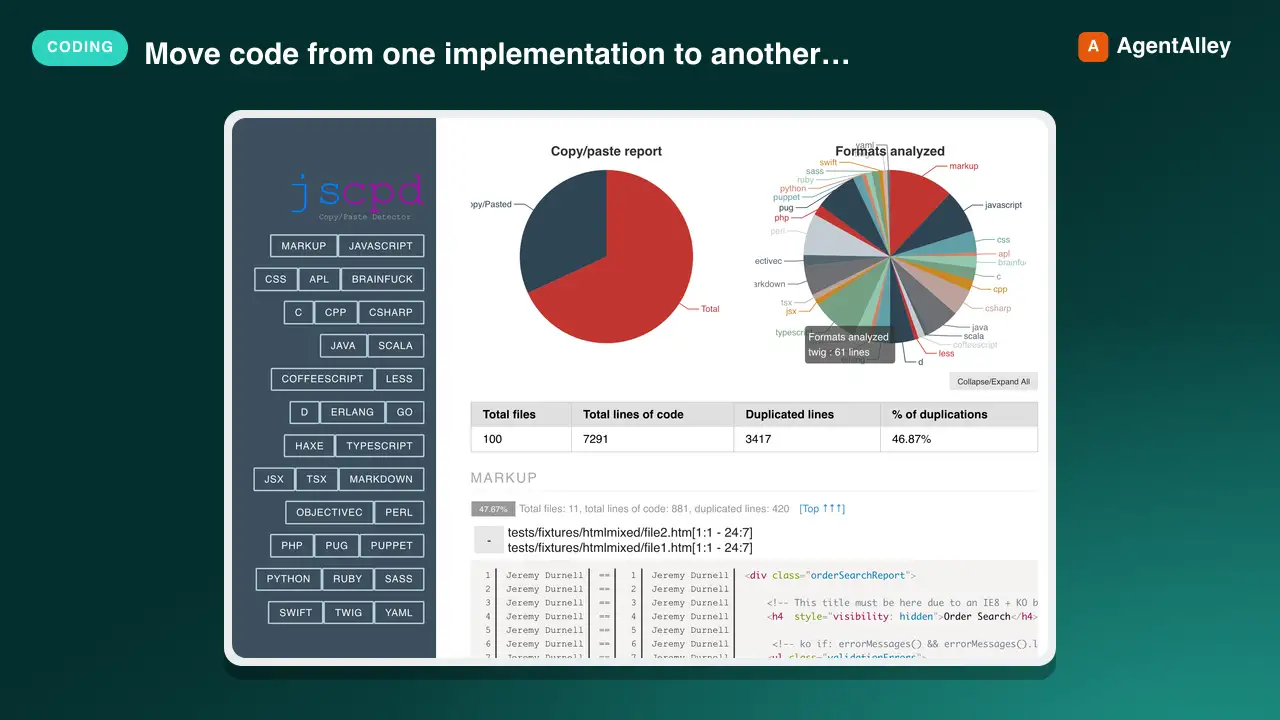
 kucherenko/jscpd · by kucherenkoMove code from one implementation to another function by function, tests first and code second, and check two implementations of one app for parity, with jscpd --compare as the progress measure and a coverage map binding each function to its tests. Use when porting a library or app to another language or framework (Java to Kotlin, JavaScript to Rust, a Python library to TypeScript, an iOS app to Android), when asked what is left to port, or when comparing the Android and iOS versions of an app.★ 6.3k GitHub stars
 SkillAhrefs API Manager
 OpenClaudia/openclaudia-skills · by OpenClaudiaManages Ahrefs API usage in Python using `ahrefs-python` library. Use when working with SEO / marketing related tasks or with data including backlinks, keywords, domain ratings, organic traffic, site audits, rank tracking, and brand monitoring. Covers `ahrefs-python` usage including AhrefsClient / AsyncAhrefsClient, typed request/response models, error handling, and all API sections.★ 705 GitHub stars
 AgentDocx to Markdown Translator
 dealfluence/adeu · by dealfluenceDocx ↔ LLM translator. Projects .docx office files to Markdown for editing. Projects edits back to OOXML as tracked changes (redlines). Python and Node.js implementations.★ 165 GitHub stars
 SkillAmazon White-Background Creator
 xianyu110/ecommerce-image-skills · by xianyu110Create an Amazon-compliant white-background main image (pure #FFFFFF background, product fills ≥85% of the frame, no text, props or watermark) from a product photo with GPT Image 2.5, then verify it with a Python check script. Use for Amazon/Walmart/eBay main images, 白底图, 白底主图, hero image, listing main photo.★ 92 GitHub stars
 AgentSendmux SDK
 Sendmux/sendmux-sdk · by SendmuxOfficial monorepo of SDKs, CLI, and MCP servers for Sendmux email APIs across TypeScript, Python, Go, PHP, Rust, and Ruby.★ 65 GitHub stars
More from davila7
 Skill2D Game Development
 davila7/claude-code-templates · by davila72D game development principles. Sprites, tilemaps, physics, camera.★ 32.3k GitHub stars
 Skill3D Game Development Principlesdavila7/claude-code-templates · by davila73D game development principles. Rendering, shaders, physics, cameras.★ 32.3k GitHub stars
 Skill3D Web Experience Builderdavila7/claude-code-templates · by davila7Expert in building 3D experiences for the web - Three.js, React Three Fiber, Spline, WebGL, and interactive 3D scenes. Covers product configurators, 3D portfolios, immersive websites, and bringing depth to web experiences. Use when: 3D website, three.js, WebGL, react three fiber, 3D experience.★ 32.3k GitHub stars
 SkillSplit Test Setupdavila7/claude-code-templates · by davila7When the user wants to plan, design, or implement an A/B test or experiment. Also use when the user mentions "A/B test," "split test," "experiment," "test this change," "variant copy," "multivariate test," or "hypothesis." For tracking implementation, see analytics-tracking.★ 32.3k GitHub stars
 AgentResearch Literature Synthesizerdavila7/claude-code-templates · by davila7Academic research synthesis specialist. Use PROACTIVELY for comprehensive research on academic topics, literature reviews, technical investigations, and well-cited analysis combining multiple sources. <example>Context: A podcast episode needs a segment grounded in peer-reviewed evidence with formal citations. user: "Research the current state of transformer efficiency techniques for the episode, with proper academic citations." assistant: "I'll use the academic-research-synthesizer agent to search arXiv and Semantic Scholar, extract full-text findings via WebFetch, and produce a cited literature synthesis with confidence levels." <commentary>Use academic-research-synthesizer (not comprehensive-researcher) when the episode segment needs peer-reviewed sourcing, formal citation format, and explicit confidence tagging rather than general-purpose multi-source coverage.</commentary></example> <example>Context: The episode-orchestrator has routed a "literature review" request for a technical deep-dive segment. user: "Summarize the research landscape on federated learning privacy guarantees." assistant: "I'll invoke academic-research-synthesizer to systematically search academic sources, note peer-review status per source, and synthesize consensus vs. open debates."</example>★ 32.3k GitHub stars
 AgentAcademic Research Specialistdavila7/claude-code-templates · by davila7Academic research specialist for scholarly sources, peer-reviewed papers, and academic literature. Use PROACTIVELY for research paper analysis, literature reviews, citation tracking, and academic methodology evaluation. <example>Context: The research-orchestrator has kicked off Phase 4 parallel research on 'efficacy of intermittent fasting' and needs peer-reviewed evidence. user: "Find the academic evidence on intermittent fasting outcomes." assistant: "I'll use the academic-researcher agent to search Semantic Scholar, PubMed, and OpenAlex for peer-reviewed studies and write structured findings to academic-research.md." <commentary>The request is specifically for scholarly/peer-reviewed evidence rather than general web coverage or code, so academic-researcher (not web-researcher or technical-researcher) is the right specialist.</commentary></example> <example>Context: The user wants a literature review comparing methodologies across studies on a topic. user: "Can you review the literature on transformer model interpretability and identify research gaps?" assistant: "Let me invoke the academic-researcher agent to pull foundational and recent papers, extract methodologies, and surface open research gaps." <commentary>Literature review, methodology extraction, and research-gap identification are core academic-researcher capabilities, distinct from technical-researcher's focus on code repositories and implementations.</commentary></example>★ 32.3k GitHub stars