App Bug Reporter
Report Issue — mobile-app
Use when the user wants to report a bug, file an issue, submit a bug report, or report any problem with the mobile-app plugin.
---
name: report-issue
description: Use when the user wants to report a bug, file an issue, submit a bug report, or report any problem with the mobile-app plugin.
user-invocable: true
argument-hint: "[optional: brief description of the bug]"
allowed-tools: Read, Bash, Glob, Grep, AskUserQuestion
model: haiku
---

> **Plugin check**: Run `node "${PLUGIN_ROOT}/scripts/check-version.js"` - if it outputs a message, show it to the user before proceeding.

**📋 Shared instructions: [shared-instructions.md](${PLUGIN_ROOT}/shared/shared-instructions.md)** — read this first.

# Report Issue — mobile-app

Generates a fully-populated GitHub issue body for the `microsoft/power-platform-skills` repo, scoped to the `mobile-app` plugin. Read-only — no project modifications.

## Workflow
Overview
📋 Shared instructions: shared-instructions.md — read this first.
Manual install (npx, ZIP)
npx skills add microsoft/power-platform-skills --skill report-issue -g -a claude-codenpx degit microsoft/power-platform-skills/plugins/mobile-apps/skills/report-issue#main ~/.claude/skills/report-issueConnects with Agent Alley MCP · agentalley.io/mcp
Files included
SKILL.md7.1 KB
Read SKILL.md here
Show the full text228 lines
Plugin check: Run
node "${PLUGIN_ROOT}/scripts/check-version.js"- if it outputs a message, show it to the user before proceeding.
📋 Shared instructions: shared-instructions.md — read this first.
Report Issue — mobile-app
Generates a fully-populated GitHub issue body for the microsoft/power-platform-skills repo, scoped to the mobile-app plugin. Read-only — no project modifications.
Workflow
- Capture user description → 2. Detect project context → 3. Collect diagnostics → 4. Render issue body → 5. Print URL
Step 1 — Capture user description
Telemetry checkpoint: capture_issue_description
If $ARGUMENTS contains a description, use it. Otherwise prompt:
"What's the issue? Briefly describe what you expected vs. what happened. (You can paste error output if helpful.)"
Then ask via AskUserQuestion:
"Issue category? (a) Bug — something broke (b) Unexpected behavior — wrong output but no error (c) Documentation — docs are wrong / missing (d) Feature request (e) Question / discussion"
"How blocking is this? (a) Blocking — can't proceed at all (b) Workaround exists — but painful (c) Annoying — non-critical (d) Polish — nice-to-have"
Step 2 — Detect project context
Read-only checks:
test -f power.config.json && echo "in_project=true" || echo "in_project=false"
pwd
node --version
npm --version
node scripts/resolve-environment.js "$(node -e \"console.log(require('./power.config.json').environmentId)\")" 2>/dev/null || true
az --version 2>/dev/null | head -1
npx expo --version 2>/dev/null
uname -srm
If in a project:
node -e "console.log(require('./package.json').name, require('./package.json').version)" 2>/dev/null
node -e "console.log(JSON.stringify({env: require('./power.config.json').environmentId, name: require('./power.config.json').displayName}))"
test -f memory-bank.md && echo "memory_bank=present"
test -f native-app-plan.md && echo "plan=present"
ls src/generated/services/ 2>/dev/null | head -10
If the description names a package matching @microsoft/power-apps-native-*, collect its declared and lockfile-resolved versions from package.json and package-lock.json. Do not read package source or metadata from node_modules/.
node - <<'NODE'
const fs = require('node:fs');
const manifest = JSON.parse(fs.readFileSync('package.json', 'utf8'));
const lockfile = fs.existsSync('package-lock.json')
  ? JSON.parse(fs.readFileSync('package-lock.json', 'utf8'))
  : null;
const dependencies = { ...manifest.dependencies, ...manifest.devDependencies };
for (const [name, declared] of Object.entries(dependencies)) {
  if (!name.startsWith('@microsoft/power-apps-native-')) continue;
  const resolved = lockfile?.packages?.[`node_modules/${name}`]?.version ?? 'unknown';
  console.log(`${name}\tdeclared=${declared}\tresolved=${resolved}`);
}
NODE
For native-build issues also capture:
[ "$(uname)" = "Darwin" ] && xcode-select -p
[ "$(uname)" = "Darwin" ] && pod --version 2>/dev/null
java -version 2>&1 | head -1
echo "ANDROID_HOME=$ANDROID_HOME"
Step 3 — Collect diagnostics
Telemetry checkpoint: collect_issue_diagnostics
Run npx expo doctor and capture the text output verbatim.
Ask for the affected workflow's Support ID when available. Use the telemetry
helper's read-only --report mode from the affected project to inspect only its
allowlisted timeline. Include the Support ID and relevant step/error category in
the issue body, not environment, tenant, or organization IDs. Do not
upload the telemetry directory or raw timing/authentication files.
If the user pasted an error, capture verbatim. Otherwise look for recent failure signals:
- Last 50 lines of any Metro / Gradle / Xcode log if user mentions a build failure
git status --shortif in a git repo (to show modified files — sanitize for secrets first)- Output of
npx tsc --noEmitif relevant
Do NOT capture:
- Contents of
src/playerConfig.ts(contains tenantId / clientId — sensitive) - Contents of
.envor any file matching.env* - Connection IDs unless the user explicitly opted in (PII / can map to tenant)
- Anything under
node_modules/ - Package source excerpts, patched package contents, or proposed fork code
- Tenant/environment/organization IDs in a public issue, even though verified IDs can exist in access-controlled telemetry
Step 4 — Render issue body
Telemetry checkpoint: render_issue_report
Print this block — user copies into a new issue:
### Description

<user's description>

### Category

<Bug / Unexpected behavior / Docs / Feature / Question>

### Severity

<Blocking / Workaround / Annoying / Polish>

### Environment

| | |
|---|---|
| Plugin | mobile-app |
| Plugin version | <from .plugin/plugin.json, or legacy .claude-plugin/plugin.json fallback, or "unknown"> |
| OS | <uname output> |
| Node | <version> |
| npm | <version> |
| Power Apps CLI | <version> |
| Expo CLI | <version> |
| Xcode | <if macOS> |
| JDK | <if android> |
| ANDROID_HOME set | <yes/no> |

### Project context

<if in project>
- Mobile project detected: yes
- Support ID: `<affected workflow run GUID, or unavailable>`
- Failed step / error category: `<registered step and fixed category, or unknown>`
- Memory bank present: <yes/no>
- Plan present: <yes/no>
- Connector count: <count, not generated service or business-table names>
</if>

<if not in project>
Not run inside a mobile-app project.
</if>

### Affected native package

<include only when the issue concerns @microsoft/power-apps-native-*>
- Package: `<package name>`
- Declared version: `<package.json range>`
- Resolved version: `<package-lock.json version or unknown>`
- Platform: `<iOS / Android>`
- Ownership evidence: <why the documented caller contract is satisfied and the failure is package-internal>

### Reproduction steps

1.
2.
3.

### Expected

<what should have happened>

### Actual

<what happened>

### Logs / errors
<paste verbatim — sensitive values redacted>
### Notes

<anything else>
Step 5 — Print URL
Telemetry checkpoint: generate_issue_submission_url
Tell the user:
Open this URL to file the issue:
https://github.com/microsoft/power-platform-skills/issues/new?labels=plugin%3Amobile-app
Paste the block above into the body. Review for any sensitive values before submitting.
If the user wants to open it, suggest open <url> (macOS) / xdg-open <url> (Linux) / start <url> (Windows). Do not auto-open without confirmation.
Notes
- This skill never modifies any file or invokes mutating commands. Pure diagnostic.
- For diagnosing connection-specific failures, suggest the user run
/list-connectionsfirst and paste that output into the issue. - For diagnosing build failures, suggest they include the full Metro/Gradle/Xcode log (not truncated).
| 1 | |
| 2 | name report-issue |
| 3 | description Use when the user wants to report a bug, file an issue, submit a bug report, or report any problem with the mobile-app plugin. |
| 4 | user-invocable true |
| 5 | argument-hint "[optional: brief description of the bug]" |
| 6 | allowed-tools Read, Bash, Glob, Grep, AskUserQuestion |
| 7 | model haiku |
| 8 | |
| 9 | |
| 10 | > **Plugin check**: Run `node "${PLUGIN_ROOT}/scripts/check-version.js"` - if it outputs a message, show it to the user before proceeding. |
| 11 | |
| 12 | **📋 Shared instructions: [shared-instructions.md]** — read this first. |
| 13 | |
| 14 | # Report Issue — mobile-app |
| 15 | |
| 16 | Generates a fully-populated GitHub issue body for the `microsoft/power-platform-skills` repo, scoped to the `mobile-app` plugin. Read-only — no project modifications. |
| 17 | |
| 18 | ## Workflow |
| 19 | |
| 20 | Capture user description → 2. Detect project context → 3. Collect diagnostics → 4. Render issue body → 5. Print URL |
| 21 | |
| 22 | |
| 23 | |
| 24 | ### Step 1 — Capture user description |
| 25 | |
| 26 | **Telemetry checkpoint: `capture_issue_description`** |
| 27 | |
| 28 | If `$ARGUMENTS` contains a description, use it. Otherwise prompt: |
| 29 | |
| 30 | > "What's the issue? Briefly describe what you expected vs. what happened. (You can paste error output if helpful.)" |
| 31 | |
| 32 | Then ask via `AskUserQuestion`: |
| 33 | |
| 34 | > "Issue category? |
| 35 | > (a) Bug — something broke |
| 36 | > (b) Unexpected behavior — wrong output but no error |
| 37 | > (c) Documentation — docs are wrong / missing |
| 38 | > (d) Feature request |
| 39 | > (e) Question / discussion" |
| 40 | |
| 41 | > "How blocking is this? |
| 42 | > (a) Blocking — can't proceed at all |
| 43 | > (b) Workaround exists — but painful |
| 44 | > (c) Annoying — non-critical |
| 45 | > (d) Polish — nice-to-have" |
| 46 | |
| 47 | ### Step 2 — Detect project context |
| 48 | |
| 49 | Read-only checks: |
| 50 | |
| 51 | |
| 52 | test -f power.config.json && echo "in_project=true" || echo "in_project=false" |
| 53 | pwd |
| 54 | node --version |
| 55 | npm --version |
| 56 | node scripts/resolve-environment.js "$(node -e \"console.log(require('./power.config.json').environmentId)\")" 2>/dev/null || true |
| 57 | az --version 2>/dev/null | head -1 |
| 58 | npx expo --version 2>/dev/null |
| 59 | uname -srm |
| 60 | |
| 61 | |
| 62 | If in a project: |
| 63 | |
| 64 | |
| 65 | node -e "console.log(require('./package.json').name, require('./package.json').version)" 2>/dev/null |
| 66 | node -e "console.log(JSON.stringify({env: require('./power.config.json').environmentId, name: require('./power.config.json').displayName}))" |
| 67 | test -f memory-bank.md && echo "memory_bank=present" |
| 68 | test -f native-app-plan.md && echo "plan=present" |
| 69 | ls src/generated/services/ 2>/dev/null | head -10 |
| 70 | |
| 71 | |
| 72 | If the description names a package matching `@microsoft/power-apps-native-*`, collect its declared and lockfile-resolved versions from `package.json` and `package-lock.json`. Do not read package source or metadata from `node_modules/`. |
| 73 | |
| 74 | |
| 75 | node - <<'NODE' |
| 76 | const fs = require('node:fs'); |
| 77 | const manifest = JSON.parse(fs.readFileSync('package.json', 'utf8')); |
| 78 | const lockfile = fs.existsSync('package-lock.json') |
| 79 | ? JSON.parse(fs.readFileSync('package-lock.json', 'utf8')) |
| 80 | : null; |
| 81 | const dependencies = { ...manifest.dependencies, ...manifest.devDependencies }; |
| 82 | for (const [name, declared] of Object.entries(dependencies)) { |
| 83 | if (!name.startsWith('@microsoft/power-apps-native-')) continue; |
| 84 | const resolved = lockfile?.packages?.[`node_modules/${name}`]?.version ?? 'unknown'; |
| 85 | console.log(`${name}\tdeclared=${declared}\tresolved=${resolved}`); |
| 86 | } |
| 87 | NODE |
| 88 | |
| 89 | |
| 90 | For native-build issues also capture: |
| 91 | |
| 92 | |
| 93 | [ "$(uname)" = "Darwin" ] && xcode-select -p |
| 94 | [ "$(uname)" = "Darwin" ] && pod --version 2>/dev/null |
| 95 | java -version 2>&1 | head -1 |
| 96 | echo "ANDROID_HOME=$ANDROID_HOME" |
| 97 | |
| 98 | |
| 99 | ### Step 3 — Collect diagnostics |
| 100 | |
| 101 | **Telemetry checkpoint: `collect_issue_diagnostics`** |
| 102 | |
| 103 | Run `npx expo doctor` and capture the text output verbatim. |
| 104 | |
| 105 | Ask for the affected workflow's Support ID when available. Use the telemetry |
| 106 | helper's read-only `--report` mode from the affected project to inspect only its |
| 107 | allowlisted timeline. Include the Support ID and relevant step/error category in |
| 108 | the issue body, not environment, tenant, or organization IDs. Do not |
| 109 | upload the telemetry directory or raw timing/authentication files. |
| 110 | |
| 111 | If the user pasted an error, capture verbatim. Otherwise look for recent failure signals: |
| 112 | |
| 113 | Last 50 lines of any Metro / Gradle / Xcode log if user mentions a build failure |
| 114 | `git status --short` if in a git repo (to show modified files — sanitize for secrets first) |
| 115 | Output of `npx tsc --noEmit` if relevant |
| 116 | |
| 117 | **Do NOT capture:** |
| 118 | Contents of `src/playerConfig.ts` (contains tenantId / clientId — sensitive) |
| 119 | Contents of `.env` or any file matching `.env*` |
| 120 | Connection IDs unless the user explicitly opted in (PII / can map to tenant) |
| 121 | Anything under `node_modules/` |
| 122 | Package source excerpts, patched package contents, or proposed fork code |
| 123 | Tenant/environment/organization IDs in a public issue, even though verified |
| 124 | IDs can exist in access-controlled telemetry |
| 125 | |
| 126 | ### Step 4 — Render issue body |
| 127 | |
| 128 | **Telemetry checkpoint: `render_issue_report`** |
| 129 | |
| 130 | Print this block — user copies into a new issue: |
| 131 | |
| 132 | |
| 133 | ### Description |
| 134 | |
| 135 | <user's description> |
| 136 | |
| 137 | ### Category |
| 138 | |
| 139 | <Bug / Unexpected behavior / Docs / Feature / Question> |
| 140 | |
| 141 | ### Severity |
| 142 | |
| 143 | <Blocking / Workaround / Annoying / Polish> |
| 144 | |
| 145 | ### Environment |
| 146 | |
| 147 | | | | |
| 148 | |---|---| |
| 149 | | Plugin | mobile-app | |
| 150 | | Plugin version | <from .plugin/plugin.json, or legacy .claude-plugin/plugin.json fallback, or "unknown"> | |
| 151 | | OS | <uname output> | |
| 152 | | Node | <version> | |
| 153 | | npm | <version> | |
| 154 | | Power Apps CLI | <version> | |
| 155 | | Expo CLI | <version> | |
| 156 | | Xcode | <if macOS> | |
| 157 | | JDK | <if android> | |
| 158 | | ANDROID_HOME set | <yes/no> | |
| 159 | |
| 160 | ### Project context |
| 161 | |
| 162 | <if in project> |
| 163 | - Mobile project detected: yes |
| 164 | - Support ID: `<affected workflow run GUID, or unavailable>` |
| 165 | - Failed step / error category: `<registered step and fixed category, or unknown>` |
| 166 | - Memory bank present: <yes/no> |
| 167 | - Plan present: <yes/no> |
| 168 | - Connector count: <count, not generated service or business-table names> |
| 169 | </if> |
| 170 | |
| 171 | <if not in project> |
| 172 | Not run inside a mobile-app project. |
| 173 | </if> |
| 174 | |
| 175 | ### Affected native package |
| 176 | |
| 177 | <include only when the issue concerns @microsoft/power-apps-native-*> |
| 178 | - Package: `<package name>` |
| 179 | - Declared version: `<package.json range>` |
| 180 | - Resolved version: `<package-lock.json version or unknown>` |
| 181 | - Platform: `<iOS / Android>` |
| 182 | - Ownership evidence: <why the documented caller contract is satisfied and the failure is package-internal> |
| 183 | |
| 184 | ### Reproduction steps |
| 185 | |
| 186 | 1. |
| 187 | 2. |
| 188 | 3. |
| 189 | |
| 190 | ### Expected |
| 191 | |
| 192 | <what should have happened> |
| 193 | |
| 194 | ### Actual |
| 195 | |
| 196 | <what happened> |
| 197 | |
| 198 | ### Logs / errors |
| 199 | |
| 200 | |
| 201 | <paste verbatim — sensitive values redacted> |
| 202 | |
| 203 | |
| 204 | ### Notes |
| 205 | |
| 206 | <anything else> |
| 207 | |
| 208 | |
| 209 | ### Step 5 — Print URL |
| 210 | |
| 211 | **Telemetry checkpoint: `generate_issue_submission_url`** |
| 212 | |
| 213 | Tell the user: |
| 214 | |
| 215 | > Open this URL to file the issue: |
| 216 | > |
| 217 | > <https://github.com/microsoft/power-platform-skills/issues/new?labels=plugin%3Amobile-app> |
| 218 | > |
| 219 | > Paste the block above into the body. Review for any sensitive values before submitting. |
| 220 | |
| 221 | If the user wants to open it, suggest `open <url>` (macOS) / `xdg-open <url>` (Linux) / `start <url>` (Windows). Do not auto-open without confirmation. |
| 222 | |
| 223 | ## Notes |
| 224 | |
| 225 | This skill never modifies any file or invokes mutating commands. Pure diagnostic. |
| 226 | For diagnosing connection-specific failures, suggest the user run `/list-connections` first and paste that output into the issue. |
| 227 | For diagnosing build failures, suggest they include the full Metro/Gradle/Xcode log (not truncated). |
| 228 |
Details
- License
- MIT
- Stars on the repo
- ★ 954
- Checked
- Source
- microsoft/power-platform-skills ↗
- Creator
- microsoft · 31 listings
Similar skills
See all → SkillExperiment Dashboard Viewer
 alirezarezvani/claude-skills · by alirezarezvaniShow experiment dashboard with results, active loops, and progress. Use when the user runs /ar:ar-status or asks how an autoresearch experiment is going.★ 26.3k GitHub stars
 SkillLinkedIn Analytics Dashboard
 charlie947/social-media-skills · by charlie947Turn a LinkedIn Analytics export into an interactive dark-themed React dashboard plus a written strategic analysis with 5 data-backed content recommendations. Reads every sheet in the export, builds charts for engagement trend, follower growth, post performance scatter, day-of-week heatmap, and audience breakdown. Use this skill whenever the user says "analyse my linkedin", "linkedin analytics", "build my dashboard", "review my performance", or uploads a LinkedIn Analytics export file. Requires the user's LinkedIn Analytics export (xlsx) as input.★ 3.7k GitHub stars
 SkillEarnings Report Preview
 himself65/finance-skills · by himself65Generate a pre-earnings briefing for any stock using Yahoo Finance data. Use this skill whenever the user wants to prepare for an upcoming earnings report, understand what analysts expect, review a company's beat/miss track record, or get a quick overview before an earnings call. Triggers include: "earnings preview for AAPL", "what to expect from TSLA earnings", MSFT reports next week", "earnings preview", "pre-earnings analysis", what are analysts expecting for NVDA", "earnings estimates for", will GOOGL beat earnings", "earnings beat/miss history", upcoming earnings", "before earnings", "earnings setup", consensus estimates", "earnings whisper", "EPS expectations", what's the street expecting", "earnings season preview", any mention of preparing for or previewing an earnings report, or any request to understand expectations ahead of a company's earnings date. Always use this skill when the user mentions a ticker in context of upcoming earnings, even if they don't say "preview" explicitly.★ 3.3k GitHub stars
 SkillPerformance Measurement Auditor
 michael-denyer/pstack-claude · by michael-denyerVet a perf measurement (limiter, tuning, limits, errors, repeatability, relevance, and whether the work happened) before you report or act on it. Use when you run a benchmark or report a speedup or regression you measured.★ 1k GitHub stars
 SkillAgency Client Dashboard
 indranilbanerjee/digital-marketing-pro · by indranilbanerjeeBuild the agency dashboard across all client brands: health, pacing, risk. "how are all our clients doing"★ 866 GitHub stars
 SkillMonthly Company CFO
 coreyhaines31/makerskills · by coreyhaines31Monthly CFO workflow for a company or agency — pull raw data from bank + payment processor + payroll + expense management, categorize and reconcile, compute end-of-month cash via transaction-sum method, update a scenario projector for forward forecasting, write the monthly snapshot report, surface decisions to leadership. Modes — monthly (default; the standing report), weekly (thin cash pulse), scenario (ad-hoc modeling in the projector), pickup (resume where the prior run left off). Anonymized team-scope sibling to personal-cfo (which handles personal household finances). Composes with company-brain (report gets stored + wiki-indexed there), toolify (wire company-specific data sources), loopify (schedule the monthly + weekly runs). Triggers on "/company-cfo," "/cfo," "monthly cash report," "do the CFO snapshot," "CFO monthly," "let's run CFO," "cash projection," "runway forecast," "monthly financials," "cash pulse.★ 855 GitHub stars
More from microsoft
 AgentPlaywright Browser Automation MCP
 microsoft/playwright-mcp · by microsoftMicrosoft's browser automation server: your AI opens pages, clicks, fills forms and reads the page through the accessibility tree.★ 37.5k GitHub stars
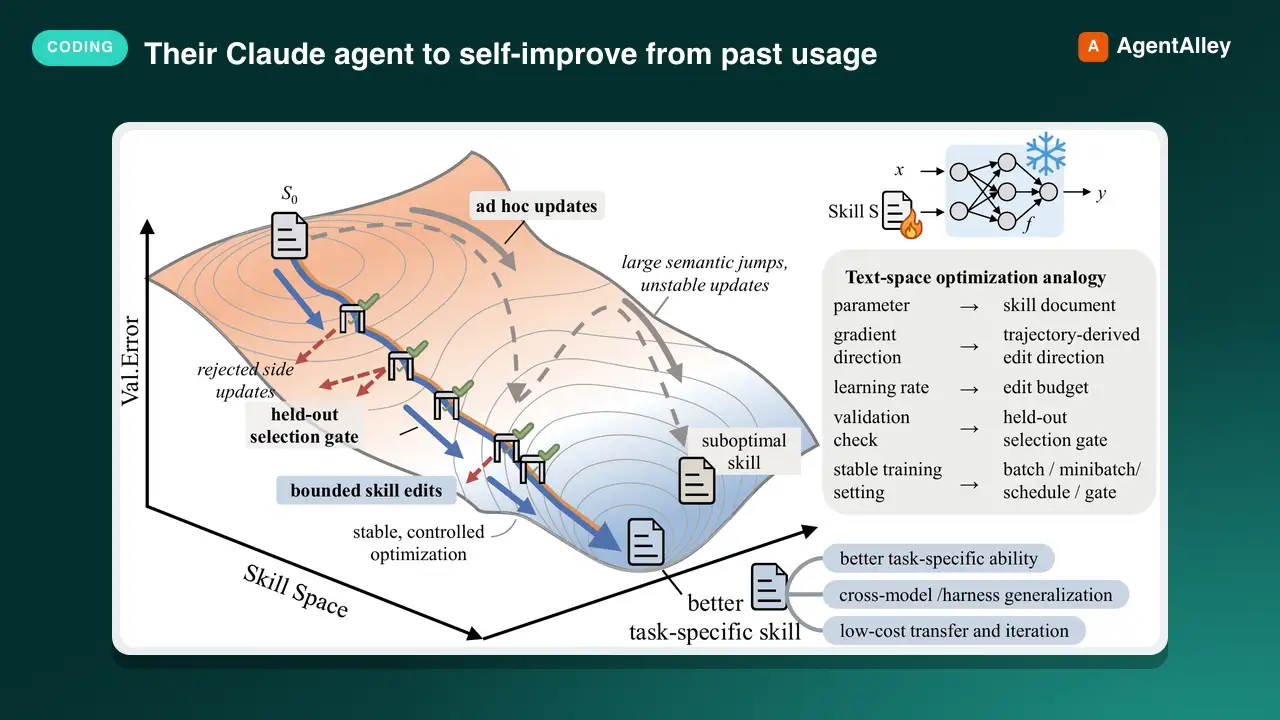 SkillUsage-Based Agent Trainermicrosoft/SkillOpt · by microsoftUse when the user wants their Claude agent to self-improve from past usage, asks about a nightly/offline 'sleep' or 'dream' cycle, memory/skill consolidation, or says things like 'make my agent better the more I use it', 'review my past sessions', 'learn my pr★ 17.3k GitHub stars
 SkillAzure App Deployermicrosoft/skills · by microsoftEnd-to-end orchestrator: from a business idea, app idea, or existing app to running Azure deployment with cost estimates and pre-deploy approval. Analyzes your app, auto-detects the right Azure services, scaffolds infrastructure code, and deploys — tailored to your app, not a template. Handles moving existing apps to Azure without rewriting or with minimal changes. WHEN: bring your app to Azure, plan my app, cost to run, is my code ready to deploy, deploy my app to the cloud, deploy all my services, what Azure services do I need, plan my Azure deployment, deploy my new app to Azure, one-click deploy, I have an app and want it on Azure, migrate my app to Azure, help me get started, build an app, no code yet, starter project. DO NOT USE FOR: use azd for deployment(use azure-deploy), optimizing existing costs (use cost-optimization), code readiness checks only (use azure-app-onboard-prereq).★ 3.1k GitHub stars
 SkillAzure Deployment Auditormicrosoft/skills · by microsoftAssess whether source code is ready to deploy to Azure — the check BEFORE infrastructure work. Evaluates build health, app completeness, dependencies and local services, stack compatibility, and deployment feasibility. Answers questions about what your app needs before it can be deployed — frameworks, dependencies, and configuration. Checks whether dependencies are compatible and identifies deployment blockers and unsupported frameworks. WHEN: "evaluate my repo", "is my app ready to deploy", "what does my app need to deploy", "what do I need before deploying", "does my app need", "can I ship this to Azure", "scan my repo for issues", "is this app deployable", "check if my app is ready for Azure", "do I need a Dockerfile", "what's blocking my deployment", "are there any blockers", "are my dependencies compatible", "does Azure support my framework", "what needs to change before deploying", "check my app configuration".★ 3.1k GitHub stars
 SkillAzure Security Auditormicrosoft/skills · by microsoftRun Azure compliance and security audits with azqr plus Key Vault expiration checks. Covers best-practice assessment, resource review, policy/compliance validation, and security posture checks. WHEN: compliance scan, security audit, BEFORE running azqr (compliance cli tool), Azure best practices, Key Vault expiration check, expired certificates, expiring secrets, orphaned resources, compliance assessment.★ 3.1k GitHub stars
 SkillAzure AI Gatewaymicrosoft/azure-skills · by microsoftConfigure Azure API Management as an AI Gateway for AI models, MCP tools, and agents. WHEN: semantic caching, token limit, content safety, load balancing, AI model governance, MCP rate limiting, jailbreak detection, add Azure OpenAI backend, add AI Foundry model, test AI gateway, LLM policies, configure AI backend, token metrics, AI cost control, convert API to MCP, import OpenAPI to gateway.★ 1.6k GitHub stars