HubSpot B2B Setup
Hubspot setup
Set up HubSpot for B2B SaaS GTM — CRM configuration, deal pipelines, lifecycle stages, marketing automation, sequences, reporting dashboards, and enrichment integration. Use when configuring HubSpot for sales, marketing, or revops.
---
name: hubspot-setup
description: >-
  Set up HubSpot for B2B SaaS GTM — CRM configuration, deal pipelines, lifecycle
  stages, marketing automation, sequences, reporting dashboards, and enrichment
  integration. Use when configuring HubSpot for sales, marketing, or revops.
  Triggers on: "HubSpot setup", "configure HubSpot", "HubSpot CRM", "HubSpot
  pipeline", "HubSpot marketing", or any HubSpot configuration request.
license: MIT
compatibility: Claude Code, Codex, GitHub Copilot, Cursor, Gemini CLI, OpenCode, Goose, Hermes, Windsurf, Zed
metadata:
  version: "1.1.0"
  author: LeadMagic
  category: automation
  tags: [hubspot, crm, setup, marketing, sales, lifecycle, contacts]
  frameworks:
    - "HubSpot Knowledge Base — Lifecycle stages"
    - "HubSpot Academy — CRM setup"
Overview
HubSpot is the most popular CRM for SMB and mid-market B2B SaaS. Its strength is the unified platform: CRM, marketing, sales, and service in one system. Its weakness is that it's easy to configure poorly and hard to fix later. This skill covers setup for GTM teams: deal pipelines, lifecycle stages, marketing automation, reporting, and enrichment integration.
Manual install (npx, ZIP)
npx skills add LeadMagic/gtm-skills --skill hubspot-setup -g -a claude-codenpx degit LeadMagic/gtm-skills/skills/automation/hubspot-setup#main ~/.claude/skills/hubspot-setupConnects with Agent Alley MCP · agentalley.io/mcp
Files included
SKILL.md6.7 KB
Read SKILL.md here
Show the full text156 lines
HubSpot Setup
Overview
HubSpot is the most popular CRM for SMB and mid-market B2B SaaS. Its strength is the unified platform: CRM, marketing, sales, and service in one system. Its weakness is that it's easy to configure poorly and hard to fix later. This skill covers setup for GTM teams: deal pipelines, lifecycle stages, marketing automation, reporting, and enrichment integration.
Authoritative Foundations
- HubSpot Knowledge Base — Lifecycle stages — Define entry criteria for each lifecycle stage and let stages move forward only, so funnel reporting stays trustworthy.
- HubSpot Academy — CRM setup — Configure objects, associations, properties, and pipelines before importing data or building workflows.
- Winning by Design — Revenue Architecture — Bowtie lifecycle model — align sales, marketing, and CS on stage-based outcomes.
When to Use
- "Set up HubSpot for our sales team"
- "Configure HubSpot deal pipelines"
- "Set up HubSpot marketing automation"
- "Build HubSpot reports and dashboards"
- "Integrate enrichment with HubSpot"
Step-by-Step Process
Load crm-toolkit first — confirm HubSpot fit (crm-selection), contacts-vs-leads (HubSpot uses Contacts only — lifecycle stages replace Salesforce Leads), and hubspot-blueprint (field and workflow catalog).
Phase 1: CRM Foundation
Contacts vs leads: HubSpot has no Lead object. Inbound records are Contacts with lifecycle stage = Lead until qualified. Do not duplicate records. See crm-toolkit → contacts-vs-leads reference.
Lifecycle stages: Subscriber → Lead → MQL → SQL → Opportunity → Customer → Evangelist. Define clear criteria for stage advancement. Never use "Other."
Deal pipeline stages: Customize per sales motion. Standard: New → Contact Made → Discovery → Demo → Proposal → Negotiation → Closed Won / Closed Lost. Each stage: required fields (Amount, Close Date, Next Step).
Contact/Company properties: Standardize naming. Add custom properties: ICP fit score, enrichment status (pending/enriched/verified), lead source detail, MEDDICC dimensions for enterprise.
Phase 2: Marketing Hub
Email marketing: Lists by lifecycle stage. Sequences for nurture. Templates with brand consistency. A/B testing on subject lines.
Forms: Embedded on website, pop-ups, landing pages. Map form fields to contact properties. Auto-enrich on form fill via webhook to enrichment provider.
Lead scoring: HubSpot score based on fit (company properties) + engagement (Page views, email clicks, form fills). Threshold: score >X triggers MQL.
Phase 3: Sales Hub
Sequences: Automated email follow-up sequences. Personalization tokens. Task creation for calls and LinkedIn touches. Unenroll on reply.
Meeting scheduler: HubSpot meetings integration. Round-robin or rep-specific. Embed on website and in email signatures.
Playbooks: Guided selling for reps. Discovery questions, objection handling, competitive positioning. Triggered by deal stage.
Phase 4: Reporting
Dashboards: Sales (pipeline, forecast, rep activity), Marketing (traffic, conversions, MQLs), RevOps (pipeline velocity, conversion rates, data health).
Key reports: Pipeline generation by source, MQL→SQL conversion rate, average deal velocity by stage, win rate by source and rep, forecast accuracy.
Phase 5: Enrichment Integration
Clay → HubSpot: One-direction push. Clay enriches, pushes to HubSpot. Use clay_status property to gate: only verified records enter sequences. Never two-way sync.
LeadMagic integration: Verify emails on form fill. Enrich companies on contact create. Automate via webhook: webhook fires enrichment, results write back to HubSpot properties.
Output Format
HubSpot configuration document with: lifecycle stage definitions, deal pipeline map, required fields per stage, marketing automation flows, dashboard specs, and enrichment integration setup.
Quality Check
- Lifecycle stages defined with clear advancement criteria
- Deal pipelines configured with required fields per stage
- Lead scoring model active (fit + engagement)
- Enrichment integration: one-direction push from Clay to HubSpot
- Dashboards built for all three functions (sales, marketing, revops)
- Data quality: no duplicate contacts, no missing required fields
Common Pitfalls
No stage criteria. "We think they're an MQL" creates chaos. Define hard criteria: "ICP fit confirmed + demo requested = SQL."
Too many required fields. Reps skip CRM updates when every field is mandatory. Required: Amount, Close Date, Next Step. Everything else optional.
Two-way sync with enrichment. Clay-enriched data should flow to HubSpot, not back. Two-way sync creates data conflicts.
Default HubSpot lifecycle stages. Customize stages to your business. "Subscriber" and "Other" don't map to any real process.
No data hygiene cadence. Quarterly: deduplicate contacts, re-verify emails >90 days old, audit required fields completion.
Execution Artifacts
references/framework-notes.md— named frameworks, citation anchors, and operating assumptionstemplates/output-template.md— copy-paste deliverable structure for the userscripts/check-output.py— local checklist validator for required sections This skill includes lightweight artifacts the agent can load on demand: Use the artifacts when the user asks for an implementation-ready deliverable, a repeatable workflow, or a quality check rather than generic advice.
Related Skills
- crm-toolkit: Selection, contacts-vs-leads, hubspot-blueprint, partners
- crm-integration: CRM configuration principles
- pipeline-management: Deal stage design
- salesforce-setup: Salesforce alternative (Lead object model)
- attio-setup: Attio alternative (lists + status)
| 1 | |
| 2 | name hubspot-setup |
| 3 | description >- |
| 4 | Set up HubSpot for B2B SaaS GTM — CRM configuration, deal pipelines, lifecycle |
| 5 | stages, marketing automation, sequences, reporting dashboards, and enrichment |
| 6 | integration. Use when configuring HubSpot for sales, marketing, or revops. |
| 7 | Triggers on: "HubSpot setup", "configure HubSpot", "HubSpot CRM", "HubSpot |
| 8 | pipeline", "HubSpot marketing", or any HubSpot configuration request. |
| 9 | license MIT |
| 10 | compatibility Claude Code, Codex, GitHub Copilot, Cursor, Gemini CLI, OpenCode, Goose, Hermes, Windsurf, Zed |
| 11 | metadata |
| 12 | version "1.1.0" |
| 13 | author LeadMagic |
| 14 | category automation |
| 15 | tags [hubspot, crm, setup, marketing, sales, lifecycle, contacts] |
| 16 | frameworks |
| 17 | - "HubSpot Knowledge Base — Lifecycle stages" |
| 18 | - "HubSpot Academy — CRM setup" |
| 19 | - "Winning by Design — Revenue Architecture" |
| 20 | related_skills [crm-toolkit, crm-integration, pipeline-management, salesforce-setup, attio-setup] |
| 21 | |
| 22 | |
| 23 | # HubSpot Setup |
| 24 | |
| 25 | ## Overview |
| 26 | |
| 27 | HubSpot is the most popular CRM for SMB and mid-market B2B SaaS. Its strength |
| 28 | is the unified platform: CRM, marketing, sales, and service in one system. Its |
| 29 | weakness is that it's easy to configure poorly and hard to fix later. This skill |
| 30 | covers setup for GTM teams: deal pipelines, lifecycle stages, marketing |
| 31 | automation, reporting, and enrichment integration. |
| 32 | |
| 33 | ## Authoritative Foundations |
| 34 | **HubSpot Knowledge Base — Lifecycle stages** — Define entry criteria for each lifecycle stage and let stages move forward only, so funnel reporting stays trustworthy. |
| 35 | **HubSpot Academy — CRM setup** — Configure objects, associations, properties, and pipelines before importing data or building workflows. |
| 36 | **Winning by Design — Revenue Architecture** — Bowtie lifecycle model — align sales, marketing, and CS on stage-based outcomes. |
| 37 | |
| 38 | ## When to Use |
| 39 | |
| 40 | "Set up HubSpot for our sales team" |
| 41 | "Configure HubSpot deal pipelines" |
| 42 | "Set up HubSpot marketing automation" |
| 43 | "Build HubSpot reports and dashboards" |
| 44 | "Integrate enrichment with HubSpot" |
| 45 | |
| 46 | ## Step-by-Step Process |
| 47 | |
| 48 | Load **crm-toolkit** first — confirm HubSpot fit (crm-selection), contacts-vs-leads |
| 49 | (HubSpot uses **Contacts only** — lifecycle stages replace Salesforce Leads), and |
| 50 | hubspot-blueprint (field and workflow catalog). |
| 51 | |
| 52 | ### Phase 1: CRM Foundation |
| 53 | |
| 54 | **Contacts vs leads:** HubSpot has no Lead object. Inbound records are **Contacts** |
| 55 | with lifecycle stage = Lead until qualified. Do not duplicate records. See |
| 56 | **crm-toolkit** → contacts-vs-leads reference. |
| 57 | |
| 58 | **Lifecycle stages:** Subscriber → Lead → MQL → SQL → Opportunity → Customer → |
| 59 | Evangelist. Define clear criteria for stage advancement. Never use "Other." |
| 60 | |
| 61 | **Deal pipeline stages:** Customize per sales motion. Standard: New → Contact |
| 62 | Made → Discovery → Demo → Proposal → Negotiation → Closed Won / Closed Lost. |
| 63 | Each stage: required fields (Amount, Close Date, Next Step). |
| 64 | |
| 65 | **Contact/Company properties:** Standardize naming. Add custom properties: |
| 66 | ICP fit score, enrichment status (pending/enriched/verified), lead source |
| 67 | detail, MEDDICC dimensions for enterprise. |
| 68 | |
| 69 | ### Phase 2: Marketing Hub |
| 70 | |
| 71 | **Email marketing:** Lists by lifecycle stage. Sequences for nurture. Templates |
| 72 | with brand consistency. A/B testing on subject lines. |
| 73 | |
| 74 | **Forms:** Embedded on website, pop-ups, landing pages. Map form fields to |
| 75 | contact properties. Auto-enrich on form fill via webhook to enrichment provider. |
| 76 | |
| 77 | **Lead scoring:** HubSpot score based on fit (company properties) + engagement |
| 78 | (Page views, email clicks, form fills). Threshold: score >X triggers MQL. |
| 79 | |
| 80 | ### Phase 3: Sales Hub |
| 81 | |
| 82 | **Sequences:** Automated email follow-up sequences. Personalization tokens. |
| 83 | Task creation for calls and LinkedIn touches. Unenroll on reply. |
| 84 | |
| 85 | **Meeting scheduler:** HubSpot meetings integration. Round-robin or rep-specific. |
| 86 | Embed on website and in email signatures. |
| 87 | |
| 88 | **Playbooks:** Guided selling for reps. Discovery questions, objection handling, |
| 89 | competitive positioning. Triggered by deal stage. |
| 90 | |
| 91 | ### Phase 4: Reporting |
| 92 | |
| 93 | **Dashboards:** Sales (pipeline, forecast, rep activity), Marketing (traffic, |
| 94 | conversions, MQLs), RevOps (pipeline velocity, conversion rates, data health). |
| 95 | |
| 96 | **Key reports:** Pipeline generation by source, MQL→SQL conversion rate, average |
| 97 | deal velocity by stage, win rate by source and rep, forecast accuracy. |
| 98 | |
| 99 | ### Phase 5: Enrichment Integration |
| 100 | |
| 101 | **Clay → HubSpot:** One-direction push. Clay enriches, pushes to HubSpot. |
| 102 | Use clay_status property to gate: only verified records enter sequences. |
| 103 | Never two-way sync. |
| 104 | |
| 105 | **LeadMagic integration:** Verify emails on form fill. Enrich companies on |
| 106 | contact create. Automate via webhook: webhook fires enrichment, results write |
| 107 | back to HubSpot properties. |
| 108 | |
| 109 | ## Output Format |
| 110 | |
| 111 | HubSpot configuration document with: lifecycle stage definitions, deal pipeline |
| 112 | map, required fields per stage, marketing automation flows, dashboard specs, |
| 113 | and enrichment integration setup. |
| 114 | |
| 115 | ## Quality Check |
| 116 | |
| 117 | [ ] Lifecycle stages defined with clear advancement criteria |
| 118 | [ ] Deal pipelines configured with required fields per stage |
| 119 | [ ] Lead scoring model active (fit + engagement) |
| 120 | [ ] Enrichment integration: one-direction push from Clay to HubSpot |
| 121 | [ ] Dashboards built for all three functions (sales, marketing, revops) |
| 122 | [ ] Data quality: no duplicate contacts, no missing required fields |
| 123 | |
| 124 | ## Common Pitfalls |
| 125 | |
| 126 | **No stage criteria.** "We think they're an MQL" creates chaos. Define hard |
| 127 | criteria: "ICP fit confirmed + demo requested = SQL." |
| 128 | |
| 129 | **Too many required fields.** Reps skip CRM updates when every field is |
| 130 | mandatory. Required: Amount, Close Date, Next Step. Everything else optional. |
| 131 | |
| 132 | **Two-way sync with enrichment.** Clay-enriched data should flow to HubSpot, |
| 133 | not back. Two-way sync creates data conflicts. |
| 134 | |
| 135 | **Default HubSpot lifecycle stages.** Customize stages to your business. |
| 136 | "Subscriber" and "Other" don't map to any real process. |
| 137 | |
| 138 | **No data hygiene cadence.** Quarterly: deduplicate contacts, re-verify |
| 139 | emails >90 days old, audit required fields completion. |
| 140 | |
| 141 | ## Execution Artifacts |
| 142 | |
| 143 | `references/framework-notes.md` — named frameworks, citation anchors, and operating assumptions |
| 144 | `templates/output-template.md` — copy-paste deliverable structure for the user |
| 145 | `scripts/check-output.py` — local checklist validator for required sections |
| 146 | This skill includes lightweight artifacts the agent can load on demand: |
| 147 | Use the artifacts when the user asks for an implementation-ready deliverable, a repeatable workflow, or a quality check rather than generic advice. |
| 148 | |
| 149 | ## Related Skills |
| 150 | |
| 151 | **crm-toolkit**: Selection, contacts-vs-leads, hubspot-blueprint, partners |
| 152 | **crm-integration**: CRM configuration principles |
| 153 | **pipeline-management**: Deal stage design |
| 154 | **salesforce-setup**: Salesforce alternative (Lead object model) |
| 155 | **attio-setup**: Attio alternative (lists + status) |
| 156 |
Details
- License
- MIT
- Stars on the repo
- ★ 62
- Checked
- Source
- LeadMagic/gtm-skills ↗
- Creator
- LeadMagic · 129 listings
Similar skills
See all → AgentNEXUS Quick-Start Guide
 msitarzewski/agency-agents · by msitarzewski> Get from zero to orchestrated multi-agent pipeline in 5 minutes.★ 154k GitHub stars
 SkillRaw Footage Cleanup
 hassancs91/claude-youtube-editor · by hassancs91Step 1 of the AI Video Editor pipeline — turn raw talking-head footage into a clean master cut. Use when the user wants to "clean cut", "cut the raw footage", "remove filler / dead air / bad takes", "tighten the pacing", produce cuts.json, run the cut editor, or render a cleaned preview/master for a video-N project in this repo. Covers audio extraction, AssemblyAI transcription, authoring cuts.json (keeps/cuts/fluff categorized), the cut policy (content-aggressive, pause-natural ~0.5s), QA + review docs, the local cut-editor UI, tight/natural previews, the final 4K60 render, and producing edited-transcript.json as the handoff to /make-tsx. Not for building TSX overlays (that is /make-tsx) or the raw TSX authoring rules (that is vidtsx-2d-generator).★ 330 GitHub stars
 SkillVocaloid Music Video Builder
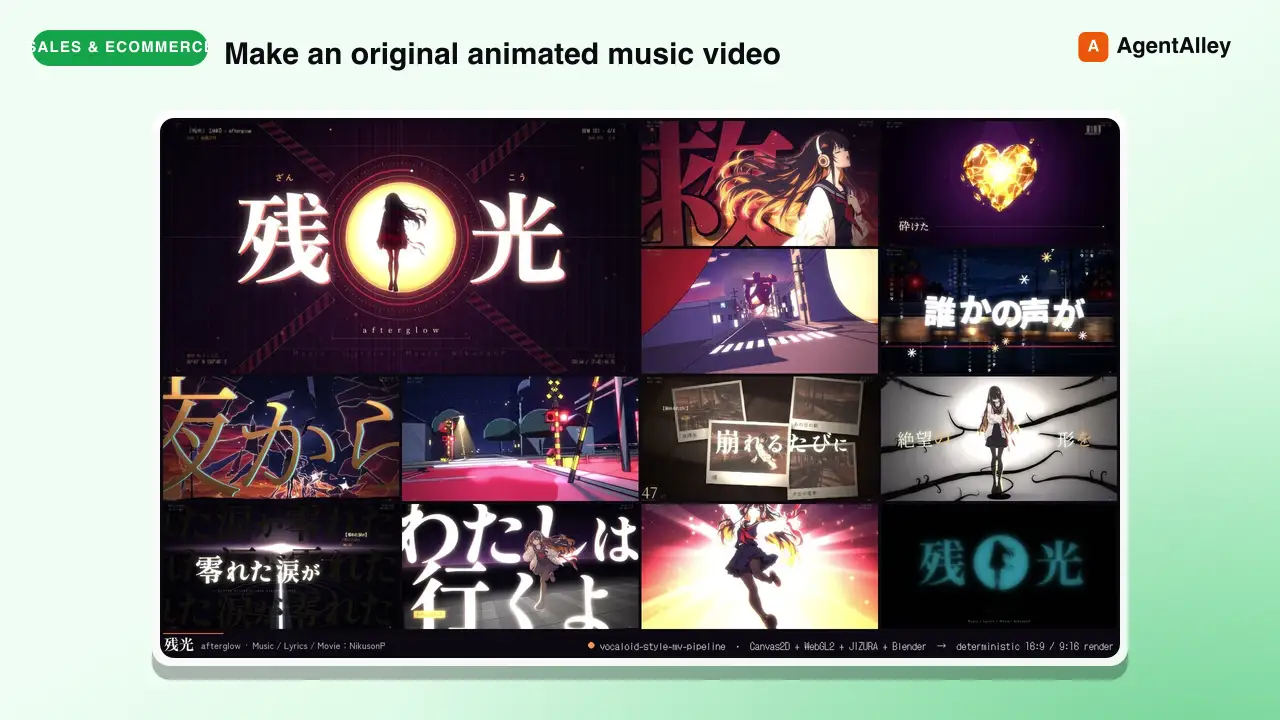
 EGSECDA/vocaloid-style-mv-pipeline · by EGSECDAMake an original animated music video (MV / PV) for a song from its audio file plus lyrics, in the Vocaloid / J-pop lyric-video tradition: 手書き/tegaki (V家手书, 手描きMV, ボカロPV), 文字PV and kinetic typography (リリックモーション, リリックビデオ, 歌詞動画, 歌词视频, 动态歌词), anime-illustration MVs with an original character — for any mood, from dark ballads to bright upbeat summer pop. Renders to MP4 with a deterministic Canvas2D/WebGL2 engine in a headless browser: JIZURA lyric motion, AI-generated art, optional Blender toon 3D, beat-locked editing, 9:16 vertical/Shorts version. Use it whenever the user wants a music video, MV, PV, lyric video or beat-synced animation for a song, e.g. make an MV for my song", "turn this track into a lyric video", "给这首歌做个MV/PV", "做个V家手书", "この曲のMVを作って", ボカロPV作って", "縦型ショートも" — even if they only give a .wav/.mp3 and say "make a cool video for it". Not for editing existing footage or clip compilations.★ 169 GitHub stars
 SkillConstruction Project Manager
 hewi333/Mom-n-Pop-Skills · by hewi333Construction company AI agent — orchestrates email (Google Workspace), project management (JobTread Pave API), and file routing for a construction business. Handles email triage, attachment routing to JobTread, project status, task management, and daily briefings via Telegram. Reference implementation for a construction/trades business with an existing email→Drive→PM pipeline.★ 122 GitHub stars
 SkillLightweight SQLite CRMhewi333/Mom-n-Pop-Skills · by hewi333Use when tracking customer interactions, managing leads, or building a lightweight CRM for small businesses without dedicated CRM software. Stores contacts, leads, activities, estimates, and communications in local SQLite.★ 122 GitHub stars
 SkillShort Video Pipeline
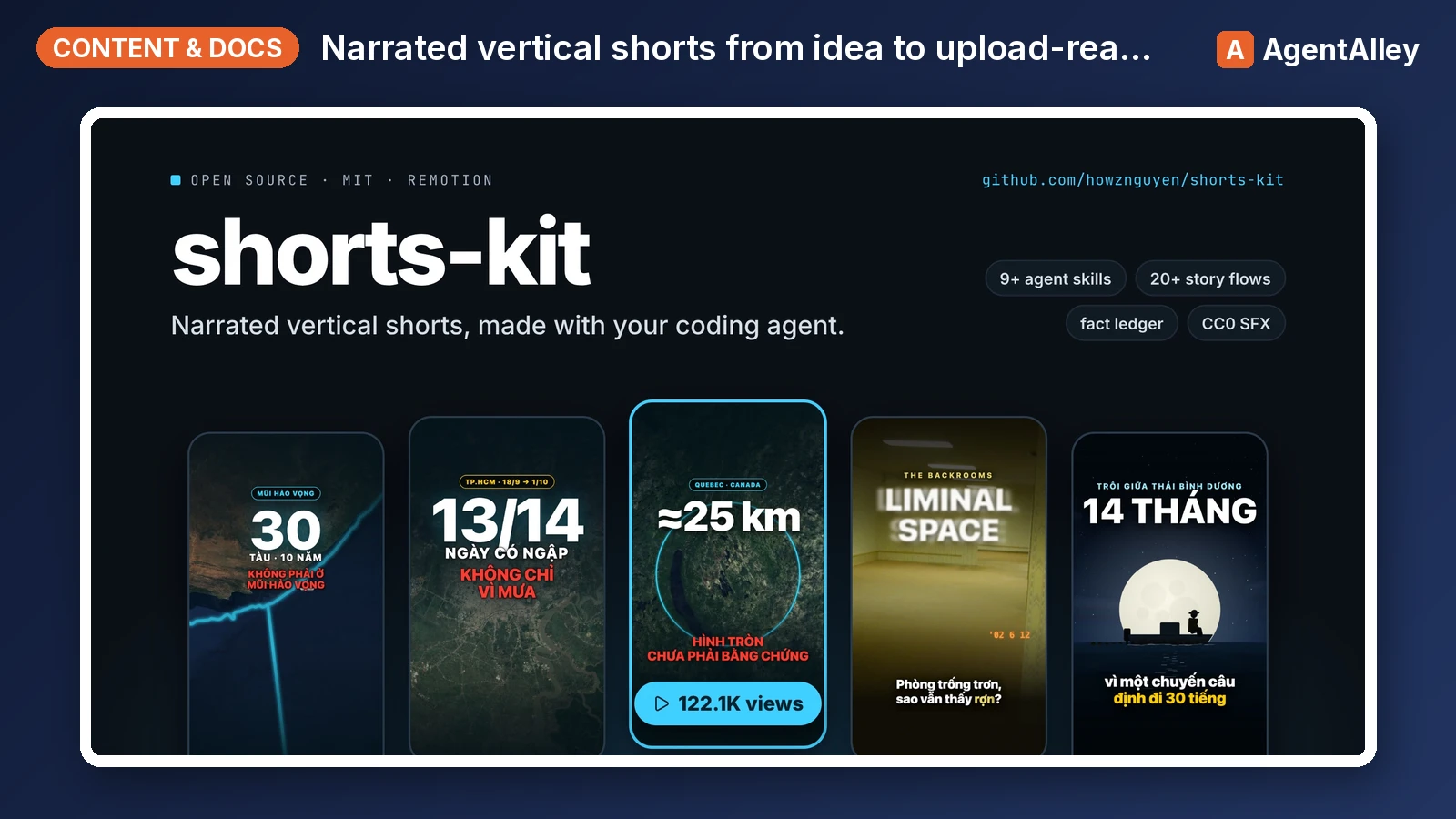
 howznguyen/shorts-kit · by howznguyenOrchestrates one narrated vertical short (TikTok, YouTube Shorts, Reels) from idea to upload-ready hand-off files, in the fixed order idea, facts, flow and visual choice, brief, narration, TTS, lint, scenes, still review, render, cover, normalize, encode, hand-off. Use when the user says "make a video about X", "start a new short", "take this idea to a finished video", "what's the next step", "where was I on this video", or asks how the whole pipeline fits together. Also when the user gives a video or audio file (or a folder of clips) to edit: "edit this video", "dựng video này", a .mov/.mp4 path. Points at the skill and the SOUL section that governs each step.★ 69 GitHub stars
More from LeadMagic
 SkillFirst-Party Analytics Setup
 LeadMagic/gtm-skills · by LeadMagicSet up first-party tracking and analytics — website pixels, conversion tracking, UTM architecture, cookie consent, server-side tagging vs client-side, 1P vs 3P data strategy, and identity resolution. Use when setting up tracking, implementing pixels, building attribution, or preparing for privacy-first measurement. Triggers on: "pixel", "tracking", "conversion tracking", "first-party data", server-side tagging", "UTM", "cookie consent", "1P vs 3P", "identity resolution", or any tracking implementation request.★ 62 GitHub stars
 SkillStrategic Account MarketingLeadMagic/gtm-skills · by LeadMagicRuns strategic 1-to-1 ABM for 5-15 high-value accounts: account plans, custom microsites, executive engagement, direct mail, and board-level connections. Use when a named enterprise account justifies bespoke content and executive time, or when the user needs a strategic account plan. Triggers on: "1-to-1 ABM", "strategic ABM", "custom ABM", "key account marketing", "named account".★ 62 GitHub stars
 SkillCluster Account MarketingLeadMagic/gtm-skills · by LeadMagicRuns ABM at scale (1-to-few) for 15-50 clustered accounts: industry or persona clusters, semi-custom campaigns, and cluster-level content. Use when named-account ABM needs to reach more accounts without bespoke work per account. Triggers on: "1-to-few ABM", "ABM scale", "cluster ABM", "industry ABM".★ 62 GitHub stars
 SkillProgrammatic Account TargetingLeadMagic/gtm-skills · by LeadMagicRuns programmatic 1-to-many ABM for 50-200+ accounts: automated personalization, scaled outbound, intent-based targeting, and lookalike expansion. Use when ABM coverage must grow without adding headcount or when the user wants automated account-based outreach. Triggers on: "1-to-many ABM", programmatic ABM", "scaled ABM", "automated ABM".★ 62 GitHub stars
 SkillAccount Strategy DesignerLeadMagic/gtm-skills · by LeadMagicDesigns an account-based marketing program: tier selection, account scoring, channel orchestration, BDR alignment (account-based sales development), and a measurement framework. Use when the user is launching or redesigning ABM, choosing between 1-to-1, 1-to-few, and 1-to-many, or building a target account program. Triggers on: "ABM strategy", "account based marketing", "ABM playbook", "design ABM", "target accounts", "ABSD", "account based sales development", "Lars Nilsson".★ 62 GitHub stars
 SkillTarget Account SelectorLeadMagic/gtm-skills · by LeadMagicBuilds and tiers a target account list: fit and intent scoring models, tier assignment, and TAM segmentation. Use when the user needs to decide which accounts to target, score or tier an account list, or prioritize a TAM for ABM or outbound. Triggers on: "account selection", "target account list", "tier accounts", "prioritize accounts", "TAM segmentation".★ 62 GitHub stars