GTM Visual Assets Designer
Graphic Design for GTM
Create GTM visual assets — social graphics, ad creatives, pitch deck design, one-pager layouts, email images, data visualization, and brand-consistent templates. Use when creating visual content for GTM, designing social media graphics,…
---
name: graphic-design-gtm
description: >-
  Create GTM visual assets — social graphics, ad creatives, pitch deck design,
  one-pager layouts, email images, data visualization, and brand-consistent
  templates. Use when creating visual content for GTM, designing social media
  graphics, building ad creatives, or establishing visual identity for campaigns.
  Triggers on: "graphic design", "social graphics", "ad creative", "visual design",
  "banner design", "social image", "presentation design", "brand visuals", "data
  visualization", "infographic", or any visual asset creation request.
license: MIT
compatibility: Claude Code, Codex, GitHub Copilot, Cursor, Gemini CLI, OpenCode, Goose, Hermes, Windsurf, Zed
metadata:
  version: "1.0.0"
  author: LeadMagic
  category: creative
  tags: [design, graphics, social-media, ads, brand]
  frameworks:
Overview
Before delivering, verify: - [ ] All required sections are complete - [ ] Output matches the user's stated need - [ ] Named frameworks are cited for key recommendations - [ ] No vague claims — every recommendation has a specific action - [ ] Deliverable is ready for operational use, not just conceptual
Manual install (npx, ZIP)
npx skills add LeadMagic/gtm-skills --skill graphic-design-gtm -g -a claude-codenpx degit LeadMagic/gtm-skills/skills/creative/graphic-design-gtm#main ~/.claude/skills/graphic-design-gtmConnects with Agent Alley MCP · agentalley.io/mcp
Files included
SKILL.md7.4 KB
Read SKILL.md here
Show the full text163 lines
Graphic Design for GTM
Overview
Visuals do 80% of the work in GTM. A well-designed graphic stops the scroll, a poorly designed one is invisible. This skill covers GTM visual asset creation: social graphics, ad creatives, data visualization, and brand templates that maintain consistency across every touchpoint.
Authoritative Foundations
- Robin Williams — The Non-Designer's Design Book — Apply contrast, repetition, alignment, and proximity (CRAP) to make GTM assets readable at a glance.
- Edward Tufte — The Visual Display of Quantitative Information — Maximize data-ink and remove chartjunk so the key number is obvious.
- Robert Cialdini — Influence — Influence principles — reciprocity, social proof, authority in copy.
When to Use
- "Create a social media graphic"
- "Design LinkedIn carousel slides"
- "Build ad creative"
- "Create an infographic"
- "Design a data visualization"
- "Set up brand templates"
- "Make an email header image"
Step-by-Step Process
Phase 1: Asset Sizing Reference
| Asset | Dimensions | Format | Max Size |
|---|---|---|---|
| LinkedIn post image | 1200x627px | JPG/PNG | 8MB |
| LinkedIn carousel slide | 1080x1080px | PDF pages | 100MB |
| LinkedIn video cover | 1920x1080px | JPG | 8MB |
| X/Twitter post image | 1200x675px | JPG/PNG | 5MB |
| X/Twitter header | 1500x500px | JPG/PNG | 5MB |
| Instagram post | 1080x1080px | JPG/PNG | 8MB |
| Instagram Story | 1080x1920px | JPG/PNG | 4MB |
| Facebook ad | 1200x628px | JPG/PNG | 30MB |
| LinkedIn ad | 1200x627px | JPG/PNG | 5MB |
| Blog featured image | 1200x630px | JPG/PNG | 1MB |
| Email header | 600x200px | PNG | 1MB |
| YouTube thumbnail | 1280x720px | JPG | 2MB |
Phase 2: Design Principles for GTM
- Hierarchy: most important element largest and highest contrast
- White space: crowded graphics are skipped. Use 30%+ white space
- Color: 2-3 brand colors. Social proof elements in accent color
- Typography: max 2 fonts. Headlines bold, body regular. No type below 16px for social (mobile-first)
- CTAs: high contrast, clear action, positioned at natural eye path
Phase 3: High-Performance Formats
- Document carousels: PDF uploaded as carousel, slide-by-slide narrative —
the top LinkedIn format for reach (~1.39x) and engagement (~6.6%) per Richard
van der Blom's Algorithm Insights Report. See
linkedin-algorithm. - Text + single image: the volume workhorse. Text-only works only when short and sharp (under ~600 characters), not as a reach maximizer.
- Data visualization: single-number stat cards, before/after comparisons, trend line charts, bar charts (horizontal, labeled)
- Quote graphics: pull quote from customer or article, clean background, attribution
- Checklist/template previews: show the value, gate the full version
Phase 4: Brand Template System
Create templates for: social post (3 variants), carousel slide, ad creative (per platform), case study graphic, testimonial graphic, blog header, email header. Every template locked to brand colors, fonts, logo placement. Templates enable anyone on the team to produce on-brand assets.
Output Format
Design brief with asset type, dimensions, content, and brand rules. Or template system specification with brand guidelines.
Quality Check
Before delivering, verify:
- All required sections are complete
- Output matches the user's stated need
- Named frameworks are cited for key recommendations
- No vague claims — every recommendation has a specific action
- Deliverable is ready for operational use, not just conceptual
Common Pitfalls
- Wrong dimensions — a 1920x1080 graphic on LinkedIn stories is cropped. Always match platform-specific dimensions.
- Text in images too small — 60%+ of social browsing is mobile. Minimum 16px type, ideally 24px+ for headlines.
- Too much information — one graphic, one message. A graphic with 5 data points communicates zero.
- No brand consistency — different colors, fonts, and styles across assets signals amateur. Templates enforce consistency.
- Stock photography — generic stock photos reduce trust. Use product screenshots, team photos, or custom illustrations.
Implementation Depth
Use this section when the user asks for a finished asset, not a high-level explanation.
Diagnostic Questions
- What is the primary motion: founder-led, sales-led, product-led, partner-led, or lifecycle-led?
- Which ICP tier is the output for: small business, mid-market, enterprise, or mixed?
- What proof is available today: customer stories, usage data, third-party validation, screenshots, or none?
- What system will execute the work: CRM, sequencer, warehouse, support desk, product analytics, or manual workflow?
- What decision will the user make from this output: launch, prioritize, route, rewrite, score, coach, or measure?
Framework Application
Map the recommendation explicitly to the named frameworks in this skill:
- Cialdini Visual Persuasion: apply only the part that directly improves the requested deliverable.
- Tufte Data Visualization: apply only the part that directly improves the requested deliverable.
- Ann Handley — Everybody Writes: apply only the part that directly improves the requested deliverable.
Deliverable Standard
A strong output from this skill includes:
- A crisp diagnosis of the current situation
- A recommended path with tradeoffs, not a generic list
- A concrete artifact the user can use immediately: table, script, checklist, scorecard, sequence, dashboard spec, or implementation plan
- A measurement plan with leading and lagging indicators
- Risks and edge cases called out before execution
Adaptation Rules
- For small business: reduce complexity, shorten time-to-value, and prioritize owner/operator clarity.
- For mid-market: include workflow ownership, handoffs, integrations, and enablement assets.
- For enterprise: include governance, risk, procurement, stakeholder mapping, and proof requirements.
Execution Artifacts
references/framework-notes.md— Named frameworks and reference tablestemplates/output-template.md— Deliverable shell for agent outputscripts/check-output.py— Lightweight deliverable validator
Related Skills
- social-media-strategy: Content strategy and posting cadence
- copywriting: Headline and body copy for graphics
- design-system-gtm: Full brand design system
- pitch-deck-builder: Presentation design
| 1 | |
| 2 | name graphic-design-gtm |
| 3 | description >- |
| 4 | Create GTM visual assets — social graphics, ad creatives, pitch deck design, |
| 5 | one-pager layouts, email images, data visualization, and brand-consistent |
| 6 | templates. Use when creating visual content for GTM, designing social media |
| 7 | graphics, building ad creatives, or establishing visual identity for campaigns. |
| 8 | Triggers on: "graphic design", "social graphics", "ad creative", "visual design", |
| 9 | "banner design", "social image", "presentation design", "brand visuals", "data |
| 10 | visualization", "infographic", or any visual asset creation request. |
| 11 | license MIT |
| 12 | compatibility Claude Code, Codex, GitHub Copilot, Cursor, Gemini CLI, OpenCode, Goose, Hermes, Windsurf, Zed |
| 13 | metadata |
| 14 | version "1.0.0" |
| 15 | author LeadMagic |
| 16 | category creative |
| 17 | tags [design, graphics, social-media, ads, brand] |
| 18 | frameworks |
| 19 | - "Robin Williams — The Non-Designer's Design Book" |
| 20 | - "Edward Tufte — The Visual Display of Quantitative Information" |
| 21 | - "Robert Cialdini — Influence" |
| 22 | |
| 23 | |
| 24 | # Graphic Design for GTM |
| 25 | |
| 26 | ## Overview |
| 27 | Visuals do 80% of the work in GTM. A well-designed graphic stops the scroll, |
| 28 | a poorly designed one is invisible. This skill covers GTM visual asset |
| 29 | creation: social graphics, ad creatives, data visualization, and brand |
| 30 | templates that maintain consistency across every touchpoint. |
| 31 | |
| 32 | ## Authoritative Foundations |
| 33 | **Robin Williams — The Non-Designer's Design Book** — Apply contrast, repetition, alignment, and proximity (CRAP) to make GTM assets readable at a glance. |
| 34 | **Edward Tufte — The Visual Display of Quantitative Information** — Maximize data-ink and remove chartjunk so the key number is obvious. |
| 35 | **Robert Cialdini — Influence** — Influence principles — reciprocity, social proof, authority in copy. |
| 36 | |
| 37 | ## When to Use |
| 38 | "Create a social media graphic" |
| 39 | "Design LinkedIn carousel slides" |
| 40 | "Build ad creative" |
| 41 | "Create an infographic" |
| 42 | "Design a data visualization" |
| 43 | "Set up brand templates" |
| 44 | "Make an email header image" |
| 45 | |
| 46 | ## Step-by-Step Process |
| 47 | ### Phase 1: Asset Sizing Reference |
| 48 | | Asset | Dimensions | Format | Max Size | |
| 49 | |---|---|---|---| |
| 50 | | LinkedIn post image | 1200x627px | JPG/PNG | 8MB | |
| 51 | | LinkedIn carousel slide | 1080x1080px | PDF pages | 100MB | |
| 52 | | LinkedIn video cover | 1920x1080px | JPG | 8MB | |
| 53 | | X/Twitter post image | 1200x675px | JPG/PNG | 5MB | |
| 54 | | X/Twitter header | 1500x500px | JPG/PNG | 5MB | |
| 55 | | Instagram post | 1080x1080px | JPG/PNG | 8MB | |
| 56 | | Instagram Story | 1080x1920px | JPG/PNG | 4MB | |
| 57 | | Facebook ad | 1200x628px | JPG/PNG | 30MB | |
| 58 | | LinkedIn ad | 1200x627px | JPG/PNG | 5MB | |
| 59 | | Blog featured image | 1200x630px | JPG/PNG | 1MB | |
| 60 | | Email header | 600x200px | PNG | 1MB | |
| 61 | | YouTube thumbnail | 1280x720px | JPG | 2MB | |
| 62 | |
| 63 | ### Phase 2: Design Principles for GTM |
| 64 | **Hierarchy**: most important element largest and highest contrast |
| 65 | **White space**: crowded graphics are skipped. Use 30%+ white space |
| 66 | **Color**: 2-3 brand colors. Social proof elements in accent color |
| 67 | **Typography**: max 2 fonts. Headlines bold, body regular. No type |
| 68 | below 16px for social (mobile-first) |
| 69 | **CTAs**: high contrast, clear action, positioned at natural eye path |
| 70 | |
| 71 | ### Phase 3: High-Performance Formats |
| 72 | **Document carousels**: PDF uploaded as carousel, slide-by-slide narrative — |
| 73 | the top LinkedIn format for reach (~1.39x) and engagement (~6.6%) per Richard |
| 74 | van der Blom's Algorithm Insights Report. See `linkedin-algorithm`. |
| 75 | **Text + single image**: the volume workhorse. Text-only works only when |
| 76 | short and sharp (under ~600 characters), not as a reach maximizer. |
| 77 | **Data visualization**: single-number stat cards, before/after comparisons, |
| 78 | trend line charts, bar charts (horizontal, labeled) |
| 79 | **Quote graphics**: pull quote from customer or article, clean background, |
| 80 | attribution |
| 81 | **Checklist/template previews**: show the value, gate the full version |
| 82 | |
| 83 | ### Phase 4: Brand Template System |
| 84 | Create templates for: social post (3 variants), carousel slide, ad creative |
| 85 | (per platform), case study graphic, testimonial graphic, blog header, email |
| 86 | header. Every template locked to brand colors, fonts, logo placement. |
| 87 | Templates enable anyone on the team to produce on-brand assets. |
| 88 | |
| 89 | ## Output Format |
| 90 | Design brief with asset type, dimensions, content, and brand rules. Or |
| 91 | template system specification with brand guidelines. |
| 92 | |
| 93 | |
| 94 | ## Quality Check |
| 95 | |
| 96 | Before delivering, verify: |
| 97 | [ ] All required sections are complete |
| 98 | [ ] Output matches the user's stated need |
| 99 | [ ] Named frameworks are cited for key recommendations |
| 100 | [ ] No vague claims — every recommendation has a specific action |
| 101 | [ ] Deliverable is ready for operational use, not just conceptual |
| 102 | |
| 103 | ## Common Pitfalls |
| 104 | **Wrong dimensions** — a 1920x1080 graphic on LinkedIn stories is cropped. |
| 105 | Always match platform-specific dimensions. |
| 106 | **Text in images too small** — 60%+ of social browsing is mobile. Minimum |
| 107 | 16px type, ideally 24px+ for headlines. |
| 108 | **Too much information** — one graphic, one message. A graphic with 5 |
| 109 | data points communicates zero. |
| 110 | **No brand consistency** — different colors, fonts, and styles across |
| 111 | assets signals amateur. Templates enforce consistency. |
| 112 | **Stock photography** — generic stock photos reduce trust. Use product |
| 113 | screenshots, team photos, or custom illustrations. |
| 114 | |
| 115 | ## Implementation Depth |
| 116 | |
| 117 | Use this section when the user asks for a finished asset, not a high-level explanation. |
| 118 | |
| 119 | ### Diagnostic Questions |
| 120 | |
| 121 | What is the primary motion: founder-led, sales-led, product-led, partner-led, or lifecycle-led? |
| 122 | Which ICP tier is the output for: small business, mid-market, enterprise, or mixed? |
| 123 | What proof is available today: customer stories, usage data, third-party validation, screenshots, or none? |
| 124 | What system will execute the work: CRM, sequencer, warehouse, support desk, product analytics, or manual workflow? |
| 125 | What decision will the user make from this output: launch, prioritize, route, rewrite, score, coach, or measure? |
| 126 | |
| 127 | ### Framework Application |
| 128 | |
| 129 | Map the recommendation explicitly to the named frameworks in this skill: |
| 130 | |
| 131 | Cialdini Visual Persuasion: apply only the part that directly improves the requested deliverable. |
| 132 | Tufte Data Visualization: apply only the part that directly improves the requested deliverable. |
| 133 | Ann Handley — Everybody Writes: apply only the part that directly improves the requested deliverable. |
| 134 | |
| 135 | ### Deliverable Standard |
| 136 | |
| 137 | A strong output from this skill includes: |
| 138 | |
| 139 | A crisp diagnosis of the current situation |
| 140 | A recommended path with tradeoffs, not a generic list |
| 141 | A concrete artifact the user can use immediately: table, script, checklist, scorecard, sequence, dashboard spec, or implementation plan |
| 142 | A measurement plan with leading and lagging indicators |
| 143 | Risks and edge cases called out before execution |
| 144 | |
| 145 | ### Adaptation Rules |
| 146 | |
| 147 | For small business: reduce complexity, shorten time-to-value, and prioritize owner/operator clarity. |
| 148 | For mid-market: include workflow ownership, handoffs, integrations, and enablement assets. |
| 149 | For enterprise: include governance, risk, procurement, stakeholder mapping, and proof requirements. |
| 150 | |
| 151 | |
| 152 | ## Execution Artifacts |
| 153 | |
| 154 | `references/framework-notes.md` — Named frameworks and reference tables |
| 155 | `templates/output-template.md` — Deliverable shell for agent output |
| 156 | `scripts/check-output.py` — Lightweight deliverable validator |
| 157 | |
| 158 | ## Related Skills |
| 159 | **social-media-strategy**: Content strategy and posting cadence |
| 160 | **copywriting**: Headline and body copy for graphics |
| 161 | **design-system-gtm**: Full brand design system |
| 162 | **pitch-deck-builder**: Presentation design |
| 163 |
Details
- License
- MIT
- Stars on the repo
- ★ 62
- Checked
- Source
- LeadMagic/gtm-skills ↗
- Creator
- LeadMagic · 129 listings
Similar skills
See all → SkillBanner Design
 nextlevelbuilder/ui-ux-pro-max-skill · by claudekitTell us what your banner is for and what it should say, and get back polished, ready-to-post cover and ad images sized correctly for each platform.★ 130k GitHub stars
 SkillAcademic Poster Builder
 wanshuiyin/Auto-claude-code-research-in-sleep · by wanshuiyinDEFAULT poster pipeline — build an academic conference poster (ICML/NeurIPS/ICLR/CVPR/...) as a single HTML/CSS file with measurement-driven hard gates, real paper figures, a two-hue design-token system, and print-ready PDF via headless Chromium. Use when the★ 16.5k GitHub stars
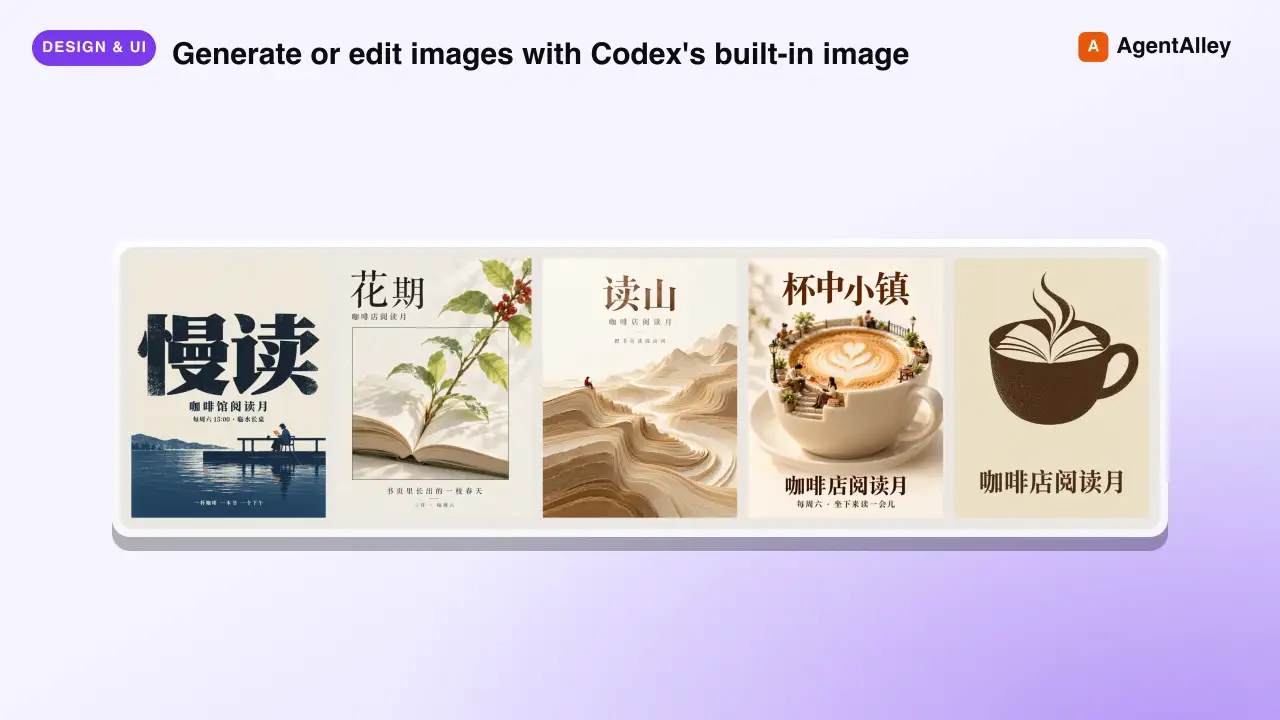 SkillAI Image Generator
 joeseesun/qiaomu-codex-imagegen · by joeseesunGenerate or edit images with Codex's built-in image generation from any agent, through an MCP tool or a plain CLI. For every image request it first proposes at least four divergent style directions (24 distilled templates, 48 presets, 20 Mondo poster artists), lets the user pick, expands the prompt, generates, and checks the result. Scenario craft for 视频封面, 视频海报, 小红书配图, 公众号封面, X 封面, 朋友圈海报, 书籍封面, 专辑封面, 产品海报, 人物写真, 节气海报, 展览海报, PPT 页面, 图生图. Use for 生图, 配图, 海报, 封面, "给我几个风格", "用 Codex 画一张". Excludes: editing photos with local tools, charts or diagrams from data, UI mockups, video generation, or anything that needs an API key-based image service.★ 133 GitHub stars
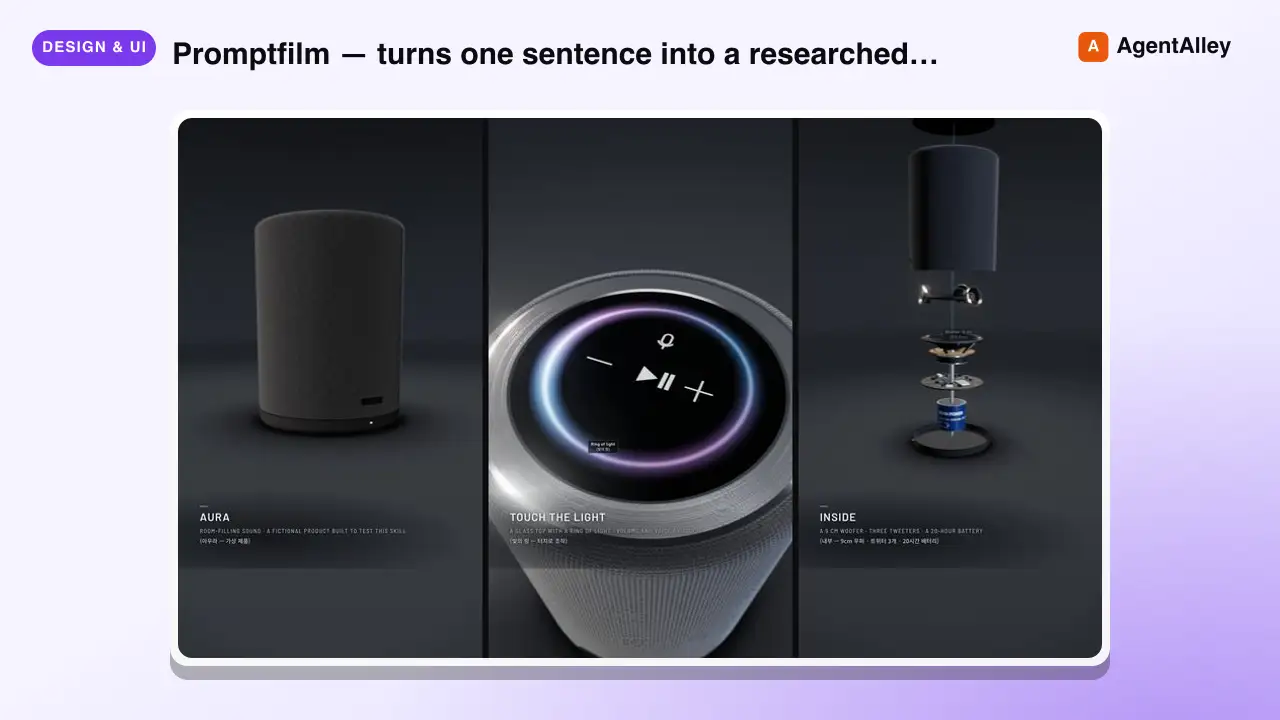 SkillText-to-Motion Graphics
 Seokwoooo/promptfilm · by SeokwooooPromptfilm — turns one sentence into a researched 3D motion graphic — one self-contained real-time HTML file (Three.js) that loops seamlessly and records straight into a video — 9:16 for Shorts/Reels by default, or 16:9, 1:1, 4:5; captions in one or two languages (English + the requester's language by default); paced the way the requester edits; checked by automated QA, a fresh-eyes visual review and a delivery gate; reviewed and exported as a frame-exact MP4 in a local Studio. Use it for any motion graphic — product ads, game or app demos, journeys through scale (Earth to the universe, a chip down to atoms), how-it-works explainers, recreations of a known scene, logo stings, data stories — when the user asks for a motion graphic, a 3D animation or video as HTML, or "an HTML like the cosmic-scale / Blackwell one", even naming only a topic (often in Korean, e.g. "…모션그래픽 만들어줘", "…부터 …까지 확대하는 영상 html 만들어줘"); and for follow-ups on such a film ("리뷰 반영해줘", "mp4로 뽑아줘", "스튜디오 열어줘").★ 26 GitHub stars
 SkillCustom Map Creator
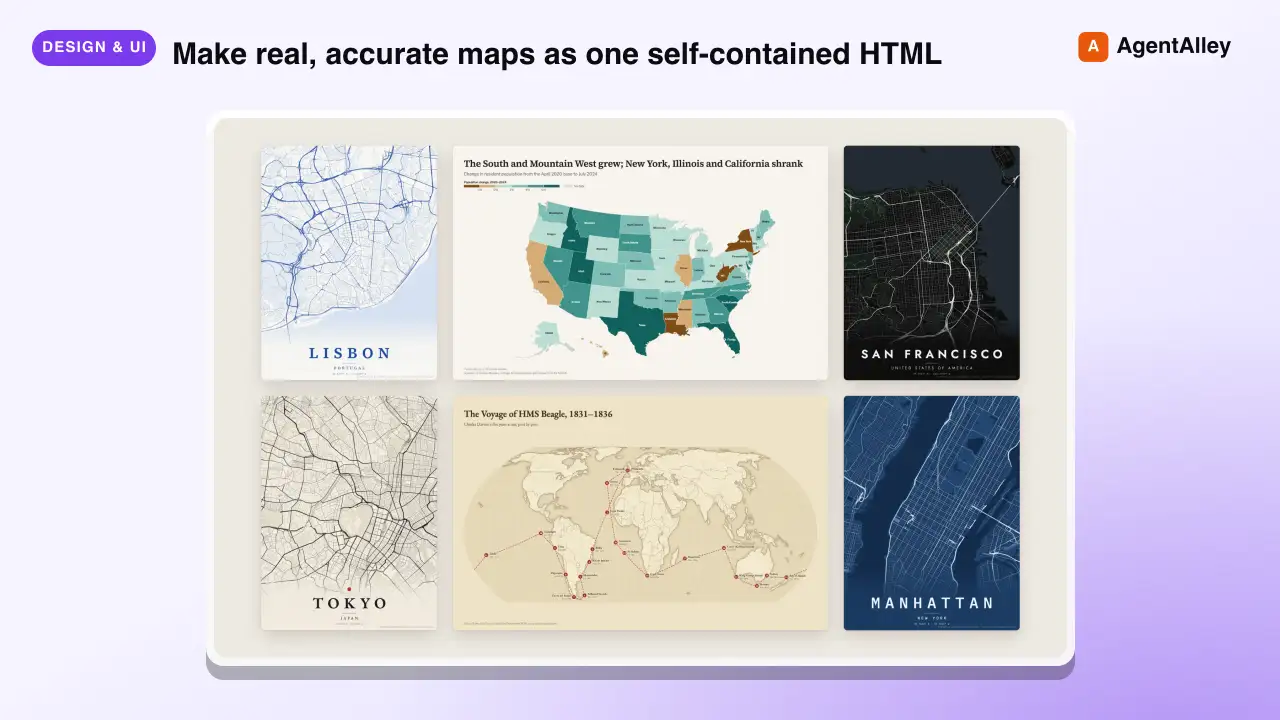
 incline-ltd/map-design · by incline-ltdMake real, accurate maps as one self-contained HTML, SVG and PNG. Choropleths by country, state, province or US county; bubble, spike and point maps; routes and voyages; flow maps; locator maps with an inset globe; and OpenStreetMap city posters. Use whenever the user asks for a map, a "where is" graphic, data by country/state/county/region, a trip, flight or shipping route, a city poster, or any geographic visualization. Ships Natural Earth, US Census and OurAirports data, so coastlines, borders and coordinates are real rather than drawn from memory.★ 8 GitHub stars
 SkillLinkedIn Graphics Designer
 charlie947/social-media-skills · by charlie947Create LinkedIn post graphics. Decides between an HTML/CSS structured graphic or an AI-generated infographic based on the post content. Use this skill whenever the user says "design a graphic", "create a visual", "make an image", "graphic for my post", "LinkedIn image", or wants any visual content to pair with a LinkedIn post. Also trigger when the user finishes writing a post and wants a matching graphic.★ 3.7k GitHub stars
More from LeadMagic
 SkillFirst-Party Analytics Setup
 LeadMagic/gtm-skills · by LeadMagicSet up first-party tracking and analytics — website pixels, conversion tracking, UTM architecture, cookie consent, server-side tagging vs client-side, 1P vs 3P data strategy, and identity resolution. Use when setting up tracking, implementing pixels, building attribution, or preparing for privacy-first measurement. Triggers on: "pixel", "tracking", "conversion tracking", "first-party data", server-side tagging", "UTM", "cookie consent", "1P vs 3P", "identity resolution", or any tracking implementation request.★ 62 GitHub stars
 SkillStrategic Account MarketingLeadMagic/gtm-skills · by LeadMagicRuns strategic 1-to-1 ABM for 5-15 high-value accounts: account plans, custom microsites, executive engagement, direct mail, and board-level connections. Use when a named enterprise account justifies bespoke content and executive time, or when the user needs a strategic account plan. Triggers on: "1-to-1 ABM", "strategic ABM", "custom ABM", "key account marketing", "named account".★ 62 GitHub stars
 SkillCluster Account MarketingLeadMagic/gtm-skills · by LeadMagicRuns ABM at scale (1-to-few) for 15-50 clustered accounts: industry or persona clusters, semi-custom campaigns, and cluster-level content. Use when named-account ABM needs to reach more accounts without bespoke work per account. Triggers on: "1-to-few ABM", "ABM scale", "cluster ABM", "industry ABM".★ 62 GitHub stars
 SkillProgrammatic Account TargetingLeadMagic/gtm-skills · by LeadMagicRuns programmatic 1-to-many ABM for 50-200+ accounts: automated personalization, scaled outbound, intent-based targeting, and lookalike expansion. Use when ABM coverage must grow without adding headcount or when the user wants automated account-based outreach. Triggers on: "1-to-many ABM", programmatic ABM", "scaled ABM", "automated ABM".★ 62 GitHub stars
 SkillAccount Strategy DesignerLeadMagic/gtm-skills · by LeadMagicDesigns an account-based marketing program: tier selection, account scoring, channel orchestration, BDR alignment (account-based sales development), and a measurement framework. Use when the user is launching or redesigning ABM, choosing between 1-to-1, 1-to-few, and 1-to-many, or building a target account program. Triggers on: "ABM strategy", "account based marketing", "ABM playbook", "design ABM", "target accounts", "ABSD", "account based sales development", "Lars Nilsson".★ 62 GitHub stars
 SkillTarget Account SelectorLeadMagic/gtm-skills · by LeadMagicBuilds and tiers a target account list: fit and intent scoring models, tier assignment, and TAM segmentation. Use when the user needs to decide which accounts to target, score or tier an account list, or prioritize a TAM for ABM or outbound. Triggers on: "account selection", "target account list", "tier accounts", "prioritize accounts", "TAM segmentation".★ 62 GitHub stars