Branded Asset Generator
Content asset creator
Creates beautiful, branded HTML content assets — industry reports, landing pages, comparison sheets, one-pagers — from structured data. Uses Gamma API (preferred), v0.dev Platform API, or a self-hosted HTML template system with Tailwind…
---
name: content-asset-creator
description: >
  Creates beautiful, branded HTML content assets — industry reports, landing pages,
  comparison sheets, one-pagers — from structured data. Uses Gamma API (preferred),
  v0.dev Platform API, or a self-hosted HTML template system with Tailwind CSS.
  Outputs self-contained HTML files that can be hosted as web pages or converted to PDF.
---

# Content Asset Creator

Generates beautiful, branded content assets (reports, landing pages, one-pagers) from structured data. Designed for producing lead magnets, industry reports, and marketing collateral programmatically.

## Quick Start

```
Create a 2-page industry report for Juicebox about "The State of AI Recruiting in 2026".
Use these data points: [list stats]. Brand: Juicebox blue, clean modern design.
Overview
Generates beautiful, branded content assets (reports, landing pages, one-pagers) from structured data. Designed for producing lead magnets, industry reports, and marketing collateral programmatically.
Manual install (npx, ZIP)
npx skills add gooseworks-ai/goose-skills --skill content-asset-creator -g -a claude-codemkdir -p ~/.claude/skills && curl -sL https://codeload.github.com/gooseworks-ai/goose-skills/tar.gz/615c685f34f8 \
| tar -xz -C ~/.claude/skills --strip-components=4 goose-skills-615c685f34f8/skills/content/capabilities/content-asset-creatorNew-Item -ItemType Directory -Force "$HOME\.claude\skills" | Out-Null; Invoke-WebRequest "https://m.agentalley.io/zip/9ef74837d512e1dfe2eb/content-asset-creator.zip" -OutFile "$env:TEMP\content-asset-creator.zip"; Expand-Archive "$env:TEMP\content-asset-creator.zip" -DestinationPath "$HOME\.claude\skills" -ForceConnects with Agent Alley MCP · agentalley.io/mcp
Files included
SKILL.md8.8 KBskill.meta.json264 B
Read the files here
gooseworks-ai/
Show the full text259 lines
Content Asset Creator
Generates beautiful, branded content assets (reports, landing pages, one-pagers) from structured data. Designed for producing lead magnets, industry reports, and marketing collateral programmatically.
Quick Start
Create a 2-page industry report for Juicebox about "The State of AI Recruiting in 2026".
Use these data points: [list stats]. Brand: Juicebox blue, clean modern design.
Inputs
- Asset type (required) —
report,landing-page,comparison,one-pager - Content data (required) — structured data for the asset (title, sections, stats, narrative)
- Brand config (optional) — colors, fonts, logo URL. Defaults to Juicebox brand.
- Output — HTML file path (default:
output/[asset-type]-[date].html)
Asset Types
1. Industry Report (2-3 pages)
A data-forward document with stats, narrative sections, and visualizations.
Input structure:
type: report
title: "The State of AI Recruiting — 2026"
subtitle: "Data-driven insights on how AI is transforming talent acquisition"
brand:
  name: "Juicebox"
  primary_color: "#4F46E5"  # Indigo/blue
  secondary_color: "#10B981"  # Green accent
  font: "Inter"
  logo_url: "https://juicebox.ai/logo.svg"
sections:
  - type: hero-stat
    stat: "93%"
    label: "of recruiters plan to increase AI use in 2026"
    source: "LinkedIn Talent Solutions"
  - type: narrative
    title: "The AI Recruiting Revolution"
    body: "AI adoption in recruiting jumped from 26% to 43% in just two years..."
  - type: stat-grid
    stats:
      - { value: "800M+", label: "Profiles searchable by AI" }
      - { value: "47%", label: "Reduction in time-to-fill" }
      - { value: "10x", label: "Cheaper than LinkedIn Recruiter" }
  - type: comparison-table
    headers: ["Feature", "Traditional", "AI-Powered"]
    rows:
      - ["Search method", "Boolean keywords", "Natural language"]
      - ["Data sources", "1 (LinkedIn)", "60+ sources"]
  - type: cta
    headline: "See AI recruiting in action"
    body: "Try PeopleGPT free — search 800M+ profiles in natural language"
    button_text: "Get Started Free"
    button_url: "https://juicebox.ai"
footer:
  text: "© 2026 Juicebox. Data sources cited throughout."
2. Landing Page (single page with CTA)
A single-page marketing asset with a headline, value props, and email capture.
3. Comparison Page (side-by-side)
A visual comparison of two products (e.g., Juicebox vs LinkedIn Recruiter).
4. One-Pager (quick reference)
A dense, single-page reference sheet (e.g., "PeopleGPT Prompt Library").
Step-by-Step Process
Step 1: Choose Generation Method
Check which tools are available (in priority order):
- Gamma API (preferred) — If
GAMMA_API_KEYis set, use Gamma Generate API v1.0 (GA since Nov 2025). Requires Pro account ($16/mo). Can create presentations, documents, and web pages programmatically. Supports 60+ languages, up to 100K token input. Rate limit: hundreds per hour. - v0.dev Platform API — If
V0_API_KEYis set, use Vercel's v0 Platform API (beta). Requires Premium ($20/mo) or Team plan. Generates React + Tailwind code from prompts. Best for landing pages and interactive web content. - Self-hosted HTML — Fallback: generate HTML directly using Tailwind CSS templates. No external dependency. Full control over output.
Step 2A: Gamma API Generation (Preferred)
Gamma's Generate API v1.0 creates presentations, documents, and web pages from text prompts.
API docs: https://developers.gamma.app/docs/getting-started
curl -X POST https://api.gamma.app/v1/generate \
  -H "Authorization: Bearer $GAMMA_API_KEY" \
  -H "Content-Type: application/json" \
  -d '{
    "prompt": "<structured content prompt>",
    "format": "document",
    "theme": "<optional theme ID>"
  }'
Tips for Gamma:
- List your available themes first:
GET /v1/themes - Can share via email programmatically
- Supports creating from templates: use
POST /v1/generate-from-template - Output can be viewed as a hosted Gamma page or exported
Step 2B: v0.dev Platform API Generation
v0's Platform API generates React + Tailwind code from natural language prompts.
API docs: https://v0.app/docs/api/platform/overview
The workflow: prompt → project → code files → deployment. Output is deployable to Vercel instantly.
# Create a project with a prompt
curl -X POST https://api.v0.dev/v1/projects \
  -H "Authorization: Bearer $V0_API_KEY" \
  -H "Content-Type: application/json" \
  -d '{
    "prompt": "Create a professional industry report page with..."
  }'
Tips for v0:
- Best for interactive web pages and landing pages
- Output is React/Next.js + Tailwind — can be deployed or converted to static HTML
- Usage-based billing on top of subscription
Step 2C: Self-Hosted HTML Generation (Fallback)
Generate a self-contained HTML file:
- Load the template for the asset type
- Inject content from the structured data
- Apply brand styles (colors, fonts, logo)
- Generate data visualizations using inline SVG or CSS
- Output as a single HTML file with all styles inlined
HTML Template Structure:
<!DOCTYPE html>
<html lang="en">
<head>
  <meta charset="UTF-8">
  <meta name="viewport" content="width=device-width, initial-scale=1.0">
  <title>{{ title }}</title>
  <script src="https://cdn.tailwindcss.com"></script>
  <link href="https://fonts.googleapis.com/css2?family=Inter:wght@400;500;600;700;800&display=swap" rel="stylesheet">
  <script>
    tailwind.config = {
      theme: {
        extend: {
          colors: {
            brand: '{{ primary_color }}',
            accent: '{{ secondary_color }}'
          },
          fontFamily: {
            sans: ['Inter', 'sans-serif']
          }
        }
      }
    }
  </script>
  <style>
    /* Print styles for PDF conversion */
    @media print {
      .page-break { page-break-before: always; }
      body { -webkit-print-color-adjust: exact; print-color-adjust: exact; }
    }
  </style>
</head>
<body class="font-sans bg-white text-gray-900">
  <!-- Content sections generated here -->
</body>
</html>
Section Templates:
hero-stat: Large stat number with label and sourcenarrative: Title + body text in clean typographystat-grid: 3-4 stats in a responsive gridcomparison-table: Side-by-side table with highlightingchart: Simple bar/donut chart using CSS or inline SVGcta: Call-to-action block with buttonfooter: Branded footer with disclaimers
Step 3: Output
Save the HTML file:
clients/<client>/strategies/<strategy>/content/[asset-name].html
Optionally convert to PDF:
# Using playwright/puppeteer (if installed)
npx playwright screenshot output.html output.pdf --format=pdf
Or provide instructions for manual PDF conversion (print to PDF from browser).
Brand Configurations
Juicebox Brand
{
  "name": "Juicebox",
  "primary_color": "#4F46E5",
  "secondary_color": "#10B981",
  "accent_color": "#F59E0B",
  "background": "#FFFFFF",
  "text_color": "#111827",
  "font_heading": "Inter",
  "font_body": "Inter",
  "logo_url": "https://juicebox.ai/logo.svg"
}
Save brand configs at: skills/content-asset-creator/brands/[client].json
Tips
- Keep reports to 2-3 pages max. Busy recruiters won't read more.
- Lead with the biggest, most surprising stat. Make it impossible to scroll past.
- Every section should have exactly ONE key takeaway. Don't dilute with multiple messages.
- The CTA should feel natural, not bolted on. The data should lead to the conclusion that the reader needs your product.
- For PDF distribution: test that the HTML prints well before sending. Use
@media printstyles. - For web distribution: add Open Graph meta tags so it looks good when shared on LinkedIn/Twitter.
Dependencies
- Tailwind CSS (via CDN — no build step)
- Google Fonts (via CDN)
- Optional: Gamma API key (
GAMMA_API_KEY) — Requires Gamma Pro account ($16/mo). API v1.0 GA. Docs: https://developers.gamma.app - Optional: v0.dev API key (
V0_API_KEY) — Requires v0 Premium ($20/mo). Platform API (beta). Docs: https://v0.app/docs/api/platform/overview - Optional: Playwright/Puppeteer for PDF conversion
Templates
Templates are stored at skills/content-asset-creator/templates/:
report.html— Industry report templatelanding-page.html— Landing page with email capturecomparison.html— Product comparison pageone-pager.html— Quick reference sheet
Each template accepts the content data structure defined above.
| 1 | |
| 2 | name content-asset-creator |
| 3 | description > |
| 4 | Creates beautiful, branded HTML content assets — industry reports, landing pages, |
| 5 | comparison sheets, one-pagers — from structured data. Uses Gamma API (preferred), |
| 6 | v0.dev Platform API, or a self-hosted HTML template system with Tailwind CSS. |
| 7 | Outputs self-contained HTML files that can be hosted as web pages or converted to PDF. |
| 8 | |
| 9 | |
| 10 | # Content Asset Creator |
| 11 | |
| 12 | Generates beautiful, branded content assets (reports, landing pages, one-pagers) from structured data. Designed for producing lead magnets, industry reports, and marketing collateral programmatically. |
| 13 | |
| 14 | ## Quick Start |
| 15 | |
| 16 | |
| 17 | Create a 2-page industry report for Juicebox about "The State of AI Recruiting in 2026". |
| 18 | Use these data points: [list stats]. Brand: Juicebox blue, clean modern design. |
| 19 | |
| 20 | |
| 21 | ## Inputs |
| 22 | |
| 23 | **Asset type** (required) — `report`, `landing-page`, `comparison`, `one-pager` |
| 24 | **Content data** (required) — structured data for the asset (title, sections, stats, narrative) |
| 25 | **Brand config** (optional) — colors, fonts, logo URL. Defaults to Juicebox brand. |
| 26 | **Output** — HTML file path (default: `output/[asset-type]-[date].html`) |
| 27 | |
| 28 | ## Asset Types |
| 29 | |
| 30 | ### 1. Industry Report (2-3 pages) |
| 31 | |
| 32 | A data-forward document with stats, narrative sections, and visualizations. |
| 33 | |
| 34 | **Input structure:** |
| 35 | |
| 36 | type: report |
| 37 | title: "The State of AI Recruiting — 2026" |
| 38 | subtitle: "Data-driven insights on how AI is transforming talent acquisition" |
| 39 | brand: |
| 40 | name: "Juicebox" |
| 41 | primary_color: "#4F46E5" # Indigo/blue |
| 42 | secondary_color: "#10B981" # Green accent |
| 43 | font: "Inter" |
| 44 | logo_url: "https://juicebox.ai/logo.svg" |
| 45 | sections: |
| 46 | - type: hero-stat |
| 47 | stat: "93%" |
| 48 | label: "of recruiters plan to increase AI use in 2026" |
| 49 | source: "LinkedIn Talent Solutions" |
| 50 | - type: narrative |
| 51 | title: "The AI Recruiting Revolution" |
| 52 | body: "AI adoption in recruiting jumped from 26% to 43% in just two years..." |
| 53 | - type: stat-grid |
| 54 | stats: |
| 55 | - { value: "800M+", label: "Profiles searchable by AI" } |
| 56 | - { value: "47%", label: "Reduction in time-to-fill" } |
| 57 | - { value: "10x", label: "Cheaper than LinkedIn Recruiter" } |
| 58 | - type: comparison-table |
| 59 | headers: ["Feature", "Traditional", "AI-Powered"] |
| 60 | rows: |
| 61 | - ["Search method", "Boolean keywords", "Natural language"] |
| 62 | - ["Data sources", "1 (LinkedIn)", "60+ sources"] |
| 63 | - type: cta |
| 64 | headline: "See AI recruiting in action" |
| 65 | body: "Try PeopleGPT free — search 800M+ profiles in natural language" |
| 66 | button_text: "Get Started Free" |
| 67 | button_url: "https://juicebox.ai" |
| 68 | footer: |
| 69 | text: "© 2026 Juicebox. Data sources cited throughout." |
| 70 | |
| 71 | |
| 72 | ### 2. Landing Page (single page with CTA) |
| 73 | |
| 74 | A single-page marketing asset with a headline, value props, and email capture. |
| 75 | |
| 76 | ### 3. Comparison Page (side-by-side) |
| 77 | |
| 78 | A visual comparison of two products (e.g., Juicebox vs LinkedIn Recruiter). |
| 79 | |
| 80 | ### 4. One-Pager (quick reference) |
| 81 | |
| 82 | A dense, single-page reference sheet (e.g., "PeopleGPT Prompt Library"). |
| 83 | |
| 84 | ## Step-by-Step Process |
| 85 | |
| 86 | ### Step 1: Choose Generation Method |
| 87 | |
| 88 | Check which tools are available (in priority order): |
| 89 | |
| 90 | **Gamma API** (preferred) — If `GAMMA_API_KEY` is set, use Gamma Generate API v1.0 (GA since Nov 2025). Requires Pro account ($16/mo). Can create presentations, documents, and web pages programmatically. Supports 60+ languages, up to 100K token input. Rate limit: hundreds per hour. |
| 91 | **v0.dev Platform API** — If `V0_API_KEY` is set, use Vercel's v0 Platform API (beta). Requires Premium ($20/mo) or Team plan. Generates React + Tailwind code from prompts. Best for landing pages and interactive web content. |
| 92 | **Self-hosted HTML** — Fallback: generate HTML directly using Tailwind CSS templates. No external dependency. Full control over output. |
| 93 | |
| 94 | ### Step 2A: Gamma API Generation (Preferred) |
| 95 | |
| 96 | Gamma's Generate API v1.0 creates presentations, documents, and web pages from text prompts. |
| 97 | |
| 98 | **API docs:** https://developers.gamma.app/docs/getting-started |
| 99 | |
| 100 | |
| 101 | curl -X POST https://api.gamma.app/v1/generate \ |
| 102 | -H "Authorization: Bearer $GAMMA_API_KEY" \ |
| 103 | -H "Content-Type: application/json" \ |
| 104 | -d '{ |
| 105 | "prompt": "<structured content prompt>", |
| 106 | "format": "document", |
| 107 | "theme": "<optional theme ID>" |
| 108 | }' |
| 109 | |
| 110 | |
| 111 | **Tips for Gamma:** |
| 112 | List your available themes first: `GET /v1/themes` |
| 113 | Can share via email programmatically |
| 114 | Supports creating from templates: use `POST /v1/generate-from-template` |
| 115 | Output can be viewed as a hosted Gamma page or exported |
| 116 | |
| 117 | ### Step 2B: v0.dev Platform API Generation |
| 118 | |
| 119 | v0's Platform API generates React + Tailwind code from natural language prompts. |
| 120 | |
| 121 | **API docs:** https://v0.app/docs/api/platform/overview |
| 122 | |
| 123 | The workflow: prompt → project → code files → deployment. Output is deployable to Vercel instantly. |
| 124 | |
| 125 | |
| 126 | # Create a project with a prompt |
| 127 | curl -X POST https://api.v0.dev/v1/projects \ |
| 128 | -H "Authorization: Bearer $V0_API_KEY" \ |
| 129 | -H "Content-Type: application/json" \ |
| 130 | -d '{ |
| 131 | "prompt": "Create a professional industry report page with..." |
| 132 | }' |
| 133 | |
| 134 | |
| 135 | **Tips for v0:** |
| 136 | Best for interactive web pages and landing pages |
| 137 | Output is React/Next.js + Tailwind — can be deployed or converted to static HTML |
| 138 | Usage-based billing on top of subscription |
| 139 | |
| 140 | ### Step 2C: Self-Hosted HTML Generation (Fallback) |
| 141 | |
| 142 | Generate a self-contained HTML file: |
| 143 | |
| 144 | **Load the template** for the asset type |
| 145 | **Inject content** from the structured data |
| 146 | **Apply brand styles** (colors, fonts, logo) |
| 147 | **Generate data visualizations** using inline SVG or CSS |
| 148 | **Output** as a single HTML file with all styles inlined |
| 149 | |
| 150 | **HTML Template Structure:** |
| 151 | |
| 152 | <!DOCTYPE html> |
| 153 | <html lang="en"> |
| 154 | <head> |
| 155 | <meta charset="UTF-8"> |
| 156 | <meta name="viewport" content="width=device-width, initial-scale=1.0"> |
| 157 | <title>{{ title }}</title> |
| 158 | <script src="https://cdn.tailwindcss.com"></script> |
| 159 | <link href="https://fonts.googleapis.com/css2?family=Inter:wght@400;500;600;700;800&display=swap" rel="stylesheet"> |
| 160 | <script> |
| 161 | tailwind.config = { |
| 162 | theme: { |
| 163 | extend: { |
| 164 | colors: { |
| 165 | brand: '{{ primary_color }}', |
| 166 | accent: '{{ secondary_color }}' |
| 167 | }, |
| 168 | fontFamily: { |
| 169 | sans: ['Inter', 'sans-serif'] |
| 170 | } |
| 171 | } |
| 172 | } |
| 173 | } |
| 174 | </script> |
| 175 | <style> |
| 176 | /* Print styles for PDF conversion */ |
| 177 | @media print { |
| 178 | .page-break { page-break-before: always; } |
| 179 | body { -webkit-print-color-adjust: exact; print-color-adjust: exact; } |
| 180 | } |
| 181 | </style> |
| 182 | </head> |
| 183 | <body class="font-sans bg-white text-gray-900"> |
| 184 | <!-- Content sections generated here --> |
| 185 | </body> |
| 186 | </html> |
| 187 | |
| 188 | |
| 189 | **Section Templates:** |
| 190 | |
| 191 | `hero-stat`: Large stat number with label and source |
| 192 | `narrative`: Title + body text in clean typography |
| 193 | `stat-grid`: 3-4 stats in a responsive grid |
| 194 | `comparison-table`: Side-by-side table with highlighting |
| 195 | `chart`: Simple bar/donut chart using CSS or inline SVG |
| 196 | `cta`: Call-to-action block with button |
| 197 | `footer`: Branded footer with disclaimers |
| 198 | |
| 199 | ### Step 3: Output |
| 200 | |
| 201 | Save the HTML file: |
| 202 | |
| 203 | clients/<client>/strategies/<strategy>/content/[asset-name].html |
| 204 | |
| 205 | |
| 206 | Optionally convert to PDF: |
| 207 | |
| 208 | # Using playwright/puppeteer (if installed) |
| 209 | npx playwright screenshot output.html output.pdf --format=pdf |
| 210 | |
| 211 | |
| 212 | Or provide instructions for manual PDF conversion (print to PDF from browser). |
| 213 | |
| 214 | ## Brand Configurations |
| 215 | |
| 216 | ### Juicebox Brand |
| 217 | |
| 218 | { |
| 219 | "name": "Juicebox", |
| 220 | "primary_color": "#4F46E5", |
| 221 | "secondary_color": "#10B981", |
| 222 | "accent_color": "#F59E0B", |
| 223 | "background": "#FFFFFF", |
| 224 | "text_color": "#111827", |
| 225 | "font_heading": "Inter", |
| 226 | "font_body": "Inter", |
| 227 | "logo_url": "https://juicebox.ai/logo.svg" |
| 228 | } |
| 229 | |
| 230 | |
| 231 | Save brand configs at: `skills/content-asset-creator/brands/[client].json` |
| 232 | |
| 233 | ## Tips |
| 234 | |
| 235 | Keep reports to 2-3 pages max. Busy recruiters won't read more. |
| 236 | Lead with the biggest, most surprising stat. Make it impossible to scroll past. |
| 237 | Every section should have exactly ONE key takeaway. Don't dilute with multiple messages. |
| 238 | The CTA should feel natural, not bolted on. The data should lead to the conclusion that the reader needs your product. |
| 239 | For PDF distribution: test that the HTML prints well before sending. Use `@media print` styles. |
| 240 | For web distribution: add Open Graph meta tags so it looks good when shared on LinkedIn/Twitter. |
| 241 | |
| 242 | ## Dependencies |
| 243 | |
| 244 | Tailwind CSS (via CDN — no build step) |
| 245 | Google Fonts (via CDN) |
| 246 | Optional: Gamma API key (`GAMMA_API_KEY`) — Requires Gamma Pro account ($16/mo). API v1.0 GA. Docs: https://developers.gamma.app |
| 247 | Optional: v0.dev API key (`V0_API_KEY`) — Requires v0 Premium ($20/mo). Platform API (beta). Docs: https://v0.app/docs/api/platform/overview |
| 248 | Optional: Playwright/Puppeteer for PDF conversion |
| 249 | |
| 250 | ## Templates |
| 251 | |
| 252 | Templates are stored at `skills/content-asset-creator/templates/`: |
| 253 | `report.html` — Industry report template |
| 254 | `landing-page.html` — Landing page with email capture |
| 255 | `comparison.html` — Product comparison page |
| 256 | `one-pager.html` — Quick reference sheet |
| 257 | |
| 258 | Each template accepts the content data structure defined above. |
| 259 |
Details
- Updated
- Sep 21, 2026
- License
- MIT
- Stars on the repo
- ★ 1,220
- Checked
- Source
- gooseworks-ai/goose-skills ↗
- Creator
- gooseworks-ai · 205 listings
Similar skills
See all → SkillMotion Effect Glossary
 emilkowalski/skills · by emilkowalskiReverse-lookup glossary that turns a vague description of a web animation or motion effect into its exact term ("the bouncy thing when a popover opens" → Pop in; "the iOS rubber-band scroll" → Rubber-banding). Use when the user asks "what's it called when…", or describes a motion effect without knowing its name and wants the right word to prompt an AI or designer with. For naming an effect, not designing or building one.★ 40.8k GitHub stars
 SkillWatercolor Animation Generator
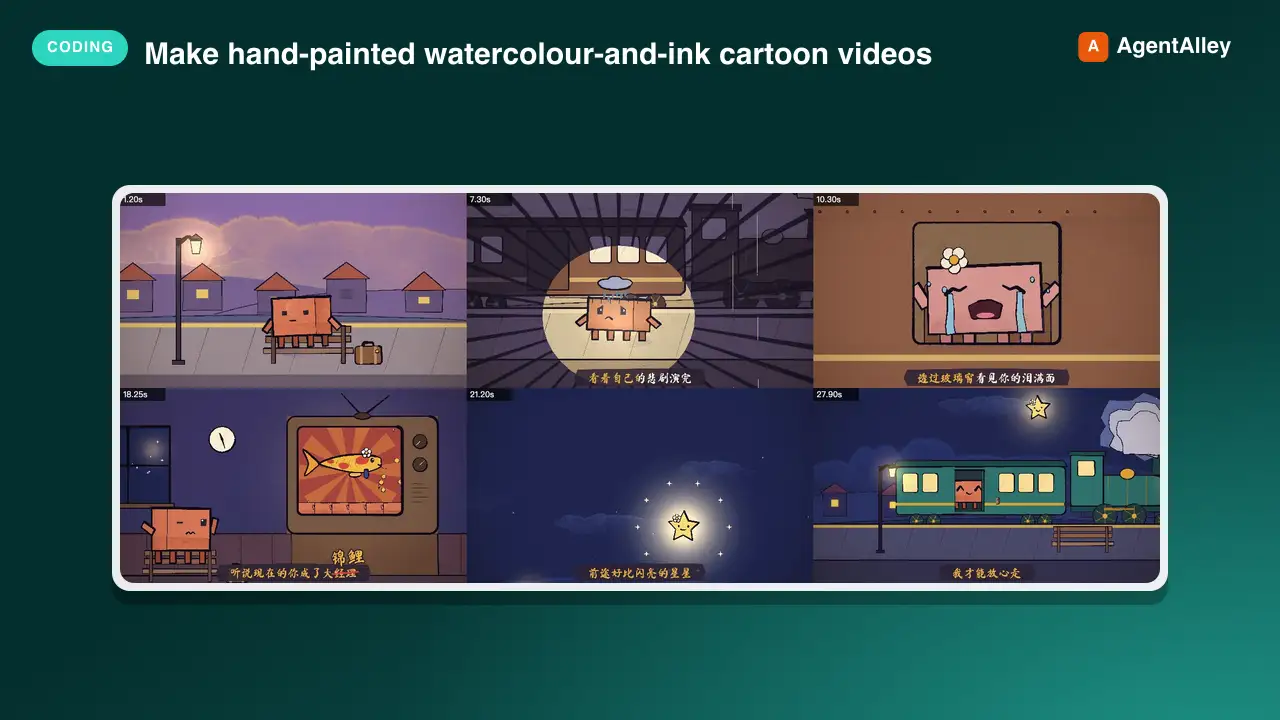
 edenfunf/reelmimic · by edenfunfMake hand-painted watercolour-and-ink cartoon videos (MP4) with code — p5.js + p5.brush rendered frame by frame in headless Chrome, encoded with ffmpeg — starring Clawd or any character. Use when the user asks to make an animation, animated short, cartoon, music video, lyric video, animated GIF/loop or "a video of Clawd…", or mentions the PDoomVideo / ClaudeAnimationBase approach. Covers storyboarding, the engine API, the render-and-look review loop, music/lyric sync and splitting long videos across subagents.★ 3.6k GitHub stars
 SkillModern Web Reference
 GoogleChrome/modern-web-guidance · by GoogleChromeSearch tool for modern web development best practices. MANDATORY: Execute FIRST for all HTML/CSS and clientside JS tasks. Do NOT skip — web APIs evolve rapidly and training weights contain obsolete patterns. Trigger immediately for: - UI/Layout: Modals, dialogs, popovers, Glassmorphism/backdrop-filters, anchor positioning, container queries, `:has()`, `:user-valid`. - Scroll/Motion: View Transitions, Scroll-driven animations, scroll parallax/reveals. - Performance: CWV (LCP, INP), content-visibility, Fetch Priority, image optimization. - System/APIs: Local filesystem access, WebUSB, WebSockets sync, WebAssembly widgets. - Frameworks: Adapting layout/styles in React, Vue, Angular. - General Frontend: Forms, autofill, advanced inputs, custom scrollbars, modern component states, etc. DO NOT trigger for: - Backend: Database SQL, ORMs, Express API routes. - Pipelines: CI/CD deployment, Docker, Actions. - Generic: Local scripts (Python/Go tools), ESLint, Git.★ 2.4k GitHub stars
 SkillMotion Graphics Translator
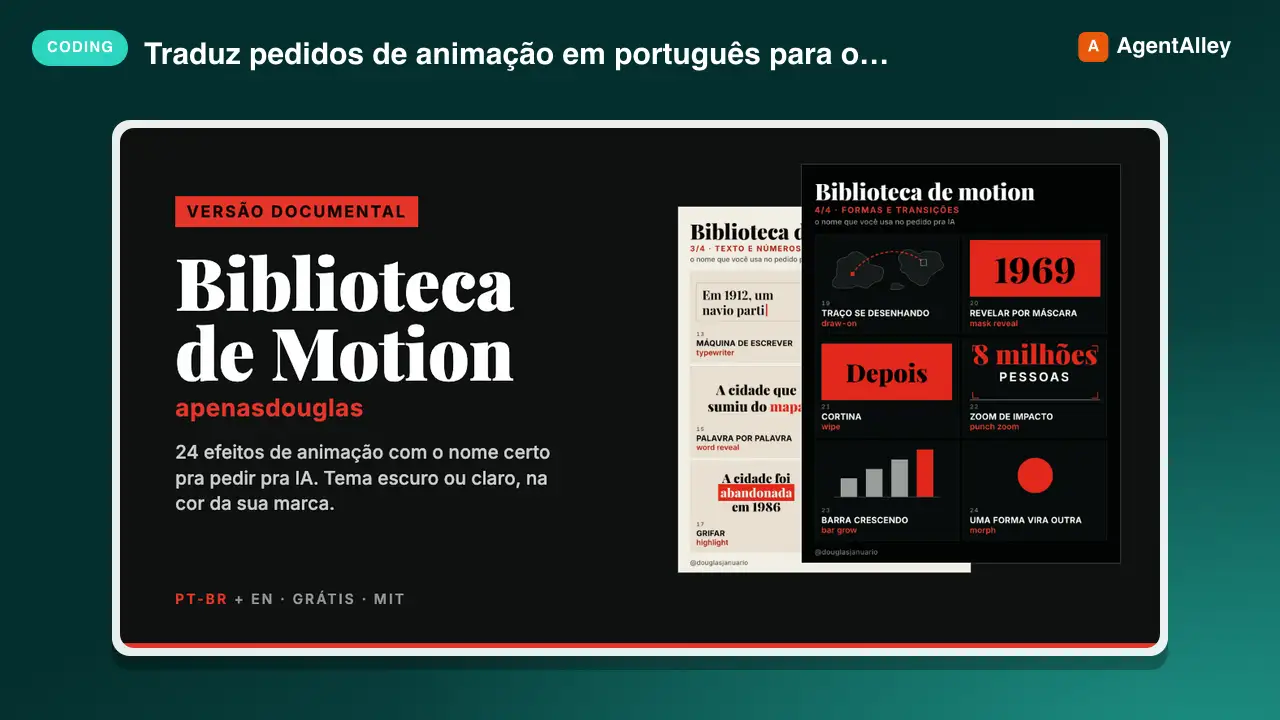
 apenasdouglas/ai-motion-library · by apenasdouglasTraduz pedidos de animação em português ("faz o número quicar", "entra um depois do outro", "dá um tranco no zoom") para o efeito de motion graphics certo, com o termo técnico, a duração e a aceleração. Use sempre que o usuário pedir animação, motion, transição ou efeito em vídeo, HTML, CSS, GSAP, Remotion, HyperFrames ou After Effects, principalmente quando o pedido for vago ("faz uma animação bonita") ou o vídeo for de canal dark (faceless) de curiosidades, história ou documentário. Also triggers on English requests for motion graphics, easing and animation effects in documentary or faceless YouTube videos.★ 68 GitHub stars
 SkillBrowser Automation Tool
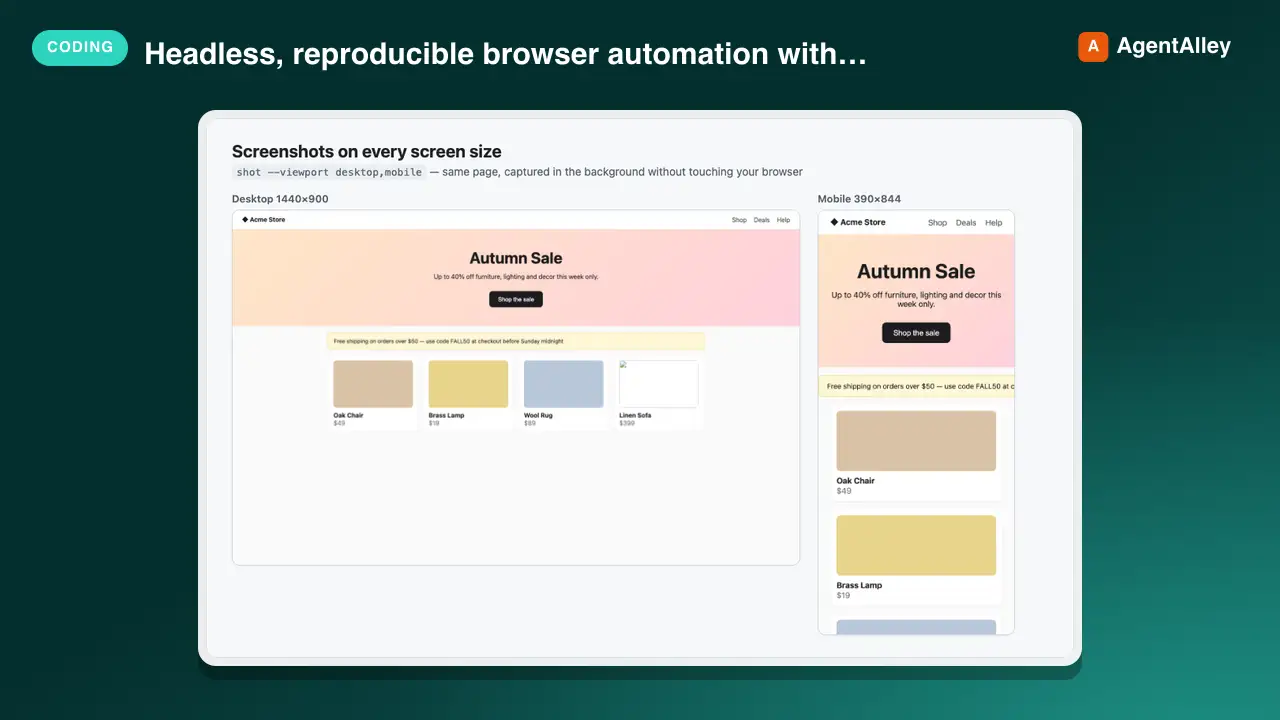
 AndyShiu/claude-skill-playwright-browser · by AndyShiuHeadless, reproducible browser automation with Playwright for any project — screenshots of web pages or local dev servers (desktop/tablet/mobile, full page or one element, single page or every page/menu of an app in one batch), frontend audits (console errors, failed requests, broken images/links, responsive overflow, axe accessibility, LCP/CLS performance), before/after visual comparison, scripted E2E flows (log in, click, fill, page through, assert), and logged-in pages via saved sessions. Use this whenever the user wants to screenshot or visually check a site, find frontend bugs, see how a page looks on mobile, compare the UI before and after a CSS/code change, reproduce a bug from an issue or ticket and capture evidence images for it, verify a UI flow works, or run/write a browser test — even if they never say "Playwright" or "browser". If Claude in Chrome could also do the job, briefly ask which to use (with a recommendation) instead of silently picking.★ 49 GitHub stars
 SkillComponent Rebuilder
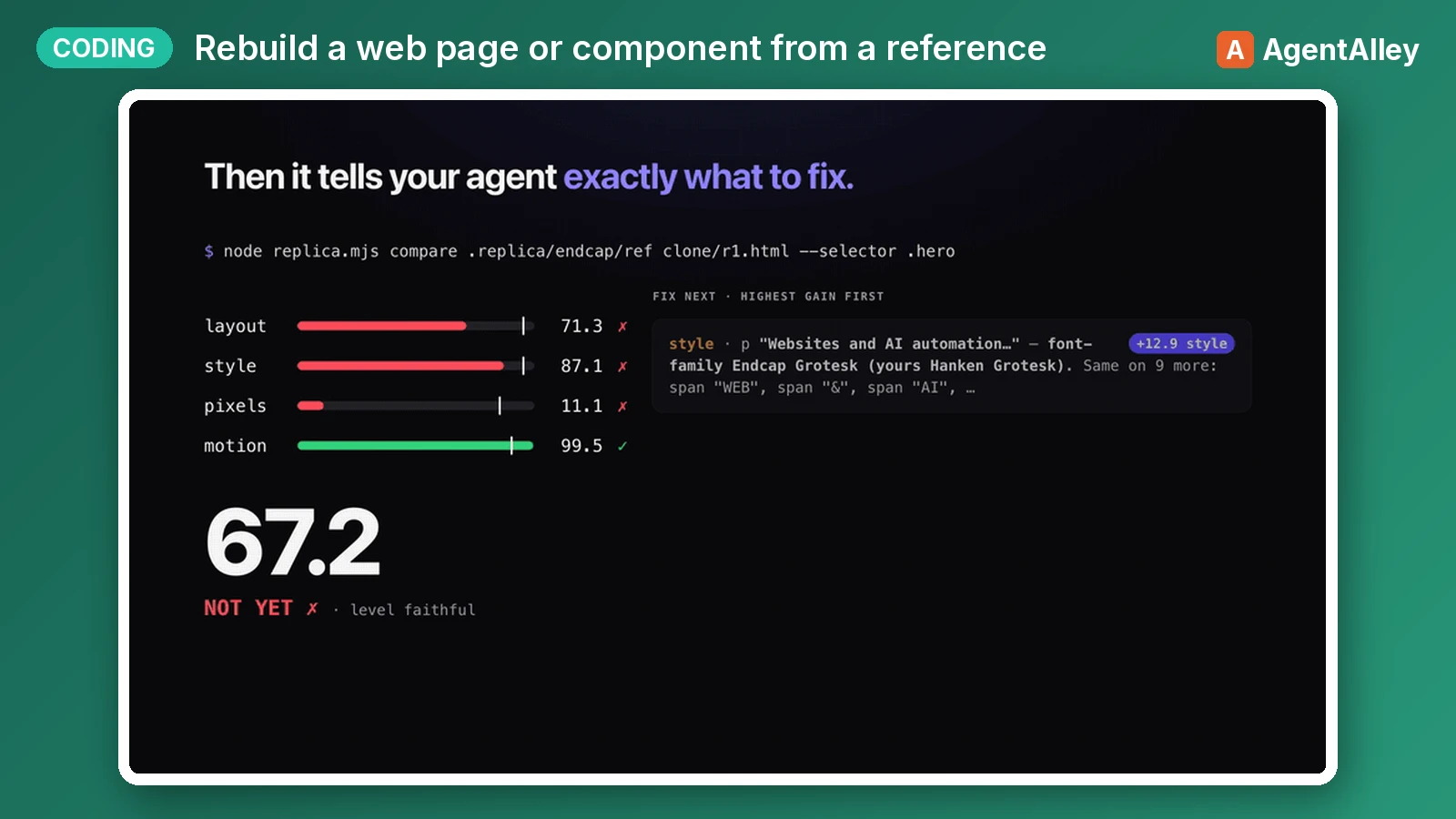
 albertirgi/replica · by albertirgiRebuild a web page, section, component or interaction from a reference (a live URL, a local HTML file, a screenshot or design export, or a screen recording or GIF) inside the user's own codebase. Then measure the rebuild against the reference (element boxes, computed styles, pixels, motion timing and easing) and iterate until a numeric Replica Score passes. Use when the user wants to clone, replicate, recreate, copy, port or match a site, landing page, hero, navbar, pricing table, card, modal, footer, hover effect, scroll reveal, page-load animation or any other UI, or to "make it look/feel/move like" one. Also use when they say "pixel-perfect", "1:1", "exactly like this" or "same as <url>", or hand over a screenshot, Figma export or video and ask to build it, including when they want their own copy, brand or extra features on top.★ 43 GitHub stars
More from gooseworks-ai
 SkillAd Angle Miner
 gooseworks-ai/goose-skills · by gooseworks-aiMine the highest-converting ad angles from customer reviews, Reddit complaints, support tickets, and competitor ads. Extracts actual pain language, competitor weaknesses, and outcome phrases that real buyers use. Outputs a ranked angle bank with proof quotes and recommended ad formats per angle.★ 1.2k GitHub stars
 SkillAd Campaign Analyzergooseworks-ai/goose-skills · by gooseworks-aiAnalyze ad campaign performance data (Google, Meta, LinkedIn) to identify what's working, what's wasting budget, and specific cut/scale/test recommendations. Runs statistical analysis, funnel diagnostics, and multi-channel budget reallocation with specific dollar-amount shift recommendations and scenario modeling.★ 1.2k GitHub stars
 SkillLead Quality Analyzergooseworks-ai/goose-skills · by gooseworks-aiFor paid lead-gen and participant-recruitment ads, replaces vanity CPA with true CAC per qualified lead by joining ad-platform data with downstream funnel events, surfaces tracking gaps, and classifies every creative into Scale / Keep / Investigate / Cut.★ 1.2k GitHub stars
 SkillMessage Match Auditorgooseworks-ai/goose-skills · by gooseworks-aiAnalyze the message match between your ads and landing pages. Checks if the promise in the ad copy carries through to the landing page headline, body, and CTA. Flags disconnects that kill conversion rates. Works with Google, Meta, and LinkedIn ads.★ 1.2k GitHub stars
 SkillAI Search Visibilitygooseworks-ai/goose-skills · by gooseworks-aiCheck and improve your brand's visibility across AI search engines (ChatGPT, Perplexity, Gemini, Grok, Claude, DeepSeek). Set up tracking, run visibility analyses, audit your website for AI readability, and get actionable recommendations. Uses the npx goose-aeo@latest CLI.★ 1.2k GitHub stars
 SkillAmazon Product Searchgooseworks-ai/goose-skills · by gooseworks-aiSearch Amazon products - find items, compare prices, read reviews★ 1.2k GitHub stars