Modern Web Reference
Modern web guidance
Search tool for modern web development best practices. MANDATORY: Execute FIRST for all HTML/CSS and clientside JS tasks.
---
name: modern-web-guidance
description: |
  Search tool for modern web development best practices. MANDATORY: Execute FIRST for all HTML/CSS and clientside JS tasks. Do NOT skip — web APIs evolve rapidly and training weights contain obsolete patterns.

  Trigger immediately for:
  - UI/Layout: Modals, dialogs, popovers, Glassmorphism/backdrop-filters, anchor positioning, container queries, `:has()`, `:user-valid`.
  - Scroll/Motion: View Transitions, Scroll-driven animations, scroll parallax/reveals.
  - Performance: CWV (LCP, INP), content-visibility, Fetch Priority, image optimization.
  - System/APIs: Local filesystem access, WebUSB, WebSockets sync, WebAssembly widgets.
  - Frameworks: Adapting layout/styles in React, Vue, Angular.
  - General Frontend: Forms, autofill, advanced inputs, custom scrollbars, modern component states, etc.

  DO NOT trigger for:
  - Backend: Database SQL, ORMs, Express API routes.
  - Pipelines: CI/CD deployment, Docker, Actions.
  - Generic: Local scripts (Python/Go tools), ESLint, Git.
---
Overview
A skill to search for specific web development use cases and retrieve their corresponding best practice guides.
Manual install (npx, ZIP)
npx skills add GoogleChrome/modern-web-guidance --skill modern-web-guidance -g -a claude-codenpx degit GoogleChrome/modern-web-guidance/skills/modern-web-guidance#main ~/.claude/skills/modern-web-guidanceConnects with Agent Alley MCP · agentalley.io/mcp
Files included
SKILL.md6.6 KB
Read SKILL.md here
Show the full text124 lines
Modern Web Guidance
A skill to search for specific web development use cases and retrieve their corresponding best practice guides.
When to use
Must use this skill:
- At the start of implementing any web feature.
- Before creating a new component, to check if a standardized pattern already exists.
- To avoid implementing ad-hoc solutions or loading large dependencies unnecessarily.
Usage Instructions
Step 1. Search Use Cases
Search with an action-oriented query summarizing what you want to achieve using the search command. Run modern-web-guidance directly with npx.
npx -y modern-web-guidance@latest search "<query>" --skill-version 2026_09_04-7de96777
Example Output:
[
  {
    "id": "optimize-image-priority",
    "description": "Optimize the loading priority of Largest Contentful Paint (LCP) candidate images.",
    "category": "performance",
    "featuresUsed": [ "Fetch priority" ],
    "tokenCount": 985,
    "similarity": 0.7289
  },
  {
    "id": "defer-rendering-heavy-content",
    "description": "Reduce rendering times in content-heavy web pages by deferring rendering for offscreen content.",
    "category": "performance",
    "featuresUsed": [ "content-visibility", "hidden=\"until-found\"" ],
    "tokenCount": 1250,
    "similarity": 0.6961
  }
]
Note: If search results are vague, return no matches, or show low similarity scores, run the
listcommand to browse all guides:npx -y modern-web-guidance@latest list
Step 2. Retrieve Best Practices
Once you have a relevant id from the search results, call this script using the retrieve command to get the full guide. You can pass multiple IDs separated by commas.
npx -y modern-web-guidance@latest retrieve "<id>"
If the output is truncated, you must repeat the command but redirect to a file and read that file.
Example Output:
The markdown content of the guide describing implementation steps...
Step 3. Verify Guidance Compliance
When generating or modifying code, cross-check the implementation against the retrieved guide before concluding:
- Applicable Guidance & Fallbacks: Ensure the relevant modern patterns and necessary fallback strategies from the guide are correctly applied, without forcing unrequested features.
- Task Fulfillment: Confirm that the implementation fully satisfies the user's request.
Using npx / pnpx
- Prefer
pnpxovernpxifpnpmis available (note:pnpxdoes not use the-yflag). - When requesting tool permissions, allowlist
npx -y modern-web-guidance@latest *specifically (orpnpx modern-web-guidance@latest *), never barenpx *orpnpx *. - IMPORTANT: on Windows, using
npxmay fail. Usenpx.cmd ...instead. - Fetching and running
modern-web-guidancerequires outbound network access. If running in a sandboxed, permission-gated, or approval-based environment (e.g., Codex, Claude Code), proactively request approval/allowlisting for the command with network access BEFORE executing it the first time, avoiding sandbox network timeouts. - In sandboxed environments where
~/.npmis read-only or restricted, setNPM_CONFIG_CACHE=/tmp/npm-cache. - If the command hangs due to being offline, try running again in offline mode:
npx --offline …. - The
--skill-versionflag is used to determine if this SKILL.md is out of date. If it is, a warning message is logged to stderr.
Guidelines
- Always search first to find the most relevant guides.
- These guides are usually framework-agnostic; adapt them correctly to your setup.
- Do not hallucinate guides or ignore them; they represent the preferred local standard for the user's project.
Interpreting Browser Support & Fallbacks
Default Behavior: All guides assume Baseline Widely available features are safe to use without fallbacks. For features that are not Baseline widely available, you MUST follow the fallback recommendations in the guide, unless the user has specified a custom browser support policy.
Custom Policies: If the user has already defined explicit browser support requirements, use the browser compatibility data in the guide to determine if a fallback can be safely ignored.
- For Baseline YYYY targets, a feature satisfies this target if its "Baseline since" date is <= YYYY.
- Policy Examples:
- "Do not implement feature fallbacks." (for exploratory prototypes of the cutting-edge web)
- "Safari 17.4+" (for internal tools targeting macOS or Tauri-based desktop apps)
- "Never recommend or implement polyfills; if a Baseline Newly Available feature is required for core functionality, provide a lightweight custom fallback or redesign the approach." (to minimize bundle size and avoid technical debt)
- "Assume a modern execution environment where Baseline Newly Available features can be used natively, provided they are strictly feature-detected and degrade gracefully." (for progressive enhancement strategies)
Reactive Policy Discovery: Watch for environmental cues to suggest documenting a policy in CLAUDE.md or AGENTS.md. Suggest this if the developer:
- Mentions building for a restricted runtime (e.g., Electron or Tauri).
- Explicitly excludes specific targets (e.g., "we don't support Desktop Chrome").
- Expresses hesitation about polyfill complexity, bundle size, or performance cost.
- Questions if a feature is safe to use without fallbacks.
No defined policy format. This is an example:
**Browser Support:** Allow Newly Available features, but only adopt custom fallback code that adds <= 20 lines and does not require external dependencies.
| 1 | |
| 2 | name modern-web-guidance |
| 3 | description | |
| 4 | Search tool for modern web development best practices. MANDATORY: Execute FIRST for all HTML/CSS and clientside JS tasks. Do NOT skip — web APIs evolve rapidly and training weights contain obsolete patterns. |
| 5 | |
| 6 | Trigger immediately for: |
| 7 | - UI/Layout: Modals, dialogs, popovers, Glassmorphism/backdrop-filters, anchor positioning, container queries, `:has()`, `:user-valid`. |
| 8 | - Scroll/Motion: View Transitions, Scroll-driven animations, scroll parallax/reveals. |
| 9 | - Performance: CWV (LCP, INP), content-visibility, Fetch Priority, image optimization. |
| 10 | - System/APIs: Local filesystem access, WebUSB, WebSockets sync, WebAssembly widgets. |
| 11 | - Frameworks: Adapting layout/styles in React, Vue, Angular. |
| 12 | - General Frontend: Forms, autofill, advanced inputs, custom scrollbars, modern component states, etc. |
| 13 | |
| 14 | DO NOT trigger for: |
| 15 | - Backend: Database SQL, ORMs, Express API routes. |
| 16 | - Pipelines: CI/CD deployment, Docker, Actions. |
| 17 | - Generic: Local scripts (Python/Go tools), ESLint, Git. |
| 18 | |
| 19 | |
| 20 | # Modern Web Guidance |
| 21 | |
| 22 | A skill to search for specific web development use cases and retrieve their corresponding best practice guides. |
| 23 | |
| 24 | ## When to use |
| 25 | |
| 26 | Must use this skill: |
| 27 | At the **start** of implementing any web feature. |
| 28 | Before creating a new component, to check if a standardized pattern already exists. |
| 29 | To avoid implementing ad-hoc solutions or loading large dependencies unnecessarily. |
| 30 | |
| 31 | ## Usage Instructions |
| 32 | |
| 33 | ### Step 1. Search Use Cases |
| 34 | |
| 35 | Search with an action-oriented query summarizing what you want to achieve using the `search` command. Run `modern-web-guidance` directly with `npx`. |
| 36 | |
| 37 | |
| 38 | npx -y modern-web-guidance@latest search "<query>" --skill-version 2026_09_04-7de96777 |
| 39 | |
| 40 | |
| 41 | **Example Output**: |
| 42 | |
| 43 | [ |
| 44 | { |
| 45 | "id": "optimize-image-priority", |
| 46 | "description": "Optimize the loading priority of Largest Contentful Paint (LCP) candidate images.", |
| 47 | "category": "performance", |
| 48 | "featuresUsed": [ "Fetch priority" ], |
| 49 | "tokenCount": 985, |
| 50 | "similarity": 0.7289 |
| 51 | }, |
| 52 | { |
| 53 | "id": "defer-rendering-heavy-content", |
| 54 | "description": "Reduce rendering times in content-heavy web pages by deferring rendering for offscreen content.", |
| 55 | "category": "performance", |
| 56 | "featuresUsed": [ "content-visibility", "hidden=\"until-found\"" ], |
| 57 | "tokenCount": 1250, |
| 58 | "similarity": 0.6961 |
| 59 | } |
| 60 | ] |
| 61 | |
| 62 | |
| 63 | > **Note**: If search results are vague, return no matches, or show low similarity scores, run the `list` command to browse all guides: |
| 64 | > ```sh |
| 65 | > npx -y modern-web-guidance@latest list |
| 66 | > ``` |
| 67 | |
| 68 | |
| 69 | |
| 70 | ### Step 2. Retrieve Best Practices |
| 71 | |
| 72 | Once you have a relevant `id` from the search results, call this script using the `retrieve` command to get the full guide. You can pass multiple IDs separated by commas. |
| 73 | |
| 74 | |
| 75 | npx -y modern-web-guidance@latest retrieve "<id>" |
| 76 | |
| 77 | |
| 78 | If the output is truncated, you must repeat the command but redirect to a file and read that file. |
| 79 | |
| 80 | **Example Output**: |
| 81 | `The markdown content of the guide describing implementation steps...` |
| 82 | |
| 83 | |
| 84 | |
| 85 | ### Step 3. Verify Guidance Compliance |
| 86 | |
| 87 | When generating or modifying code, cross-check the implementation against the retrieved guide before concluding: |
| 88 | **Applicable Guidance & Fallbacks**: Ensure the relevant modern patterns and necessary fallback strategies from the guide are correctly applied, without forcing unrequested features. |
| 89 | **Task Fulfillment**: Confirm that the implementation fully satisfies the user's request. |
| 90 | |
| 91 | ## Using npx / pnpx |
| 92 | |
| 93 | Prefer `pnpx` over `npx` if `pnpm` is available (note: `pnpx` does not use the `-y` flag). |
| 94 | When requesting tool permissions, allowlist `npx -y modern-web-guidance@latest *` specifically (or `pnpx modern-web-guidance@latest *`), never bare `npx *` or `pnpx *`. |
| 95 | IMPORTANT: on Windows, using `npx` may fail. Use `npx.cmd ...` instead. |
| 96 | Fetching and running `modern-web-guidance` requires outbound network access. If running in a sandboxed, permission-gated, or approval-based environment (e.g., Codex, Claude Code), **proactively request approval/allowlisting for the command with network access BEFORE executing it the first time**, avoiding sandbox network timeouts. |
| 97 | In sandboxed environments where `~/.npm` is read-only or restricted, set `NPM_CONFIG_CACHE=/tmp/npm-cache`. |
| 98 | If the command hangs due to being offline, try running again in offline mode: `npx --offline …`. |
| 99 | The `--skill-version` flag is used to determine if this SKILL.md is out of date. If it is, a warning message is logged to stderr. |
| 100 | |
| 101 | ## Guidelines |
| 102 | |
| 103 | Always search **first** to find the most relevant guides. |
| 104 | These guides are usually framework-agnostic; adapt them correctly to your setup. |
| 105 | Do not hallucinate guides or ignore them; they represent the preferred local standard for the user's project. |
| 106 | |
| 107 | ## Interpreting Browser Support & Fallbacks |
| 108 | |
| 109 | **Default Behavior**: All guides assume **Baseline Widely available** features are safe to use without fallbacks. For features that are not Baseline widely available, you **MUST** follow the fallback recommendations in the guide, unless the user has specified a custom browser support policy. |
| 110 | **Custom Policies**: If the user has already defined explicit browser support requirements, use the browser compatibility data in the guide to determine if a fallback can be safely ignored. |
| 111 | For Baseline YYYY targets, a feature satisfies this target if its "Baseline since" date is <= YYYY. |
| 112 | **Policy Examples**: |
| 113 | _"Do not implement feature fallbacks."_ (for exploratory prototypes of the cutting-edge web) |
| 114 | _"Safari 17.4+"_ (for internal tools targeting macOS or Tauri-based desktop apps) |
| 115 | _"Never recommend or implement polyfills; if a Baseline Newly Available feature is required for core functionality, provide a lightweight custom fallback or redesign the approach."_ (to minimize bundle size and avoid technical debt) |
| 116 | _"Assume a modern execution environment where Baseline Newly Available features can be used natively, provided they are strictly feature-detected and degrade gracefully."_ (for progressive enhancement strategies) |
| 117 | **Reactive Policy Discovery**: Watch for environmental cues to suggest documenting a policy in CLAUDE.md or AGENTS.md. Suggest this if the developer: |
| 118 | Mentions building for a restricted runtime (e.g., Electron or Tauri). |
| 119 | Explicitly excludes specific targets (e.g., "we don't support Desktop Chrome"). |
| 120 | Expresses hesitation about polyfill complexity, bundle size, or performance cost. |
| 121 | Questions if a feature is safe to use without fallbacks. |
| 122 | |
| 123 | No defined policy format. This is an example: `**Browser Support:** Allow Newly Available features, but only adopt custom fallback code that adds <= 20 lines and does not require external dependencies.` |
| 124 |
Details
- License
- Apache-2.0
- Stars on the repo
- ★ 2,407
- Checked
- Source
- GoogleChrome/modern-web-guidance ↗
- Creator
- GoogleChrome · 1 listing
Similar skills
See all → SkillMotion Effect Glossary
 emilkowalski/skills · by emilkowalskiReverse-lookup glossary that turns a vague description of a web animation or motion effect into its exact term ("the bouncy thing when a popover opens" → Pop in; "the iOS rubber-band scroll" → Rubber-banding). Use when the user asks "what's it called when…", or describes a motion effect without knowing its name and wants the right word to prompt an AI or designer with. For naming an effect, not designing or building one.★ 40.8k GitHub stars
 SkillWatercolor Animation Generator
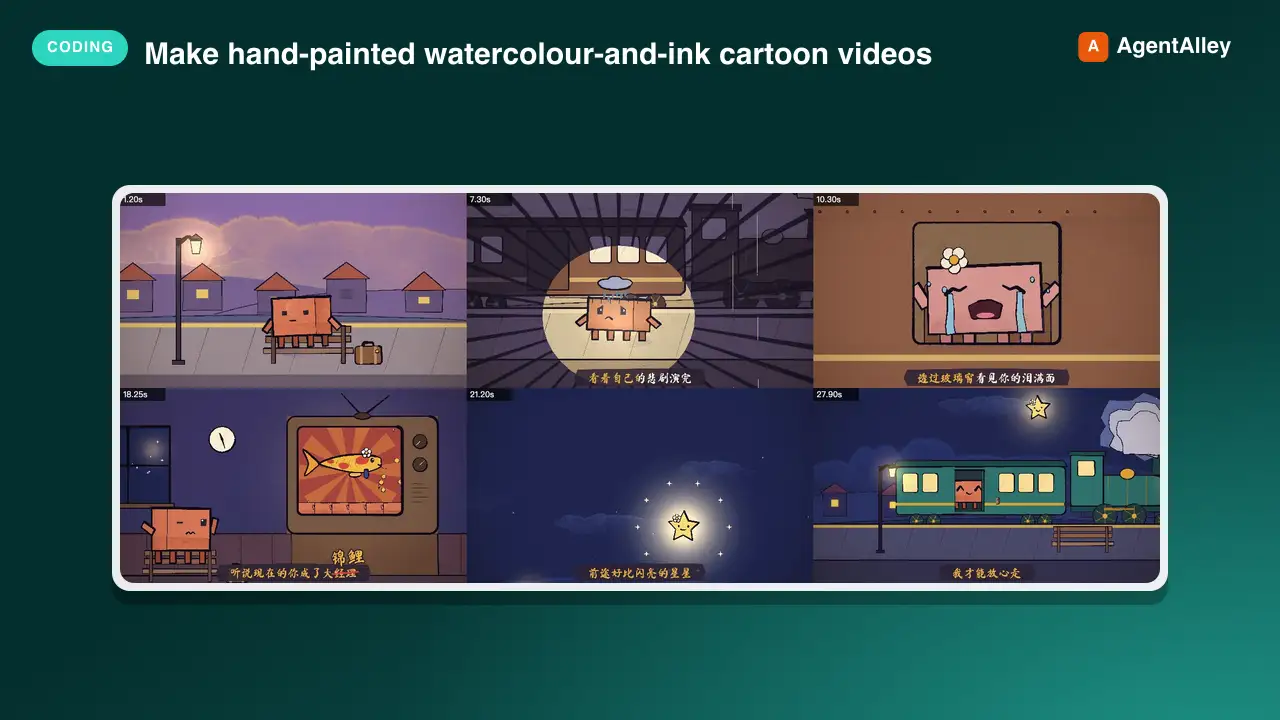
 edenfunf/reelmimic · by edenfunfMake hand-painted watercolour-and-ink cartoon videos (MP4) with code — p5.js + p5.brush rendered frame by frame in headless Chrome, encoded with ffmpeg — starring Clawd or any character. Use when the user asks to make an animation, animated short, cartoon, music video, lyric video, animated GIF/loop or "a video of Clawd…", or mentions the PDoomVideo / ClaudeAnimationBase approach. Covers storyboarding, the engine API, the render-and-look review loop, music/lyric sync and splitting long videos across subagents.★ 3.6k GitHub stars
 SkillMotion Graphics Translator
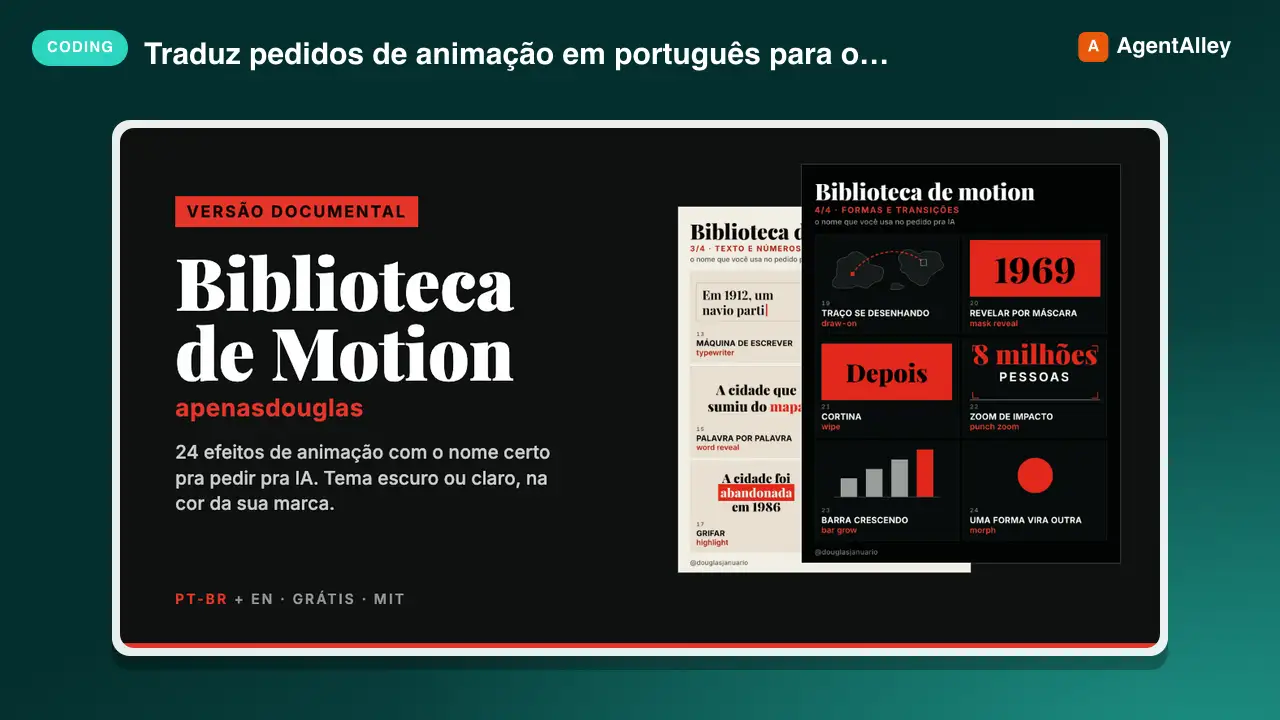
 apenasdouglas/ai-motion-library · by apenasdouglasTraduz pedidos de animação em português ("faz o número quicar", "entra um depois do outro", "dá um tranco no zoom") para o efeito de motion graphics certo, com o termo técnico, a duração e a aceleração. Use sempre que o usuário pedir animação, motion, transição ou efeito em vídeo, HTML, CSS, GSAP, Remotion, HyperFrames ou After Effects, principalmente quando o pedido for vago ("faz uma animação bonita") ou o vídeo for de canal dark (faceless) de curiosidades, história ou documentário. Also triggers on English requests for motion graphics, easing and animation effects in documentary or faceless YouTube videos.★ 68 GitHub stars
 SkillBrowser Automation Tool
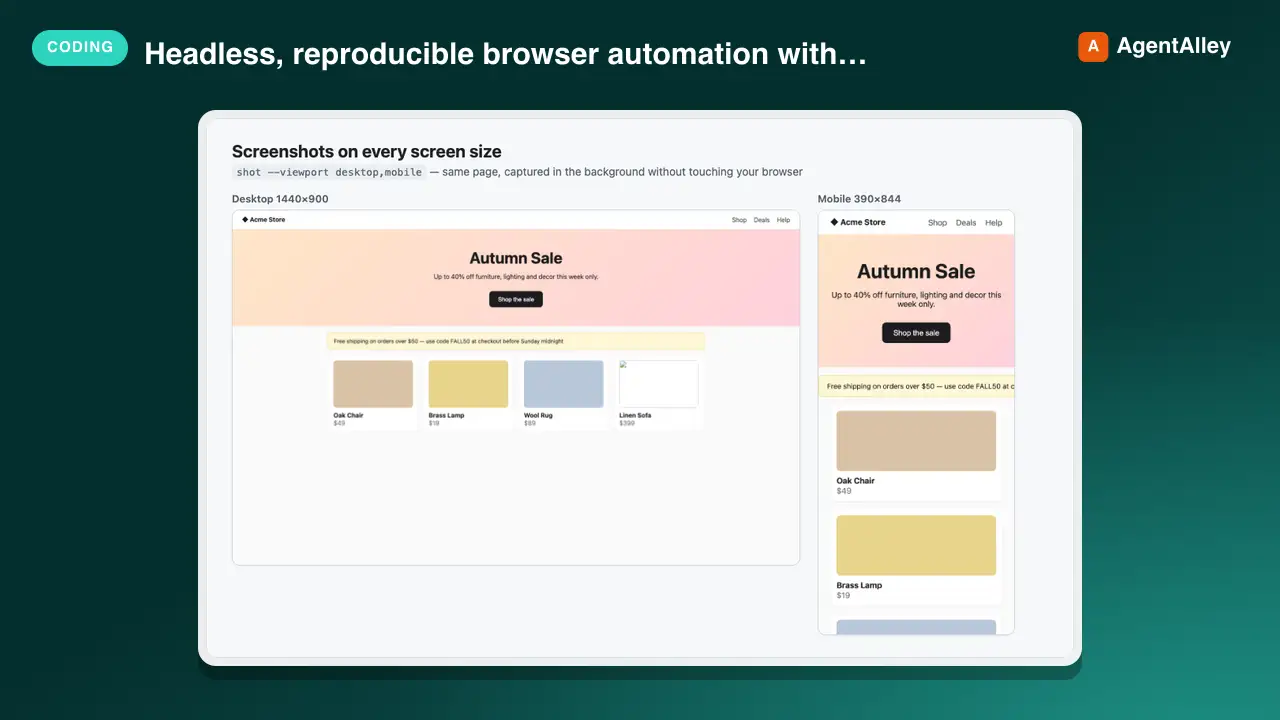
 AndyShiu/claude-skill-playwright-browser · by AndyShiuHeadless, reproducible browser automation with Playwright for any project — screenshots of web pages or local dev servers (desktop/tablet/mobile, full page or one element, single page or every page/menu of an app in one batch), frontend audits (console errors, failed requests, broken images/links, responsive overflow, axe accessibility, LCP/CLS performance), before/after visual comparison, scripted E2E flows (log in, click, fill, page through, assert), and logged-in pages via saved sessions. Use this whenever the user wants to screenshot or visually check a site, find frontend bugs, see how a page looks on mobile, compare the UI before and after a CSS/code change, reproduce a bug from an issue or ticket and capture evidence images for it, verify a UI flow works, or run/write a browser test — even if they never say "Playwright" or "browser". If Claude in Chrome could also do the job, briefly ask which to use (with a recommendation) instead of silently picking.★ 49 GitHub stars
 SkillComponent Rebuilder
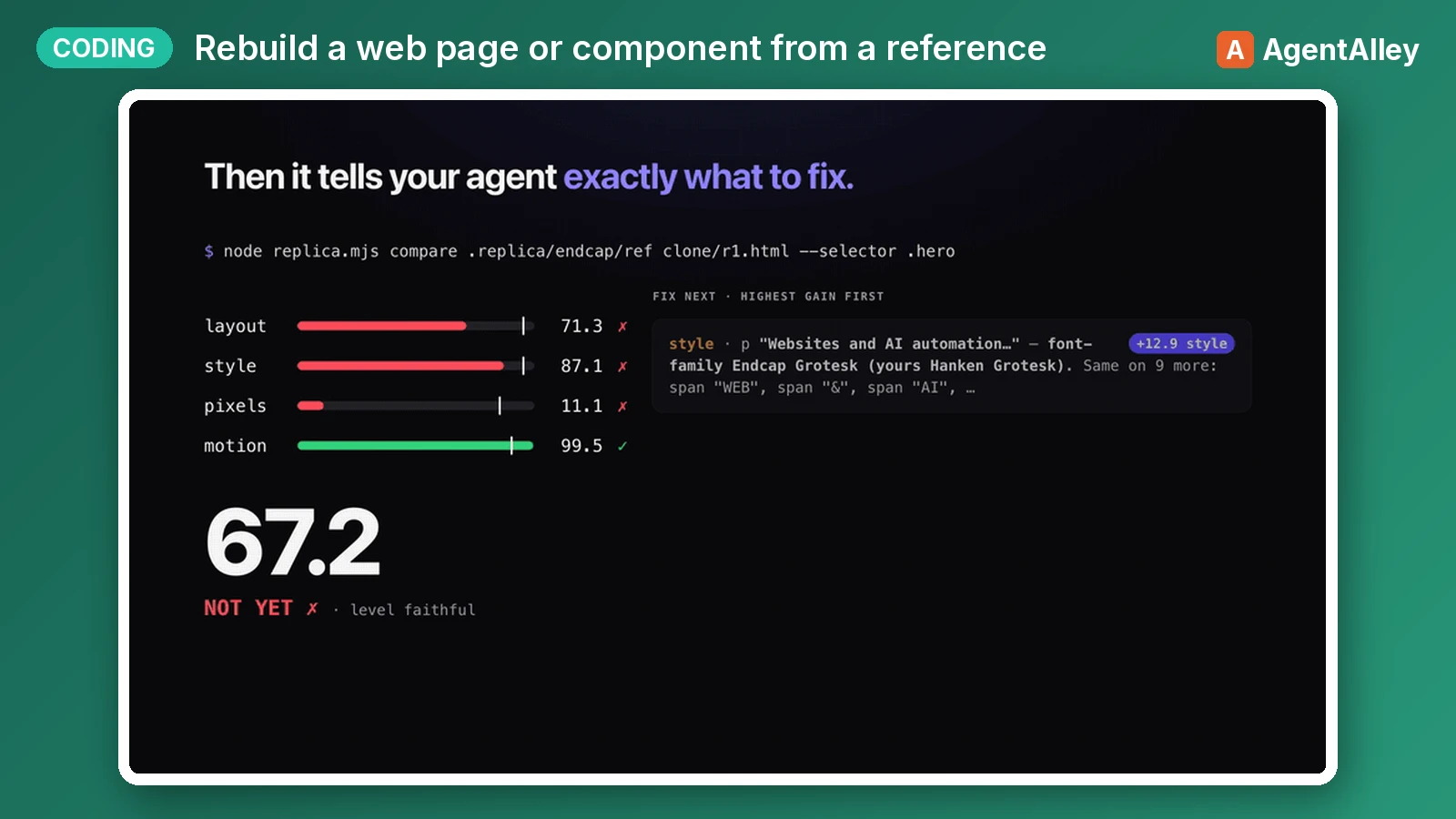
 albertirgi/replica · by albertirgiRebuild a web page, section, component or interaction from a reference (a live URL, a local HTML file, a screenshot or design export, or a screen recording or GIF) inside the user's own codebase. Then measure the rebuild against the reference (element boxes, computed styles, pixels, motion timing and easing) and iterate until a numeric Replica Score passes. Use when the user wants to clone, replicate, recreate, copy, port or match a site, landing page, hero, navbar, pricing table, card, modal, footer, hover effect, scroll reveal, page-load animation or any other UI, or to "make it look/feel/move like" one. Also use when they say "pixel-perfect", "1:1", "exactly like this" or "same as <url>", or hand over a screenshot, Figma export or video and ask to build it, including when they want their own copy, brand or extra features on top.★ 43 GitHub stars
 SkillProfessional Site Builder
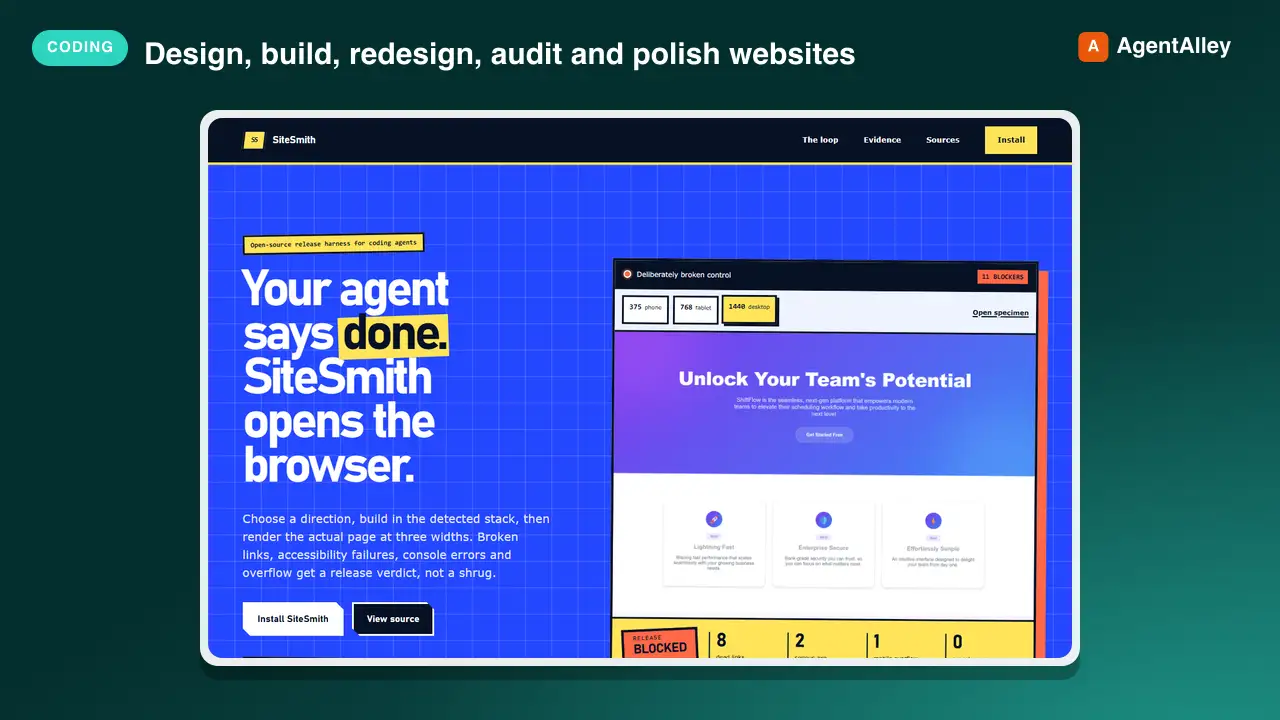
 byensitmagnus/sitesmith · by byensitmagnusDesign, build, redesign, audit and polish websites and web apps that do not look AI-generated. Use for landing pages, marketing sites, product and e-commerce pages, SaaS sites, dashboards, web apps, local business sites, portfolios and editorial sites, and for improving existing React, Next.js, Astro, Vue, Tailwind, shadcn or plain HTML/CSS projects. Triggers on: build a website, make a landing page, design a page, redesign this, make it look better, fix the design, improve the UI, this looks generic, choose colours or fonts, pick a style, add animations, make it responsive, add dark mode, accessibility pass, hero section, pricing table, dashboard layout, product page, component styling, design system, design review, UI audit.New listing