Cross-Browser Test Runner
BrowserStack Integration
Run tests on BrowserStack. Use when user mentions "browserstack", cross-browser", "cloud testing", "browser matrix", "test on safari", test on firefox", or "browser compatibility".
---
name: "browserstack"
description: >-
  Run tests on BrowserStack. Use when user mentions "browserstack",
  "cross-browser", "cloud testing", "browser matrix", "test on safari",
  "test on firefox", or "browser compatibility".
---

# BrowserStack Integration

Run Playwright tests on BrowserStack's cloud grid for cross-browser and cross-device testing.

## Prerequisites

Environment variables must be set:
- `BROWSERSTACK_USERNAME` — your BrowserStack username
- `BROWSERSTACK_ACCESS_KEY` — your access key
Overview
Run Playwright tests on BrowserStack's cloud grid for cross-browser and cross-device testing.
What you get
- Cross-browser test results table
- Per-browser pass/fail status
- Links to BrowserStack dashboard for video/screenshots
- Any browser-specific failures highlighted
Manual install (npx, ZIP)
npx skills add alirezarezvani/claude-skills --skill browserstack -g -a claude-codemkdir -p ~/.claude/skills && curl -sL https://codeload.github.com/alirezarezvani/claude-skills/tar.gz/19392f7a0826 \
| tar -xz -C ~/.claude/skills --strip-components=4 claude-skills-19392f7a0826/engineering-team/playwright-pro/skills/browserstackNew-Item -ItemType Directory -Force "$HOME\.claude\skills" | Out-Null; Invoke-WebRequest "https://m.agentalley.io/zip/d766969893cdf93e8385/browserstack.zip" -OutFile "$env:TEMP\browserstack.zip"; Expand-Archive "$env:TEMP\browserstack.zip" -DestinationPath "$HOME\.claude\skills" -ForceConnects with Agent Alley MCP · agentalley.io/mcp
Files included
SKILL.md5.0 KB
Read the files here
alirezarezvani/
Shared references2SKILL.md reads these from elsewhere in the repo. Not in the ZIP.
Get them on GitHub ↗Show the full text178 lines
BrowserStack Integration
Run Playwright tests on BrowserStack's cloud grid for cross-browser and cross-device testing.
Prerequisites
Environment variables must be set:
BROWSERSTACK_USERNAME— your BrowserStack usernameBROWSERSTACK_ACCESS_KEY— your access key
If not set, inform the user how to get them from browserstack.com/accounts/settings and stop.
The BrowserStack MCP server is not auto-registered (issue #978).
pw-browserstackwas removed from the plugin's.mcp.jsonbecause it failed to connect for every user (the plugin ships nonode_modules). Thebrowserstack_*MCP tools used below, and the/pw:browserstackcommand, will fail with "tool not found" until it is enabled manually — see the Integrations section of the plugin'sCLAUDE.md(cd integrations/browserstack-mcp && npm install, then register the server in your own user/project MCP config). Setting the env vars alone is not sufficient.
Capabilities
1. Configure for BrowserStack
/pw:browserstack setup
Steps:
- Check current
playwright.config.ts - Add BrowserStack connect options:
// Add to playwright.config.ts
import { defineConfig } from '@playwright/test';

const isBS = !!process.env.BROWSERSTACK_USERNAME;

export default defineConfig({
  // ... existing config
  projects: isBS ? [
    {
      name: "chromelatestwindows-11",
      use: {
        connectOptions: {
          wsEndpoint: `wss://cdp.browserstack.com/playwright?caps=${encodeURIComponent(JSON.stringify({
            'browser': 'chrome',
            'browser_version': 'latest',
            'os': 'Windows',
            'os_version': '11',
            'browserstack.username': process.env.BROWSERSTACK_USERNAME,
            'browserstack.accessKey': process.env.BROWSERSTACK_ACCESS_KEY,
          }))}`,
        },
      },
    },
    {
      name: "firefoxlatestwindows-11",
      use: {
        connectOptions: {
          wsEndpoint: `wss://cdp.browserstack.com/playwright?caps=${encodeURIComponent(JSON.stringify({
            'browser': 'playwright-firefox',
            'browser_version': 'latest',
            'os': 'Windows',
            'os_version': '11',
            'browserstack.username': process.env.BROWSERSTACK_USERNAME,
            'browserstack.accessKey': process.env.BROWSERSTACK_ACCESS_KEY,
          }))}`,
        },
      },
    },
    {
      name: "webkitlatestos-x-ventura",
      use: {
        connectOptions: {
          wsEndpoint: `wss://cdp.browserstack.com/playwright?caps=${encodeURIComponent(JSON.stringify({
            'browser': 'playwright-webkit',
            'browser_version': 'latest',
            'os': 'OS X',
            'os_version': 'Ventura',
            'browserstack.username': process.env.BROWSERSTACK_USERNAME,
            'browserstack.accessKey': process.env.BROWSERSTACK_ACCESS_KEY,
          }))}`,
        },
      },
    },
  ] : [
    // ... local projects fallback
  ],
});
- Add npm script:
"test:e2e:cloud": "npx playwright test --project='chrome@*' --project='firefox@*' --project='webkit@*'"
2. Run Tests on BrowserStack
/pw:browserstack run
Steps:
- Verify credentials are set
- Run tests with BrowserStack projects:
BROWSERSTACK_USERNAME=$BROWSERSTACK_USERNAME \ BROWSERSTACK_ACCESS_KEY=$BROWSERSTACK_ACCESS_KEY \ npx playwright test --project='chrome@*' --project='firefox@*' - Monitor execution
- Report results per browser
3. Get Build Results
/pw:browserstack results
Steps:
- Call
browserstack_get_buildsMCP tool - Get latest build's sessions
- For each session:
- Status (pass/fail)
- Browser and OS
- Duration
- Video URL
- Log URLs
- Format as summary table
4. Check Available Browsers
/pw:browserstack browsers
Steps:
- Call
browserstack_get_browsersMCP tool - Filter for Playwright-compatible browsers
- Display available browser/OS combinations
5. Local Testing
/pw:browserstack local
For testing localhost or staging behind firewall:
- Install BrowserStack Local:
npm install -D browserstack-local - Add local tunnel to config
- Provide setup instructions
MCP Tools Used
| Tool | When |
|---|---|
browserstack_get_plan |
Check account limits |
browserstack_get_browsers |
List available browsers |
browserstack_get_builds |
List recent builds |
browserstack_get_sessions |
Get sessions in a build |
browserstack_get_session |
Get session details (video, logs) |
browserstack_update_session |
Mark pass/fail |
browserstack_get_logs |
Get text/network logs |
Output
- Cross-browser test results table
- Per-browser pass/fail status
- Links to BrowserStack dashboard for video/screenshots
- Any browser-specific failures highlighted
| 1 | |
| 2 | name "browserstack" |
| 3 | description >- |
| 4 | Run tests on BrowserStack. Use when user mentions "browserstack", |
| 5 | "cross-browser", "cloud testing", "browser matrix", "test on safari", |
| 6 | "test on firefox", or "browser compatibility". |
| 7 | |
| 8 | |
| 9 | # BrowserStack Integration |
| 10 | |
| 11 | Run Playwright tests on BrowserStack's cloud grid for cross-browser and cross-device testing. |
| 12 | |
| 13 | ## Prerequisites |
| 14 | |
| 15 | Environment variables must be set: |
| 16 | `BROWSERSTACK_USERNAME` — your BrowserStack username |
| 17 | `BROWSERSTACK_ACCESS_KEY` — your access key |
| 18 | |
| 19 | If not set, inform the user how to get them from [browserstack.com/accounts/settings] and stop. |
| 20 | |
| 21 | > **The BrowserStack MCP server is not auto-registered (issue #978).** |
| 22 | > `pw-browserstack` was removed from the plugin's `.mcp.json` because it failed to |
| 23 | > connect for every user (the plugin ships no `node_modules`). The `browserstack_*` |
| 24 | > MCP tools used below, and the `/pw:browserstack` command, will fail with "tool |
| 25 | > not found" until it is enabled manually — see the **Integrations** section of the |
| 26 | > plugin's `CLAUDE.md` (`cd integrations/browserstack-mcp && npm install`, then |
| 27 | > register the server in your own user/project MCP config). Setting the env vars |
| 28 | > alone is not sufficient. |
| 29 | |
| 30 | ## Capabilities |
| 31 | |
| 32 | ### 1. Configure for BrowserStack |
| 33 | |
| 34 | |
| 35 | /pw:browserstack setup |
| 36 | |
| 37 | |
| 38 | Steps: |
| 39 | Check current `playwright.config.ts` |
| 40 | Add BrowserStack connect options: |
| 41 | |
| 42 | |
| 43 | // Add to playwright.config.ts |
| 44 | import { defineConfig } from '@playwright/test'; |
| 45 | |
| 46 | const isBS = !!process.env.BROWSERSTACK_USERNAME; |
| 47 | |
| 48 | export default defineConfig({ |
| 49 | // ... existing config |
| 50 | projects: isBS ? [ |
| 51 | { |
| 52 | name: "chromelatestwindows-11", |
| 53 | use: { |
| 54 | connectOptions: { |
| 55 | wsEndpoint: `wss://cdp.browserstack.com/playwright?caps=${encodeURIComponent(JSON.stringify({ |
| 56 | 'browser': 'chrome', |
| 57 | 'browser_version': 'latest', |
| 58 | 'os': 'Windows', |
| 59 | 'os_version': '11', |
| 60 | 'browserstack.username': process.env.BROWSERSTACK_USERNAME, |
| 61 | 'browserstack.accessKey': process.env.BROWSERSTACK_ACCESS_KEY, |
| 62 | }))}`, |
| 63 | }, |
| 64 | }, |
| 65 | }, |
| 66 | { |
| 67 | name: "firefoxlatestwindows-11", |
| 68 | use: { |
| 69 | connectOptions: { |
| 70 | wsEndpoint: `wss://cdp.browserstack.com/playwright?caps=${encodeURIComponent(JSON.stringify({ |
| 71 | 'browser': 'playwright-firefox', |
| 72 | 'browser_version': 'latest', |
| 73 | 'os': 'Windows', |
| 74 | 'os_version': '11', |
| 75 | 'browserstack.username': process.env.BROWSERSTACK_USERNAME, |
| 76 | 'browserstack.accessKey': process.env.BROWSERSTACK_ACCESS_KEY, |
| 77 | }))}`, |
| 78 | }, |
| 79 | }, |
| 80 | }, |
| 81 | { |
| 82 | name: "webkitlatestos-x-ventura", |
| 83 | use: { |
| 84 | connectOptions: { |
| 85 | wsEndpoint: `wss://cdp.browserstack.com/playwright?caps=${encodeURIComponent(JSON.stringify({ |
| 86 | 'browser': 'playwright-webkit', |
| 87 | 'browser_version': 'latest', |
| 88 | 'os': 'OS X', |
| 89 | 'os_version': 'Ventura', |
| 90 | 'browserstack.username': process.env.BROWSERSTACK_USERNAME, |
| 91 | 'browserstack.accessKey': process.env.BROWSERSTACK_ACCESS_KEY, |
| 92 | }))}`, |
| 93 | }, |
| 94 | }, |
| 95 | }, |
| 96 | ] : [ |
| 97 | // ... local projects fallback |
| 98 | ], |
| 99 | }); |
| 100 | |
| 101 | |
| 102 | Add npm script: `"test:e2e:cloud": "npx playwright test --project='chrome@*' --project='firefox@*' --project='webkit@*'"` |
| 103 | |
| 104 | ### 2. Run Tests on BrowserStack |
| 105 | |
| 106 | |
| 107 | /pw:browserstack run |
| 108 | |
| 109 | |
| 110 | Steps: |
| 111 | Verify credentials are set |
| 112 | Run tests with BrowserStack projects: |
| 113 | |
| 114 | BROWSERSTACK_USERNAME=$BROWSERSTACK_USERNAME \ |
| 115 | BROWSERSTACK_ACCESS_KEY=$BROWSERSTACK_ACCESS_KEY \ |
| 116 | npx playwright test --project='chrome@*' --project='firefox@*' |
| 117 | |
| 118 | Monitor execution |
| 119 | Report results per browser |
| 120 | |
| 121 | ### 3. Get Build Results |
| 122 | |
| 123 | |
| 124 | /pw:browserstack results |
| 125 | |
| 126 | |
| 127 | Steps: |
| 128 | Call `browserstack_get_builds` MCP tool |
| 129 | Get latest build's sessions |
| 130 | For each session: |
| 131 | Status (pass/fail) |
| 132 | Browser and OS |
| 133 | Duration |
| 134 | Video URL |
| 135 | Log URLs |
| 136 | Format as summary table |
| 137 | |
| 138 | ### 4. Check Available Browsers |
| 139 | |
| 140 | |
| 141 | /pw:browserstack browsers |
| 142 | |
| 143 | |
| 144 | Steps: |
| 145 | Call `browserstack_get_browsers` MCP tool |
| 146 | Filter for Playwright-compatible browsers |
| 147 | Display available browser/OS combinations |
| 148 | |
| 149 | ### 5. Local Testing |
| 150 | |
| 151 | |
| 152 | /pw:browserstack local |
| 153 | |
| 154 | |
| 155 | For testing localhost or staging behind firewall: |
| 156 | Install BrowserStack Local: `npm install -D browserstack-local` |
| 157 | Add local tunnel to config |
| 158 | Provide setup instructions |
| 159 | |
| 160 | ## MCP Tools Used |
| 161 | |
| 162 | | Tool | When | |
| 163 | |---|---| |
| 164 | | `browserstack_get_plan` | Check account limits | |
| 165 | | `browserstack_get_browsers` | List available browsers | |
| 166 | | `browserstack_get_builds` | List recent builds | |
| 167 | | `browserstack_get_sessions` | Get sessions in a build | |
| 168 | | `browserstack_get_session` | Get session details (video, logs) | |
| 169 | | `browserstack_update_session` | Mark pass/fail | |
| 170 | | `browserstack_get_logs` | Get text/network logs | |
| 171 | |
| 172 | ## Output |
| 173 | |
| 174 | Cross-browser test results table |
| 175 | Per-browser pass/fail status |
| 176 | Links to BrowserStack dashboard for video/screenshots |
| 177 | Any browser-specific failures highlighted |
| 178 |
Details
- Updated
- Aug 30, 2026
- License
- MIT
- Stars on the repo
- ★ 26,349
- Checked
- Source
- alirezarezvani/claude-skills ↗
- Creator
- alirezarezvani · 363 listings
Similar skills
See all →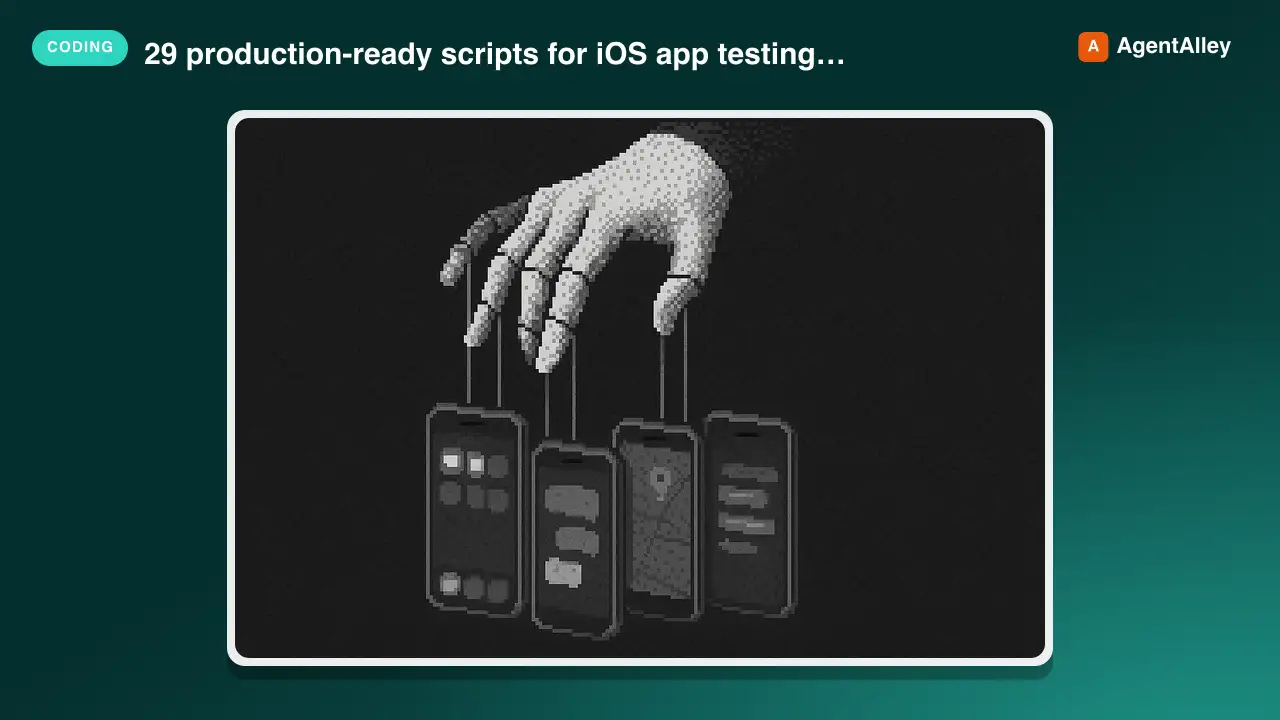 SkilliOS Simulator Testing Scripts
 conorluddy/ios-simulator-skill · by conorluddy29 production-ready scripts for iOS app testing, building, and automation. Provides semantic UI navigation, build automation, accessibility testing, and simulator lifecycle management. Optimized for AI agents with minimal token output.★ 1.3k GitHub stars
 SkillMoAI Autonomous Orchestrator
 modu-ai/moai-adk · by modu-aiMoAI unified orchestrator for autonomous development. Routes natural language or subcommands (plan, run, sync, project, fix, loop, mx, feedback, review, clean, codemaps, gate, e2e, harness, goal, gtd, todo) to specialized agents.★ 1.2k GitHub stars
 SkillAndroid Test Writer
 HoangNguyen0403/agent-skills-standard · by HoangNguyen0403Write Android unit, Compose UI, and Hilt-integrated tests. Use when designing test behavior with MockK or coroutine test utilities; defer database/WorkManager-specific recipes to the owning feature skill.★ 569 GitHub stars
 AgentVibe Testing
 AishwaryShrivastav/vibe-testing · by AishwaryShrivastavCode-aware browser testing for AI coding agents. 14 MCP tools, CLI workflows, regression memory, and human-readable QA reports.★ 18 GitHub stars
 SkillFeature Testing Framework
 obra/superpowers · by obraUse when implementing any feature or bugfix, before writing implementation code★ 290k GitHub stars
 SkillWeb App Tester
 anthropics/skills · by anthropicsToolkit for interacting with and testing local web applications using Playwright. Supports verifying frontend functionality, debugging UI behavior, capturing browser screenshots, and viewing browser logs.★ 178k GitHub stars
More from alirezarezvani
 SkillExperiment Resume Tool
 alirezarezvani/claude-skills · by alirezarezvaniResume a paused experiment. Checkout the experiment branch, read results history, continue iterating. Use when the user runs /ar:ar-resume or asks to pick up a previously started autoresearch experiment.★ 26.3k GitHub stars
 SkillExperiment Dashboard Vieweralirezarezvani/claude-skills · by alirezarezvaniShow experiment dashboard with results, active loops, and progress. Use when the user runs /ar:ar-status or asks how an autoresearch experiment is going.★ 26.3k GitHub stars
 SkillAutonomous Experiment Runneralirezarezvani/claude-skills · by alirezarezvaniStart an autonomous experiment loop with user-selected interval (10min, 1h, daily, weekly, monthly). Uses CronCreate for scheduling. Use when the user runs /ar:loop or asks to run an autoresearch experiment continuously on a schedule.★ 26.3k GitHub stars
 SkillSingle Experiment Iteratoralirezarezvani/claude-skills · by alirezarezvaniRun a single experiment iteration. Edit the target file, evaluate, keep or discard. Use when the user runs /ar:run or asks for one manual autoresearch iteration.★ 26.3k GitHub stars
 SkillAutoresearch Experiment Setupalirezarezvani/claude-skills · by alirezarezvaniSet up a new autoresearch experiment interactively. Collects domain, target file, eval command, metric, direction, and evaluator. Use when the user runs /ar:setup or asks to start optimizing a file with the autoresearch loop.★ 26.3k GitHub stars
 SkillExecutive Boardroom Deliberatoralirezarezvani/claude-skills · by alirezarezvani/cs:boardroom <brief> — 6-phase multi-role deliberation across the C-suite with Phase 2 isolation, critic pre-screen, and synthesis. Outputs a board memo. Use when a decision spans multiple executive domains — e.g. a pricing change touching finance, positioning, and product, or a raise-vs-cut runway call.★ 26.3k GitHub stars