Attio CRM Setup
Attio setup
Set up Attio for B2B SaaS GTM — programmable CRM, custom objects, workflow automation, enrichment integration, and real-time collaboration. Use when configuring Attio for sales, building a programmable CRM, or migrating from…
---
name: attio-setup
description: >-
  Set up Attio for B2B SaaS GTM — programmable CRM, custom objects, workflow
  automation, enrichment integration, and real-time collaboration. Use when
  configuring Attio for sales, building a programmable CRM, or migrating from
  HubSpot/Salesforce. Triggers on: "Attio setup", "configure Attio", "Attio CRM",
  "Attio pipeline", or any Attio configuration request.
license: MIT
compatibility: Claude Code, Codex, GitHub Copilot, Cursor, Gemini CLI, OpenCode, Goose, Hermes, Windsurf, Zed
metadata:
  version: "1.1.0"
  author: LeadMagic
  category: automation
  tags: [attio, crm, setup, programmable, modern, contacts]
  frameworks:
    - "Attio Help Center — Objects, lists, and attributes"
    - "Attio — Workflows"
Overview
Attio is the modern programmable CRM. Unlike HubSpot (unified suite) or Salesforce (enterprise customizability), Attio is built for teams that want a CRM that works like a database — flexible objects, real-time collaboration, and API-first architecture. Best for startups and growth-stage B2B SaaS that find HubSpot too rigid and Salesforce too heavy.
Manual install (npx, ZIP)
npx skills add LeadMagic/gtm-skills --skill attio-setup -g -a claude-codenpx degit LeadMagic/gtm-skills/skills/automation/attio-setup#main ~/.claude/skills/attio-setupConnects with Agent Alley MCP · agentalley.io/mcp
Files included
SKILL.md5.9 KB
Read SKILL.md here
Show the full text141 lines
Attio Setup
Overview
Attio is the modern programmable CRM. Unlike HubSpot (unified suite) or Salesforce (enterprise customizability), Attio is built for teams that want a CRM that works like a database — flexible objects, real-time collaboration, and API-first architecture. Best for startups and growth-stage B2B SaaS that find HubSpot too rigid and Salesforce too heavy.
Authoritative Foundations
- Attio Help Center — Objects, lists, and attributes — Model standard and custom objects and their attributes before importing; use lists for pipelines and workflows rather than duplicating records.
- Attio — Workflows — Automate record-change triggers such as enrichment on create, owner assignment, and stage-based tasks inside the CRM.
- Winning by Design — Revenue Architecture — Bowtie lifecycle model — align sales, marketing, and CS on stage-based outcomes.
When to Use
- "Set up Attio for our sales team"
- "Configure Attio objects and pipelines"
- "Build Attio workflows"
- "Migrate to Attio from HubSpot/Salesforce"
- "Set up enrichment in Attio"
Step-by-Step Process
Load crm-toolkit first — crm-selection, contacts-vs-leads (Attio has no Lead object
— use status on People + lists as SDR queues), and attio-blueprint.
Phase 1: Object Model
Attio is object-based. Standard: Companies, People, Deals. Custom objects for anything: Subscriptions, Customer Success Plans, Partner relationships.
Contacts vs leads: No Lead object and no conversion step. Inbound → Person
with status=inbound; SDR list filters the queue; qualified → create Deal.
See crm-toolkit → contacts-vs-leads reference.
Key difference vs Salesforce: No rigid Lead→Account→Contact hierarchy. Everything is a flat object that can be linked. A Person can belong to multiple Companies. A Deal can involve multiple People.
Phase 2: Lists and Views
Lists are Attio's killer feature. Create dynamic lists based on any attribute: "Companies in my ICP with no open deals," "Deals stalled >14 days," "Contacts with unverified emails."
Views: kanban, table, timeline, list. Each view filters a list. Share views with the team. Save frequently-used views.
Phase 3: Workflows
Attio's automation engine. Triggers: record created/updated/deleted, list membership changed, date reached. Actions: update record, create task, send Slack notification, call webhook.
Key workflows:
- New deal created → assign rep, create onboarding task
- Deal stalled >14 days → Slack alert to manager
- Company added to ICP list → auto-enrich via webhook
- Contact email unverified → flag for verification
Phase 4: Enrichment Integration
Attio's API-first design makes enrichment integration clean:
- Webhook on record create → external enrichment → write back to Attio
- Scheduled list-based enrichment: "enrich all companies added this week"
- Real-time enrichment via Zapier/Make triggers
Phase 5: Collaboration
Attio's real-time collaboration: multiple team members editing the same record simultaneously. Notes, comments, mentions. Slack integration for notifications on deal changes, new assignments, and stalled deals.
Output Format
Attio configuration document with: object model design, list/views catalog, workflow automation map, enrichment integration setup, and team collaboration guidelines.
Quality Check
- Object model: Companies, People, Deals configured with custom attributes
- Key Lists created (ICP companies, stalled deals, unverified contacts)
- Workflows automating repetitive tasks
- Enrichment integration via webhooks active
- Team views shared and adopted
Common Pitfalls
Over-building objects. Start with Companies, People, Deals. Add custom objects only when these three can't represent what you need.
No lists. Lists are Attio's superpower. Without them, it's just a spreadsheet. Build lists for every segment and workflow trigger.
HubSpot migration without cleanup. Moving bad data to Attio is just bad data in a better tool. Clean your data before migrating.
API-first without API use. Attio's API is the differentiator. Use it for enrichment, automation, and custom integrations.
Execution Artifacts
references/framework-notes.md— named frameworks, citation anchors, and operating assumptionstemplates/output-template.md— copy-paste deliverable structure for the userscripts/check-output.py— local checklist validator for required sections This skill includes lightweight artifacts the agent can load on demand: Use the artifacts when the user asks for an implementation-ready deliverable, a repeatable workflow, or a quality check rather than generic advice.
Related Skills
- crm-toolkit: Selection, contacts-vs-leads, attio-blueprint, partners
- crm-integration: CRM configuration principles
- pipeline-management: Deal stage design
- hubspot-setup: HubSpot alternative (lifecycle stages)
- salesforce-setup: Salesforce alternative (Lead convert)
| 1 | |
| 2 | name attio-setup |
| 3 | description >- |
| 4 | Set up Attio for B2B SaaS GTM — programmable CRM, custom objects, workflow |
| 5 | automation, enrichment integration, and real-time collaboration. Use when |
| 6 | configuring Attio for sales, building a programmable CRM, or migrating from |
| 7 | HubSpot/Salesforce. Triggers on: "Attio setup", "configure Attio", "Attio CRM", |
| 8 | "Attio pipeline", or any Attio configuration request. |
| 9 | license MIT |
| 10 | compatibility Claude Code, Codex, GitHub Copilot, Cursor, Gemini CLI, OpenCode, Goose, Hermes, Windsurf, Zed |
| 11 | metadata |
| 12 | version "1.1.0" |
| 13 | author LeadMagic |
| 14 | category automation |
| 15 | tags [attio, crm, setup, programmable, modern, contacts] |
| 16 | frameworks |
| 17 | - "Attio Help Center — Objects, lists, and attributes" |
| 18 | - "Attio — Workflows" |
| 19 | - "Winning by Design — Revenue Architecture" |
| 20 | related_skills [crm-toolkit, crm-integration, pipeline-management, hubspot-setup, salesforce-setup] |
| 21 | |
| 22 | |
| 23 | # Attio Setup |
| 24 | |
| 25 | ## Overview |
| 26 | |
| 27 | Attio is the modern programmable CRM. Unlike HubSpot (unified suite) or |
| 28 | Salesforce (enterprise customizability), Attio is built for teams that want |
| 29 | a CRM that works like a database — flexible objects, real-time collaboration, |
| 30 | and API-first architecture. Best for startups and growth-stage B2B SaaS that |
| 31 | find HubSpot too rigid and Salesforce too heavy. |
| 32 | |
| 33 | ## Authoritative Foundations |
| 34 | **Attio Help Center — Objects, lists, and attributes** — Model standard and custom objects and their attributes before importing; use lists for pipelines and workflows rather than duplicating records. |
| 35 | **Attio — Workflows** — Automate record-change triggers such as enrichment on create, owner assignment, and stage-based tasks inside the CRM. |
| 36 | **Winning by Design — Revenue Architecture** — Bowtie lifecycle model — align sales, marketing, and CS on stage-based outcomes. |
| 37 | |
| 38 | ## When to Use |
| 39 | |
| 40 | "Set up Attio for our sales team" |
| 41 | "Configure Attio objects and pipelines" |
| 42 | "Build Attio workflows" |
| 43 | "Migrate to Attio from HubSpot/Salesforce" |
| 44 | "Set up enrichment in Attio" |
| 45 | |
| 46 | ## Step-by-Step Process |
| 47 | |
| 48 | Load **crm-toolkit** first — crm-selection, contacts-vs-leads (Attio has **no Lead object** |
| 49 | — use `status` on People + **lists as SDR queues**), and attio-blueprint. |
| 50 | |
| 51 | ### Phase 1: Object Model |
| 52 | |
| 53 | Attio is object-based. Standard: Companies, People, Deals. Custom objects |
| 54 | for anything: Subscriptions, Customer Success Plans, Partner relationships. |
| 55 | |
| 56 | **Contacts vs leads:** No Lead object and no conversion step. Inbound → Person |
| 57 | with `status=inbound`; SDR list filters the queue; qualified → create Deal. |
| 58 | See **crm-toolkit** → contacts-vs-leads reference. |
| 59 | |
| 60 | **Key difference vs Salesforce:** No rigid Lead→Account→Contact hierarchy. |
| 61 | Everything is a flat object that can be linked. A Person can belong to multiple |
| 62 | Companies. A Deal can involve multiple People. |
| 63 | |
| 64 | ### Phase 2: Lists and Views |
| 65 | |
| 66 | Lists are Attio's killer feature. Create dynamic lists based on any attribute: |
| 67 | "Companies in my ICP with no open deals," "Deals stalled >14 days," "Contacts |
| 68 | with unverified emails." |
| 69 | |
| 70 | Views: kanban, table, timeline, list. Each view filters a list. Share views |
| 71 | with the team. Save frequently-used views. |
| 72 | |
| 73 | ### Phase 3: Workflows |
| 74 | |
| 75 | Attio's automation engine. Triggers: record created/updated/deleted, list |
| 76 | membership changed, date reached. Actions: update record, create task, send |
| 77 | Slack notification, call webhook. |
| 78 | |
| 79 | Key workflows: |
| 80 | New deal created → assign rep, create onboarding task |
| 81 | Deal stalled >14 days → Slack alert to manager |
| 82 | Company added to ICP list → auto-enrich via webhook |
| 83 | Contact email unverified → flag for verification |
| 84 | |
| 85 | ### Phase 4: Enrichment Integration |
| 86 | |
| 87 | Attio's API-first design makes enrichment integration clean: |
| 88 | Webhook on record create → external enrichment → write back to Attio |
| 89 | Scheduled list-based enrichment: "enrich all companies added this week" |
| 90 | Real-time enrichment via Zapier/Make triggers |
| 91 | |
| 92 | ### Phase 5: Collaboration |
| 93 | |
| 94 | Attio's real-time collaboration: multiple team members editing the same |
| 95 | record simultaneously. Notes, comments, mentions. Slack integration for |
| 96 | notifications on deal changes, new assignments, and stalled deals. |
| 97 | |
| 98 | ## Output Format |
| 99 | |
| 100 | Attio configuration document with: object model design, list/views catalog, |
| 101 | workflow automation map, enrichment integration setup, and team collaboration |
| 102 | guidelines. |
| 103 | |
| 104 | ## Quality Check |
| 105 | |
| 106 | [ ] Object model: Companies, People, Deals configured with custom attributes |
| 107 | [ ] Key Lists created (ICP companies, stalled deals, unverified contacts) |
| 108 | [ ] Workflows automating repetitive tasks |
| 109 | [ ] Enrichment integration via webhooks active |
| 110 | [ ] Team views shared and adopted |
| 111 | |
| 112 | ## Common Pitfalls |
| 113 | |
| 114 | **Over-building objects.** Start with Companies, People, Deals. Add custom |
| 115 | objects only when these three can't represent what you need. |
| 116 | |
| 117 | **No lists.** Lists are Attio's superpower. Without them, it's just a |
| 118 | spreadsheet. Build lists for every segment and workflow trigger. |
| 119 | |
| 120 | **HubSpot migration without cleanup.** Moving bad data to Attio is just |
| 121 | bad data in a better tool. Clean your data before migrating. |
| 122 | |
| 123 | **API-first without API use.** Attio's API is the differentiator. Use it |
| 124 | for enrichment, automation, and custom integrations. |
| 125 | |
| 126 | ## Execution Artifacts |
| 127 | |
| 128 | `references/framework-notes.md` — named frameworks, citation anchors, and operating assumptions |
| 129 | `templates/output-template.md` — copy-paste deliverable structure for the user |
| 130 | `scripts/check-output.py` — local checklist validator for required sections |
| 131 | This skill includes lightweight artifacts the agent can load on demand: |
| 132 | Use the artifacts when the user asks for an implementation-ready deliverable, a repeatable workflow, or a quality check rather than generic advice. |
| 133 | |
| 134 | ## Related Skills |
| 135 | |
| 136 | **crm-toolkit**: Selection, contacts-vs-leads, attio-blueprint, partners |
| 137 | **crm-integration**: CRM configuration principles |
| 138 | **pipeline-management**: Deal stage design |
| 139 | **hubspot-setup**: HubSpot alternative (lifecycle stages) |
| 140 | **salesforce-setup**: Salesforce alternative (Lead convert) |
| 141 |
Details
- License
- MIT
- Stars on the repo
- ★ 62
- Checked
- Source
- LeadMagic/gtm-skills ↗
- Creator
- LeadMagic · 129 listings
Similar skills
See all → AgentNEXUS Quick-Start Guide
 msitarzewski/agency-agents · by msitarzewski> Get from zero to orchestrated multi-agent pipeline in 5 minutes.★ 154k GitHub stars
 SkillRaw Footage Cleanup
 hassancs91/claude-youtube-editor · by hassancs91Step 1 of the AI Video Editor pipeline — turn raw talking-head footage into a clean master cut. Use when the user wants to "clean cut", "cut the raw footage", "remove filler / dead air / bad takes", "tighten the pacing", produce cuts.json, run the cut editor, or render a cleaned preview/master for a video-N project in this repo. Covers audio extraction, AssemblyAI transcription, authoring cuts.json (keeps/cuts/fluff categorized), the cut policy (content-aggressive, pause-natural ~0.5s), QA + review docs, the local cut-editor UI, tight/natural previews, the final 4K60 render, and producing edited-transcript.json as the handoff to /make-tsx. Not for building TSX overlays (that is /make-tsx) or the raw TSX authoring rules (that is vidtsx-2d-generator).★ 330 GitHub stars
 SkillVocaloid Music Video Builder
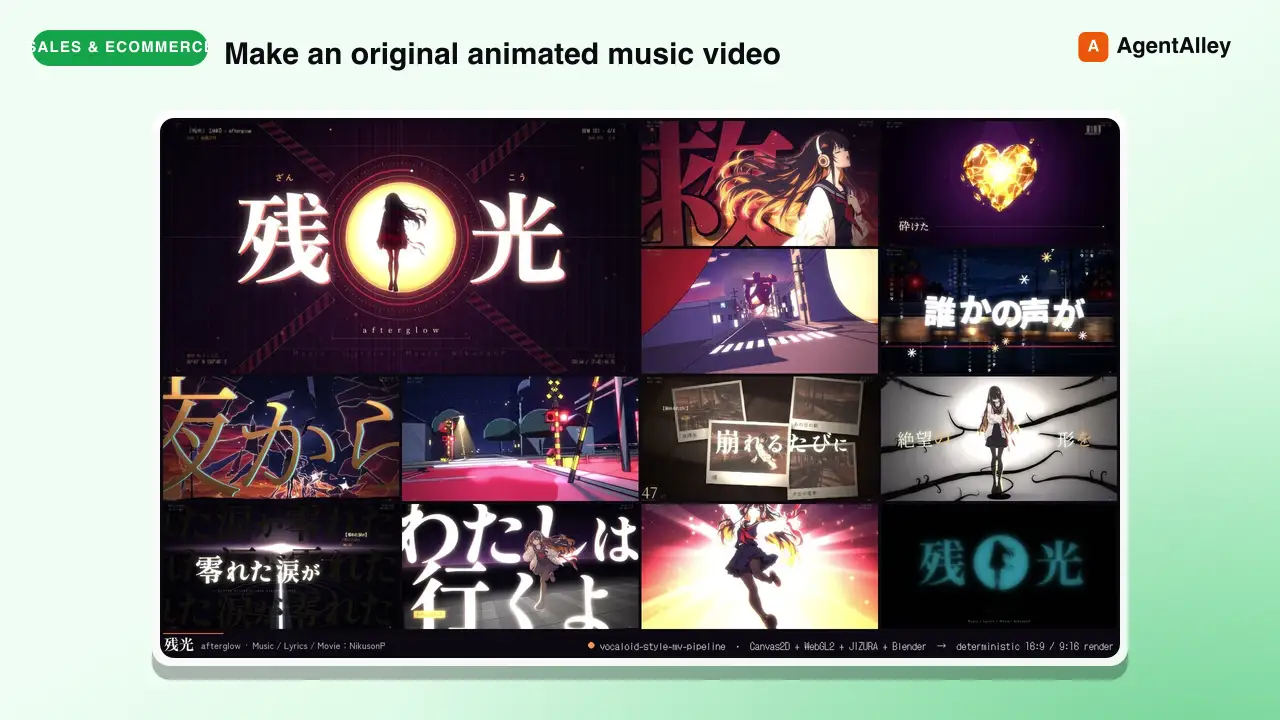
 EGSECDA/vocaloid-style-mv-pipeline · by EGSECDAMake an original animated music video (MV / PV) for a song from its audio file plus lyrics, in the Vocaloid / J-pop lyric-video tradition: 手書き/tegaki (V家手书, 手描きMV, ボカロPV), 文字PV and kinetic typography (リリックモーション, リリックビデオ, 歌詞動画, 歌词视频, 动态歌词), anime-illustration MVs with an original character — for any mood, from dark ballads to bright upbeat summer pop. Renders to MP4 with a deterministic Canvas2D/WebGL2 engine in a headless browser: JIZURA lyric motion, AI-generated art, optional Blender toon 3D, beat-locked editing, 9:16 vertical/Shorts version. Use it whenever the user wants a music video, MV, PV, lyric video or beat-synced animation for a song, e.g. make an MV for my song", "turn this track into a lyric video", "给这首歌做个MV/PV", "做个V家手书", "この曲のMVを作って", ボカロPV作って", "縦型ショートも" — even if they only give a .wav/.mp3 and say "make a cool video for it". Not for editing existing footage or clip compilations.★ 169 GitHub stars
 SkillConstruction Project Manager
 hewi333/Mom-n-Pop-Skills · by hewi333Construction company AI agent — orchestrates email (Google Workspace), project management (JobTread Pave API), and file routing for a construction business. Handles email triage, attachment routing to JobTread, project status, task management, and daily briefings via Telegram. Reference implementation for a construction/trades business with an existing email→Drive→PM pipeline.★ 122 GitHub stars
 SkillLightweight SQLite CRMhewi333/Mom-n-Pop-Skills · by hewi333Use when tracking customer interactions, managing leads, or building a lightweight CRM for small businesses without dedicated CRM software. Stores contacts, leads, activities, estimates, and communications in local SQLite.★ 122 GitHub stars
 SkillShort Video Pipeline
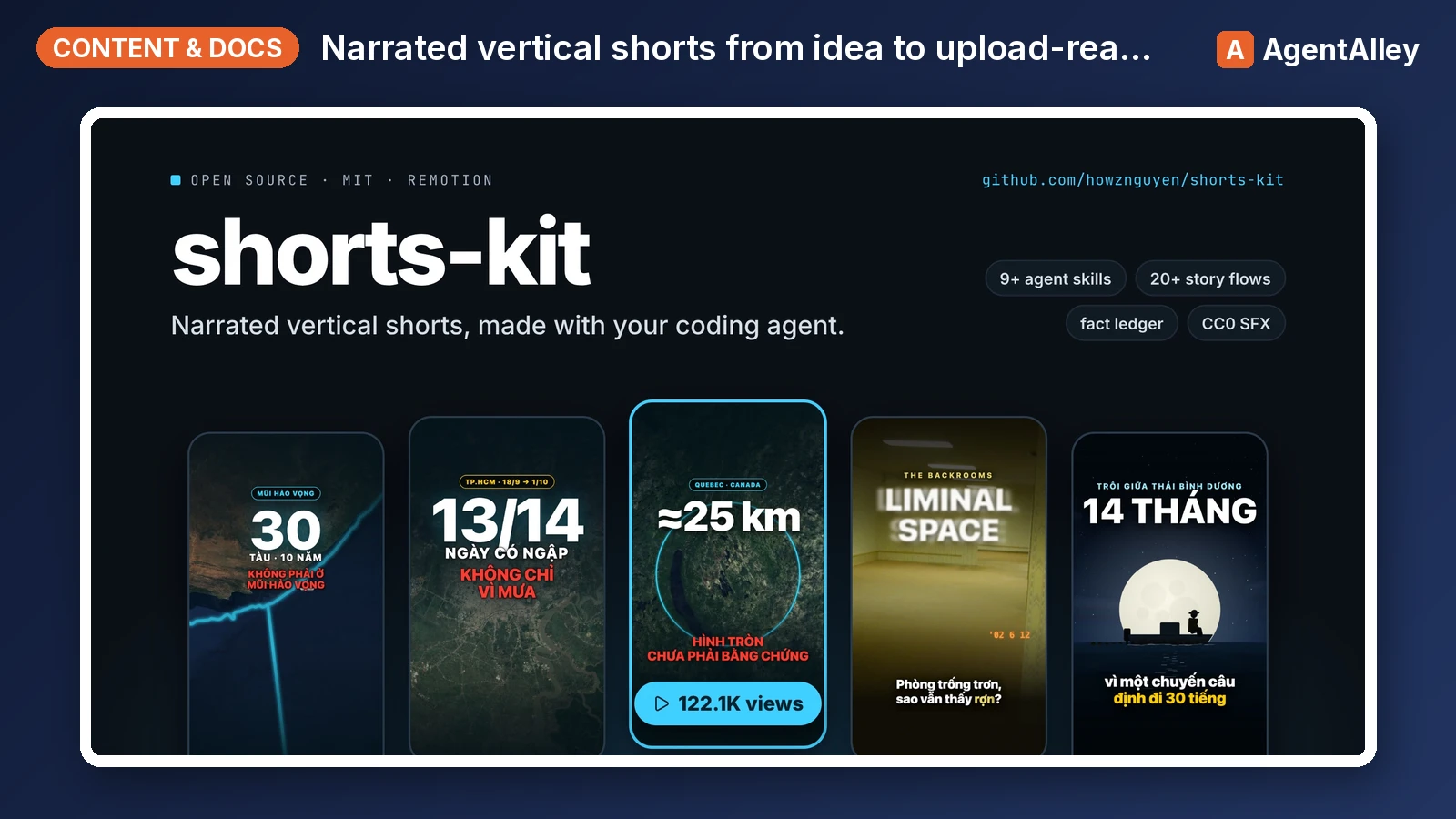
 howznguyen/shorts-kit · by howznguyenOrchestrates one narrated vertical short (TikTok, YouTube Shorts, Reels) from idea to upload-ready hand-off files, in the fixed order idea, facts, flow and visual choice, brief, narration, TTS, lint, scenes, still review, render, cover, normalize, encode, hand-off. Use when the user says "make a video about X", "start a new short", "take this idea to a finished video", "what's the next step", "where was I on this video", or asks how the whole pipeline fits together. Also when the user gives a video or audio file (or a folder of clips) to edit: "edit this video", "dựng video này", a .mov/.mp4 path. Points at the skill and the SOUL section that governs each step.★ 69 GitHub stars
More from LeadMagic
 SkillFirst-Party Analytics Setup
 LeadMagic/gtm-skills · by LeadMagicSet up first-party tracking and analytics — website pixels, conversion tracking, UTM architecture, cookie consent, server-side tagging vs client-side, 1P vs 3P data strategy, and identity resolution. Use when setting up tracking, implementing pixels, building attribution, or preparing for privacy-first measurement. Triggers on: "pixel", "tracking", "conversion tracking", "first-party data", server-side tagging", "UTM", "cookie consent", "1P vs 3P", "identity resolution", or any tracking implementation request.★ 62 GitHub stars
 SkillStrategic Account MarketingLeadMagic/gtm-skills · by LeadMagicRuns strategic 1-to-1 ABM for 5-15 high-value accounts: account plans, custom microsites, executive engagement, direct mail, and board-level connections. Use when a named enterprise account justifies bespoke content and executive time, or when the user needs a strategic account plan. Triggers on: "1-to-1 ABM", "strategic ABM", "custom ABM", "key account marketing", "named account".★ 62 GitHub stars
 SkillCluster Account MarketingLeadMagic/gtm-skills · by LeadMagicRuns ABM at scale (1-to-few) for 15-50 clustered accounts: industry or persona clusters, semi-custom campaigns, and cluster-level content. Use when named-account ABM needs to reach more accounts without bespoke work per account. Triggers on: "1-to-few ABM", "ABM scale", "cluster ABM", "industry ABM".★ 62 GitHub stars
 SkillProgrammatic Account TargetingLeadMagic/gtm-skills · by LeadMagicRuns programmatic 1-to-many ABM for 50-200+ accounts: automated personalization, scaled outbound, intent-based targeting, and lookalike expansion. Use when ABM coverage must grow without adding headcount or when the user wants automated account-based outreach. Triggers on: "1-to-many ABM", programmatic ABM", "scaled ABM", "automated ABM".★ 62 GitHub stars
 SkillAccount Strategy DesignerLeadMagic/gtm-skills · by LeadMagicDesigns an account-based marketing program: tier selection, account scoring, channel orchestration, BDR alignment (account-based sales development), and a measurement framework. Use when the user is launching or redesigning ABM, choosing between 1-to-1, 1-to-few, and 1-to-many, or building a target account program. Triggers on: "ABM strategy", "account based marketing", "ABM playbook", "design ABM", "target accounts", "ABSD", "account based sales development", "Lars Nilsson".★ 62 GitHub stars
 SkillTarget Account SelectorLeadMagic/gtm-skills · by LeadMagicBuilds and tiers a target account list: fit and intent scoring models, tier assignment, and TAM segmentation. Use when the user needs to decide which accounts to target, score or tier an account list, or prioritize a TAM for ABM or outbound. Triggers on: "account selection", "target account list", "tier accounts", "prioritize accounts", "TAM segmentation".★ 62 GitHub stars