Zendesk Ticket Manager
Zendesk

Manage Zendesk tickets, users, and support workflows through the Zendesk API. Use when searching tickets, updating support state, checking users, or exporting queue data.
---
name: Zendesk
slug: zendesk
version: 1.0.0
description: Manage Zendesk tickets, users, and support workflows through the Zendesk API. Use when searching tickets, updating support state, checking users, or exporting queue data.
changelog: Initial release with ticket management, user lookup, and workflow automation.
metadata: {"clawdbot":{"emoji":"🎫","requires":{"bins":[],"env":["ZENDESK_SUBDOMAIN","ZENDESK_EMAIL","ZENDESK_TOKEN"]},"os":["linux","darwin","win32"]}}
permissions:
  - network: "Calls the authenticated Zendesk API for ticket, user, and search operations."
  - file_write: "Writes exports only when the user asks for a saved report or dump."
---

# Zendesk

Manage Zendesk tickets, users, and support workflows through the authenticated Zendesk API.

## When to Use
Overview
Manage Zendesk tickets, users, and support workflows through the authenticated Zendesk API.
Manual install (npx, ZIP)
Claude Code
npx skills add jdrhyne/agent-skills --skill Zendesk -g -a claude-codeClaude Code (manual)
mkdir -p ~/.claude/skills && curl -sL https://codeload.github.com/jdrhyne/agent-skills/tar.gz/439cd3a9da78 \
  | tar -xz -C ~/.claude/skills --strip-components=2 agent-skills-439cd3a9da78/skills/zendesk
Windows (PowerShell)
New-Item -ItemType Directory -Force "$HOME\.claude\skills" | Out-Null; Invoke-WebRequest "https://m.agentalley.io/zip/ede2026f1332a77bc21e/zendesk.zip" -OutFile "$env:TEMP\zendesk.zip"; Expand-Archive "$env:TEMP\zendesk.zip" -DestinationPath "$HOME\.claude\skills" -ForceClaude.ai / desktop
Codex, Cursor, other agents
Connects with Agent Alley MCP · agentalley.io/mcp
Files included
SKILL.md2.3 KB_meta.json126 Bapi-reference.md4.0 KBmemory-template.md1.3 KBsetup.md1.8 KBtroubleshooting.md3.8 KB.clawhub/1 file · 139 B
Read the files here
jdrhyne/
SKILL.md
Show the full text57 lines
Zendesk
Manage Zendesk tickets, users, and support workflows through the authenticated Zendesk API.
When to Use
- search tickets or support history
- create or update tickets
- inspect user details
- export queue data for analysis
- summarize current support state
Setup
Use these environment variables:
ZENDESK_SUBDOMAINZENDESK_EMAILZENDESK_TOKEN
Build the Zendesk auth context from those variables and confirm access before trying ticket operations.
Workflow Rules
- Search before creating a ticket to avoid duplicates.
- Use views or targeted search instead of listing entire queues.
- Add internal notes when changing status or ownership.
- Confirm destructive or customer-visible actions before sending them.
- Respect Zendesk rate limits during bulk work.
Common Operations
- Search tickets by status, priority, assignee, or subject before creating a new one.
- Create tickets with a clear subject, customer-visible comment, and correct priority.
- Update status with an internal note that explains what changed and why.
- Look up users by email before editing ownership, organization, or requester fields.
- Export queue data only when the user explicitly asked for a saved report.
Safety Boundaries
- Do not read credentials from ad hoc files, memory stores, or chat history; use only the documented environment variables.
- Do not close, merge, delete, or publicly reply to tickets without explicit confirmation.
- Do not export ticket or user data to files unless the user asked for a saved artifact.
- Do not send Zendesk data to any service other than the authenticated Zendesk API.
| 1 | |
| 2 | name Zendesk |
| 3 | slug zendesk |
| 4 | version 1.0.0 |
| 5 | description Manage Zendesk tickets, users, and support workflows through the Zendesk API. Use when searching tickets, updating support state, checking users, or exporting queue data. |
| 6 | changelog Initial release with ticket management, user lookup, and workflow automation. |
| 7 | metadata {"clawdbot":{"emoji":"🎫","requires":{"bins":[],"env":["ZENDESK_SUBDOMAIN","ZENDESK_EMAIL","ZENDESK_TOKEN"]},"os":["linux","darwin","win32"]}} |
| 8 | permissions |
| 9 | - network: "Calls the authenticated Zendesk API for ticket, user, and search operations." |
| 10 | - file_write: "Writes exports only when the user asks for a saved report or dump." |
| 11 | |
| 12 | |
| 13 | # Zendesk |
| 14 | |
| 15 | Manage Zendesk tickets, users, and support workflows through the authenticated Zendesk API. |
| 16 | |
| 17 | ## When to Use |
| 18 | |
| 19 | search tickets or support history |
| 20 | create or update tickets |
| 21 | inspect user details |
| 22 | export queue data for analysis |
| 23 | summarize current support state |
| 24 | |
| 25 | ## Setup |
| 26 | |
| 27 | Use these environment variables: |
| 28 | |
| 29 | `ZENDESK_SUBDOMAIN` |
| 30 | `ZENDESK_EMAIL` |
| 31 | `ZENDESK_TOKEN` |
| 32 | |
| 33 | Build the Zendesk auth context from those variables and confirm access before trying ticket operations. |
| 34 | |
| 35 | ## Workflow Rules |
| 36 | |
| 37 | Search before creating a ticket to avoid duplicates. |
| 38 | Use views or targeted search instead of listing entire queues. |
| 39 | Add internal notes when changing status or ownership. |
| 40 | Confirm destructive or customer-visible actions before sending them. |
| 41 | Respect Zendesk rate limits during bulk work. |
| 42 | |
| 43 | ## Common Operations |
| 44 | |
| 45 | Search tickets by status, priority, assignee, or subject before creating a new one. |
| 46 | Create tickets with a clear subject, customer-visible comment, and correct priority. |
| 47 | Update status with an internal note that explains what changed and why. |
| 48 | Look up users by email before editing ownership, organization, or requester fields. |
| 49 | Export queue data only when the user explicitly asked for a saved report. |
| 50 | |
| 51 | ## Safety Boundaries |
| 52 | |
| 53 | Do not read credentials from ad hoc files, memory stores, or chat history; use only the documented environment variables. |
| 54 | Do not close, merge, delete, or publicly reply to tickets without explicit confirmation. |
| 55 | Do not export ticket or user data to files unless the user asked for a saved artifact. |
| 56 | Do not send Zendesk data to any service other than the authenticated Zendesk API. |
| 57 |
Details
- Version
- 1.0.0
- Updated
- Aug 30, 2026
- License
- MIT
- Stars on the repo
- ★ 240
- Checked
- Source
- jdrhyne/agent-skills ↗
- Creator
- jdrhyne · 24 listings
Similar skills
See all → SkillCross-Platform Reverse Engineer
 morluto/rea · by morlutoReverse engineer native, managed, Electron/JavaScript, packaged, firmware, and browser targets with REA. Use shipped-artifact or requested runtime evidence to explain features, compare versions, decompile code, or guide a reconstruction. Skip REA for ordinary source-repository architecture analysis.★ 316k GitHub stars
 SkillBrainstorm Ideas
 obra/superpowers · by obraYou MUST use this before any creative work - creating features, building components, adding functionality, or modifying behavior. Explores user intent, requirements and design before implementation.★ 290k GitHub stars
 SkillCode Review Feedback Analyzerobra/superpowers · by obraUse when receiving code review feedback, before implementing suggestions, especially if feedback seems unclear or technically questionable - requires technical rigor and verification, not performative agreement or blind implementation★ 290k GitHub stars
 SkillBug Diagnosis Framework
 mattpocock/skills · by mattpocockDiagnosis loop for hard bugs and performance regressions. Use when the user says "diagnose"/"debug this", or reports something broken/throwing/failing/slow.★ 267k GitHub stars
 SkillImplement Specmattpocock/skills · by mattpocockImplement the result of /to-spec and /to-tickets in code.★ 267k GitHub stars
 SkillPR Description Writermattpocock/skills · by mattpocockUse when writing a PR body.★ 267k GitHub stars
More from jdrhyne
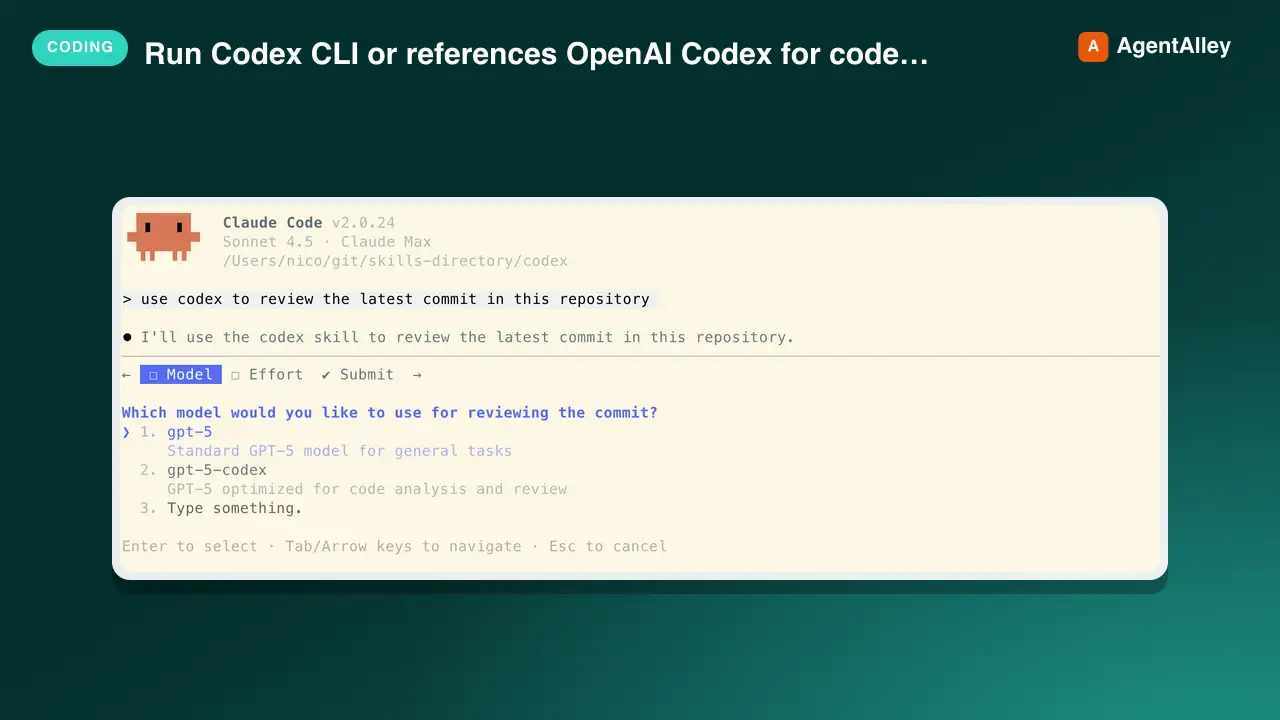 SkillCodex CLI Agent
 jdrhyne/agent-skills · by jdrhyneUse when the user asks to run Codex CLI (codex exec, codex resume) or references OpenAI Codex for code analysis, refactoring, or automated editing. Uses GPT-5.2 by default for state-of-the-art software engineering.★ 240 GitHub stars
 SkillClaude Code Slash Commandjdrhyne/agent-skills · by jdrhyneThis skill should be used when creating a Claude Code slash command. Use when users ask to "create a command", "make a slash command", "add a command", or want to document a workflow as a reusable command. Essential for creating optimized, agent-executable slash commands with proper structure and best practices.★ 240 GitHub stars
 SkillConversation Recovery Tooljdrhyne/agent-skills · by jdrhyneRecover missing conversation context after explicit compaction or truncation, or when the user explicitly asks to recover prior work. Use for requests such as "where were we before compaction?" when the current thread is insufficient. Do not trigger on a generic "continue" when the current thread already provides an actionable next step.★ 240 GitHub stars
 SkillPDF Report Designerjdrhyne/agent-skills · by jdrhyneGenerate beautifully designed PDF reports with a Nordic/Scandinavian aesthetic. Use when creating polished executive briefings, analysis reports, or presentation-style PDF outputs from markdown and HTML via Nutrient DWS.★ 240 GitHub stars
 SkillGoogle Analytics Data Extractorjdrhyne/agent-skills · by jdrhyneRead Google Analytics 4 reporting data through the GA4 Data API. Use for explicit GA4 property metadata, compatible metric/dimension reports, traffic analysis, key events, quotas, and bounded exports.★ 240 GitHub stars
 SkillBulk Image Downloaderjdrhyne/agent-skills · by jdrhyneBulk download images from login-protected gallery websites using an attached browser session. Use when asked to scrape, download, or save images from authenticated gallery pages, extract full-size images from thumbnails, or batch download from multi-page galleries.★ 240 GitHub stars