Video Clip Pipeline
Long-Form Video Clip Pipeline
python3 telemetry/versioncheck.py 2>/dev/null || true
# Long-Form Video Clip Pipeline

## Preamble (runs on skill start)

```bash
# Version check (silent if up to date)
python3 telemetry/version_check.py 2>/dev/null || true

# Telemetry opt-in (first run only, then remembers your choice)
python3 telemetry/telemetry_init.py 2>/dev/null || true
```

> **Privacy:** This skill logs usage locally to `~/.ai-marketing-skills/analytics/`. Remote telemetry is opt-in only. No code, file paths, or repo content is ever collected. See `telemetry/README.md`.

---

AI-powered pipeline that converts long-form YouTube episodes into standalone highlight clips. Download → Transcribe → AI Segment → Cut → Upload. A 60-minute episode becomes 3–5 clips in ~15 minutes.
Overview
AI-powered pipeline that converts long-form YouTube episodes into standalone highlight clips. Download → Transcribe → AI Segment → Cut → Upload. A 60-minute episode becomes 3–5 clips in ~15 minutes.
Manual install (npx, ZIP)
npx skills add ericosiu/ai-marketing-skills --skill video-clip-pipeline -g -a claude-codenpx degit ericosiu/ai-marketing-skills/video-clip-pipeline#main ~/.claude/skills/video-clip-pipelineConnects with Agent Alley MCP · agentalley.io/mcp
Files included
SKILL.md5.9 KB
Read SKILL.md here
Show the full text188 lines
Long-Form Video Clip Pipeline
Preamble (runs on skill start)
# Version check (silent if up to date)
python3 telemetry/version_check.py 2>/dev/null || true

# Telemetry opt-in (first run only, then remembers your choice)
python3 telemetry/telemetry_init.py 2>/dev/null || true
Privacy: This skill logs usage locally to
~/.ai-marketing-skills/analytics/. Remote telemetry is opt-in only. No code, file paths, or repo content is ever collected. Seetelemetry/README.md.
AI-powered pipeline that converts long-form YouTube episodes into standalone highlight clips. Download → Transcribe → AI Segment → Cut → Upload. A 60-minute episode becomes 3–5 clips in ~15 minutes.
When to Use
Use this skill when:
- Converting long-form YouTube content (podcasts, interviews, talks) into highlight clips
- Processing a YouTube back catalog into a clips channel
- Finding the best standalone segments from video transcripts
- Cutting video clips with verified sentence boundaries
- Running a high-volume clip publishing operation ($0.50–1.00 per episode)
Prerequisites
System Tools
brew install yt-dlp ffmpeg        # macOS
# Or: apt install ffmpeg && pip install yt-dlp  # Linux
pip install openai-whisper
Environment Variables
ANTHROPIC_API_KEY— Claude API key (required for segmentation)- YouTube Data API credentials (optional, for automated upload)
Tools
End-to-End Pipeline
| Script | Purpose | Key Command |
|---|---|---|
longform_pipeline.py |
Full pipeline: download → transcribe → segment → verify → cut | python3 longform_pipeline.py --url URL --max-clips 3 |
scored_pipeline.py |
Pipeline with 10-expert LLM quality scoring (only cuts 90+ clips) | python3 scored_pipeline.py --url URL --min-score 90 |
Individual Steps
| Script | Purpose | Key Command |
|---|---|---|
clip_segmenter.py |
Find clip-worthy segments from Whisper transcripts | python3 clip_segmenter.py --transcript file.json --output segments.json |
clip_cutter.py |
Cut clips from segment metadata using FFmpeg | python3 clip_cutter.py --source video.mp4 --segments segments.json --output-dir clips/ |
Pipeline Flow
YouTube URL
    │
    ▼
[yt-dlp] Download video + auto-subs (VTT)
    │
    ▼
[Whisper] Local transcription with word-level timestamps
    │
    ▼
[Claude] AI segmentation — finds 3-5 best standalone segments
    │  • Scores hook strength (1-10, minimum 6)
    │  • Ensures complete narrative arcs
    │  • Verifies clean cut boundaries
    │
    ▼
[FFmpeg] Cut clips (landscape 16:9)
    │
    ▼
[Optional] Upload to YouTube / Google Drive
Usage Examples
Full Pipeline (most common)
# Process a single video
python3 longform_pipeline.py --url "https://www.youtube.com/watch?v=VIDEO_ID" --max-clips 3

# Process from channel knowledge base
python3 longform_pipeline.py --channel my-podcast --max-clips 5

# Custom output directory
python3 longform_pipeline.py --url URL --output-dir ./my-clips/ --max-clips 4
Step-by-Step (when you need control)
# 1. Download
yt-dlp -f "bestvideo[ext=mp4]+bestaudio[ext=m4a]/best" -o "downloads/%(title)s.%(ext)s" "URL"

# 2. Transcribe
whisper "downloads/episode.mp4" --model medium --output_format json --output_dir transcripts/

# 3. Segment (finds best clips)
python3 clip_segmenter.py \
  --transcript transcripts/episode.json \
  --output segments/episode_segments.json \
  --episode-title "Episode Title"

# 4. Cut
python3 clip_cutter.py \
  --source downloads/episode.mp4 \
  --segments segments/episode_segments.json \
  --output-dir clips/
Quality-Scored Pipeline
# Only cut clips scoring 90+ from 10-expert panel
python3 scored_pipeline.py --url URL --min-score 90

# Dry run — score candidates without cutting
python3 scored_pipeline.py --url URL --dry-run
Batch Processing
# Transcribe in parallel (4 at a time)
ls downloads/*.mp4 | xargs -P 4 -I {} whisper {} --model medium --output_format json --output_dir transcripts/

# Process multiple URLs
for url in $(cat urls.txt); do
  python3 longform_pipeline.py --url "$url" --max-clips 3
done
Configuration
Whisper Model Selection
| Model | Speed (30min video) | Accuracy | Use When |
|---|---|---|---|
base |
~3-4 min | ~95% | Quick testing |
medium |
~7-10 min | ~98% | Production (recommended) |
large |
~15-20 min | ~99% | Noisy audio |
Claude Segmentation Tuning
The segmentation prompt accepts these adjustments:
- Hook strength threshold — Default 6. Raise to 7+ for higher quality (fewer clips)
- Max segments — Default 5. Lower to 3 for stricter selection
- Segment length — Default 5-15 minutes. Adjust in prompt for your format
FFmpeg Cutting
- Default uses
-c copy(stream copy) — instant, zero quality loss, but cuts at keyframe boundaries (±1-2 sec) - The
longform_pipeline.pyuses re-encoding for frame-accurate cuts at the cost of more CPU time - Add
--buffer-start 2 --buffer-end 2toclip_cutter.pyfor padding
Data Flow
YouTube URL → yt-dlp (download) → Whisper (transcribe) → Claude (segment) → FFmpeg (cut) → Clips
                                                              │
                                                              ▼
                                                    Claude (verify cut boundaries)
Cost
- Per episode: $0.50–1.00 (Claude API only — everything else is free/local)
- At scale (10 clips/day): ~$45–90/month
- At scale (50 clips/day): ~$225–450/month
Dependencies
- Python 3.9+
anthropic— Claude API clientopenai-whisper— Local transcriptionyt-dlp— Video download (system binary)ffmpeg/ffprobe— Video processing (system binary)requests— HTTP client (for optional upload features)
| 1 | # Long-Form Video Clip Pipeline |
| 2 | |
| 3 | ## Preamble (runs on skill start) |
| 4 | |
| 5 | |
| 6 | # Version check (silent if up to date) |
| 7 | python3 telemetry/version_check.py 2>/dev/null || true |
| 8 | |
| 9 | # Telemetry opt-in (first run only, then remembers your choice) |
| 10 | python3 telemetry/telemetry_init.py 2>/dev/null || true |
| 11 | |
| 12 | |
| 13 | > **Privacy:** This skill logs usage locally to `~/.ai-marketing-skills/analytics/`. Remote telemetry is opt-in only. No code, file paths, or repo content is ever collected. See `telemetry/README.md`. |
| 14 | |
| 15 | |
| 16 | |
| 17 | AI-powered pipeline that converts long-form YouTube episodes into standalone highlight clips. Download → Transcribe → AI Segment → Cut → Upload. A 60-minute episode becomes 3–5 clips in ~15 minutes. |
| 18 | |
| 19 | ## When to Use |
| 20 | |
| 21 | Use this skill when: |
| 22 | Converting long-form YouTube content (podcasts, interviews, talks) into highlight clips |
| 23 | Processing a YouTube back catalog into a clips channel |
| 24 | Finding the best standalone segments from video transcripts |
| 25 | Cutting video clips with verified sentence boundaries |
| 26 | Running a high-volume clip publishing operation ($0.50–1.00 per episode) |
| 27 | |
| 28 | ## Prerequisites |
| 29 | |
| 30 | ### System Tools |
| 31 | |
| 32 | |
| 33 | brew install yt-dlp ffmpeg # macOS |
| 34 | # Or: apt install ffmpeg && pip install yt-dlp # Linux |
| 35 | pip install openai-whisper |
| 36 | |
| 37 | |
| 38 | ### Environment Variables |
| 39 | |
| 40 | `ANTHROPIC_API_KEY` — Claude API key (required for segmentation) |
| 41 | YouTube Data API credentials (optional, for automated upload) |
| 42 | |
| 43 | ## Tools |
| 44 | |
| 45 | ### End-to-End Pipeline |
| 46 | |
| 47 | | Script | Purpose | Key Command | |
| 48 | |--------|---------|-------------| |
| 49 | | `longform_pipeline.py` | Full pipeline: download → transcribe → segment → verify → cut | `python3 longform_pipeline.py --url URL --max-clips 3` | |
| 50 | | `scored_pipeline.py` | Pipeline with 10-expert LLM quality scoring (only cuts 90+ clips) | `python3 scored_pipeline.py --url URL --min-score 90` | |
| 51 | |
| 52 | ### Individual Steps |
| 53 | |
| 54 | | Script | Purpose | Key Command | |
| 55 | |--------|---------|-------------| |
| 56 | | `clip_segmenter.py` | Find clip-worthy segments from Whisper transcripts | `python3 clip_segmenter.py --transcript file.json --output segments.json` | |
| 57 | | `clip_cutter.py` | Cut clips from segment metadata using FFmpeg | `python3 clip_cutter.py --source video.mp4 --segments segments.json --output-dir clips/` | |
| 58 | |
| 59 | ## Pipeline Flow |
| 60 | |
| 61 | |
| 62 | YouTube URL |
| 63 | │ |
| 64 | ▼ |
| 65 | [yt-dlp] Download video + auto-subs (VTT) |
| 66 | │ |
| 67 | ▼ |
| 68 | [Whisper] Local transcription with word-level timestamps |
| 69 | │ |
| 70 | ▼ |
| 71 | [Claude] AI segmentation — finds 3-5 best standalone segments |
| 72 | │ • Scores hook strength (1-10, minimum 6) |
| 73 | │ • Ensures complete narrative arcs |
| 74 | │ • Verifies clean cut boundaries |
| 75 | │ |
| 76 | ▼ |
| 77 | [FFmpeg] Cut clips (landscape 16:9) |
| 78 | │ |
| 79 | ▼ |
| 80 | [Optional] Upload to YouTube / Google Drive |
| 81 | |
| 82 | |
| 83 | ## Usage Examples |
| 84 | |
| 85 | ### Full Pipeline (most common) |
| 86 | |
| 87 | |
| 88 | # Process a single video |
| 89 | python3 longform_pipeline.py --url "https://www.youtube.com/watch?v=VIDEO_ID" --max-clips 3 |
| 90 | |
| 91 | # Process from channel knowledge base |
| 92 | python3 longform_pipeline.py --channel my-podcast --max-clips 5 |
| 93 | |
| 94 | # Custom output directory |
| 95 | python3 longform_pipeline.py --url URL --output-dir ./my-clips/ --max-clips 4 |
| 96 | |
| 97 | |
| 98 | ### Step-by-Step (when you need control) |
| 99 | |
| 100 | |
| 101 | # 1. Download |
| 102 | yt-dlp -f "bestvideo[ext=mp4]+bestaudio[ext=m4a]/best" -o "downloads/%(title)s.%(ext)s" "URL" |
| 103 | |
| 104 | # 2. Transcribe |
| 105 | whisper "downloads/episode.mp4" --model medium --output_format json --output_dir transcripts/ |
| 106 | |
| 107 | # 3. Segment (finds best clips) |
| 108 | python3 clip_segmenter.py \ |
| 109 | --transcript transcripts/episode.json \ |
| 110 | --output segments/episode_segments.json \ |
| 111 | --episode-title "Episode Title" |
| 112 | |
| 113 | # 4. Cut |
| 114 | python3 clip_cutter.py \ |
| 115 | --source downloads/episode.mp4 \ |
| 116 | --segments segments/episode_segments.json \ |
| 117 | --output-dir clips/ |
| 118 | |
| 119 | |
| 120 | ### Quality-Scored Pipeline |
| 121 | |
| 122 | |
| 123 | # Only cut clips scoring 90+ from 10-expert panel |
| 124 | python3 scored_pipeline.py --url URL --min-score 90 |
| 125 | |
| 126 | # Dry run — score candidates without cutting |
| 127 | python3 scored_pipeline.py --url URL --dry-run |
| 128 | |
| 129 | |
| 130 | ### Batch Processing |
| 131 | |
| 132 | |
| 133 | # Transcribe in parallel (4 at a time) |
| 134 | ls downloads/*.mp4 | xargs -P 4 -I {} whisper {} --model medium --output_format json --output_dir transcripts/ |
| 135 | |
| 136 | # Process multiple URLs |
| 137 | for url in $(cat urls.txt); do |
| 138 | python3 longform_pipeline.py --url "$url" --max-clips 3 |
| 139 | done |
| 140 | |
| 141 | |
| 142 | ## Configuration |
| 143 | |
| 144 | ### Whisper Model Selection |
| 145 | |
| 146 | | Model | Speed (30min video) | Accuracy | Use When | |
| 147 | |-------|-------------------|----------|----------| |
| 148 | | `base` | ~3-4 min | ~95% | Quick testing | |
| 149 | | `medium` | ~7-10 min | ~98% | Production (recommended) | |
| 150 | | `large` | ~15-20 min | ~99% | Noisy audio | |
| 151 | |
| 152 | ### Claude Segmentation Tuning |
| 153 | |
| 154 | The segmentation prompt accepts these adjustments: |
| 155 | **Hook strength threshold** — Default 6. Raise to 7+ for higher quality (fewer clips) |
| 156 | **Max segments** — Default 5. Lower to 3 for stricter selection |
| 157 | **Segment length** — Default 5-15 minutes. Adjust in prompt for your format |
| 158 | |
| 159 | ### FFmpeg Cutting |
| 160 | |
| 161 | Default uses `-c copy` (stream copy) — instant, zero quality loss, but cuts at keyframe boundaries (±1-2 sec) |
| 162 | The `longform_pipeline.py` uses re-encoding for frame-accurate cuts at the cost of more CPU time |
| 163 | Add `--buffer-start 2 --buffer-end 2` to `clip_cutter.py` for padding |
| 164 | |
| 165 | ## Data Flow |
| 166 | |
| 167 | |
| 168 | YouTube URL → yt-dlp (download) → Whisper (transcribe) → Claude (segment) → FFmpeg (cut) → Clips |
| 169 | │ |
| 170 | ▼ |
| 171 | Claude (verify cut boundaries) |
| 172 | |
| 173 | |
| 174 | ## Cost |
| 175 | |
| 176 | **Per episode:** $0.50–1.00 (Claude API only — everything else is free/local) |
| 177 | **At scale (10 clips/day):** ~$45–90/month |
| 178 | **At scale (50 clips/day):** ~$225–450/month |
| 179 | |
| 180 | ## Dependencies |
| 181 | |
| 182 | Python 3.9+ |
| 183 | `anthropic` — Claude API client |
| 184 | `openai-whisper` — Local transcription |
| 185 | `yt-dlp` — Video download (system binary) |
| 186 | `ffmpeg` / `ffprobe` — Video processing (system binary) |
| 187 | `requests` — HTTP client (for optional upload features) |
| 188 |
Details
- License
- MIT
- Stars on the repo
- ★ 3,615
- Checked
- Source
- ericosiu/ai-marketing-skills ↗
- Creator
- ericosiu · 34 listings
Similar skills
See all → SkillYouTube Video Editor
 tubeai-app/tubeai-skills · by tubeai-appAssisted-animation and editing workflow for YouTube channel videos, built on Remotion. Sets up or resumes the project (Remotion, yt-dlp, headless Chromium, GPU renders, local voice and transcription), keeps each channel's branding and reusable animations consistent, finds video ideas and drafts scripts with the user (with YouTube data from the optional TubeAI connector), matches existing animation styles from a YouTube link or video file, researches media (news articles, X/Reddit posts, YouTube clips), generates voiceovers with Qwen3-TTS, edits a creator's raw recording (transcribes it, cuts it against the script and times the inserts to the words), and delivers the edit as a timeline for Premiere Pro (XML), Final Cut Pro (FCPXML) and DaVinci Resolve (OTIO). Assumes a non-technical user and does all the technical work itself. Use when the user wants to set up the video project, add a channel, find video ideas, share a style reference, edit a recording, or plan, research, animate, voice or render a scene.★ 60 GitHub stars
 SkillProse Naturalizer
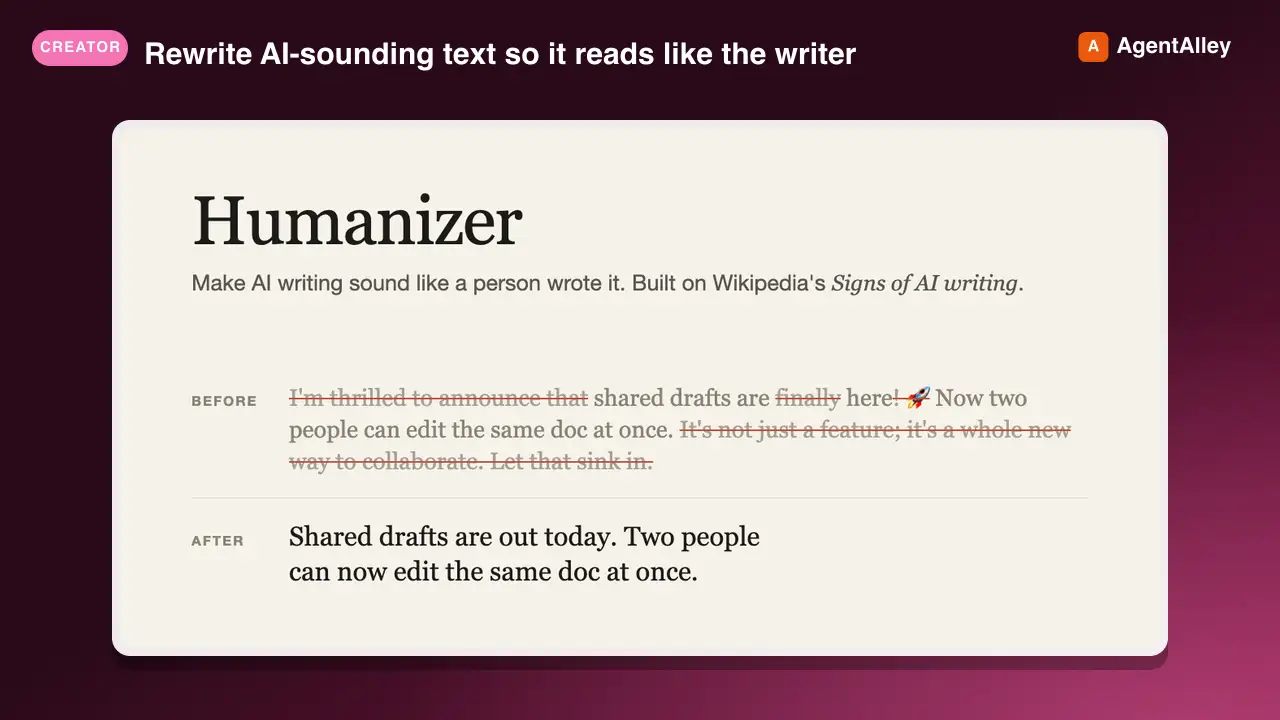
 blader/humanizer · by bladerRewrite AI-sounding text so it reads like the writer without changing what it says. Use when editing or reviewing prose for AI tells: not-X-but-Y contrasts, one-line closers, staged openers, forced triads, dashes everywhere, inflated claims, sales language, stock AI words, bold labels, or filler. Based on Wikipedia's "Signs of AI writing.★ 53.6k GitHub stars
 Skill3D Game Development Principles
 davila7/claude-code-templates · by davila73D game development principles. Rendering, shaders, physics, cameras.★ 32.3k GitHub stars
 Skill3D Web Experience Builderdavila7/claude-code-templates · by davila7Expert in building 3D experiences for the web - Three.js, React Three Fiber, Spline, WebGL, and interactive 3D scenes. Covers product configurators, 3D portfolios, immersive websites, and bringing depth to web experiences. Use when: 3D website, three.js, WebGL, react three fiber, 3D experience.★ 32.3k GitHub stars
 SkillArticle Illustration Generator
 JimLiu/baoyu-skills · by JimLiuAnalyzes article structure, identifies positions requiring visual aids, generates illustrations with Type × Style × Palette three-dimension approach. Use when user asks to "illustrate article", "add images", "generate images for article", or "为文章配图".★ 26.6k GitHub stars
 SkillArticle Cover DesignerJimLiu/baoyu-skills · by JimLiuGenerates article cover images with 5 dimensions (type, palette, rendering, text, mood) combining 11 color palettes and 7 rendering styles. Supports cinematic (2.35:1), widescreen (16:9), and square (1:1) aspects. Use when user asks to "generate cover image", "create article cover", or "make cover".★ 26.6k GitHub stars
More from ericosiu
 SkillVideo Moment Extraction Agent
 ericosiu/ai-marketing-skills · by ericosiuUse when an agent must extract moments, quotes, objections, hooks, or evidence from long video or audio cheaper than full-frame ingest — sales calls, podcasts, YouTube episodes, Loom trials, discovery recordings. Goal-directed watch via Gemini agentic video understanding (frames, audio, or transcript). Not for cutting, overlays, rendering, scheduling, or publishing.★ 3.6k GitHub stars
 SkillConversion Operationsericosiu/ai-marketing-skills · by ericosiupython3 telemetry/versioncheck.py 2>/dev/null || true★ 3.6k GitHub stars
 SkillFinance Operationsericosiu/ai-marketing-skills · by ericosiuAI-powered financial analysis suite. Generates executive CFO briefings from QuickBooks exports (P&L, Balance Sheet, General Ledger, Cash Flow, etc.) with anomaly detection, burn rate, runway analysis, and scenario modeling. Also estimates codebase development costs with organizational overhead and AI ROI analysis. Triggers on: 'CFO briefing', 'financial analysis', 'cost briefing', 'expense review', 'runway analysis', 'burn rate', 'cost estimate', 'how much would this cost to build', 'development cost', 'Claude ROI'.★ 3.6k GitHub stars
 SkillRevenue Intelligence Dashboardericosiu/ai-marketing-skills · by ericosiupython3 telemetry/versioncheck.py 2>/dev/null || true★ 3.6k GitHub stars
 SkillSales Pipeline Managerericosiu/ai-marketing-skills · by ericosiupython3 telemetry/versioncheck.py 2>/dev/null || true★ 3.6k GitHub stars
 SkillValue-Based Sales Playbookericosiu/ai-marketing-skills · by ericosiupython3 telemetry/versioncheck.py 2>/dev/null || true★ 3.6k GitHub stars