Vercel Deployment Tool
Vercel deploy
Deploy applications and websites to Vercel. Use this skill when the user requests deployment actions such as "Deploy my app", "Deploy this to production", "Create a preview deployment", "Deploy and give me the link", or "Push this live".
---
name: vercel-deploy
description: Deploy applications and websites to Vercel. Use this skill when the user requests deployment actions such as "Deploy my app", "Deploy this to production", "Create a preview deployment", "Deploy and give me the link", or "Push this live". No authentication required - returns preview URL and claimable deployment link.
metadata:
  author: vercel
  version: "1.0.0"
---

# Vercel Deploy

Deploy any project to Vercel instantly. No authentication required.

## How It Works

1. Packages your project into a tarball (excludes `node_modules` and `.git`)
2. Auto-detects framework from `package.json`
3. Uploads to deployment service
4. Returns **Preview URL** (live site) and **Claim URL** (transfer to your Vercel account)
Overview
Deploy any project to Vercel instantly. No authentication required.
Manual install (npx, ZIP)
npx skills add bytedance/deer-flow --skill vercel-deploy -g -a claude-codenpx degit bytedance/deer-flow/skills/public/vercel-deploy#main ~/.claude/skills/vercel-deployConnects with Agent Alley MCP · agentalley.io/mcp
Files included
SKILL.md3.1 KB
Read SKILL.md here
Show the full text113 lines
Vercel Deploy
Deploy any project to Vercel instantly. No authentication required.
How It Works
- Packages your project into a tarball (excludes
node_modulesand.git) - Auto-detects framework from
package.json - Uploads to deployment service
- Returns Preview URL (live site) and Claim URL (transfer to your Vercel account)
Usage
bash /mnt/skills/public/vercel-deploy/scripts/deploy.sh [path]
Arguments:
path- Directory to deploy, or a.tgzfile (defaults to current directory)
Examples:
# Deploy current directory
bash /mnt/skills/public/vercel-deploy/scripts/deploy.sh

# Deploy specific project
bash /mnt/skills/public/vercel-deploy/scripts/deploy.sh /path/to/project

# Deploy existing tarball
bash /mnt/skills/public/vercel-deploy/scripts/deploy.sh /path/to/project.tgz
Output
Preparing deployment...
Detected framework: nextjs
Creating deployment package...
Deploying...
✓ Deployment successful!

Preview URL: https://skill-deploy-abc123.vercel.app
Claim URL:   https://vercel.com/claim-deployment?code=...
The script also outputs JSON to stdout for programmatic use:
{
  "previewUrl": "https://skill-deploy-abc123.vercel.app",
  "claimUrl": "https://vercel.com/claim-deployment?code=...",
  "deploymentId": "dpl_...",
  "projectId": "prj_..."
}
Framework Detection
The script auto-detects frameworks from package.json. Supported frameworks include:
- React: Next.js, Gatsby, Create React App, Remix, React Router
- Vue: Nuxt, Vitepress, Vuepress, Gridsome
- Svelte: SvelteKit, Svelte, Sapper
- Other Frontend: Astro, Solid Start, Angular, Ember, Preact, Docusaurus
- Backend: Express, Hono, Fastify, NestJS, Elysia, h3, Nitro
- Build Tools: Vite, Parcel
- And more: Blitz, Hydrogen, RedwoodJS, Storybook, Sanity, etc.
For static HTML projects (no package.json), framework is set to null.
Static HTML Projects
For projects without a package.json:
- If there's a single
.htmlfile not namedindex.html, it gets renamed automatically - This ensures the page is served at the root URL (
/)
Present Results to User
Always show both URLs:
✓ Deployment successful!

- [Preview URL](https://skill-deploy-abc123.vercel.app)
- [Claim URL](https://vercel.com/claim-deployment?code=...)

View your site at the Preview URL.
To transfer this deployment to your Vercel account, visit the Claim URL.
Troubleshooting
Network Restriction Error
If deployment fails due to network restrictions (common on claude.ai), tell the user:
Deployment failed due to network restrictions. To fix this:

1. Go to https://claude.ai/settings/capabilities
2. Add *.vercel.com to the allowed domains
3. Try deploying again
| 1 | |
| 2 | name vercel-deploy |
| 3 | description Deploy applications and websites to Vercel. Use this skill when the user requests deployment actions such as "Deploy my app", "Deploy this to production", "Create a preview deployment", "Deploy and give me the link", or "Push this live". No authentication required - returns preview URL and claimable deployment link. |
| 4 | metadata |
| 5 | author vercel |
| 6 | version "1.0.0" |
| 7 | |
| 8 | |
| 9 | # Vercel Deploy |
| 10 | |
| 11 | Deploy any project to Vercel instantly. No authentication required. |
| 12 | |
| 13 | ## How It Works |
| 14 | |
| 15 | Packages your project into a tarball (excludes `node_modules` and `.git`) |
| 16 | Auto-detects framework from `package.json` |
| 17 | Uploads to deployment service |
| 18 | Returns **Preview URL** (live site) and **Claim URL** (transfer to your Vercel account) |
| 19 | |
| 20 | ## Usage |
| 21 | |
| 22 | |
| 23 | bash /mnt/skills/public/vercel-deploy/scripts/deploy.sh [path] |
| 24 | |
| 25 | |
| 26 | **Arguments:** |
| 27 | `path` - Directory to deploy, or a `.tgz` file (defaults to current directory) |
| 28 | |
| 29 | **Examples:** |
| 30 | |
| 31 | |
| 32 | # Deploy current directory |
| 33 | bash /mnt/skills/public/vercel-deploy/scripts/deploy.sh |
| 34 | |
| 35 | # Deploy specific project |
| 36 | bash /mnt/skills/public/vercel-deploy/scripts/deploy.sh /path/to/project |
| 37 | |
| 38 | # Deploy existing tarball |
| 39 | bash /mnt/skills/public/vercel-deploy/scripts/deploy.sh /path/to/project.tgz |
| 40 | |
| 41 | |
| 42 | ## Output |
| 43 | |
| 44 | |
| 45 | Preparing deployment... |
| 46 | Detected framework: nextjs |
| 47 | Creating deployment package... |
| 48 | Deploying... |
| 49 | ✓ Deployment successful! |
| 50 | |
| 51 | Preview URL: https://skill-deploy-abc123.vercel.app |
| 52 | Claim URL: https://vercel.com/claim-deployment?code=... |
| 53 | |
| 54 | |
| 55 | The script also outputs JSON to stdout for programmatic use: |
| 56 | |
| 57 | |
| 58 | { |
| 59 | "previewUrl": "https://skill-deploy-abc123.vercel.app", |
| 60 | "claimUrl": "https://vercel.com/claim-deployment?code=...", |
| 61 | "deploymentId": "dpl_...", |
| 62 | "projectId": "prj_..." |
| 63 | } |
| 64 | |
| 65 | |
| 66 | ## Framework Detection |
| 67 | |
| 68 | The script auto-detects frameworks from `package.json`. Supported frameworks include: |
| 69 | |
| 70 | **React**: Next.js, Gatsby, Create React App, Remix, React Router |
| 71 | **Vue**: Nuxt, Vitepress, Vuepress, Gridsome |
| 72 | **Svelte**: SvelteKit, Svelte, Sapper |
| 73 | **Other Frontend**: Astro, Solid Start, Angular, Ember, Preact, Docusaurus |
| 74 | **Backend**: Express, Hono, Fastify, NestJS, Elysia, h3, Nitro |
| 75 | **Build Tools**: Vite, Parcel |
| 76 | **And more**: Blitz, Hydrogen, RedwoodJS, Storybook, Sanity, etc. |
| 77 | |
| 78 | For static HTML projects (no `package.json`), framework is set to `null`. |
| 79 | |
| 80 | ## Static HTML Projects |
| 81 | |
| 82 | For projects without a `package.json`: |
| 83 | If there's a single `.html` file not named `index.html`, it gets renamed automatically |
| 84 | This ensures the page is served at the root URL (`/`) |
| 85 | |
| 86 | ## Present Results to User |
| 87 | |
| 88 | Always show both URLs: |
| 89 | |
| 90 | |
| 91 | ✓ Deployment successful! |
| 92 | |
| 93 | - [Preview URL](https://skill-deploy-abc123.vercel.app) |
| 94 | - [Claim URL](https://vercel.com/claim-deployment?code=...) |
| 95 | |
| 96 | View your site at the Preview URL. |
| 97 | To transfer this deployment to your Vercel account, visit the Claim URL. |
| 98 | |
| 99 | |
| 100 | ## Troubleshooting |
| 101 | |
| 102 | ### Network Restriction Error |
| 103 | |
| 104 | If deployment fails due to network restrictions (common on claude.ai), tell the user: |
| 105 | |
| 106 | |
| 107 | Deployment failed due to network restrictions. To fix this: |
| 108 | |
| 109 | 1. Go to https://claude.ai/settings/capabilities |
| 110 | 2. Add *.vercel.com to the allowed domains |
| 111 | 3. Try deploying again |
| 112 | |
| 113 |
Details
- License
- MIT
- Stars on the repo
- ★ 83,533
- Checked
- Source
- bytedance/deer-flow ↗
- Creator
- bytedance · 2 listings
Similar skills
See all → SkillCI/CD Pipeline Setup
 addyosmani/agent-skills · by addyosmaniAutomates CI/CD pipeline setup. Use when setting up or modifying build and deployment pipelines. Use when you need to automate quality gates, configure test runners in CI, or establish deployment strategies.★ 98.7k GitHub stars
 SkillSemantic Release Automation
 thedotmack/claude-mem · by thedotmackAutomated semantic versioning and release workflow for Claude Code plugins. Handles version increments across package.json, marketplace.json, plugin.json manifests, build verification, git tagging, GitHub releases, and changelog generation. NPM publishing is the final human-required handoff because the maintainer raised npm security.★ 95.6k GitHub stars
 SkillOrca CLI
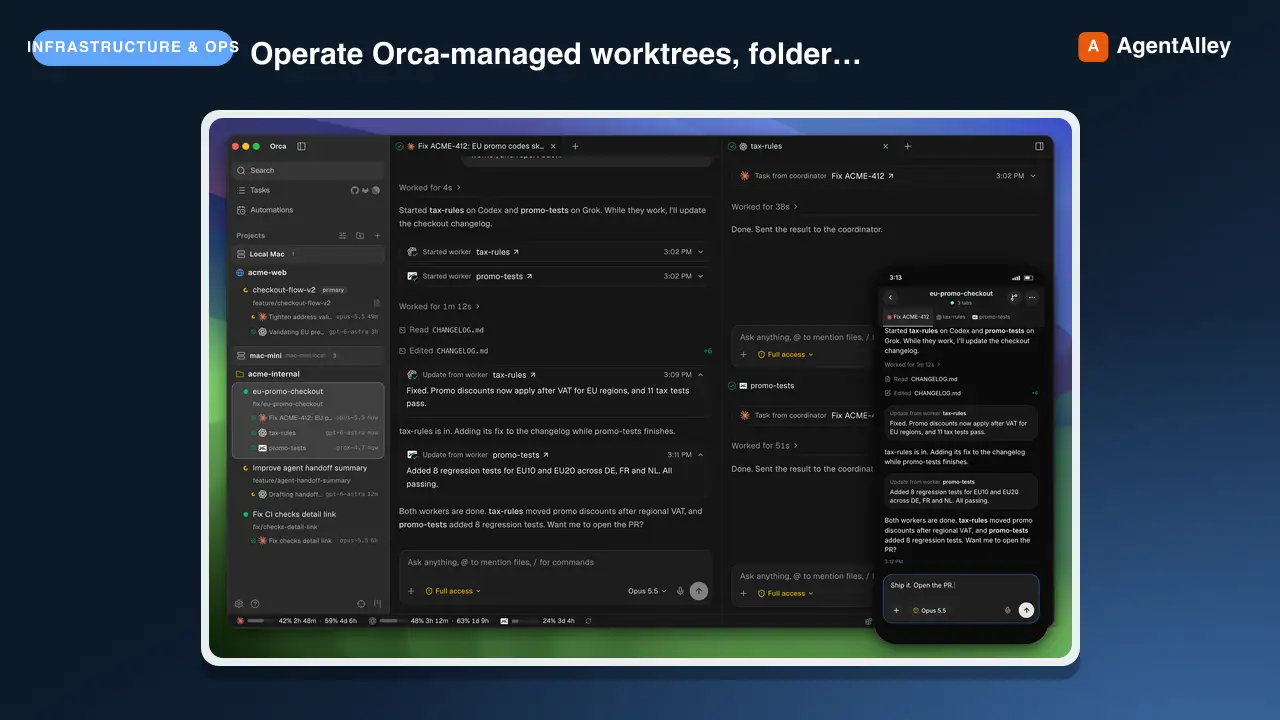
 stablyai/orca · by stablyaiOperate Orca-managed worktrees, folder contexts, terminals, repos, automations, artifacts, skill sharing, worktree comments, and Orca's embedded browser through the `orca` CLI. Use when the user says "$orca-cli", "Orca worktree", "child worktree", "spawn codex/claude in a worktree", "read/wait/send Orca terminal", "handoff" / "handover" / "give this to another agent", "Orca browser", "orca artifacts", or "share skills". Prefer it over raw git worktree, ad hoc PTYs, or Computer Use when Orca state is involved. Use Computer Use only when a visible window needs GUI control that a CLI, filesystem, or API cannot do.★ 84.5k GitHub stars
 SkillWorker Coordination Enginestablyai/orca · by stablyaiCoordinate supervised Orca workers: threaded messages, blocking ask/reply, task dispatch, worker_done/escalation waits, task DAGs, decision gates, coordinator loops, and decomposing work across agents. Use `orca-cli` for full ownership handoffs — "hand off", "handoff", "handover", "give this to another agent", "another worktree" — unless asked to supervise, monitor, or coordinate a DAG, and for terminal control, lightweight terminal prompts, shell commands, Orca worktree management, and reading or waiting on terminals.★ 84.5k GitHub stars
 SkillPull Request Manager
 pascalorg/editor · by pascalorgOpen or update a pull request on pascalorg/editor from the current branch, describing only what the branch actually did. Use when the user asks to open/create a PR, push and PR, or ship a branch in the editor repo.★ 24.6k GitHub stars
 SkillBranch PR Creator
 Gentleman-Programming/gentle-ai · by Gentleman-ProgrammingCreate Gentle AI pull requests with issue-first checks. Trigger: creating, opening, or preparing PRs for review.★ 7.5k GitHub stars