Voice-Narrated Lessons
Teach
Interactive voice-narrated tutorial on whatever the current conversation is about — teaches the topic beat by beat with ASCII diagrams in the terminal while speaking the actual lesson content aloud, asking one question per beat and…
---
name: Teach
version: 1.1.0
description: Interactive voice-narrated tutorial on whatever the current conversation is about — teaches the topic beat by beat with ASCII diagrams in the terminal while speaking the actual lesson content aloud, asking one question per beat and quizzing until the ideas land. USE WHEN teach me, /teach-me, tutorial, teach me this, walk me through this interactively, explain this like a lesson, learn mode, quiz me, help me actually understand what we just did. NOT FOR plain written explanations with no dialogue (just answer directly), authored/published content, or discovery interviews that shape a half-formed idea (use grill-me).
---

# Teach

Turns the current conversation topic into a live, spoken, Socratic tutorial. Each teaching beat is narrated aloud through the voice system, drawn as ASCII in the terminal, and ends with one question to the learner. The session is a dialogue: answer, response, next beat, quiz, recap.

## Voice Notification

**When executing a workflow, do BOTH:**

1. **Send voice notification**:
   ```bash
   curl -s -X POST http://localhost:31337/notify \
     -H "Content-Type: application/json" \
Overview
Turns the current conversation topic into a live, spoken, Socratic tutorial. Each teaching beat is narrated aloud through the voice system, drawn as ASCII in the terminal, and ends with one question to the learner. The session is a dialogue: answer, response, next beat, quiz, recap.
Manual install (npx, ZIP)
npx skills add danielmiessler/LifeOS --skill Teach -g -a claude-codenpx degit danielmiessler/LifeOS/LifeOS/install/skills/Teach#main ~/.claude/skills/teachConnects with Agent Alley MCP · agentalley.io/mcp
Files included
SKILL.md3.5 KB
Read SKILL.md here
Show the full text66 lines
Teach
Turns the current conversation topic into a live, spoken, Socratic tutorial. Each teaching beat is narrated aloud through the voice system, drawn as ASCII in the terminal, and ends with one question to the learner. The session is a dialogue: answer, response, next beat, quiz, recap.
Voice Notification
When executing a workflow, do BOTH:
Send voice notification:
curl -s -X POST http://localhost:31337/notify \
  -H "Content-Type: application/json" \
  -d '{"message": "Starting a tutorial on TOPIC"}' \
  > /dev/null 2>&1 &
Output text notification:
Running the **Teach** workflow in the **Teach** skill to tutor TOPIC...
Workflow Routing
| Workflow | Trigger | File |
|---|---|---|
| Teach | "teach me", "/teach-me", "tutorial", "quiz me" | Workflows/Teach.md |
Gotchas
- The completion hook already speaks the
🗣️closer line. Never repeat the beat's narration in the closer or the learner hears it twice. The intended shape: the narration curl speaks the teaching, the closer carries the question — two distinct voice moments per turn. - Spoken text goes to TTS raw. No markdown, no ASCII art, no code, no symbols in the curl
message— they get read aloud literally. Write narration as plain spoken English and spell out anything a voice would say differently ("H T T P" reads better than "HTTP" for some engines; when unsure, rephrase). - One narration curl per turn, ≲350 characters. Multiple rapid POSTs queue and overlap into noise, and long messages become a synthesized wall. If a beat needs more speech than that, the beat is too big — split it.
- A beat ends at its question. Stop the turn there. Answering your own question and continuing turns the tutorial back into a lecture — the failure mode this skill exists to prevent.
- Voice endpoint down (non-200 or connection refused): keep teaching, silently text-only. Note it once at session start; do not retry every beat.
Examples
Example 1: Teach the thing we just built
User: "teach me" (after a session debugging DNS records)
→ Invokes Teach workflow
→ Names the topic, speaks a spoken intro, draws a concept map of 3-5 ideas
→ Beat 1: speaks how DNS resolution flows, draws the resolver chain in ASCII, asks "which server actually holds the answer?"
→ User answers; skill responds to the answer, corrects or confirms, moves to beat 2
→ Ends with a 2-3 question quiz and a recap diagram
Example 2: Explicit topic override
User: "/teach-me OAuth refresh tokens"
→ Teaches the named topic instead of the conversation default
→ Same beat/question/quiz loop
Example 3: Quiz-only
User: "quiz me on what we just covered"
→ Skips the lesson beats, runs the quiz protocol directly on the session's material
| 1 | |
| 2 | name Teach |
| 3 | version 1.1.0 |
| 4 | description Interactive voice-narrated tutorial on whatever the current conversation is about — teaches the topic beat by beat with ASCII diagrams in the terminal while speaking the actual lesson content aloud, asking one question per beat and quizzing until the ideas land. USE WHEN teach me, /teach-me, tutorial, teach me this, walk me through this interactively, explain this like a lesson, learn mode, quiz me, help me actually understand what we just did. NOT FOR plain written explanations with no dialogue (just answer directly), authored/published content, or discovery interviews that shape a half-formed idea (use grill-me). |
| 5 | |
| 6 | |
| 7 | # Teach |
| 8 | |
| 9 | Turns the current conversation topic into a live, spoken, Socratic tutorial. Each teaching beat is narrated aloud through the voice system, drawn as ASCII in the terminal, and ends with one question to the learner. The session is a dialogue: answer, response, next beat, quiz, recap. |
| 10 | |
| 11 | ## Voice Notification |
| 12 | |
| 13 | **When executing a workflow, do BOTH:** |
| 14 | |
| 15 | **Send voice notification**: |
| 16 | |
| 17 | curl -s -X POST http://localhost:31337/notify \ |
| 18 | -H "Content-Type: application/json" \ |
| 19 | -d '{"message": "Starting a tutorial on TOPIC"}' \ |
| 20 | > /dev/null 2>&1 & |
| 21 | |
| 22 | |
| 23 | **Output text notification**: |
| 24 | |
| 25 | Running the **Teach** workflow in the **Teach** skill to tutor TOPIC... |
| 26 | |
| 27 | |
| 28 | ## Workflow Routing |
| 29 | |
| 30 | | Workflow | Trigger | File | |
| 31 | |----------|---------|------| |
| 32 | | **Teach** | "teach me", "/teach-me", "tutorial", "quiz me" | `Workflows/Teach.md` | |
| 33 | |
| 34 | ## Gotchas |
| 35 | |
| 36 | **The completion hook already speaks the `🗣️` closer line.** Never repeat the beat's narration in the closer or the learner hears it twice. The intended shape: the narration curl speaks the teaching, the closer carries the question — two distinct voice moments per turn. |
| 37 | **Spoken text goes to TTS raw.** No markdown, no ASCII art, no code, no symbols in the curl `message` — they get read aloud literally. Write narration as plain spoken English and spell out anything a voice would say differently ("H T T P" reads better than "HTTP" for some engines; when unsure, rephrase). |
| 38 | **One narration curl per turn, ≲350 characters.** Multiple rapid POSTs queue and overlap into noise, and long messages become a synthesized wall. If a beat needs more speech than that, the beat is too big — split it. |
| 39 | **A beat ends at its question. Stop the turn there.** Answering your own question and continuing turns the tutorial back into a lecture — the failure mode this skill exists to prevent. |
| 40 | **Voice endpoint down (non-200 or connection refused): keep teaching, silently text-only.** Note it once at session start; do not retry every beat. |
| 41 | |
| 42 | ## Examples |
| 43 | |
| 44 | **Example 1: Teach the thing we just built** |
| 45 | |
| 46 | User: "teach me" (after a session debugging DNS records) |
| 47 | → Invokes Teach workflow |
| 48 | → Names the topic, speaks a spoken intro, draws a concept map of 3-5 ideas |
| 49 | → Beat 1: speaks how DNS resolution flows, draws the resolver chain in ASCII, asks "which server actually holds the answer?" |
| 50 | → User answers; skill responds to the answer, corrects or confirms, moves to beat 2 |
| 51 | → Ends with a 2-3 question quiz and a recap diagram |
| 52 | |
| 53 | |
| 54 | **Example 2: Explicit topic override** |
| 55 | |
| 56 | User: "/teach-me OAuth refresh tokens" |
| 57 | → Teaches the named topic instead of the conversation default |
| 58 | → Same beat/question/quiz loop |
| 59 | |
| 60 | |
| 61 | **Example 3: Quiz-only** |
| 62 | |
| 63 | User: "quiz me on what we just covered" |
| 64 | → Skips the lesson beats, runs the quiz protocol directly on the session's material |
| 65 | |
| 66 |
Details
- Version
- 1.1.0
- License
- MIT
- Stars on the repo
- ★ 19,269
- Checked
- Source
- danielmiessler/LifeOS ↗
- Creator
- danielmiessler · 63 listings
Similar skills
See all → SkillCross-Platform Reverse Engineer
 morluto/rea · by morlutoReverse engineer native, managed, Electron/JavaScript, packaged, firmware, and browser targets with REA. Use shipped-artifact or requested runtime evidence to explain features, compare versions, decompile code, or guide a reconstruction. Skip REA for ordinary source-repository architecture analysis.★ 316k GitHub stars
 SkillBrainstorm Ideas
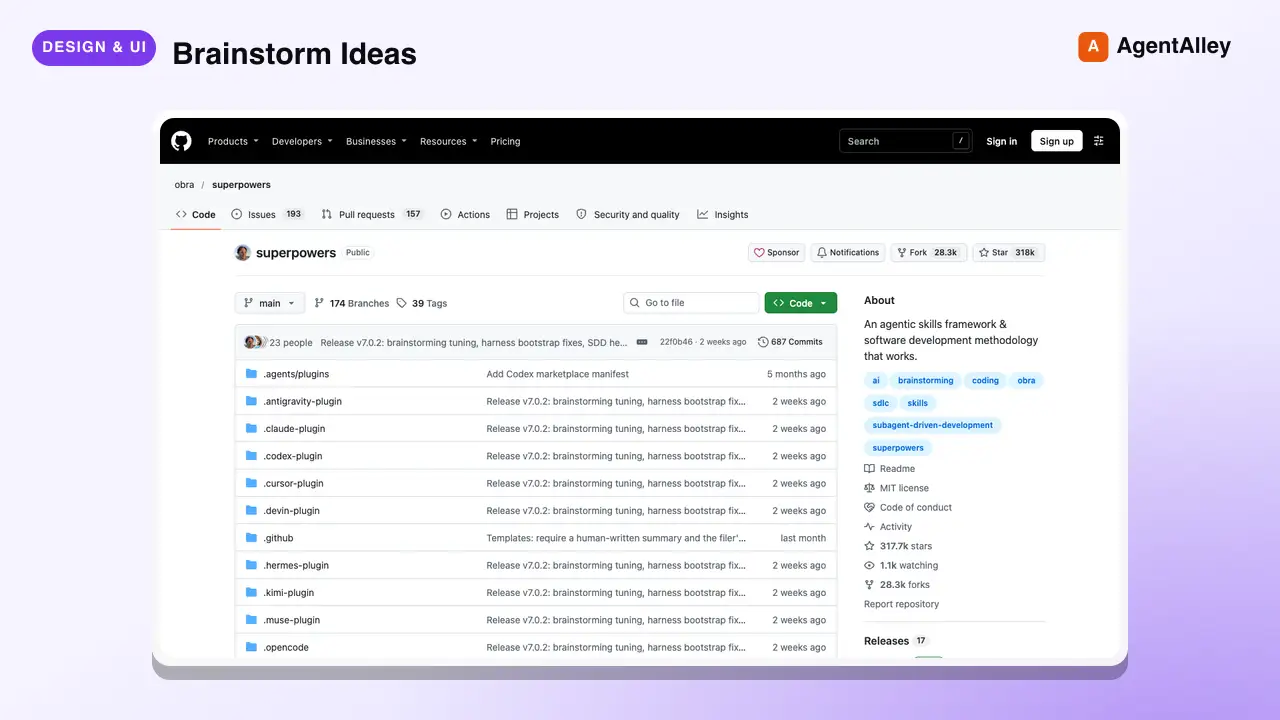
 obra/superpowers · by obraYou MUST use this before any creative work - creating features, building components, adding functionality, or modifying behavior. Explores user intent, requirements and design before implementation.★ 290k GitHub stars
 SkillCode Review Feedback Analyzerobra/superpowers · by obraUse when receiving code review feedback, before implementing suggestions, especially if feedback seems unclear or technically questionable - requires technical rigor and verification, not performative agreement or blind implementation★ 290k GitHub stars
 SkillBug Diagnosis Framework
 mattpocock/skills · by mattpocockDiagnosis loop for hard bugs and performance regressions. Use when the user says "diagnose"/"debug this", or reports something broken/throwing/failing/slow.★ 267k GitHub stars
 SkillImplement Specmattpocock/skills · by mattpocockImplement the result of /to-spec and /to-tickets in code.★ 267k GitHub stars
 SkillPR Description Writermattpocock/skills · by mattpocockUse when writing a PR body.★ 267k GitHub stars
More from danielmiessler
 SkillScope Oscillation Analyzer
 danielmiessler/LifeOS · by danielmiessler3-pass scope oscillation that holds a question constant while shifting zoom — narrow/tactical, wide/strategic, then synthesis — to surface design tensions, scope recommendations, and coherence assessments invisible at any single zoom level. USE WHEN aperture oscillation, oscillate scope, zoom in and out, tactical vs strategic, scope framing, design tension, system coherence check, local vs global design, wrong scope, scope negotiation. NOT FOR lens rotation across angles (use IterativeDepth).★ 19.3k GitHub stars
 SkillAphorism Library Managerdanielmiessler/LifeOS · by danielmiesslerCurated aphorism collection with CRUD — content-based matching, themed search, thinker research, DB maintenance. Quotes organized by author/theme/context/usage to prevent repetition. Four workflows: FindAphorism, AddAphorism, ResearchThinker, SearchAphorisms. Themes: Stoicism, Wisdom, Truth-seeking, Excellence, Resilience, Curiosity. USE WHEN aphorism, quote, find a quote, research thinker, add aphorism, quote for newsletter, what did X say about, quote bank. NOT FOR creative writing or social posts.★ 19.3k GitHub stars
 SkillSocial Platform Scraperdanielmiessler/LifeOS · by danielmiesslerScrapes social platforms, business data, and e-commerce via Apify actors — Instagram, LinkedIn, TikTok, YouTube, Facebook, Google Maps, Amazon, and web crawls — filtering in code. USE WHEN scrape Instagram, scrape LinkedIn, scrape TikTok, scrape YouTube, scrape Facebook, Google Maps leads, Amazon reviews, business intelligence, multi-platform social listening, competitive analysis, lead generation, social monitoring, Apify actors, web crawl, extract contacts. NOT FOR X/Twitter account operations like posting, threads, or bookmarks (those need a dedicated X API client), 4-tier progressive scraping with proxy escalation (use BrightData), or real-Chrome bot bypass and computer use (use Interceptor).★ 19.3k GitHub stars
 SkillVisual Content Generatordanielmiessler/LifeOS · by danielmiesslerStatic visual content across 20+ formats — diagrams, mermaid, infographics, D3 dashboards, comics, icons, wallpaper — via Nano Banana Pro (default), Nano Banana, and Flux. USE WHEN art, illustration, diagram, flowchart, infographic, header image, blog social thumbnail, visualize, generate image, mermaid, architecture diagram, comic, icon, blog art, framework diagram, D3 chart, remove background, wallpaper. NOT FOR locked house-style YouTube/channel/video thumbnails, video or animation (use Remotion), or web UI design and integrated frontend layout (use Webdesign).★ 19.3k GitHub stars
 SkillArXiv Paper Finderdanielmiessler/LifeOS · by danielmiesslerSearch and retrieve arXiv academic papers by topic, category, or paper ID — with AlphaXiv-enriched AI-generated overviews. Uses arXiv Atom API across cs.AI/cs.LG/cs.CL/cs.CR/cs.MA/cs.SE/cs.IR. Three workflows: Latest, Search, Paper. USE WHEN arxiv, papers, latest papers, research papers, recent ML papers, paper lookup, summarize paper, latest LLM papers, AI safety papers, cs.AI latest. NOT FOR general research (Research), URL parsing, or annual reports.★ 19.3k GitHub stars
 SkillFiller Removal Audio Editordanielmiessler/LifeOS · by danielmiesslerAI audio editing pipeline: Whisper word-level transcription → Claude segment classification (KEEP/CUT_FILLER/CUT_FALSE_START/CUT_STUTTER/CUT_DEAD_AIR) → ffmpeg with 40ms qsin crossfades and room-tone fill → optional Cleanvoice cloud polish; plus GateScan/GateRepair for noise-gate ticking artifacts. Modes: --preview, --aggressive, --polish. Workflow: Clean. USE WHEN clean audio, edit audio, remove filler words, clean podcast, remove ums, cut dead air, polish audio, trim recording, cut stutters, ticking audio, clicking audio, audio clicks, gate artifacts, popping audio. NOT FOR video composition (use Remotion).★ 19.3k GitHub stars