Custom Skill Builder
Skill developer
Create and manage Claude Code skills following Anthropic best practices. Use when creating new skills, modifying skill-rules.json, understanding trigger patterns, working with hooks, debugging skill activation, or implementing…
---
name: skill-developer
description: Create and manage Claude Code skills following Anthropic best practices. Use when creating new skills, modifying skill-rules.json, understanding trigger patterns, working with hooks, debugging skill activation, or implementing progressive disclosure. Covers skill structure, YAML frontmatter, trigger types (keywords, intent patterns, file paths, content patterns), enforcement levels (block, suggest, warn), hook mechanisms (UserPromptSubmit, PreToolUse), session tracking, and the 500-line rule.
---

# Skill Developer Guide

## Purpose

Comprehensive guide for creating and managing skills in Claude Code with auto-activation system, following Anthropic's official best practices including the 500-line rule and progressive disclosure pattern.

## When to Use This Skill

Automatically activates when you mention:
- Creating or adding skills
- Modifying skill triggers or rules
- Understanding how skill activation works
- Debugging skill activation issues
Overview
Comprehensive guide for creating and managing skills in Claude Code with auto-activation system, following Anthropic's official best practices including the 500-line rule and progressive disclosure pattern.
Manual install (npx, ZIP)
npx skills add davila7/claude-code-templates --skill skill-developer -g -a claude-codenpx degit davila7/claude-code-templates/cli-tool/components/skills/productivity/skill-developer#main ~/.claude/skills/skill-developerConnects with Agent Alley MCP · agentalley.io/mcp
Files included
SKILL.md12.0 KB
Read SKILL.md here
Show the full text427 lines
Skill Developer Guide
Purpose
Comprehensive guide for creating and managing skills in Claude Code with auto-activation system, following Anthropic's official best practices including the 500-line rule and progressive disclosure pattern.
When to Use This Skill
Automatically activates when you mention:
- Creating or adding skills
- Modifying skill triggers or rules
- Understanding how skill activation works
- Debugging skill activation issues
- Working with skill-rules.json
- Hook system mechanics
- Claude Code best practices
- Progressive disclosure
- YAML frontmatter
- 500-line rule
System Overview
Two-Hook Architecture
1. UserPromptSubmit Hook (Proactive Suggestions)
- File:
.claude/hooks/skill-activation-prompt.ts - Trigger: BEFORE Claude sees user's prompt
- Purpose: Suggest relevant skills based on keywords + intent patterns
- Method: Injects formatted reminder as context (stdout → Claude's input)
- Use Cases: Topic-based skills, implicit work detection
2. Stop Hook - Error Handling Reminder (Gentle Reminders)
- File:
.claude/hooks/error-handling-reminder.ts - Trigger: AFTER Claude finishes responding
- Purpose: Gentle reminder to self-assess error handling in code written
- Method: Analyzes edited files for risky patterns, displays reminder if needed
- Use Cases: Error handling awareness without blocking friction
Philosophy Change (2025-10-27): We moved away from blocking PreToolUse for Sentry/error handling. Instead, use gentle post-response reminders that don't block workflow but maintain code quality awareness.
Configuration File
Location: .claude/skills/skill-rules.json
Defines:
- All skills and their trigger conditions
- Enforcement levels (block, suggest, warn)
- File path patterns (glob)
- Content detection patterns (regex)
- Skip conditions (session tracking, file markers, env vars)
Skill Types
1. Guardrail Skills
Purpose: Enforce critical best practices that prevent errors
Characteristics:
- Type:
"guardrail" - Enforcement:
"block" - Priority:
"critical"or"high" - Block file edits until skill used
- Prevent common mistakes (column names, critical errors)
- Session-aware (don't repeat nag in same session)
Examples:
database-verification- Verify table/column names before Prisma queriesfrontend-dev-guidelines- Enforce React/TypeScript patterns
When to Use:
- Mistakes that cause runtime errors
- Data integrity concerns
- Critical compatibility issues
2. Domain Skills
Purpose: Provide comprehensive guidance for specific areas
Characteristics:
- Type:
"domain" - Enforcement:
"suggest" - Priority:
"high"or"medium" - Advisory, not mandatory
- Topic or domain-specific
- Comprehensive documentation
Examples:
backend-dev-guidelines- Node.js/Express/TypeScript patternsfrontend-dev-guidelines- React/TypeScript best practiceserror-tracking- Sentry integration guidance
When to Use:
- Complex systems requiring deep knowledge
- Best practices documentation
- Architectural patterns
- How-to guides
Quick Start: Creating a New Skill
Step 1: Create Skill File
Location: .claude/skills/{skill-name}/SKILL.md
Template:
---
name: my-new-skill
description: Brief description including keywords that trigger this skill. Mention topics, file types, and use cases. Be explicit about trigger terms.
---

# My New Skill

## Purpose
What this skill helps with

## When to Use
Specific scenarios and conditions

## Key Information
The actual guidance, documentation, patterns, examples
Best Practices:
- ✅ Name: Lowercase, hyphens, gerund form (verb + -ing) preferred
- ✅ Description: Include ALL trigger keywords/phrases (max 1024 chars)
- ✅ Content: Under 500 lines - use reference files for details
- ✅ Examples: Real code examples
- ✅ Structure: Clear headings, lists, code blocks
Step 2: Add to skill-rules.json
See SKILL_RULES_REFERENCE.md for complete schema.
Basic Template:
{
  "my-new-skill": {
    "type": "domain",
    "enforcement": "suggest",
    "priority": "medium",
    "promptTriggers": {
      "keywords": ["keyword1", "keyword2"],
      "intentPatterns": ["(create|add).*?something"]
    }
  }
}
Step 3: Test Triggers
Test UserPromptSubmit:
echo '{"session_id":"test","prompt":"your test prompt"}' | \
  npx tsx .claude/hooks/skill-activation-prompt.ts
Test PreToolUse:
cat <<'EOF' | npx tsx .claude/hooks/skill-verification-guard.ts
{"session_id":"test","tool_name":"Edit","tool_input":{"file_path":"test.ts"}}
EOF
Step 4: Refine Patterns
Based on testing:
- Add missing keywords
- Refine intent patterns to reduce false positives
- Adjust file path patterns
- Test content patterns against actual files
Step 5: Follow Anthropic Best Practices
✅ Keep SKILL.md under 500 lines ✅ Use progressive disclosure with reference files ✅ Add table of contents to reference files > 100 lines ✅ Write detailed description with trigger keywords ✅ Test with 3+ real scenarios before documenting ✅ Iterate based on actual usage
Enforcement Levels
BLOCK (Critical Guardrails)
- Physically prevents Edit/Write tool execution
- Exit code 2 from hook, stderr → Claude
- Claude sees message and must use skill to proceed
- Use For: Critical mistakes, data integrity, security issues
Example: Database column name verification
SUGGEST (Recommended)
- Reminder injected before Claude sees prompt
- Claude is aware of relevant skills
- Not enforced, just advisory
- Use For: Domain guidance, best practices, how-to guides
Example: Frontend development guidelines
WARN (Optional)
- Low priority suggestions
- Advisory only, minimal enforcement
- Use For: Nice-to-have suggestions, informational reminders
Rarely used - most skills are either BLOCK or SUGGEST.
Skip Conditions & User Control
1. Session Tracking
Purpose: Don't nag repeatedly in same session
How it works:
- First edit → Hook blocks, updates session state
- Second edit (same session) → Hook allows
- Different session → Blocks again
State File: .claude/hooks/state/skills-used-{session_id}.json
2. File Markers
Purpose: Permanent skip for verified files
Marker: // @skip-validation
Usage:
// @skip-validation
import { PrismaService } from './prisma';
// This file has been manually verified
NOTE: Use sparingly - defeats the purpose if overused
3. Environment Variables
Purpose: Emergency disable, temporary override
Global disable:
export SKIP_SKILL_GUARDRAILS=true # Disables ALL PreToolUse blocks
Skill-specific:
export SKIP_DB_VERIFICATION=true
export SKIP_ERROR_REMINDER=true
Testing Checklist
When creating a new skill, verify:
- Skill file created in
.claude/skills/{name}/SKILL.md - Proper frontmatter with name and description
- Entry added to
skill-rules.json - Keywords tested with real prompts
- Intent patterns tested with variations
- File path patterns tested with actual files
- Content patterns tested against file contents
- Block message is clear and actionable (if guardrail)
- Skip conditions configured appropriately
- Priority level matches importance
- No false positives in testing
- No false negatives in testing
- Performance is acceptable (<100ms or <200ms)
- JSON syntax validated:
jq . skill-rules.json - SKILL.md under 500 lines ⭐
- Reference files created if needed
- Table of contents added to files > 100 lines
Reference Files
For detailed information on specific topics, see:
TRIGGER_TYPES.md
Complete guide to all trigger types:
- Keyword triggers (explicit topic matching)
- Intent patterns (implicit action detection)
- File path triggers (glob patterns)
- Content patterns (regex in files)
- Best practices and examples for each
- Common pitfalls and testing strategies
SKILL_RULES_REFERENCE.md
Complete skill-rules.json schema:
- Full TypeScript interface definitions
- Field-by-field explanations
- Complete guardrail skill example
- Complete domain skill example
- Validation guide and common errors
HOOK_MECHANISMS.md
Deep dive into hook internals:
- UserPromptSubmit flow (detailed)
- PreToolUse flow (detailed)
- Exit code behavior table (CRITICAL)
- Session state management
- Performance considerations
TROUBLESHOOTING.md
Comprehensive debugging guide:
- Skill not triggering (UserPromptSubmit)
- PreToolUse not blocking
- False positives (too many triggers)
- Hook not executing at all
- Performance issues
PATTERNS_LIBRARY.md
Ready-to-use pattern collection:
- Intent pattern library (regex)
- File path pattern library (glob)
- Content pattern library (regex)
- Organized by use case
- Copy-paste ready
ADVANCED.md
Future enhancements and ideas:
- Dynamic rule updates
- Skill dependencies
- Conditional enforcement
- Skill analytics
- Skill versioning
Quick Reference Summary
Create New Skill (5 Steps)
- Create
.claude/skills/{name}/SKILL.mdwith frontmatter - Add entry to
.claude/skills/skill-rules.json - Test with
npx tsxcommands - Refine patterns based on testing
- Keep SKILL.md under 500 lines
Trigger Types
- Keywords: Explicit topic mentions
- Intent: Implicit action detection
- File Paths: Location-based activation
- Content: Technology-specific detection
See TRIGGER_TYPES.md for complete details.
Enforcement
- BLOCK: Exit code 2, critical only
- SUGGEST: Inject context, most common
- WARN: Advisory, rarely used
Skip Conditions
- Session tracking: Automatic (prevents repeated nags)
- File markers:
// @skip-validation(permanent skip) - Env vars:
SKIP_SKILL_GUARDRAILS(emergency disable)
Anthropic Best Practices
✅ 500-line rule: Keep SKILL.md under 500 lines ✅ Progressive disclosure: Use reference files for details ✅ Table of contents: Add to reference files > 100 lines ✅ One level deep: Don't nest references deeply ✅ Rich descriptions: Include all trigger keywords (max 1024 chars) ✅ Test first: Build 3+ evaluations before extensive documentation ✅ Gerund naming: Prefer verb + -ing (e.g., "processing-pdfs")
Troubleshoot
Test hooks manually:
# UserPromptSubmit
echo '{"prompt":"test"}' | npx tsx .claude/hooks/skill-activation-prompt.ts

# PreToolUse
cat <<'EOF' | npx tsx .claude/hooks/skill-verification-guard.ts
{"tool_name":"Edit","tool_input":{"file_path":"test.ts"}}
EOF
See TROUBLESHOOTING.md for complete debugging guide.
Related Files
Configuration:
.claude/skills/skill-rules.json- Master configuration.claude/hooks/state/- Session tracking.claude/settings.json- Hook registration
Hooks:
.claude/hooks/skill-activation-prompt.ts- UserPromptSubmit.claude/hooks/error-handling-reminder.ts- Stop event (gentle reminders)
All Skills:
.claude/skills/*/SKILL.md- Skill content files
Skill Status: COMPLETE - Restructured following Anthropic best practices ✅ Line Count: < 500 (following 500-line rule) ✅ Progressive Disclosure: Reference files for detailed information ✅
Next: Create more skills, refine patterns based on usage
| 1 | |
| 2 | name skill-developer |
| 3 | description Create and manage Claude Code skills following Anthropic best practices. Use when creating new skills, modifying skill-rules.json, understanding trigger patterns, working with hooks, debugging skill activation, or implementing progressive disclosure. Covers skill structure, YAML frontmatter, trigger types (keywords, intent patterns, file paths, content patterns), enforcement levels (block, suggest, warn), hook mechanisms (UserPromptSubmit, PreToolUse), session tracking, and the 500-line rule. |
| 4 | |
| 5 | |
| 6 | # Skill Developer Guide |
| 7 | |
| 8 | ## Purpose |
| 9 | |
| 10 | Comprehensive guide for creating and managing skills in Claude Code with auto-activation system, following Anthropic's official best practices including the 500-line rule and progressive disclosure pattern. |
| 11 | |
| 12 | ## When to Use This Skill |
| 13 | |
| 14 | Automatically activates when you mention: |
| 15 | Creating or adding skills |
| 16 | Modifying skill triggers or rules |
| 17 | Understanding how skill activation works |
| 18 | Debugging skill activation issues |
| 19 | Working with skill-rules.json |
| 20 | Hook system mechanics |
| 21 | Claude Code best practices |
| 22 | Progressive disclosure |
| 23 | YAML frontmatter |
| 24 | 500-line rule |
| 25 | |
| 26 | |
| 27 | |
| 28 | ## System Overview |
| 29 | |
| 30 | ### Two-Hook Architecture |
| 31 | |
| 32 | **1. UserPromptSubmit Hook** (Proactive Suggestions) |
| 33 | **File**: `.claude/hooks/skill-activation-prompt.ts` |
| 34 | **Trigger**: BEFORE Claude sees user's prompt |
| 35 | **Purpose**: Suggest relevant skills based on keywords + intent patterns |
| 36 | **Method**: Injects formatted reminder as context (stdout → Claude's input) |
| 37 | **Use Cases**: Topic-based skills, implicit work detection |
| 38 | |
| 39 | **2. Stop Hook - Error Handling Reminder** (Gentle Reminders) |
| 40 | **File**: `.claude/hooks/error-handling-reminder.ts` |
| 41 | **Trigger**: AFTER Claude finishes responding |
| 42 | **Purpose**: Gentle reminder to self-assess error handling in code written |
| 43 | **Method**: Analyzes edited files for risky patterns, displays reminder if needed |
| 44 | **Use Cases**: Error handling awareness without blocking friction |
| 45 | |
| 46 | **Philosophy Change (2025-10-27):** We moved away from blocking PreToolUse for Sentry/error handling. Instead, use gentle post-response reminders that don't block workflow but maintain code quality awareness. |
| 47 | |
| 48 | ### Configuration File |
| 49 | |
| 50 | **Location**: `.claude/skills/skill-rules.json` |
| 51 | |
| 52 | Defines: |
| 53 | All skills and their trigger conditions |
| 54 | Enforcement levels (block, suggest, warn) |
| 55 | File path patterns (glob) |
| 56 | Content detection patterns (regex) |
| 57 | Skip conditions (session tracking, file markers, env vars) |
| 58 | |
| 59 | |
| 60 | |
| 61 | ## Skill Types |
| 62 | |
| 63 | ### 1. Guardrail Skills |
| 64 | |
| 65 | **Purpose:** Enforce critical best practices that prevent errors |
| 66 | |
| 67 | **Characteristics:** |
| 68 | Type: `"guardrail"` |
| 69 | Enforcement: `"block"` |
| 70 | Priority: `"critical"` or `"high"` |
| 71 | Block file edits until skill used |
| 72 | Prevent common mistakes (column names, critical errors) |
| 73 | Session-aware (don't repeat nag in same session) |
| 74 | |
| 75 | **Examples:** |
| 76 | `database-verification` - Verify table/column names before Prisma queries |
| 77 | `frontend-dev-guidelines` - Enforce React/TypeScript patterns |
| 78 | |
| 79 | **When to Use:** |
| 80 | Mistakes that cause runtime errors |
| 81 | Data integrity concerns |
| 82 | Critical compatibility issues |
| 83 | |
| 84 | ### 2. Domain Skills |
| 85 | |
| 86 | **Purpose:** Provide comprehensive guidance for specific areas |
| 87 | |
| 88 | **Characteristics:** |
| 89 | Type: `"domain"` |
| 90 | Enforcement: `"suggest"` |
| 91 | Priority: `"high"` or `"medium"` |
| 92 | Advisory, not mandatory |
| 93 | Topic or domain-specific |
| 94 | Comprehensive documentation |
| 95 | |
| 96 | **Examples:** |
| 97 | `backend-dev-guidelines` - Node.js/Express/TypeScript patterns |
| 98 | `frontend-dev-guidelines` - React/TypeScript best practices |
| 99 | `error-tracking` - Sentry integration guidance |
| 100 | |
| 101 | **When to Use:** |
| 102 | Complex systems requiring deep knowledge |
| 103 | Best practices documentation |
| 104 | Architectural patterns |
| 105 | How-to guides |
| 106 | |
| 107 | |
| 108 | |
| 109 | ## Quick Start: Creating a New Skill |
| 110 | |
| 111 | ### Step 1: Create Skill File |
| 112 | |
| 113 | **Location:** `.claude/skills/{skill-name}/SKILL.md` |
| 114 | |
| 115 | **Template:** |
| 116 | |
| 117 | |
| 118 | name: my-new-skill |
| 119 | description: Brief description including keywords that trigger this skill. Mention topics, file types, and use cases. Be explicit about trigger terms. |
| 120 | |
| 121 | |
| 122 | # My New Skill |
| 123 | |
| 124 | ## Purpose |
| 125 | What this skill helps with |
| 126 | |
| 127 | ## When to Use |
| 128 | Specific scenarios and conditions |
| 129 | |
| 130 | ## Key Information |
| 131 | The actual guidance, documentation, patterns, examples |
| 132 | |
| 133 | |
| 134 | **Best Practices:** |
| 135 | ✅ **Name**: Lowercase, hyphens, gerund form (verb + -ing) preferred |
| 136 | ✅ **Description**: Include ALL trigger keywords/phrases (max 1024 chars) |
| 137 | ✅ **Content**: Under 500 lines - use reference files for details |
| 138 | ✅ **Examples**: Real code examples |
| 139 | ✅ **Structure**: Clear headings, lists, code blocks |
| 140 | |
| 141 | ### Step 2: Add to skill-rules.json |
| 142 | |
| 143 | See [SKILL_RULES_REFERENCE.md] for complete schema. |
| 144 | |
| 145 | **Basic Template:** |
| 146 | |
| 147 | { |
| 148 | "my-new-skill": { |
| 149 | "type": "domain", |
| 150 | "enforcement": "suggest", |
| 151 | "priority": "medium", |
| 152 | "promptTriggers": { |
| 153 | "keywords": ["keyword1", "keyword2"], |
| 154 | "intentPatterns": ["(create|add).*?something"] |
| 155 | } |
| 156 | } |
| 157 | } |
| 158 | |
| 159 | |
| 160 | ### Step 3: Test Triggers |
| 161 | |
| 162 | **Test UserPromptSubmit:** |
| 163 | |
| 164 | echo '{"session_id":"test","prompt":"your test prompt"}' | \ |
| 165 | npx tsx .claude/hooks/skill-activation-prompt.ts |
| 166 | |
| 167 | |
| 168 | **Test PreToolUse:** |
| 169 | |
| 170 | cat <<'EOF' | npx tsx .claude/hooks/skill-verification-guard.ts |
| 171 | {"session_id":"test","tool_name":"Edit","tool_input":{"file_path":"test.ts"}} |
| 172 | EOF |
| 173 | |
| 174 | |
| 175 | ### Step 4: Refine Patterns |
| 176 | |
| 177 | Based on testing: |
| 178 | Add missing keywords |
| 179 | Refine intent patterns to reduce false positives |
| 180 | Adjust file path patterns |
| 181 | Test content patterns against actual files |
| 182 | |
| 183 | ### Step 5: Follow Anthropic Best Practices |
| 184 | |
| 185 | ✅ Keep SKILL.md under 500 lines |
| 186 | ✅ Use progressive disclosure with reference files |
| 187 | ✅ Add table of contents to reference files > 100 lines |
| 188 | ✅ Write detailed description with trigger keywords |
| 189 | ✅ Test with 3+ real scenarios before documenting |
| 190 | ✅ Iterate based on actual usage |
| 191 | |
| 192 | |
| 193 | |
| 194 | ## Enforcement Levels |
| 195 | |
| 196 | ### BLOCK (Critical Guardrails) |
| 197 | |
| 198 | Physically prevents Edit/Write tool execution |
| 199 | Exit code 2 from hook, stderr → Claude |
| 200 | Claude sees message and must use skill to proceed |
| 201 | **Use For**: Critical mistakes, data integrity, security issues |
| 202 | |
| 203 | **Example:** Database column name verification |
| 204 | |
| 205 | ### SUGGEST (Recommended) |
| 206 | |
| 207 | Reminder injected before Claude sees prompt |
| 208 | Claude is aware of relevant skills |
| 209 | Not enforced, just advisory |
| 210 | **Use For**: Domain guidance, best practices, how-to guides |
| 211 | |
| 212 | **Example:** Frontend development guidelines |
| 213 | |
| 214 | ### WARN (Optional) |
| 215 | |
| 216 | Low priority suggestions |
| 217 | Advisory only, minimal enforcement |
| 218 | **Use For**: Nice-to-have suggestions, informational reminders |
| 219 | |
| 220 | **Rarely used** - most skills are either BLOCK or SUGGEST. |
| 221 | |
| 222 | |
| 223 | |
| 224 | ## Skip Conditions & User Control |
| 225 | |
| 226 | ### 1. Session Tracking |
| 227 | |
| 228 | **Purpose:** Don't nag repeatedly in same session |
| 229 | |
| 230 | **How it works:** |
| 231 | First edit → Hook blocks, updates session state |
| 232 | Second edit (same session) → Hook allows |
| 233 | Different session → Blocks again |
| 234 | |
| 235 | **State File:** `.claude/hooks/state/skills-used-{session_id}.json` |
| 236 | |
| 237 | ### 2. File Markers |
| 238 | |
| 239 | **Purpose:** Permanent skip for verified files |
| 240 | |
| 241 | **Marker:** `// @skip-validation` |
| 242 | |
| 243 | **Usage:** |
| 244 | |
| 245 | // @skip-validation |
| 246 | import { PrismaService } from './prisma'; |
| 247 | // This file has been manually verified |
| 248 | |
| 249 | |
| 250 | **NOTE:** Use sparingly - defeats the purpose if overused |
| 251 | |
| 252 | ### 3. Environment Variables |
| 253 | |
| 254 | **Purpose:** Emergency disable, temporary override |
| 255 | |
| 256 | **Global disable:** |
| 257 | |
| 258 | export SKIP_SKILL_GUARDRAILS=true # Disables ALL PreToolUse blocks |
| 259 | |
| 260 | |
| 261 | **Skill-specific:** |
| 262 | |
| 263 | export SKIP_DB_VERIFICATION=true |
| 264 | export SKIP_ERROR_REMINDER=true |
| 265 | |
| 266 | |
| 267 | |
| 268 | |
| 269 | ## Testing Checklist |
| 270 | |
| 271 | When creating a new skill, verify: |
| 272 | |
| 273 | [ ] Skill file created in `.claude/skills/{name}/SKILL.md` |
| 274 | [ ] Proper frontmatter with name and description |
| 275 | [ ] Entry added to `skill-rules.json` |
| 276 | [ ] Keywords tested with real prompts |
| 277 | [ ] Intent patterns tested with variations |
| 278 | [ ] File path patterns tested with actual files |
| 279 | [ ] Content patterns tested against file contents |
| 280 | [ ] Block message is clear and actionable (if guardrail) |
| 281 | [ ] Skip conditions configured appropriately |
| 282 | [ ] Priority level matches importance |
| 283 | [ ] No false positives in testing |
| 284 | [ ] No false negatives in testing |
| 285 | [ ] Performance is acceptable (<100ms or <200ms) |
| 286 | [ ] JSON syntax validated: `jq . skill-rules.json` |
| 287 | [ ] **SKILL.md under 500 lines** ⭐ |
| 288 | [ ] Reference files created if needed |
| 289 | [ ] Table of contents added to files > 100 lines |
| 290 | |
| 291 | |
| 292 | |
| 293 | ## Reference Files |
| 294 | |
| 295 | For detailed information on specific topics, see: |
| 296 | |
| 297 | ### [TRIGGER_TYPES.md](TRIGGER_TYPES.md) |
| 298 | Complete guide to all trigger types: |
| 299 | Keyword triggers (explicit topic matching) |
| 300 | Intent patterns (implicit action detection) |
| 301 | File path triggers (glob patterns) |
| 302 | Content patterns (regex in files) |
| 303 | Best practices and examples for each |
| 304 | Common pitfalls and testing strategies |
| 305 | |
| 306 | ### [SKILL_RULES_REFERENCE.md](SKILL_RULES_REFERENCE.md) |
| 307 | Complete skill-rules.json schema: |
| 308 | Full TypeScript interface definitions |
| 309 | Field-by-field explanations |
| 310 | Complete guardrail skill example |
| 311 | Complete domain skill example |
| 312 | Validation guide and common errors |
| 313 | |
| 314 | ### [HOOK_MECHANISMS.md](HOOK_MECHANISMS.md) |
| 315 | Deep dive into hook internals: |
| 316 | UserPromptSubmit flow (detailed) |
| 317 | PreToolUse flow (detailed) |
| 318 | Exit code behavior table (CRITICAL) |
| 319 | Session state management |
| 320 | Performance considerations |
| 321 | |
| 322 | ### [TROUBLESHOOTING.md](TROUBLESHOOTING.md) |
| 323 | Comprehensive debugging guide: |
| 324 | Skill not triggering (UserPromptSubmit) |
| 325 | PreToolUse not blocking |
| 326 | False positives (too many triggers) |
| 327 | Hook not executing at all |
| 328 | Performance issues |
| 329 | |
| 330 | ### [PATTERNS_LIBRARY.md](PATTERNS_LIBRARY.md) |
| 331 | Ready-to-use pattern collection: |
| 332 | Intent pattern library (regex) |
| 333 | File path pattern library (glob) |
| 334 | Content pattern library (regex) |
| 335 | Organized by use case |
| 336 | Copy-paste ready |
| 337 | |
| 338 | ### [ADVANCED.md](ADVANCED.md) |
| 339 | Future enhancements and ideas: |
| 340 | Dynamic rule updates |
| 341 | Skill dependencies |
| 342 | Conditional enforcement |
| 343 | Skill analytics |
| 344 | Skill versioning |
| 345 | |
| 346 | |
| 347 | |
| 348 | ## Quick Reference Summary |
| 349 | |
| 350 | ### Create New Skill (5 Steps) |
| 351 | |
| 352 | Create `.claude/skills/{name}/SKILL.md` with frontmatter |
| 353 | Add entry to `.claude/skills/skill-rules.json` |
| 354 | Test with `npx tsx` commands |
| 355 | Refine patterns based on testing |
| 356 | Keep SKILL.md under 500 lines |
| 357 | |
| 358 | ### Trigger Types |
| 359 | |
| 360 | **Keywords**: Explicit topic mentions |
| 361 | **Intent**: Implicit action detection |
| 362 | **File Paths**: Location-based activation |
| 363 | **Content**: Technology-specific detection |
| 364 | |
| 365 | See [TRIGGER_TYPES.md] for complete details. |
| 366 | |
| 367 | ### Enforcement |
| 368 | |
| 369 | **BLOCK**: Exit code 2, critical only |
| 370 | **SUGGEST**: Inject context, most common |
| 371 | **WARN**: Advisory, rarely used |
| 372 | |
| 373 | ### Skip Conditions |
| 374 | |
| 375 | **Session tracking**: Automatic (prevents repeated nags) |
| 376 | **File markers**: `// @skip-validation` (permanent skip) |
| 377 | **Env vars**: `SKIP_SKILL_GUARDRAILS` (emergency disable) |
| 378 | |
| 379 | ### Anthropic Best Practices |
| 380 | |
| 381 | ✅ **500-line rule**: Keep SKILL.md under 500 lines |
| 382 | ✅ **Progressive disclosure**: Use reference files for details |
| 383 | ✅ **Table of contents**: Add to reference files > 100 lines |
| 384 | ✅ **One level deep**: Don't nest references deeply |
| 385 | ✅ **Rich descriptions**: Include all trigger keywords (max 1024 chars) |
| 386 | ✅ **Test first**: Build 3+ evaluations before extensive documentation |
| 387 | ✅ **Gerund naming**: Prefer verb + -ing (e.g., "processing-pdfs") |
| 388 | |
| 389 | ### Troubleshoot |
| 390 | |
| 391 | Test hooks manually: |
| 392 | |
| 393 | # UserPromptSubmit |
| 394 | echo '{"prompt":"test"}' | npx tsx .claude/hooks/skill-activation-prompt.ts |
| 395 | |
| 396 | # PreToolUse |
| 397 | cat <<'EOF' | npx tsx .claude/hooks/skill-verification-guard.ts |
| 398 | {"tool_name":"Edit","tool_input":{"file_path":"test.ts"}} |
| 399 | EOF |
| 400 | |
| 401 | |
| 402 | See [TROUBLESHOOTING.md] for complete debugging guide. |
| 403 | |
| 404 | |
| 405 | |
| 406 | ## Related Files |
| 407 | |
| 408 | **Configuration:** |
| 409 | `.claude/skills/skill-rules.json` - Master configuration |
| 410 | `.claude/hooks/state/` - Session tracking |
| 411 | `.claude/settings.json` - Hook registration |
| 412 | |
| 413 | **Hooks:** |
| 414 | `.claude/hooks/skill-activation-prompt.ts` - UserPromptSubmit |
| 415 | `.claude/hooks/error-handling-reminder.ts` - Stop event (gentle reminders) |
| 416 | |
| 417 | **All Skills:** |
| 418 | `.claude/skills/*/SKILL.md` - Skill content files |
| 419 | |
| 420 | |
| 421 | |
| 422 | **Skill Status**: COMPLETE - Restructured following Anthropic best practices ✅ |
| 423 | **Line Count**: < 500 (following 500-line rule) ✅ |
| 424 | **Progressive Disclosure**: Reference files for detailed information ✅ |
| 425 | |
| 426 | **Next**: Create more skills, refine patterns based on usage |
| 427 |
Details
- License
- MIT
- Stars on the repo
- ★ 32,299
- Checked
- Source
- davila7/claude-code-templates ↗
- Creator
- davila7 · 212 listings
Similar skills
See all → SkillBrowser Automation
 ruvnet/RuView · by ruvnetWeb browser automation with AI-optimized snapshots for claude-flow agents★ 94.7k GitHub stars
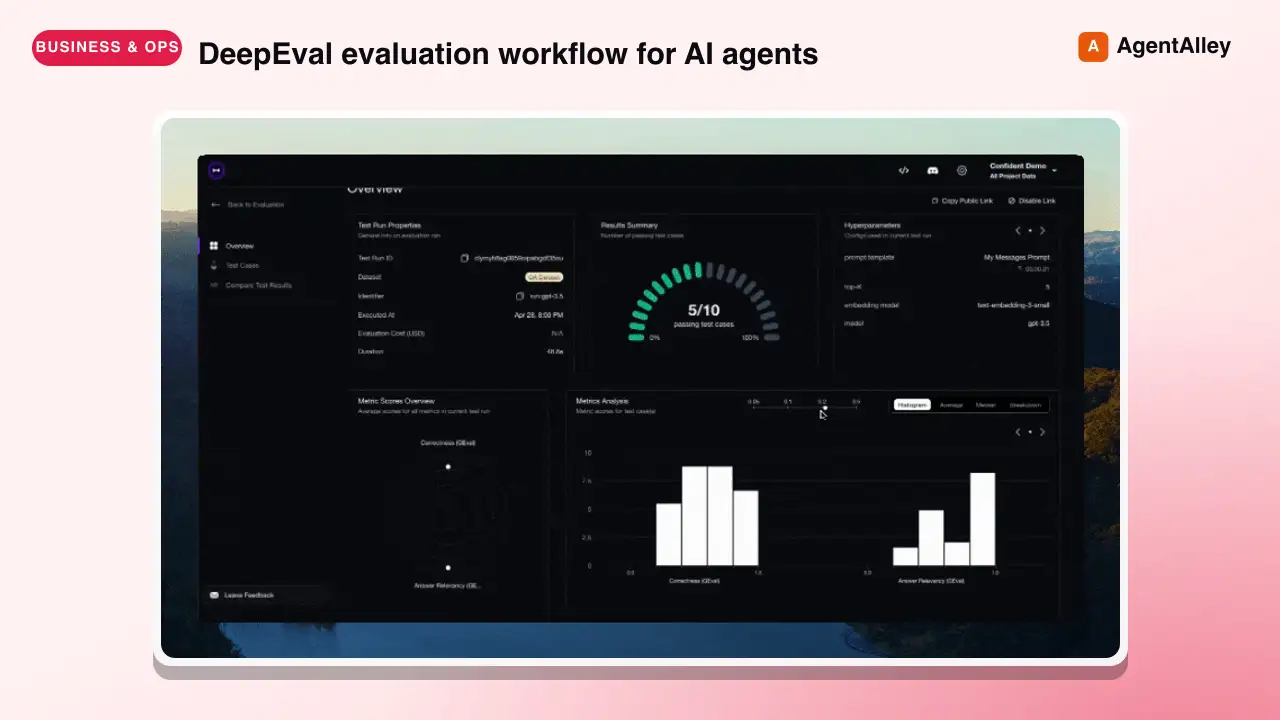 SkillDeepeval LLM Assessment
 confident-ai/deepeval · by confident-aiDeepEval evaluation workflow for AI agents and LLM applications. TRIGGER when the user wants to evaluate or improve an AI agent, tool-using workflow, multi-turn chatbot, RAG pipeline, or LLM app; add evals; generate datasets or goldens; use deepeval generate; use deepeval test run; send results to Confident AI; monitor production; run online evals; inspect traces; or iterate on prompts, tools, retrieval, or agent behavior from eval failures. AI agents are the primary use case. Covers Python SDK, pytest eval suites, CLI generation, traced evals, Confident AI reporting, and agent-driven improvement loops. DO NOT TRIGGER for unrelated generic pytest, non-AI test setup, or non-DeepEval observability work unless the user asks to compare or migrate to DeepEval; for instrumenting an app with DeepEval tracing, @observe, or framework integrations (use the `deepeval-tracing` skill); or for raw OpenTelemetry / OTLP export without the deepeval package (use the `deepeval-otel` skill).★ 18.7k GitHub stars
 SkillBrowser Automation Tool
 SawyerHood/dev-browser · by SawyerHoodBrowser automation with persistent named pages via the dev-browser CLI. Use when users ask to navigate websites, fill forms, take screenshots, extract web data, test web apps, log into sites, or automate browser workflows. Trigger phrases include "go to [url]", "click on", "fill out the form", "take a screenshot", "scrape", "automate", "test the website", "log into", "open the browser", or any browser interaction request.★ 6.7k GitHub stars
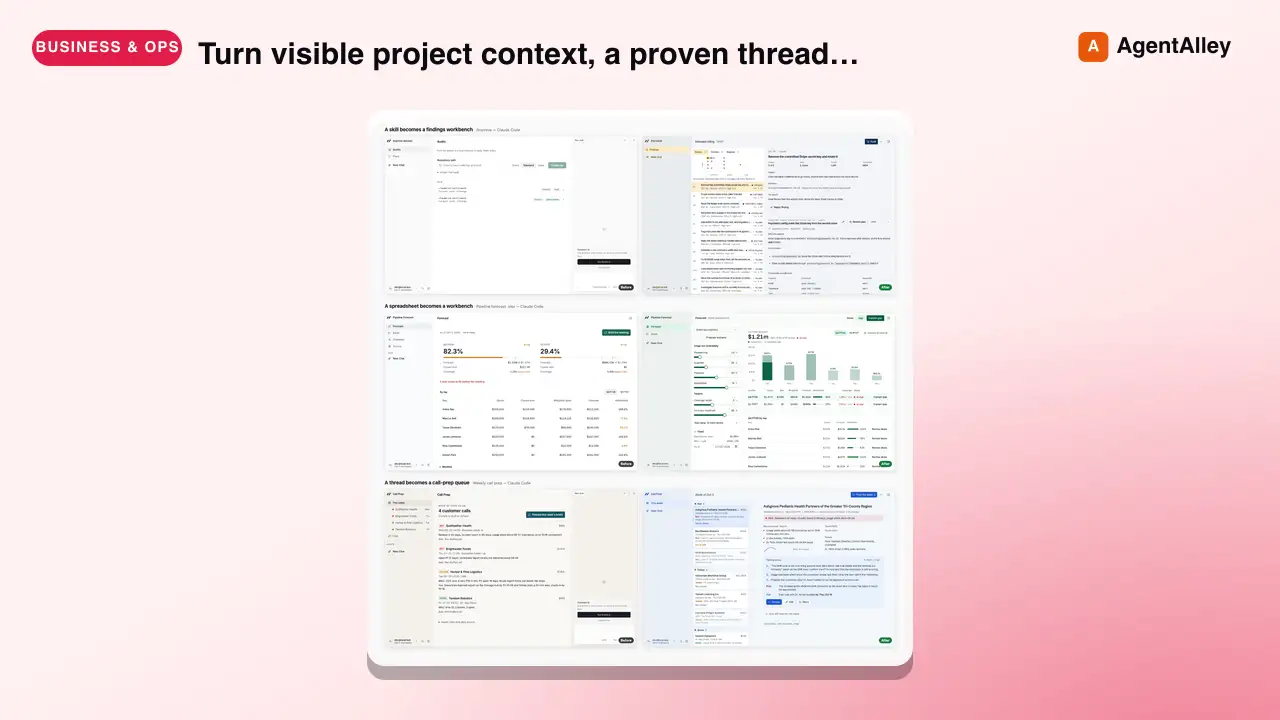 SkillSkill to App Converter
 BuilderIO/skills · by BuilderIOTurn visible project context, a proven thread, skill, or workflow into a runnable Agent-Native app with simple buttons, visible agent steps, preview, and deployment handoff. Use when a user invokes `/turn-into-app` or asks to make a workflow into an app, including from Claude or ChatGPT on the web, including when the source is a spreadsheet link or upload.★ 4.5k GitHub stars
 SkillBrowser Test Automation
 lackeyjb/playwright-skill · by lackeyjbComplete browser automation with Playwright. Auto-detects dev servers, writes reusable test scripts, and supports screenshots, responsive checks, UX validation, login flows, link checks, and arbitrary browser automation. Use when the user wants to test a website, automate browser interactions, validate web functionality, or perform browser-based testing.★ 3.2k GitHub stars
 SkillTinyFish CLI
 tinyfish-io/tinyfish-cookbook · by tinyfish-ioUse TinyFish for web search, fetching URLs, reading pages, current information, source-backed answers, research, docs, pricing/product pages, extraction, scraping, and browser automation. Use whenever the user asks to search, find, look up, research, compare, get information from the web, summarize a URL, fetch page content, or automate a website.★ 2.2k GitHub stars
More from davila7
 Skill2D Game Development
 davila7/claude-code-templates · by davila72D game development principles. Sprites, tilemaps, physics, camera.★ 32.3k GitHub stars
 Skill3D Game Development Principlesdavila7/claude-code-templates · by davila73D game development principles. Rendering, shaders, physics, cameras.★ 32.3k GitHub stars
 Skill3D Web Experience Builderdavila7/claude-code-templates · by davila7Expert in building 3D experiences for the web - Three.js, React Three Fiber, Spline, WebGL, and interactive 3D scenes. Covers product configurators, 3D portfolios, immersive websites, and bringing depth to web experiences. Use when: 3D website, three.js, WebGL, react three fiber, 3D experience.★ 32.3k GitHub stars
 SkillSplit Test Setupdavila7/claude-code-templates · by davila7When the user wants to plan, design, or implement an A/B test or experiment. Also use when the user mentions "A/B test," "split test," "experiment," "test this change," "variant copy," "multivariate test," or "hypothesis." For tracking implementation, see analytics-tracking.★ 32.3k GitHub stars
 AgentResearch Literature Synthesizerdavila7/claude-code-templates · by davila7Academic research synthesis specialist. Use PROACTIVELY for comprehensive research on academic topics, literature reviews, technical investigations, and well-cited analysis combining multiple sources. <example>Context: A podcast episode needs a segment grounded in peer-reviewed evidence with formal citations. user: "Research the current state of transformer efficiency techniques for the episode, with proper academic citations." assistant: "I'll use the academic-research-synthesizer agent to search arXiv and Semantic Scholar, extract full-text findings via WebFetch, and produce a cited literature synthesis with confidence levels." <commentary>Use academic-research-synthesizer (not comprehensive-researcher) when the episode segment needs peer-reviewed sourcing, formal citation format, and explicit confidence tagging rather than general-purpose multi-source coverage.</commentary></example> <example>Context: The episode-orchestrator has routed a "literature review" request for a technical deep-dive segment. user: "Summarize the research landscape on federated learning privacy guarantees." assistant: "I'll invoke academic-research-synthesizer to systematically search academic sources, note peer-review status per source, and synthesize consensus vs. open debates."</example>★ 32.3k GitHub stars
 AgentAcademic Research Specialistdavila7/claude-code-templates · by davila7Academic research specialist for scholarly sources, peer-reviewed papers, and academic literature. Use PROACTIVELY for research paper analysis, literature reviews, citation tracking, and academic methodology evaluation. <example>Context: The research-orchestrator has kicked off Phase 4 parallel research on 'efficacy of intermittent fasting' and needs peer-reviewed evidence. user: "Find the academic evidence on intermittent fasting outcomes." assistant: "I'll use the academic-researcher agent to search Semantic Scholar, PubMed, and OpenAlex for peer-reviewed studies and write structured findings to academic-research.md." <commentary>The request is specifically for scholarly/peer-reviewed evidence rather than general web coverage or code, so academic-researcher (not web-researcher or technical-researcher) is the right specialist.</commentary></example> <example>Context: The user wants a literature review comparing methodologies across studies on a topic. user: "Can you review the literature on transformer model interpretability and identify research gaps?" assistant: "Let me invoke the academic-researcher agent to pull foundational and recent papers, extract methodologies, and surface open research gaps." <commentary>Literature review, methodology extraction, and research-gap identification are core academic-researcher capabilities, distinct from technical-researcher's focus on code repositories and implementations.</commentary></example>★ 32.3k GitHub stars