Game Asset Generator
Scenario game assets
Use when creating game art through Scenario MCP: sprites, sprite sheets, icons, props, loot, tilesets and autotile terrain transitions, seamless tiles, isometric buildings, top-down maps, pixel art, UI buttons and panels, parallax…
---
name: scenario-game-assets
description: "Use when creating game art through Scenario MCP: sprites, sprite sheets, icons, props, loot, tilesets and autotile terrain transitions, seamless tiles, isometric buildings, top-down maps, pixel art, UI buttons and panels, parallax background layers or depth planes for side-scrollers, and character or concept art; or when assets need transparent backgrounds, background removal, style-consistent variation batches, upscaling, pixel-grid cleanup, or PNG export for Unity, Godot, or Unreal."
license: MIT
---

# Scenario Game Assets

## Overview

Scenario's public catalog carries purpose-trained models per asset type (sprites, icons, props, tilesets, isometric scenes, pixel art, concept art) plus utilities for background removal, upscaling, and pixel cleanup. Discover by asset type, inspect the schema, generate, post-process, export. A sheet whose cells are one character's animation frames, and any walk cycle, loop, or GIF, belongs to `scenario-sprite-animation`. Connection and core loop: see the `scenario` skill. If a sibling skill named here is missing from your available skills, ask the user to install it (`npx skills add scenario-labs/skills --skill <name>`); unattended, proceed from tool schemas and flag the gap.

## Quick reference

| Task                       | Call                                                                                                                                               |
| -------------------------- | -------------------------------------------------------------------------------------------------------------------------------------------------- |
| Find a model by asset type | `recommend` with the asset need in the user's own words (sprite, game icon, tileset, isometric, pixel art); `search` is for a member known by name |
| Inspect inputs             | `model_schema_get` (always before `model_run`)                                                                                                     |
Overview
Scenario's public catalog carries purpose-trained models per asset type (sprites, icons, props, tilesets, isometric scenes, pixel art, concept art) plus utilities for background removal, upscaling, and pixel cleanup. Discover by asset type, inspect the schema, generate, post-process, export. A sheet whose cells are one character's animation frames, and any walk cycle, loop, or GIF, belongs to scenario-sprite-animation. Connection and core loop: see the scenario skill. If a sibling skill named here is missing from your available skills, ask the user to install it (npx skills add scenario-labs/skills --skill <name>); unattended, proceed from tool schemas and flag the gap.
Manual install (npx, ZIP)
npx skills add scenario-labs/skills --skill scenario-game-assets -g -a claude-codenpx degit scenario-labs/skills/skills/scenario-game-assets#main ~/.claude/skills/scenario-game-assetsConnects with Agent Alley MCP · agentalley.io/mcp
Files included
SKILL.md17.4 KB
Read SKILL.md here
Show the full text94 lines
Scenario Game Assets
Overview
Scenario's public catalog carries purpose-trained models per asset type (sprites, icons, props, tilesets, isometric scenes, pixel art, concept art) plus utilities for background removal, upscaling, and pixel cleanup. Discover by asset type, inspect the schema, generate, post-process, export. A sheet whose cells are one character's animation frames, and any walk cycle, loop, or GIF, belongs to scenario-sprite-animation. Connection and core loop: see the scenario skill. If a sibling skill named here is missing from your available skills, ask the user to install it (npx skills add scenario-labs/skills --skill <name>); unattended, proceed from tool schemas and flag the gap.
Quick reference
| Task | Call |
|---|---|
| Find a model by asset type | recommend with the asset need in the user's own words (sprite, game icon, tileset, isometric, pixel art); search is for a member known by name |
| Inspect inputs | model_schema_get (always before model_run) |
| Generate | model_run (dry_run=true prices a batch; launch wait=false), then jobs_wait; on timeout re-call with pending_job_ids |
| Transparent background | recommend for a native-alpha generator first; else for background removal on the asset |
| Upscale or enhance | recommend for upscaling (2x to 16x tools exist) |
| Pixel-art cleanup | recommend for cleanup (grid snapping, palette reduction) |
| Parallax background planes | Split a painted background with the layer tool (recommend, capability: "img2img"), or generate one plane per run; see Parallax backgrounds |
| Export for an engine | asset_download with format="png" |
Worked example: a transparent potion icon set
Request: "four style-matched potion icons for an RPG inventory."
recommendwith the user's own words asprompt("four style-matched potion icons for an RPG inventory"). Typical picks: cartoon icon LoRAs ("Stylized Game Icons & Props"). Confirm the pick with the user: catalogs differ per team; re-discover, never hardcode model IDs.model_schema_getmodel_id="<picked id>". Note the prompt field, size fields, and any sample-count parameter.model_runparameters={"prompt": "health potion, corked glass bottle, glowing red liquid, bold outline, centered, plain background"} (a plain field cuts cleanly in a removal pass; a native-alpha model wants the subject alone, never the word transparent). The schema's sample-count parameter repeats one prompt for variants of one item; different items are separate runs varying only the item ("mana potion", "stamina potion") with the wording template fixed. Price withdry_run=truefirst (one dry run prices one leg; multiply across the batch), then launch withwait=false.jobs_waitjob_ids=["<returned job_id>"] (up to 32 ids, one call covers the batch); on timeout re-call with the returnedpending_job_ids, never a secondmodel_run. Thenasset_displayto review, oneasset_idper call.- Transparency:
recommendfor a native-alpha generator first, since it makes the icons transparent at the source and skips a billed removal pass per icon. Treat the pick as opaque unless itsrecommendentry or its schema says it outputs transparency. Fall back to a removal model only when the chosen generator lacks alpha:recommendfor background removal (Photoroom, Pixelcut, 851 Labs at authoring time),model_schema_getthe pick, thenmodel_runwith its image field set to the generated asset id. - Optional: upscale keepers (
recommendfor upscaling,model_schema_getas always; upscalers go 2x to 8x and beyond). asset_downloadasset_id, format="png" (PNG keeps alpha). Follow redirects:curl -L -o potion.png "<url>".
Style consistency
- The cheap levers first: reuse one
seedacross the batch, and pin the model's prompt-expansion flag off where the schema has one; an expander rewrites each prompt independently and defeats a fixed template. - Reference images:
upload_assetthe art direction images, then pass the asset ids (never local paths) to the model's image or reference parameters. asset_describeturns one on-style asset into a promptable style synthesis reusable across prompts (catalog tool, billed,dry_run: trueprices it: run viascenario_tools_search+scenario_tool_execute_read; see thescenarioskill).searchtarget="assets" images={like: ["asset_..."]} finds assets already matching the target look.- For a locked-in project style, train a custom LoRA on the project's own art (the
scenario-model-trainingskill); trained models use the same generation loop.
Preparing a variation-batch reference
Restyling one approved component into a set (button, panel, popup well, icon family) fails on the reference more often than the prompt: the model treats everything composited onto the object as the object.
- Crop to the object's own bounds. Transparent padding reads as composition: scale and offset drift every run, so sprite-measuring code gets a different box. Trim the alpha, generate, re-pad to a fixed canvas. When the model's supported aspect ratios exclude the source's, aspect also drifts per run; reconcile UI components with a nine-slice-aware rescale (stretch middle bands, keep corners and lettering undistorted) before re-padding.
- Strip baked effects before generating. A drop shadow, outer glow, or bevel in the reference reads as silhouette and comes back thickened, doubled, or fused to the object. Feed flat art and re-apply the effect in engine, where it stays adjustable. For a final PNG matching a shadowed source, lift the source's effect layer by alpha (on a transparent source the shadow is semi-transparent and the object opaque, but so is the object's antialiased rim: take the shadow as the semi-transparent pixels outside a 1 to 2 px dilation of the opaque mask, and keep the rim with the object) and composite it under each output.
- Say which parts are functional. A nine-slice panel needs stretchable middles and fixed corners; diffusion has no concept of either. Name the constraint in the prompt, then check that it held.
- One object, plain field, no scene. Several objects in one reference get recombined into a hybrid.
- Check the alpha edge on any transparent output. Removed shadows leave a semi-transparent fringe; native-alpha models can ship a large semi-transparent glow around the object. Both read as a halo on a colored UI background. Check interior alpha too: a native-alpha model can punch one item's see-through surface (empty glass) to alpha 0 while painting the next item's opaque, so the set disagrees in an engine slot.
Verify the set by measurement, not by eye: compare each output's alpha bounding box against the source before accepting the batch.
Isometric tiles and masked fills
Choose the grid before the style. A 2:1 diamond is a common game projection; a projected hex is a different footprint. Share one projection, placement anchor, light direction, and shadow side across a set. A tile's ground footprint is not its full sprite silhouette: trees and buildings rise above it and may overlap the tile behind. Never clip a tall object through the ground mask. Check a small assembled map for joins, path connections, occlusion, and visual quality before scaling the batch; a clean alpha boundary alone is not acceptance.
Use the isometric template guide to choose a neutral ground or slab reference and separate ground, side, and object regions. The JSON manifest records their geometry, filenames, and source hashes. The template builder, run by a maintainer or an agent needing local geometry, creates the PNGs and manifest. It generates geometry only, not finished game art. Keep the geometry reference separate from the approved style reference; neutral geometry must not force a palette or faceted look. Resolve uploaded assets and publish new versions through the scenario skill's shared asset lifecycle; upload local inputs only when no matching asset is accessible.
Dedicated isometric members exist in the public catalog. recommend with the user's tile need, then model_schema_get. Read the reference, mask, seed, and strength fields instead of assuming they exist or that low strength preserves geometry: conventions vary. Keep the camera and lighting wording fixed while varying the subject. Reuse a seed only when supported. If the model drifts in projection or light despite a consistent reference, use scenario-consistency, then consider scenario-model-training on approved tiles.
For a ground fill or content explicitly bounded to a shape, use masked img2img. If the specialty pick has no mask field, recommend again with capability: "img2img" and the mask need. Read mask polarity and any required base-image field from model_schema_get (scenario-image covers model-specific conventions). Template region images are white inside; adapt them to the model's convention, including alpha if required. The base canvas must match the mask dimensions and placement; an approved style reference does not replace it. When that canvas is opaque, preserve its background during the edit: asking for transparent output simultaneously contradicts the protected-canvas constraint. Extract transparency afterward. Use the ground region for terrain, and the taller object region for trees or buildings; the latter is editing space, never a final silhouette mask.
Run one tile first. Measure changes outside the edit region against the source canvas and inspect the result. A few-pixel overrun on a deliberately bounded ground fill can be clipped to its mask; extensive drift needs diagnosis of polarity, base canvas, and consumed references before retrying. For taller sprites, preserve the object silhouette with native alpha or background removal and verify the ground anchor separately. A deterministic ground mask cannot repair a wrong camera or a poor composition.
A "low-poly" look and a low-poly mesh are different deliverables. The look is a 2D style word on an image model. The mesh is scenario-3d: whether the image-to-3D pick (recommend, capability: "img23d") exposes a polycount target or a topology choice is read off model_schema_get, never assumed, and when it exposes neither a separate remesh utility (its own billed run, found with recommend, capability: "3d23d") brings the count down afterwards. Either way the concept image feeding it wants flat shading, a clean silhouette, and a plain background so the geometry reads.
Terrain tilesets and transitions
A top-down terrain set is a layout contract with the engine: every edge and corner case must exist and join its neighbors. recommend with the user's words, tile size included ("32x32 top-down tileset, grass to dirt transitions"), then model_schema_get. The pixel tileset member at authoring time had a style enum: a full tileset from one terrain prompt, a two-terrain transition mode (extraPrompt or extraImage for the second), plus single tile, variation, and object modes. Its width and height size one tile, not the sheet, and they and the mode move the price, so dry_run first. It promises a simple Wang set, not a 47-tile blob layout: map the tiles onto the engine's autotile rules, and paint a small test map with the downloaded sheet in the engine's tile editor and check the joins before more terrains.
Parallax backgrounds
A parallax background is a stack of depth planes the engine scrolls at different speeds: an opaque sky or far plane, then two or three cutout planes with transparent gaps the planes behind show through. Two routes produce the stack; writing "layers" or "parallax" into one generation prompt produces neither, it returns a single picture of stacked layers, and on a style-trained model it returns several layers painted into one image.
- Split a painted background you already have. The layer extractor is a contested lane (Scenario's own tool competes with third-party splitters), so
recommendwithcapability: "img2img"and the need in the user's words ("separate this background into depth planes for parallax"), thenmodel_schema_getthe pick. The purpose-built tool at authoring time took aseparationInstruction, a splitting rule and not a scene description ("four planes, front to back: foreground bushes, near trees, far hills, sky"), amaxLayerscap that moves the price, and an inpaint choice for filling the hole each cut leaves, also priced. It returns the cutouts plus a rebuilt background (the rearmost plane), one asset each, so review them one at a time withasset_display. A plane cut from a viewport-sized painting is only as wide as the viewport, and a scrolling plane needs bleed past the camera on both sides. Canvas-expansion tools repaint an opaque image and would fill a cutout's transparent gaps, so widen the painting before splitting it (recommendwithcapability: "img2img"and the expand need; size the painting for the largest required scroll range; all split planes inherit that width), or take the second route for the near planes. - Generate one plane per run. Fix the camera, horizon line, light direction and palette words, then vary only the plane's content: the sky and far plane as an ordinary opaque image, each nearer plane as a cutout (a native-alpha generator, or a plain field plus the removal pass above; never the word transparent at a diffusion model). Say what the plane must not contain ("no ground, no sky") so the planes do not repeat each other, and size each plane for the viewport plus its full horizontal scroll-offset range; larger offsets need more bleed, while looping requires seamless edges.
Check the stack before exporting: model_scenario-compose-image (a fixed first-party id, Scenario's single deterministic image compositor, so discovery would only re-derive it) takes the planes as layers, each with source (the asset id) and zIndex in depth order, over canvasMode: "custom" with numeric canvasWidth and canvasHeight and backgroundColor: "transparent". Use the camera viewport dimensions, preserve each plane's source size, and position the shared canvas so bleed lies outside both viewport edges. Equal-width split planes work when that bleed covers each plane's offset range. A second composite with the near planes shifted a few percent in x (a percent string) within its available bleed previews the parallax offset the engine will produce; a seam, a doubled horizon or a plane whose cutout edge shows a halo is visible here, before any engine work. Verify actual alpha, not just the thumbnail. Reject a stack with cutout seams, missing scenery, or foreground objects left in the rebuilt background: shifting the planes exposes those duplicates. Revise the separation or inpaint settings, or use the one-plane-per-run route, within the user's budget; otherwise report a failed preview instead of an engine-ready set. asset_download each accepted plane with format="png" (the far plane too, so the set shares one format), tag them with their depth order, and leave scroll speeds and looping to the engine.
Common mistakes
- Prompting "transparent background" at a diffusion model: outputs are opaque. Cut the background afterward with a removal tool, or pick a native-alpha model.
- Exporting JPG sprites: JPG has no alpha channel; keep format="png".
- Shipping AI pixel art with off-grid pixels or noisy palettes: post-process with a pixel cleanup tool (found with
recommend) for grid snapping and a strict palette. - Skipping
model_schema_get: specialty models (the pixel-art family) are txt2img-only with their own fields; generic parameters get rejected. - Asking one generation for "the layers" of a parallax background: one image comes back; depth planes are a split of a finished painting or one run per plane (see Parallax backgrounds).
- Hand-stitching tilesets: tileset members generate the edge and corner cases; texture-specific upscalers preserve tiling.
- Single-sampling lettered assets: the same recipe can render one word and fail another (dark embossed text, not the reference typography). Generate several samples per run (schema's sample-count parameter) and pin exact hex colors in the prompt when the palette drifts.
| 1 | |
| 2 | name scenario-game-assets |
| 3 | description "Use when creating game art through Scenario MCP: sprites, sprite sheets, icons, props, loot, tilesets and autotile terrain transitions, seamless tiles, isometric buildings, top-down maps, pixel art, UI buttons and panels, parallax background layers or depth planes for side-scrollers, and character or concept art; or when assets need transparent backgrounds, background removal, style-consistent variation batches, upscaling, pixel-grid cleanup, or PNG export for Unity, Godot, or Unreal." |
| 4 | license MIT |
| 5 | |
| 6 | |
| 7 | # Scenario Game Assets |
| 8 | |
| 9 | ## Overview |
| 10 | |
| 11 | Scenario's public catalog carries purpose-trained models per asset type (sprites, icons, props, tilesets, isometric scenes, pixel art, concept art) plus utilities for background removal, upscaling, and pixel cleanup. Discover by asset type, inspect the schema, generate, post-process, export. A sheet whose cells are one character's animation frames, and any walk cycle, loop, or GIF, belongs to `scenario-sprite-animation`. Connection and core loop: see the `scenario` skill. If a sibling skill named here is missing from your available skills, ask the user to install it (`npx skills add scenario-labs/skills --skill <name>`); unattended, proceed from tool schemas and flag the gap. |
| 12 | |
| 13 | ## Quick reference |
| 14 | |
| 15 | | Task | Call | |
| 16 | | -------------------------- | -------------------------------------------------------------------------------------------------------------------------------------------------- | |
| 17 | | Find a model by asset type | `recommend` with the asset need in the user's own words (sprite, game icon, tileset, isometric, pixel art); `search` is for a member known by name | |
| 18 | | Inspect inputs | `model_schema_get` (always before `model_run`) | |
| 19 | | Generate | `model_run` (`dry_run=true` prices a batch; launch `wait=false`), then `jobs_wait`; on timeout re-call with `pending_job_ids` | |
| 20 | | Transparent background | `recommend` for a native-alpha generator first; else for background removal on the asset | |
| 21 | | Upscale or enhance | `recommend` for upscaling (2x to 16x tools exist) | |
| 22 | | Pixel-art cleanup | `recommend` for cleanup (grid snapping, palette reduction) | |
| 23 | | Parallax background planes | Split a painted background with the layer tool (`recommend`, `capability: "img2img"`), or generate one plane per run; see Parallax backgrounds | |
| 24 | | Export for an engine | `asset_download` with format="png" | |
| 25 | |
| 26 | ## Worked example: a transparent potion icon set |
| 27 | |
| 28 | Request: "four style-matched potion icons for an RPG inventory." |
| 29 | |
| 30 | `recommend` with the user's own words as `prompt` ("four style-matched potion icons for an RPG inventory"). Typical picks: cartoon icon LoRAs ("Stylized Game Icons & Props"). Confirm the pick with the user: catalogs differ per team; re-discover, never hardcode model IDs. |
| 31 | `model_schema_get` model_id="<picked id>". Note the prompt field, size fields, and any sample-count parameter. |
| 32 | `model_run` parameters={"prompt": "health potion, corked glass bottle, glowing red liquid, bold outline, centered, plain background"} (a plain field cuts cleanly in a removal pass; a native-alpha model wants the subject alone, never the word transparent). The schema's sample-count parameter repeats one prompt for variants of one item; different items are separate runs varying only the item ("mana potion", "stamina potion") with the wording template fixed. Price with `dry_run=true` first (one dry run prices one leg; multiply across the batch), then launch with `wait=false`. |
| 33 | `jobs_wait` job_ids=["<returned job_id>"] (up to 32 ids, one call covers the batch); on timeout re-call with the returned `pending_job_ids`, never a second `model_run`. Then `asset_display` to review, one `asset_id` per call. |
| 34 | Transparency: `recommend` for a native-alpha generator first, since it makes the icons transparent at the source and skips a billed removal pass per icon. Treat the pick as opaque unless its `recommend` entry or its schema says it outputs transparency. Fall back to a removal model only when the chosen generator lacks alpha: `recommend` for background removal (Photoroom, Pixelcut, 851 Labs at authoring time), `model_schema_get` the pick, then `model_run` with its image field set to the generated asset id. |
| 35 | Optional: upscale keepers (`recommend` for upscaling, `model_schema_get` as always; upscalers go 2x to 8x and beyond). |
| 36 | `asset_download` asset_id, format="png" (PNG keeps alpha). Follow redirects: `curl -L -o potion.png "<url>"`. |
| 37 | |
| 38 | ## Style consistency |
| 39 | |
| 40 | The cheap levers first: reuse one `seed` across the batch, and pin the model's prompt-expansion flag off where the schema has one; an expander rewrites each prompt independently and defeats a fixed template. |
| 41 | Reference images: `upload_asset` the art direction images, then pass the asset ids (never local paths) to the model's image or reference parameters. |
| 42 | `asset_describe` turns one on-style asset into a promptable style synthesis reusable across prompts (catalog tool, billed, `dry_run: true` prices it: run via `scenario_tools_search` + `scenario_tool_execute_read`; see the `scenario` skill). |
| 43 | `search` target="assets" images={like: ["asset_..."]} finds assets already matching the target look. |
| 44 | For a locked-in project style, train a custom LoRA on the project's own art (the `scenario-model-training` skill); trained models use the same generation loop. |
| 45 | |
| 46 | ## Preparing a variation-batch reference |
| 47 | |
| 48 | Restyling one approved component into a set (button, panel, popup well, icon family) fails on the reference more often than the prompt: the model treats everything composited onto the object as the object. |
| 49 | |
| 50 | **Crop to the object's own bounds.** Transparent padding reads as composition: scale and offset drift every run, so sprite-measuring code gets a different box. Trim the alpha, generate, re-pad to a fixed canvas. When the model's supported aspect ratios exclude the source's, aspect also drifts per run; reconcile UI components with a nine-slice-aware rescale (stretch middle bands, keep corners and lettering undistorted) before re-padding. |
| 51 | **Strip baked effects before generating.** A drop shadow, outer glow, or bevel in the reference reads as silhouette and comes back thickened, doubled, or fused to the object. Feed flat art and re-apply the effect in engine, where it stays adjustable. For a final PNG matching a shadowed source, lift the source's effect layer by alpha (on a transparent source the shadow is semi-transparent and the object opaque, but so is the object's antialiased rim: take the shadow as the semi-transparent pixels outside a 1 to 2 px dilation of the opaque mask, and keep the rim with the object) and composite it under each output. |
| 52 | **Say which parts are functional.** A nine-slice panel needs stretchable middles and fixed corners; diffusion has no concept of either. Name the constraint in the prompt, then check that it held. |
| 53 | **One object, plain field, no scene.** Several objects in one reference get recombined into a hybrid. |
| 54 | **Check the alpha edge on any transparent output.** Removed shadows leave a semi-transparent fringe; native-alpha models can ship a large semi-transparent glow around the object. Both read as a halo on a colored UI background. Check interior alpha too: a native-alpha model can punch one item's see-through surface (empty glass) to alpha 0 while painting the next item's opaque, so the set disagrees in an engine slot. |
| 55 | |
| 56 | Verify the set by measurement, not by eye: compare each output's alpha bounding box against the source before accepting the batch. |
| 57 | |
| 58 | ## Isometric tiles and masked fills |
| 59 | |
| 60 | Choose the grid before the style. A 2:1 diamond is a common game projection; a projected hex is a different footprint. Share one projection, placement anchor, light direction, and shadow side across a set. A tile's ground footprint is not its full sprite silhouette: trees and buildings rise above it and may overlap the tile behind. Never clip a tall object through the ground mask. Check a small assembled map for joins, path connections, occlusion, and visual quality before scaling the batch; a clean alpha boundary alone is not acceptance. |
| 61 | |
| 62 | Use the [isometric template guide] to choose a neutral ground or slab reference and separate ground, side, and object regions. The [JSON manifest] records their geometry, filenames, and source hashes. The [template builder], run by a maintainer or an agent needing local geometry, creates the PNGs and manifest. It generates geometry only, not finished game art. Keep the geometry reference separate from the approved style reference; neutral geometry must not force a palette or faceted look. Resolve uploaded assets and publish new versions through the `scenario` skill's [shared asset lifecycle]; upload local inputs only when no matching asset is accessible. |
| 63 | |
| 64 | Dedicated isometric members exist in the public catalog. `recommend` with the user's tile need, then `model_schema_get`. Read the reference, mask, seed, and strength fields instead of assuming they exist or that low strength preserves geometry: conventions vary. Keep the camera and lighting wording fixed while varying the subject. Reuse a seed only when supported. If the model drifts in projection or light despite a consistent reference, use `scenario-consistency`, then consider `scenario-model-training` on approved tiles. |
| 65 | |
| 66 | For a ground fill or content explicitly bounded to a shape, use masked `img2img`. If the specialty pick has no mask field, `recommend` again with `capability: "img2img"` and the mask need. Read mask polarity and any required base-image field from `model_schema_get` (`scenario-image` covers model-specific conventions). Template region images are white inside; adapt them to the model's convention, including alpha if required. The base canvas must match the mask dimensions and placement; an approved style reference does not replace it. When that canvas is opaque, preserve its background during the edit: asking for transparent output simultaneously contradicts the protected-canvas constraint. Extract transparency afterward. Use the ground region for terrain, and the taller object region for trees or buildings; the latter is editing space, never a final silhouette mask. |
| 67 | |
| 68 | Run one tile first. Measure changes outside the edit region against the source canvas and inspect the result. A few-pixel overrun on a deliberately bounded ground fill can be clipped to its mask; extensive drift needs diagnosis of polarity, base canvas, and consumed references before retrying. For taller sprites, preserve the object silhouette with native alpha or background removal and verify the ground anchor separately. A deterministic ground mask cannot repair a wrong camera or a poor composition. |
| 69 | |
| 70 | A "low-poly" look and a low-poly mesh are different deliverables. The look is a 2D style word on an image model. The mesh is `scenario-3d`: whether the image-to-3D pick (`recommend`, `capability: "img23d"`) exposes a polycount target or a topology choice is read off `model_schema_get`, never assumed, and when it exposes neither a separate remesh utility (its own billed run, found with `recommend`, `capability: "3d23d"`) brings the count down afterwards. Either way the concept image feeding it wants flat shading, a clean silhouette, and a plain background so the geometry reads. |
| 71 | |
| 72 | ## Terrain tilesets and transitions |
| 73 | |
| 74 | A top-down terrain set is a layout contract with the engine: every edge and corner case must exist and join its neighbors. `recommend` with the user's words, tile size included ("32x32 top-down tileset, grass to dirt transitions"), then `model_schema_get`. The pixel tileset member at authoring time had a `style` enum: a full tileset from one terrain prompt, a two-terrain transition mode (`extraPrompt` or `extraImage` for the second), plus single tile, variation, and object modes. Its `width` and `height` size one tile, not the sheet, and they and the mode move the price, so `dry_run` first. It promises a simple Wang set, not a 47-tile blob layout: map the tiles onto the engine's autotile rules, and paint a small test map with the downloaded sheet in the engine's tile editor and check the joins before more terrains. |
| 75 | |
| 76 | ## Parallax backgrounds |
| 77 | |
| 78 | A parallax background is a stack of depth planes the engine scrolls at different speeds: an opaque sky or far plane, then two or three cutout planes with transparent gaps the planes behind show through. Two routes produce the stack; writing "layers" or "parallax" into one generation prompt produces neither, it returns a single picture of stacked layers, and on a style-trained model it returns several layers painted into one image. |
| 79 | |
| 80 | **Split a painted background you already have.** The layer extractor is a contested lane (Scenario's own tool competes with third-party splitters), so `recommend` with `capability: "img2img"` and the need in the user's words ("separate this background into depth planes for parallax"), then `model_schema_get` the pick. The purpose-built tool at authoring time took a `separationInstruction`, a splitting rule and not a scene description ("four planes, front to back: foreground bushes, near trees, far hills, sky"), a `maxLayers` cap that moves the price, and an inpaint choice for filling the hole each cut leaves, also priced. It returns the cutouts plus a rebuilt background (the rearmost plane), one asset each, so review them one at a time with `asset_display`. A plane cut from a viewport-sized painting is only as wide as the viewport, and a scrolling plane needs bleed past the camera on both sides. Canvas-expansion tools repaint an opaque image and would fill a cutout's transparent gaps, so widen the painting before splitting it (`recommend` with `capability: "img2img"` and the expand need; size the painting for the largest required scroll range; all split planes inherit that width), or take the second route for the near planes. |
| 81 | **Generate one plane per run.** Fix the camera, horizon line, light direction and palette words, then vary only the plane's content: the sky and far plane as an ordinary opaque image, each nearer plane as a cutout (a native-alpha generator, or a plain field plus the removal pass above; never the word transparent at a diffusion model). Say what the plane must not contain ("no ground, no sky") so the planes do not repeat each other, and size each plane for the viewport plus its full horizontal scroll-offset range; larger offsets need more bleed, while looping requires seamless edges. |
| 82 | |
| 83 | Check the stack before exporting: `model_scenario-compose-image` (a fixed first-party id, Scenario's single deterministic image compositor, so discovery would only re-derive it) takes the planes as `layers`, each with `source` (the asset id) and `zIndex` in depth order, over `canvasMode: "custom"` with numeric `canvasWidth` and `canvasHeight` and `backgroundColor: "transparent"`. Use the camera viewport dimensions, preserve each plane's source size, and position the shared canvas so bleed lies outside both viewport edges. Equal-width split planes work when that bleed covers each plane's offset range. A second composite with the near planes shifted a few percent in `x` (a percent string) within its available bleed previews the parallax offset the engine will produce; a seam, a doubled horizon or a plane whose cutout edge shows a halo is visible here, before any engine work. Verify actual alpha, not just the thumbnail. Reject a stack with cutout seams, missing scenery, or foreground objects left in the rebuilt background: shifting the planes exposes those duplicates. Revise the separation or inpaint settings, or use the one-plane-per-run route, within the user's budget; otherwise report a failed preview instead of an engine-ready set. `asset_download` each accepted plane with `format="png"` (the far plane too, so the set shares one format), tag them with their depth order, and leave scroll speeds and looping to the engine. |
| 84 | |
| 85 | ## Common mistakes |
| 86 | |
| 87 | Prompting "transparent background" at a diffusion model: outputs are opaque. Cut the background afterward with a removal tool, or pick a native-alpha model. |
| 88 | Exporting JPG sprites: JPG has no alpha channel; keep format="png". |
| 89 | Shipping AI pixel art with off-grid pixels or noisy palettes: post-process with a pixel cleanup tool (found with `recommend`) for grid snapping and a strict palette. |
| 90 | Skipping `model_schema_get`: specialty models (the pixel-art family) are txt2img-only with their own fields; generic parameters get rejected. |
| 91 | Asking one generation for "the layers" of a parallax background: one image comes back; depth planes are a split of a finished painting or one run per plane (see Parallax backgrounds). |
| 92 | Hand-stitching tilesets: tileset members generate the edge and corner cases; texture-specific upscalers preserve tiling. |
| 93 | Single-sampling lettered assets: the same recipe can render one word and fail another (dark embossed text, not the reference typography). Generate several samples per run (schema's sample-count parameter) and pin exact hex colors in the prompt when the palette drifts. |
| 94 |
Details
- License
- MIT
- Stars on the repo
- ★ 854
- Checked
- Source
- scenario-labs/skills ↗
- Creator
- scenario-labs · 10 listings
Similar skills
See all → SkillCel-Shaded Video Creator
 edenfunf/reelmimic · by edenfunfMake Japanese TV-anime style videos (MP4) with code — cel-shaded characters with tapered line art, big detailed eyes, hair clumps with a specular band, comedic anime reactions (sweat drop, anger vein, sparkle eyes, ≥< eyes, dot eyes, tears), painted skies with cumulus clouds, school/street/classroom/rooftop sets with time-of-day palettes, speed/focus lines, impact frames, dramatic zooms, smears, sakura petals and anime subtitles (CJK). Canvas 2D rendered frame by frame in headless Chrome, encoded with ffmpeg. Use when a reference video or brief calls for anime / 動畫 / 日系動畫 / アニメ / cel-shaded / slice-of-life / school romance / shōnen-style reactions, or when the video-clone router picks the anime-cel style. 2D only; characters are original (Hina, Ren) or new ones built on the same rig.★ 3.6k GitHub stars
 SkillOpuscar Film Director
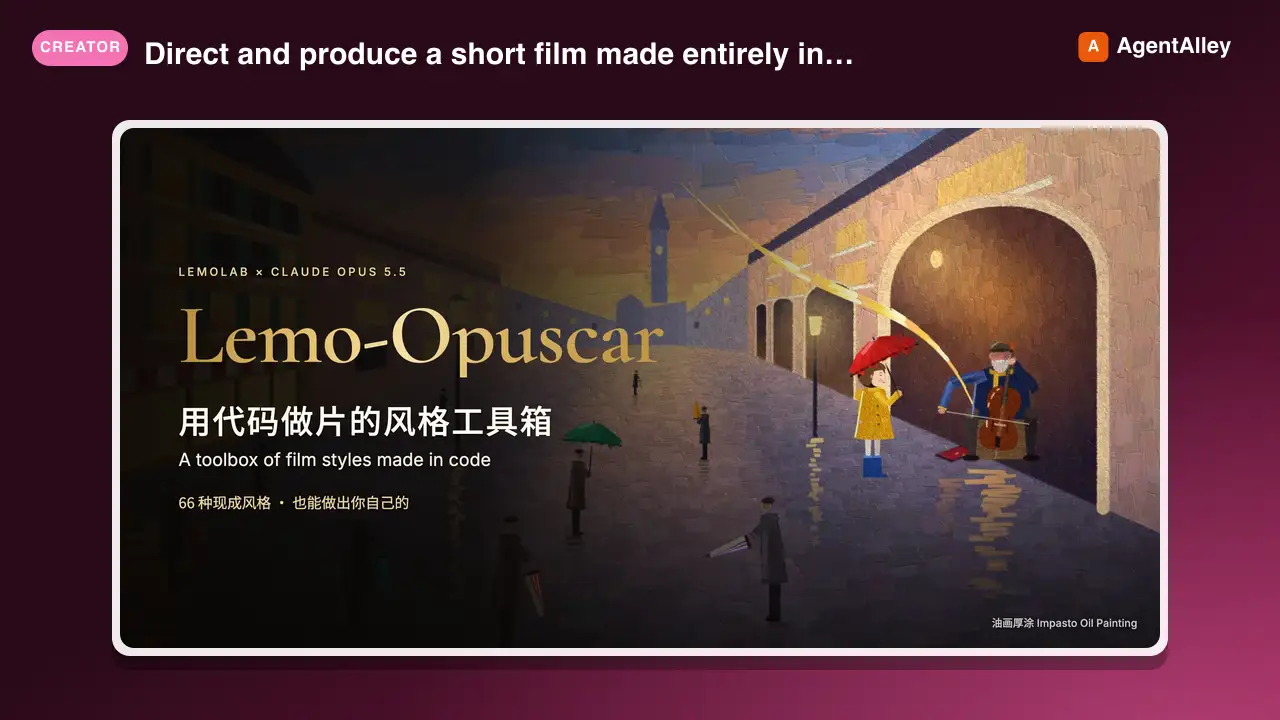
 lemomo-ai/lemo-opuscar · by lemomo-aiDirect and produce a short film made entirely in code, in one of the styles of the Lemo-Opuscar library (e.g. Impasto Oil Painting 油画厚涂, Watercolor Brush 水彩笔刷, Ukiyo-e 浮世绘, Satellite Briefing 卫星简报, Exploded Teardown 产品拆解, Microscope Story 显微叙事). Use when the user asks for a video, film, short, promo, explainer or animation (视频、短片、动画、宣传片) in a named style, including data, science and product explainers built from real material such as satellite imagery, laser scans, CAD files or archive scans (数据解说、科普、产品拆解); when they want a film made about their own topic and haven't chosen a style (help them choose); or when they ask which film styles there are. Not for editing or converting existing video files.★ 3k GitHub stars
 SkillXiaohei Illustration Generator
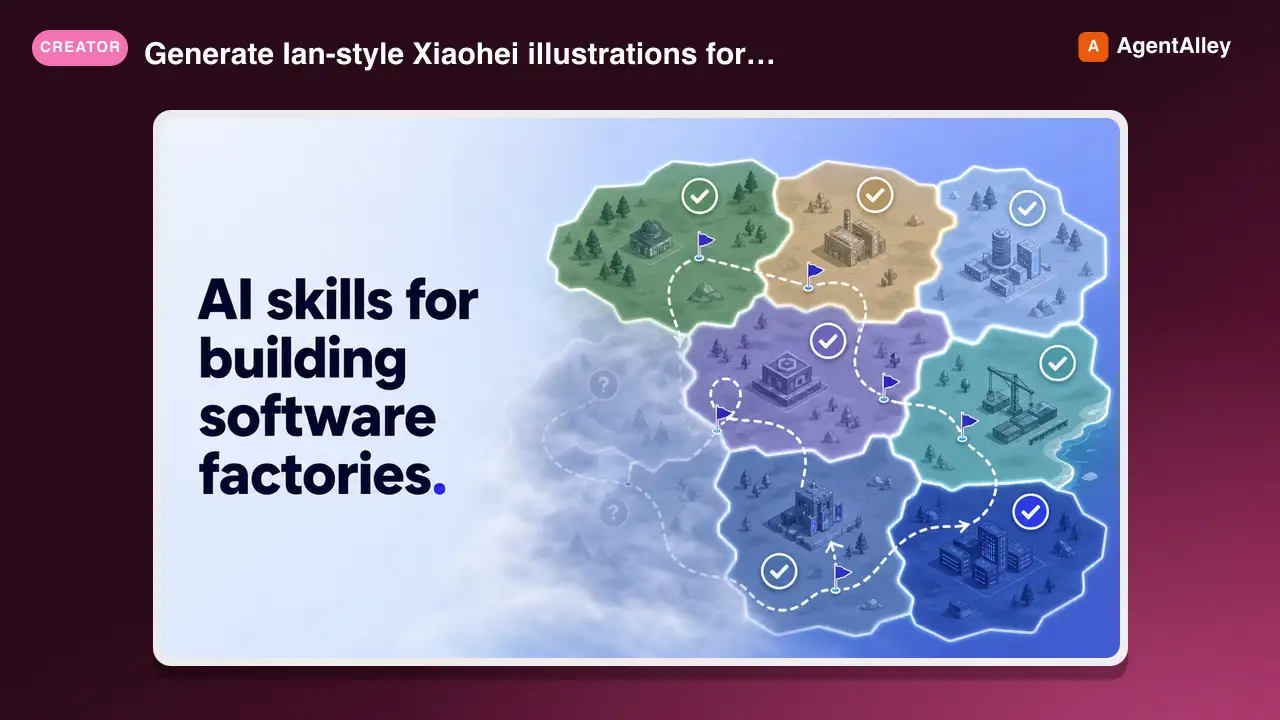
 dzhng/skills · by dzhngGenerate Ian-style Xiaohei illustrations for articles, posts, blogs, Notion documents, workflows, methods, processes, structures, states, metaphors, and opinions. Use when the user asks for weird, hand-drawn, Xiaohei, article, editorial, body illustrations, illustration ideas, shot lists, title removal, image edits, or image regeneration. By default, all image text and annotations are English, even when the source article is Chinese; only use another language when the user explicitly asks.★ 1.3k GitHub stars
 SkillAI-Toolkit LoRA Trainer
 artokun/comfyui-mcp · by artokunTrain custom LoRAs with ostris AI-Toolkit. Covers WAN 2.2/2.1 (people, styles, video motion) and Z-Image (Turbo & Base, low-VRAM image LoRAs). Use when the user wants to train a WAN or Z-Image LoRA; covers local + RunPod setup, dataset prep, key params, and using the result in a ComfyUI workflow.★ 759 GitHub stars
 SkillANIMA 1.0 Anime Generatorartokun/comfyui-mcp · by artokunAnime/illustration text-to-image (ANIMA 1.0, ~2B Cosmos DiT). Use for anime, manga, illustrated characters; accepts Danbooru tags + natural language; runs/trains on <6GB VRAM; includes anime inpainting via Anima-LLLite ControlNet★ 759 GitHub stars
 SkillComfyUI Node Publishingartokun/comfyui-mcp · by artokunAuthoring & publishing ComfyUI custom nodes to the Comfy Registry, covering node structure, pyproject.toml spec, comfy-cli publishing, and CI★ 759 GitHub stars
More from scenario-labs
 SkillScenario Asset Platform
 scenario-labs/skills · by scenario-labsUse when connecting an AI agent to Scenario (scenario.com) through MCP, or when a task involves generating images, video, 3D, audio, sprites, textures, or game assets. Also when picking a Scenario model, running a LoRA, refining a generation prompt, uploading reference images, waiting on generation jobs, checking credits or quota, hitting Scenario auth, scope, or Forbidden errors, or setting up mcp.scenario.com in Claude Code, Cursor, VSCode, or another agent.★ 854 GitHub stars
 Skill3D Asset Generatorscenario-labs/skills · by scenario-labsUse when generating or handling 3D assets through the Scenario MCP server, including text-to-3D or image-to-3D meshes, GPT-6 Astra 3D or Claude Opus 5.5 3D, GLB, FBX, OBJ, STL, or VOX files, PBR-textured or game-ready models, voxel models, multi-view reconstruction, retexture, remesh, UV unwrap, auto-rigging a biped or quadruped, or retargeting an animation, previewing a mesh in the inline 3D viewer, or downloading a model for import into Unity, Unreal, Godot, or Blender.★ 854 GitHub stars
 SkillGPT Image Generatorscenario-labs/skills · by scenario-labsUse when generating or editing images with OpenAI's GPT Image models on Scenario via MCP: text-to-image, edits from reference images, inpainting with an alpha mask, in-image text for logos and infographics, transparent cutouts, pixel sizing up to 4K, quality tiers up to xhigh and max, input fidelity for product or face detail, or choosing between Flare, Sunburst, GPT Image 2 and 1.5. Keywords: GPT Image 2.5, GPT Image 2, OpenAI, DALL-E, gpt-image, ChatGPT image, txt2img, img2img, background.★ 854 GitHub stars
 SkillIdeogram Image Creatorscenario-labs/skills · by scenario-labsUse when generating or editing images with Ideogram models on Scenario via MCP: posters, logos, menus, packaging, or signage with exact in-image text, editing an image in place while keeping its exact size, transparent PNG generation, background removal that keeps hair and glass edges, editable text layers for localization, or one consistent character from a reference. Keywords: Ideogram 4.5, Precise Edit, V4, V3, typography, aspect ratio, layerize, character reference, inpainting.★ 854 GitHub stars
 SkillSeedance Video Generatorscenario-labs/skills · by scenario-labsUse when generating or editing video with Seedance models on Scenario via MCP: text-to-video, image-to-video from a first frame, first and last frame anchors, reference-to-video with identity, product, or world references, prompt-based editing, extending a clip, audio-conditioned motion or a reference voice, shot sound without music, or deciding between first-frame and reference conditioning. Keywords: Seedance 2.5 and 2.0, ByteDance, T2V, I2V, V2V, multimodal references, native audio, video extension.★ 854 GitHub stars
 SkillSide-Scroller Asset Kitscenario-labs/skills · by scenario-labsUse when making the art for a side-scroller or 2D platformer: side-view pixel-art sprite sheets for a hero and ground enemies (run, walk, idle, attack, hurt cycles, air spin, jump and fall poses) and per-level layers (parallax background and midground, seamless wall texture, platform strip, props). Also use when a magenta key eats part of a sprite, a walk loop will not close, a slash trail keys into a solid block, generated textures do not tile, or poses on one sheet will not split.★ 854 GitHub stars