Research to Brief Converter
Research to Brief
Convert discovery, market, and audience research into a structured product brief. Triggers: 'create product brief', 'research to brief', 'synthesize research', 'product brief from research', 'consolidate findings'.
---
name: paw-ps-research-to-brief
description: "Convert discovery, market, and audience research into a structured product brief. Triggers: 'create product brief', 'research to brief', 'synthesize research', 'product brief from research', 'consolidate findings'."
---

# Research to Brief

## Overview

A deterministic workflow that converts validated research outputs into a clean, structured product brief. This pipeline ensures no evidence or uncertainty is lost during synthesis.

**Args:** Accepts `--headless` / `-H` for non-interactive execution.

**Output:** Product brief document with preserved signals (evidence and uncertainties).

---

## Pipeline
Overview
A deterministic workflow that converts validated research outputs into a clean, structured product brief. This pipeline ensures no evidence or uncertainty is lost during synthesis.
What you get
- Action typeBrief synthesis from research inputs
- Files saved
- product-brief.md — Structured product brief
- signal-notes.md — Evidence and uncertainty preservation
- RecommendationsNext steps (e.g., validate with stakeholders, initiate design phase)
- File saved to.pawbytes/prodig-suites/products/{product-slug}/
Manual install (npx, ZIP)
npx skills add pawbytes/skill-suites --skill paw-ps-research-to-brief -g -a claude-codenpx degit pawbytes/skill-suites/src/prodig/paw-ps-research-to-brief#main ~/.claude/skills/paw-ps-research-to-briefConnects with Agent Alley MCP · agentalley.io/mcp
Files included
SKILL.md4.2 KB
Read SKILL.md here
Show the full text117 lines
Research to Brief
Overview
A deterministic workflow that converts validated research outputs into a clean, structured product brief. This pipeline ensures no evidence or uncertainty is lost during synthesis.
Args: Accepts --headless / -H for non-interactive execution.
Output: Product brief document with preserved signals (evidence and uncertainties).
Pipeline
Stage 1: Gather Inputs
Load ./references/01-gather-inputs.md
Collect all relevant research files from the product workspace:
- Discovery outputs (
product-context.md) - Market intelligence (
market-intelligence.md) - Audience intelligence (
audience-intelligence.md)
Progression: Proceed when at least one input source is located.
Stage 2: Validate Completeness
Load ./references/02-validate-completeness.md
Assess whether inputs meet minimum thresholds for brief synthesis. Identify gaps and either proceed with available data or flag for additional research.
Progression: Proceed when minimum input requirements are met OR explicit decision to proceed with gaps documented.
Stage 3: Synthesize Brief
Load ./references/03-synthesize-brief.md
Create the structured product brief by consolidating validated inputs into a single document. Apply consistent formatting and ensure traceability to source materials.
Progression: Proceed when brief structure is complete with all required sections populated.
Stage 4: Preserve Signals
Load ./references/04-preserve-signals.md
Document key evidence sources and unresolved uncertainties. Create signal preservation notes that trace decisions back to research findings.
Progression: Complete when all signals are documented and appended to the brief or decision log.
On Activation
- Determine the product workspace root:
{project-root}/.pawbytes/prodig-suites/ - Identify active product context from
.pawbytes/prodig-suites/active-product.mdif it exists - If no active product is set and not in headless mode, prompt user to specify product slug
- Begin pipeline at Stage 1
Input Sources
| Source | File Path | Required |
|---|---|---|
| Discovery | .pawbytes/prodig-suites/products/{product-slug}/product-context.md |
Preferred |
| Market Research | .pawbytes/prodig-suites/products/{product-slug}/market-intelligence.md |
Preferred |
| Audience Research | .pawbytes/prodig-suites/products/{product-slug}/audience-intelligence.md |
Preferred |
Minimum Requirement: At least one of the three input sources must be available.
Output Structure
.pawbytes/prodig-suites/products/{product-slug}/
├── product-brief.md              # Main brief document
├── signal-notes.md               # Evidence and uncertainty log
└── product-decisions.md          # Appended brief metadata (if exists)
Output Contract
Every execution delivers:
- Action type: Brief synthesis from research inputs
- Files saved:
product-brief.md— Structured product briefsignal-notes.md— Evidence and uncertainty preservation
- Recommendations: Next steps (e.g., validate with stakeholders, initiate design phase)
- File saved to:
.pawbytes/prodig-suites/products/{product-slug}/
Headless Mode
When invoked with --headless or -H:
- Attempt to read active product from
.pawbytes/prodig-suites/active-product.md - If not found, scan for most recently modified product workspace
- Execute all stages without prompts
- Document any gaps or assumptions in signal notes
- Exit with status code 0 on success, 1 if minimum inputs not met
Quality Gates
| Stage | Gate Condition |
|---|---|
| Gather Inputs | At least 1 input file located |
| Validate Completeness | Minimum input threshold met OR documented decision to proceed |
| Synthesize Brief | All required brief sections populated |
| Preserve Signals | All evidence and uncertainties documented |
| 1 | |
| 2 | name paw-ps-research-to-brief |
| 3 | description "Convert discovery, market, and audience research into a structured product brief. Triggers: 'create product brief', 'research to brief', 'synthesize research', 'product brief from research', 'consolidate findings'." |
| 4 | |
| 5 | |
| 6 | # Research to Brief |
| 7 | |
| 8 | ## Overview |
| 9 | |
| 10 | A deterministic workflow that converts validated research outputs into a clean, structured product brief. This pipeline ensures no evidence or uncertainty is lost during synthesis. |
| 11 | |
| 12 | **Args:** Accepts `--headless` / `-H` for non-interactive execution. |
| 13 | |
| 14 | **Output:** Product brief document with preserved signals (evidence and uncertainties). |
| 15 | |
| 16 | |
| 17 | |
| 18 | ## Pipeline |
| 19 | |
| 20 | ### Stage 1: Gather Inputs |
| 21 | Load `./references/01-gather-inputs.md` |
| 22 | |
| 23 | Collect all relevant research files from the product workspace: |
| 24 | Discovery outputs (`product-context.md`) |
| 25 | Market intelligence (`market-intelligence.md`) |
| 26 | Audience intelligence (`audience-intelligence.md`) |
| 27 | |
| 28 | **Progression:** Proceed when at least one input source is located. |
| 29 | |
| 30 | ### Stage 2: Validate Completeness |
| 31 | Load `./references/02-validate-completeness.md` |
| 32 | |
| 33 | Assess whether inputs meet minimum thresholds for brief synthesis. Identify gaps and either proceed with available data or flag for additional research. |
| 34 | |
| 35 | **Progression:** Proceed when minimum input requirements are met OR explicit decision to proceed with gaps documented. |
| 36 | |
| 37 | ### Stage 3: Synthesize Brief |
| 38 | Load `./references/03-synthesize-brief.md` |
| 39 | |
| 40 | Create the structured product brief by consolidating validated inputs into a single document. Apply consistent formatting and ensure traceability to source materials. |
| 41 | |
| 42 | **Progression:** Proceed when brief structure is complete with all required sections populated. |
| 43 | |
| 44 | ### Stage 4: Preserve Signals |
| 45 | Load `./references/04-preserve-signals.md` |
| 46 | |
| 47 | Document key evidence sources and unresolved uncertainties. Create signal preservation notes that trace decisions back to research findings. |
| 48 | |
| 49 | **Progression:** Complete when all signals are documented and appended to the brief or decision log. |
| 50 | |
| 51 | |
| 52 | |
| 53 | ## On Activation |
| 54 | |
| 55 | Determine the product workspace root: `{project-root}/.pawbytes/prodig-suites/` |
| 56 | Identify active product context from `.pawbytes/prodig-suites/active-product.md` if it exists |
| 57 | If no active product is set and not in headless mode, prompt user to specify product slug |
| 58 | Begin pipeline at Stage 1 |
| 59 | |
| 60 | |
| 61 | |
| 62 | ## Input Sources |
| 63 | |
| 64 | | Source | File Path | Required | |
| 65 | |--------|-----------|----------| |
| 66 | | Discovery | `.pawbytes/prodig-suites/products/{product-slug}/product-context.md` | Preferred | |
| 67 | | Market Research | `.pawbytes/prodig-suites/products/{product-slug}/market-intelligence.md` | Preferred | |
| 68 | | Audience Research | `.pawbytes/prodig-suites/products/{product-slug}/audience-intelligence.md` | Preferred | |
| 69 | |
| 70 | **Minimum Requirement:** At least one of the three input sources must be available. |
| 71 | |
| 72 | |
| 73 | |
| 74 | ## Output Structure |
| 75 | |
| 76 | |
| 77 | .pawbytes/prodig-suites/products/{product-slug}/ |
| 78 | ├── product-brief.md # Main brief document |
| 79 | ├── signal-notes.md # Evidence and uncertainty log |
| 80 | └── product-decisions.md # Appended brief metadata (if exists) |
| 81 | |
| 82 | |
| 83 | |
| 84 | |
| 85 | ## Output Contract |
| 86 | |
| 87 | Every execution delivers: |
| 88 | |
| 89 | **Action type:** Brief synthesis from research inputs |
| 90 | **Files saved:** |
| 91 | `product-brief.md` — Structured product brief |
| 92 | `signal-notes.md` — Evidence and uncertainty preservation |
| 93 | **Recommendations:** Next steps (e.g., validate with stakeholders, initiate design phase) |
| 94 | **File saved to:** `.pawbytes/prodig-suites/products/{product-slug}/` |
| 95 | |
| 96 | |
| 97 | |
| 98 | ## Headless Mode |
| 99 | |
| 100 | When invoked with `--headless` or `-H`: |
| 101 | |
| 102 | Attempt to read active product from `.pawbytes/prodig-suites/active-product.md` |
| 103 | If not found, scan for most recently modified product workspace |
| 104 | Execute all stages without prompts |
| 105 | Document any gaps or assumptions in signal notes |
| 106 | Exit with status code 0 on success, 1 if minimum inputs not met |
| 107 | |
| 108 | |
| 109 | |
| 110 | ## Quality Gates |
| 111 | |
| 112 | | Stage | Gate Condition | |
| 113 | |-------|----------------| |
| 114 | | Gather Inputs | At least 1 input file located | |
| 115 | | Validate Completeness | Minimum input threshold met OR documented decision to proceed | |
| 116 | | Synthesize Brief | All required brief sections populated | |
| 117 | | Preserve Signals | All evidence and uncertainties documented | |
Details
- License
- MIT
- Stars on the repo
- ★ 114
- Checked
- Source
- pawbytes/skill-suites ↗
- Creator
- pawbytes · 60 listings
Similar skills
See all → SkillCross-Platform Reverse Engineer
 morluto/rea · by morlutoReverse engineer native, managed, Electron/JavaScript, packaged, firmware, and browser targets with REA. Use shipped-artifact or requested runtime evidence to explain features, compare versions, decompile code, or guide a reconstruction. Skip REA for ordinary source-repository architecture analysis.★ 316k GitHub stars
 SkillBrainstorm Ideas
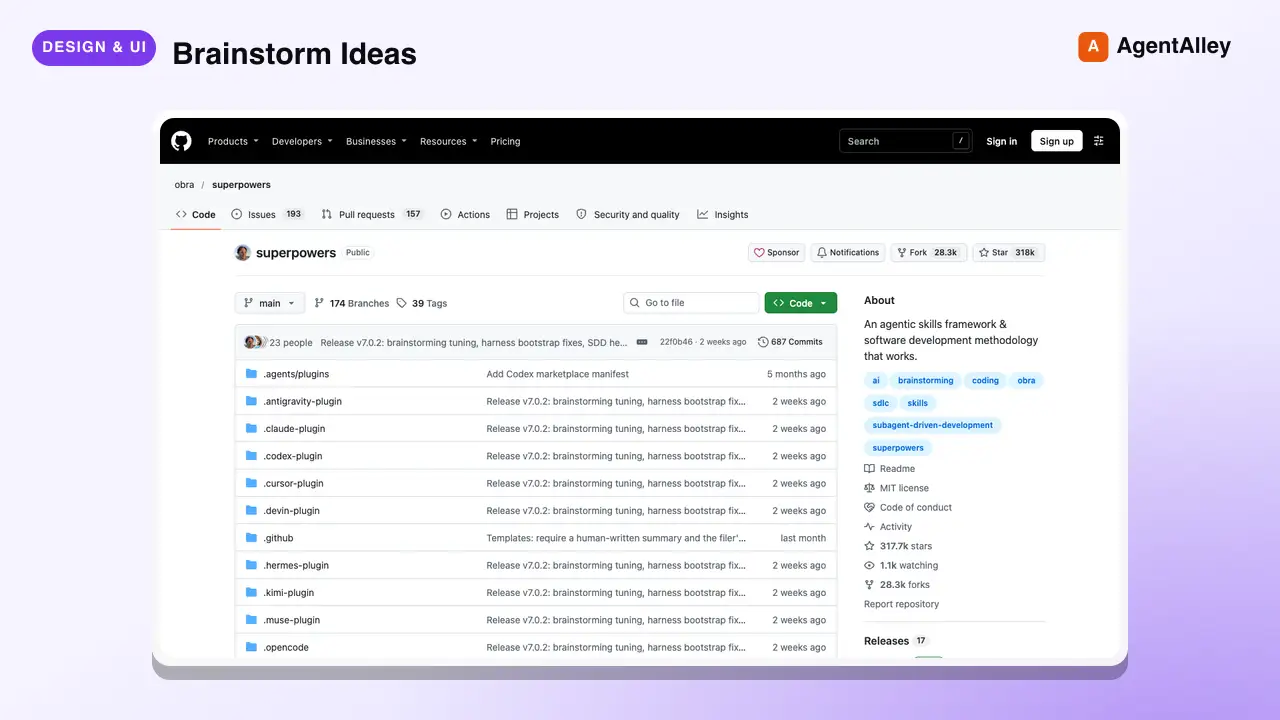
 obra/superpowers · by obraYou MUST use this before any creative work - creating features, building components, adding functionality, or modifying behavior. Explores user intent, requirements and design before implementation.★ 290k GitHub stars
 SkillCode Review Feedback Analyzerobra/superpowers · by obraUse when receiving code review feedback, before implementing suggestions, especially if feedback seems unclear or technically questionable - requires technical rigor and verification, not performative agreement or blind implementation★ 290k GitHub stars
 SkillBug Diagnosis Framework
 mattpocock/skills · by mattpocockDiagnosis loop for hard bugs and performance regressions. Use when the user says "diagnose"/"debug this", or reports something broken/throwing/failing/slow.★ 267k GitHub stars
 SkillImplement Specmattpocock/skills · by mattpocockImplement the result of /to-spec and /to-tickets in code.★ 267k GitHub stars
 SkillPR Description Writermattpocock/skills · by mattpocockUse when writing a PR body.★ 267k GitHub stars
More from pawbytes
 SkillCreative Campaign Director
 pawbytes/skill-suites · by pawbytesCreative director and orchestrator for Pawbytes Creative Suites. Use when the user needs creative direction, campaign planning, brand setup, or help choosing the right creative specialist or workflow. Triggers: 'Aria', 'creative direction', 'campaign planning', 'brand setup', 'which creative agent should I use', 'creative suite'.★ 114 GitHub stars
 SkillCustomer Insights Analyzerpawbytes/skill-suites · by pawbytesCustomer insight specialist for audience understanding. Use when defining target audience, buyer personas, customer pains, value mapping, problem discovery, audience language. Triggers: 'who would buy this', 'target audience', 'buyer persona', 'customer pain points', 'ideal customer', 'user problems', 'value proposition', 'audience research'.★ 114 GitHub stars
 SkillBatch Design Producerpawbytes/skill-suites · by pawbytesBatch visual production workflow for campaigns. Accepts a content calendar or campaign brief, produces multiple platform-ready assets with organized bundle output and machine-readable manifest. Trigger for 'batch design', 'content calendar to assets', 'campaign batch', 'produce all campaign visuals', or 'bulk asset generation'.★ 114 GitHub stars
 SkillBrand Asset Designerpawbytes/skill-suites · by pawbytesBrand asset and flyer production pipeline. Use when user requests 'create logo', 'design brand asset', 'make flyer', 'generate icon', or 'create banner'.★ 114 GitHub stars
 SkillCampaign Orchestration Enginepawbytes/skill-suites · by pawbytesOrchestrates multi-deliverable campaigns by dispatching Designer and Video Producer workflows in parallel. Use when the user requests 'run campaign', 'execute campaign', 'launch campaign production', or 'orchestrate deliverables'.★ 114 GitHub stars
 SkillCommunity Platform Builderpawbytes/skill-suites · by pawbytesBuilds and manages owned community platforms. Use when the user requests 'Discord community', 'Slack community', 'community platform', 'community-led growth', 'forum', 'champions program', 'ambassador program', or 'community engagement strategy'.★ 114 GitHub stars