Mathematical Animation Pipeline
Manim Video Production Pipeline
Production pipeline for mathematical and technical animations using Manim Community Edition. Creates 3Blue1Brown-style explainer videos, algorithm visualizations, equation derivations, architecture diagrams, and data stories.
---
name: manim-video
description: "Production pipeline for mathematical and technical animations using Manim Community Edition. Creates 3Blue1Brown-style explainer videos, algorithm visualizations, equation derivations, architecture diagrams, and data stories. Use when users request: animated explanations, math animations, concept visualizations, algorithm walkthroughs, technical explainers, 3Blue1Brown style videos, or any programmatic animation with geometric/mathematical content."
version: 1.0.0
---

# Manim Video Production Pipeline

## Creative Standard

This is educational cinema. Every frame teaches. Every animation reveals structure.

**Before writing a single line of code**, articulate the narrative arc. What misconception does this correct? What is the "aha moment"? What visual story takes the viewer from confusion to understanding? The user's prompt is a starting point — interpret it with pedagogical ambition.

**Geometry before algebra.** Show the shape first, the equation second. Visual memory encodes faster than symbolic memory. When the viewer sees the geometric pattern before the formula, the equation feels earned.

**First-render excellence is non-negotiable.** The output must be visually clear and aesthetically cohesive without revision rounds. If something looks cluttered, poorly timed, or like "AI-generated slides," it is wrong.
Overview
This is educational cinema. Every frame teaches. Every animation reveals structure.
Manual install (npx, ZIP)
npx skills add timscheuerai/content-vault --skill manim-video -g -a claude-codenpx degit timscheuerai/content-vault/skills/video-use/skills/manim-video#main ~/.claude/skills/manim-videoConnects with Agent Alley MCP · agentalley.io/mcp
Files included
SKILL.md11.7 KB
Read SKILL.md here
Show the full text265 lines
Manim Video Production Pipeline
Creative Standard
This is educational cinema. Every frame teaches. Every animation reveals structure.
Before writing a single line of code, articulate the narrative arc. What misconception does this correct? What is the "aha moment"? What visual story takes the viewer from confusion to understanding? The user's prompt is a starting point — interpret it with pedagogical ambition.
Geometry before algebra. Show the shape first, the equation second. Visual memory encodes faster than symbolic memory. When the viewer sees the geometric pattern before the formula, the equation feels earned.
First-render excellence is non-negotiable. The output must be visually clear and aesthetically cohesive without revision rounds. If something looks cluttered, poorly timed, or like "AI-generated slides," it is wrong.
Opacity layering directs attention. Never show everything at full brightness. Primary elements at 1.0, contextual elements at 0.4, structural elements (axes, grids) at 0.15. The brain processes visual salience in layers.
Breathing room. Every animation needs self.wait() after it. The viewer needs time to absorb what just appeared. Never rush from one animation to the next. A 2-second pause after a key reveal is never wasted.
Cohesive visual language. All scenes share a color palette, consistent typography sizing, matching animation speeds. A technically correct video where every scene uses random different colors is an aesthetic failure.
Prerequisites
Run scripts/setup.sh to verify all dependencies. Requires: Python 3.10+, Manim Community Edition v0.20+ (pip install manim), LaTeX (texlive-full on Linux, mactex on macOS), and ffmpeg. Reference docs tested against Manim CE v0.20.1.
Modes
| Mode | Input | Output | Reference |
|---|---|---|---|
| Concept explainer | Topic/concept | Animated explanation with geometric intuition | references/scene-planning.md |
| Equation derivation | Math expressions | Step-by-step animated proof | references/equations.md |
| Algorithm visualization | Algorithm description | Step-by-step execution with data structures | references/graphs-and-data.md |
| Data story | Data/metrics | Animated charts, comparisons, counters | references/graphs-and-data.md |
| Architecture diagram | System description | Components building up with connections | references/mobjects.md |
| Paper explainer | Research paper | Key findings and methods animated | references/scene-planning.md |
| 3D visualization | 3D concept | Rotating surfaces, parametric curves, spatial geometry | references/camera-and-3d.md |
Stack
Single Python script per project. No browser, no Node.js, no GPU required.
| Layer | Tool | Purpose |
|---|---|---|
| Core | Manim Community Edition | Scene rendering, animation engine |
| Math | LaTeX (texlive/MiKTeX) | Equation rendering via MathTex |
| Video I/O | ffmpeg | Scene stitching, format conversion, audio muxing |
| TTS | ElevenLabs / Qwen3-TTS (optional) | Narration voiceover |
Pipeline
PLAN --> CODE --> RENDER --> STITCH --> AUDIO (optional) --> REVIEW
- PLAN — Write
plan.mdwith narrative arc, scene list, visual elements, color palette, voiceover script - CODE — Write
script.pywith one class per scene, each independently renderable - RENDER —
manim -ql script.py Scene1 Scene2 ...for draft,-qhfor production - STITCH — ffmpeg concat of scene clips into
final.mp4 - AUDIO (optional) — Add voiceover and/or background music via ffmpeg. See
references/rendering.md - REVIEW — Render preview stills, verify against plan, adjust
Project Structure
project-name/
  plan.md                # Narrative arc, scene breakdown
  script.py              # All scenes in one file
  concat.txt             # ffmpeg scene list
  final.mp4              # Stitched output
  media/                 # Auto-generated by Manim
    videos/script/480p15/
Creative Direction
Color Palettes
| Palette | Background | Primary | Secondary | Accent | Use case |
|---|---|---|---|---|---|
| Classic 3B1B | #1C1C1C |
#58C4DD (BLUE) |
#83C167 (GREEN) |
#FFFF00 (YELLOW) |
General math/CS |
| Warm academic | #2D2B55 |
#FF6B6B |
#FFD93D |
#6BCB77 |
Approachable |
| Neon tech | #0A0A0A |
#00F5FF |
#FF00FF |
#39FF14 |
Systems, architecture |
| Monochrome | #1A1A2E |
#EAEAEA |
#888888 |
#FFFFFF |
Minimalist |
Animation Speed
| Context | run_time | self.wait() after |
|---|---|---|
| Title/intro appear | 1.5s | 1.0s |
| Key equation reveal | 2.0s | 2.0s |
| Transform/morph | 1.5s | 1.5s |
| Supporting label | 0.8s | 0.5s |
| FadeOut cleanup | 0.5s | 0.3s |
| "Aha moment" reveal | 2.5s | 3.0s |
Typography Scale
| Role | Font size | Usage |
|---|---|---|
| Title | 48 | Scene titles, opening text |
| Heading | 36 | Section headers within a scene |
| Body | 30 | Explanatory text |
| Label | 24 | Annotations, axis labels |
| Caption | 20 | Subtitles, fine print |
Fonts
Use monospace fonts for all text. Manim's Pango renderer produces broken kerning with proportional fonts at all sizes. See references/visual-design.md for full recommendations.
MONO = "Menlo"  # define once at top of file

Text("Fourier Series", font_size=48, font=MONO, weight=BOLD)  # titles
Text("n=1: sin(x)", font_size=20, font=MONO)                  # labels
MathTex(r"\nabla L")                                            # math (uses LaTeX)
Minimum font_size=18 for readability.
Per-Scene Variation
Never use identical config for all scenes. For each scene:
- Different dominant color from the palette
- Different layout — don't always center everything
- Different animation entry — vary between Write, FadeIn, GrowFromCenter, Create
- Different visual weight — some scenes dense, others sparse
Workflow
Step 1: Plan (plan.md)
Before any code, write plan.md. See references/scene-planning.md for the comprehensive template.
Step 2: Code (script.py)
One class per scene. Every scene is independently renderable.
from manim import *

BG = "#1C1C1C"
PRIMARY = "#58C4DD"
SECONDARY = "#83C167"
ACCENT = "#FFFF00"
MONO = "Menlo"

class Scene1_Introduction(Scene):
    def construct(self):
        self.camera.background_color = BG
        title = Text("Why Does This Work?", font_size=48, color=PRIMARY, weight=BOLD, font=MONO)
        self.add_subcaption("Why does this work?", duration=2)
        self.play(Write(title), run_time=1.5)
        self.wait(1.0)
        self.play(FadeOut(title), run_time=0.5)
Key patterns:
- Subtitles on every animation:
self.add_subcaption("text", duration=N)orsubcaption="text"onself.play() - Shared color constants at file top for cross-scene consistency
self.camera.background_colorset in every scene- Clean exits — FadeOut all mobjects at scene end:
self.play(FadeOut(Group(*self.mobjects)))
Step 3: Render
manim -ql script.py Scene1_Introduction Scene2_CoreConcept  # draft
manim -qh script.py Scene1_Introduction Scene2_CoreConcept  # production
Step 4: Stitch
cat > concat.txt << 'EOF'
file 'media/videos/script/480p15/Scene1_Introduction.mp4'
file 'media/videos/script/480p15/Scene2_CoreConcept.mp4'
EOF
ffmpeg -y -f concat -safe 0 -i concat.txt -c copy final.mp4
Step 5: Review
manim -ql --format=png -s script.py Scene2_CoreConcept # preview still
Critical Implementation Notes
Raw Strings for LaTeX
# WRONG: MathTex("\frac{1}{2}")
# RIGHT:
MathTex(r"\frac{1}{2}")
buff >= 0.5 for Edge Text
label.to_edge(DOWN, buff=0.5) # never < 0.5
FadeOut Before Replacing Text
self.play(ReplacementTransform(note1, note2)) # not Write(note2) on top
Never Animate Non-Added Mobjects
self.play(Create(circle))  # must add first
self.play(circle.animate.set_color(RED))  # then animate
Performance Targets
| Quality | Resolution | FPS | Speed |
|---|---|---|---|
-ql (draft) |
854x480 | 15 | 5-15s/scene |
-qm (medium) |
1280x720 | 30 | 15-60s/scene |
-qh (production) |
1920x1080 | 60 | 30-120s/scene |
Always iterate at -ql. Only render -qh for final output.
References
| File | Contents |
|---|---|
references/animations.md |
Core animations, rate functions, composition, .animate syntax, timing patterns |
references/mobjects.md |
Text, shapes, VGroup/Group, positioning, styling, custom mobjects |
references/visual-design.md |
12 design principles, opacity layering, layout templates, color palettes |
references/equations.md |
LaTeX in Manim, TransformMatchingTex, derivation patterns |
references/graphs-and-data.md |
Axes, plotting, BarChart, animated data, algorithm visualization |
references/camera-and-3d.md |
MovingCameraScene, ThreeDScene, 3D surfaces, camera control |
references/scene-planning.md |
Narrative arcs, layout templates, scene transitions, planning template |
references/rendering.md |
CLI reference, quality presets, ffmpeg, voiceover workflow, GIF export |
references/troubleshooting.md |
LaTeX errors, animation errors, common mistakes, debugging |
references/animation-design-thinking.md |
When to animate vs show static, decomposition, pacing, narration sync |
references/updaters-and-trackers.md |
ValueTracker, add_updater, always_redraw, time-based updaters, patterns |
references/paper-explainer.md |
Turning research papers into animations — workflow, templates, domain patterns |
references/decorations.md |
SurroundingRectangle, Brace, arrows, DashedLine, Angle, annotation lifecycle |
references/production-quality.md |
Pre-code, pre-render, post-render checklists, spatial layout, color, tempo |
Creative Divergence (use only when user requests experimental/creative/unique output)
If the user asks for creative, experimental, or unconventional explanatory approaches, select a strategy and reason through it BEFORE designing the animation.
- SCAMPER — when the user wants a fresh take on a standard explanation
- Assumption Reversal — when the user wants to challenge how something is typically taught
SCAMPER Transformation
Take a standard mathematical/technical visualization and transform it:
- Substitute: replace the standard visual metaphor (number line → winding path, matrix → city grid)
- Combine: merge two explanation approaches (algebraic + geometric simultaneously)
- Reverse: derive backward — start from the result and deconstruct to axioms
- Modify: exaggerate a parameter to show why it matters (10x the learning rate, 1000x the sample size)
- Eliminate: remove all notation — explain purely through animation and spatial relationships
Assumption Reversal
- List what's "standard" about how this topic is visualized (left-to-right, 2D, discrete steps, formal notation)
- Pick the most fundamental assumption
- Reverse it (right-to-left derivation, 3D embedding of a 2D concept, continuous morphing instead of steps, zero notation)
- Explore what the reversal reveals that the standard approach hides
| 1 | |
| 2 | name manim-video |
| 3 | description "Production pipeline for mathematical and technical animations using Manim Community Edition. Creates 3Blue1Brown-style explainer videos, algorithm visualizations, equation derivations, architecture diagrams, and data stories. Use when users request: animated explanations, math animations, concept visualizations, algorithm walkthroughs, technical explainers, 3Blue1Brown style videos, or any programmatic animation with geometric/mathematical content." |
| 4 | version 1.0.0 |
| 5 | |
| 6 | |
| 7 | # Manim Video Production Pipeline |
| 8 | |
| 9 | ## Creative Standard |
| 10 | |
| 11 | This is educational cinema. Every frame teaches. Every animation reveals structure. |
| 12 | |
| 13 | **Before writing a single line of code**, articulate the narrative arc. What misconception does this correct? What is the "aha moment"? What visual story takes the viewer from confusion to understanding? The user's prompt is a starting point — interpret it with pedagogical ambition. |
| 14 | |
| 15 | **Geometry before algebra.** Show the shape first, the equation second. Visual memory encodes faster than symbolic memory. When the viewer sees the geometric pattern before the formula, the equation feels earned. |
| 16 | |
| 17 | **First-render excellence is non-negotiable.** The output must be visually clear and aesthetically cohesive without revision rounds. If something looks cluttered, poorly timed, or like "AI-generated slides," it is wrong. |
| 18 | |
| 19 | **Opacity layering directs attention.** Never show everything at full brightness. Primary elements at 1.0, contextual elements at 0.4, structural elements (axes, grids) at 0.15. The brain processes visual salience in layers. |
| 20 | |
| 21 | **Breathing room.** Every animation needs `self.wait()` after it. The viewer needs time to absorb what just appeared. Never rush from one animation to the next. A 2-second pause after a key reveal is never wasted. |
| 22 | |
| 23 | **Cohesive visual language.** All scenes share a color palette, consistent typography sizing, matching animation speeds. A technically correct video where every scene uses random different colors is an aesthetic failure. |
| 24 | |
| 25 | ## Prerequisites |
| 26 | |
| 27 | Run `scripts/setup.sh` to verify all dependencies. Requires: Python 3.10+, Manim Community Edition v0.20+ (`pip install manim`), LaTeX (`texlive-full` on Linux, `mactex` on macOS), and ffmpeg. Reference docs tested against Manim CE v0.20.1. |
| 28 | |
| 29 | ## Modes |
| 30 | |
| 31 | | Mode | Input | Output | Reference | |
| 32 | |------|-------|--------|-----------| |
| 33 | | **Concept explainer** | Topic/concept | Animated explanation with geometric intuition | `references/scene-planning.md` | |
| 34 | | **Equation derivation** | Math expressions | Step-by-step animated proof | `references/equations.md` | |
| 35 | | **Algorithm visualization** | Algorithm description | Step-by-step execution with data structures | `references/graphs-and-data.md` | |
| 36 | | **Data story** | Data/metrics | Animated charts, comparisons, counters | `references/graphs-and-data.md` | |
| 37 | | **Architecture diagram** | System description | Components building up with connections | `references/mobjects.md` | |
| 38 | | **Paper explainer** | Research paper | Key findings and methods animated | `references/scene-planning.md` | |
| 39 | | **3D visualization** | 3D concept | Rotating surfaces, parametric curves, spatial geometry | `references/camera-and-3d.md` | |
| 40 | |
| 41 | ## Stack |
| 42 | |
| 43 | Single Python script per project. No browser, no Node.js, no GPU required. |
| 44 | |
| 45 | | Layer | Tool | Purpose | |
| 46 | |-------|------|---------| |
| 47 | | Core | Manim Community Edition | Scene rendering, animation engine | |
| 48 | | Math | LaTeX (texlive/MiKTeX) | Equation rendering via `MathTex` | |
| 49 | | Video I/O | ffmpeg | Scene stitching, format conversion, audio muxing | |
| 50 | | TTS | ElevenLabs / Qwen3-TTS (optional) | Narration voiceover | |
| 51 | |
| 52 | ## Pipeline |
| 53 | |
| 54 | |
| 55 | PLAN --> CODE --> RENDER --> STITCH --> AUDIO (optional) --> REVIEW |
| 56 | |
| 57 | |
| 58 | **PLAN** — Write `plan.md` with narrative arc, scene list, visual elements, color palette, voiceover script |
| 59 | **CODE** — Write `script.py` with one class per scene, each independently renderable |
| 60 | **RENDER** — `manim -ql script.py Scene1 Scene2 ...` for draft, `-qh` for production |
| 61 | **STITCH** — ffmpeg concat of scene clips into `final.mp4` |
| 62 | **AUDIO** (optional) — Add voiceover and/or background music via ffmpeg. See `references/rendering.md` |
| 63 | **REVIEW** — Render preview stills, verify against plan, adjust |
| 64 | |
| 65 | ## Project Structure |
| 66 | |
| 67 | |
| 68 | project-name/ |
| 69 | plan.md # Narrative arc, scene breakdown |
| 70 | script.py # All scenes in one file |
| 71 | concat.txt # ffmpeg scene list |
| 72 | final.mp4 # Stitched output |
| 73 | media/ # Auto-generated by Manim |
| 74 | videos/script/480p15/ |
| 75 | |
| 76 | |
| 77 | ## Creative Direction |
| 78 | |
| 79 | ### Color Palettes |
| 80 | |
| 81 | | Palette | Background | Primary | Secondary | Accent | Use case | |
| 82 | |---------|-----------|---------|-----------|--------|----------| |
| 83 | | **Classic 3B1B** | `#1C1C1C` | `#58C4DD` (BLUE) | `#83C167` (GREEN) | `#FFFF00` (YELLOW) | General math/CS | |
| 84 | | **Warm academic** | `#2D2B55` | `#FF6B6B` | `#FFD93D` | `#6BCB77` | Approachable | |
| 85 | | **Neon tech** | `#0A0A0A` | `#00F5FF` | `#FF00FF` | `#39FF14` | Systems, architecture | |
| 86 | | **Monochrome** | `#1A1A2E` | `#EAEAEA` | `#888888` | `#FFFFFF` | Minimalist | |
| 87 | |
| 88 | ### Animation Speed |
| 89 | |
| 90 | | Context | run_time | self.wait() after | |
| 91 | |---------|----------|-------------------| |
| 92 | | Title/intro appear | 1.5s | 1.0s | |
| 93 | | Key equation reveal | 2.0s | 2.0s | |
| 94 | | Transform/morph | 1.5s | 1.5s | |
| 95 | | Supporting label | 0.8s | 0.5s | |
| 96 | | FadeOut cleanup | 0.5s | 0.3s | |
| 97 | | "Aha moment" reveal | 2.5s | 3.0s | |
| 98 | |
| 99 | ### Typography Scale |
| 100 | |
| 101 | | Role | Font size | Usage | |
| 102 | |------|-----------|-------| |
| 103 | | Title | 48 | Scene titles, opening text | |
| 104 | | Heading | 36 | Section headers within a scene | |
| 105 | | Body | 30 | Explanatory text | |
| 106 | | Label | 24 | Annotations, axis labels | |
| 107 | | Caption | 20 | Subtitles, fine print | |
| 108 | |
| 109 | ### Fonts |
| 110 | |
| 111 | **Use monospace fonts for all text.** Manim's Pango renderer produces broken kerning with proportional fonts at all sizes. See `references/visual-design.md` for full recommendations. |
| 112 | |
| 113 | |
| 114 | MONO = "Menlo" # define once at top of file |
| 115 | |
| 116 | Text("Fourier Series", font_size=48, font=MONO, weight=BOLD) # titles |
| 117 | Text("n=1: sin(x)", font_size=20, font=MONO) # labels |
| 118 | MathTex(r"\nabla L") # math (uses LaTeX) |
| 119 | |
| 120 | |
| 121 | Minimum `font_size=18` for readability. |
| 122 | |
| 123 | ### Per-Scene Variation |
| 124 | |
| 125 | Never use identical config for all scenes. For each scene: |
| 126 | **Different dominant color** from the palette |
| 127 | **Different layout** — don't always center everything |
| 128 | **Different animation entry** — vary between Write, FadeIn, GrowFromCenter, Create |
| 129 | **Different visual weight** — some scenes dense, others sparse |
| 130 | |
| 131 | ## Workflow |
| 132 | |
| 133 | ### Step 1: Plan (plan.md) |
| 134 | |
| 135 | Before any code, write `plan.md`. See `references/scene-planning.md` for the comprehensive template. |
| 136 | |
| 137 | ### Step 2: Code (script.py) |
| 138 | |
| 139 | One class per scene. Every scene is independently renderable. |
| 140 | |
| 141 | |
| 142 | from manim import * |
| 143 | |
| 144 | BG = "#1C1C1C" |
| 145 | PRIMARY = "#58C4DD" |
| 146 | SECONDARY = "#83C167" |
| 147 | ACCENT = "#FFFF00" |
| 148 | MONO = "Menlo" |
| 149 | |
| 150 | class Scene1_Introduction(Scene): |
| 151 | def construct(self): |
| 152 | self.camera.background_color = BG |
| 153 | title = Text("Why Does This Work?", font_size=48, color=PRIMARY, weight=BOLD, font=MONO) |
| 154 | self.add_subcaption("Why does this work?", duration=2) |
| 155 | self.play(Write(title), run_time=1.5) |
| 156 | self.wait(1.0) |
| 157 | self.play(FadeOut(title), run_time=0.5) |
| 158 | |
| 159 | |
| 160 | Key patterns: |
| 161 | **Subtitles** on every animation: `self.add_subcaption("text", duration=N)` or `subcaption="text"` on `self.play()` |
| 162 | **Shared color constants** at file top for cross-scene consistency |
| 163 | **`self.camera.background_color`** set in every scene |
| 164 | **Clean exits** — FadeOut all mobjects at scene end: `self.play(FadeOut(Group(*self.mobjects)))` |
| 165 | |
| 166 | ### Step 3: Render |
| 167 | |
| 168 | |
| 169 | manim -ql script.py Scene1_Introduction Scene2_CoreConcept # draft |
| 170 | manim -qh script.py Scene1_Introduction Scene2_CoreConcept # production |
| 171 | |
| 172 | |
| 173 | ### Step 4: Stitch |
| 174 | |
| 175 | |
| 176 | cat > concat.txt << 'EOF' |
| 177 | file 'media/videos/script/480p15/Scene1_Introduction.mp4' |
| 178 | file 'media/videos/script/480p15/Scene2_CoreConcept.mp4' |
| 179 | EOF |
| 180 | ffmpeg -y -f concat -safe 0 -i concat.txt -c copy final.mp4 |
| 181 | |
| 182 | |
| 183 | ### Step 5: Review |
| 184 | |
| 185 | |
| 186 | manim -ql --format=png -s script.py Scene2_CoreConcept # preview still |
| 187 | |
| 188 | |
| 189 | ## Critical Implementation Notes |
| 190 | |
| 191 | ### Raw Strings for LaTeX |
| 192 | |
| 193 | # WRONG: MathTex("\frac{1}{2}") |
| 194 | # RIGHT: |
| 195 | MathTex(r"\frac{1}{2}") |
| 196 | |
| 197 | |
| 198 | ### buff >= 0.5 for Edge Text |
| 199 | |
| 200 | label.to_edge(DOWN, buff=0.5) # never < 0.5 |
| 201 | |
| 202 | |
| 203 | ### FadeOut Before Replacing Text |
| 204 | |
| 205 | self.play(ReplacementTransform(note1, note2)) # not Write(note2) on top |
| 206 | |
| 207 | |
| 208 | ### Never Animate Non-Added Mobjects |
| 209 | |
| 210 | self.play(Create(circle)) # must add first |
| 211 | self.play(circle.animate.set_color(RED)) # then animate |
| 212 | |
| 213 | |
| 214 | ## Performance Targets |
| 215 | |
| 216 | | Quality | Resolution | FPS | Speed | |
| 217 | |---------|-----------|-----|-------| |
| 218 | | `-ql` (draft) | 854x480 | 15 | 5-15s/scene | |
| 219 | | `-qm` (medium) | 1280x720 | 30 | 15-60s/scene | |
| 220 | | `-qh` (production) | 1920x1080 | 60 | 30-120s/scene | |
| 221 | |
| 222 | Always iterate at `-ql`. Only render `-qh` for final output. |
| 223 | |
| 224 | ## References |
| 225 | |
| 226 | | File | Contents | |
| 227 | |------|----------| |
| 228 | | `references/animations.md` | Core animations, rate functions, composition, `.animate` syntax, timing patterns | |
| 229 | | `references/mobjects.md` | Text, shapes, VGroup/Group, positioning, styling, custom mobjects | |
| 230 | | `references/visual-design.md` | 12 design principles, opacity layering, layout templates, color palettes | |
| 231 | | `references/equations.md` | LaTeX in Manim, TransformMatchingTex, derivation patterns | |
| 232 | | `references/graphs-and-data.md` | Axes, plotting, BarChart, animated data, algorithm visualization | |
| 233 | | `references/camera-and-3d.md` | MovingCameraScene, ThreeDScene, 3D surfaces, camera control | |
| 234 | | `references/scene-planning.md` | Narrative arcs, layout templates, scene transitions, planning template | |
| 235 | | `references/rendering.md` | CLI reference, quality presets, ffmpeg, voiceover workflow, GIF export | |
| 236 | | `references/troubleshooting.md` | LaTeX errors, animation errors, common mistakes, debugging | |
| 237 | | `references/animation-design-thinking.md` | When to animate vs show static, decomposition, pacing, narration sync | |
| 238 | | `references/updaters-and-trackers.md` | ValueTracker, add_updater, always_redraw, time-based updaters, patterns | |
| 239 | | `references/paper-explainer.md` | Turning research papers into animations — workflow, templates, domain patterns | |
| 240 | | `references/decorations.md` | SurroundingRectangle, Brace, arrows, DashedLine, Angle, annotation lifecycle | |
| 241 | | `references/production-quality.md` | Pre-code, pre-render, post-render checklists, spatial layout, color, tempo | |
| 242 | |
| 243 | |
| 244 | |
| 245 | ## Creative Divergence (use only when user requests experimental/creative/unique output) |
| 246 | |
| 247 | If the user asks for creative, experimental, or unconventional explanatory approaches, select a strategy and reason through it BEFORE designing the animation. |
| 248 | |
| 249 | **SCAMPER** — when the user wants a fresh take on a standard explanation |
| 250 | **Assumption Reversal** — when the user wants to challenge how something is typically taught |
| 251 | |
| 252 | ### SCAMPER Transformation |
| 253 | Take a standard mathematical/technical visualization and transform it: |
| 254 | **Substitute**: replace the standard visual metaphor (number line → winding path, matrix → city grid) |
| 255 | **Combine**: merge two explanation approaches (algebraic + geometric simultaneously) |
| 256 | **Reverse**: derive backward — start from the result and deconstruct to axioms |
| 257 | **Modify**: exaggerate a parameter to show why it matters (10x the learning rate, 1000x the sample size) |
| 258 | **Eliminate**: remove all notation — explain purely through animation and spatial relationships |
| 259 | |
| 260 | ### Assumption Reversal |
| 261 | List what's "standard" about how this topic is visualized (left-to-right, 2D, discrete steps, formal notation) |
| 262 | Pick the most fundamental assumption |
| 263 | Reverse it (right-to-left derivation, 3D embedding of a 2D concept, continuous morphing instead of steps, zero notation) |
| 264 | Explore what the reversal reveals that the standard approach hides |
| 265 |
Details
- Version
- 1.0.0
- License
- MIT
- Stars on the repo
- ★ 37
- Checked
- Source
- timscheuerai/content-vault ↗
- Creator
- timscheuerai · 15 listings
Similar skills
See all → AgentNEXUS Quick-Start Guide
 msitarzewski/agency-agents · by msitarzewski> Get from zero to orchestrated multi-agent pipeline in 5 minutes.★ 154k GitHub stars
 SkillRaw Footage Cleanup
 hassancs91/claude-youtube-editor · by hassancs91Step 1 of the AI Video Editor pipeline — turn raw talking-head footage into a clean master cut. Use when the user wants to "clean cut", "cut the raw footage", "remove filler / dead air / bad takes", "tighten the pacing", produce cuts.json, run the cut editor, or render a cleaned preview/master for a video-N project in this repo. Covers audio extraction, AssemblyAI transcription, authoring cuts.json (keeps/cuts/fluff categorized), the cut policy (content-aggressive, pause-natural ~0.5s), QA + review docs, the local cut-editor UI, tight/natural previews, the final 4K60 render, and producing edited-transcript.json as the handoff to /make-tsx. Not for building TSX overlays (that is /make-tsx) or the raw TSX authoring rules (that is vidtsx-2d-generator).★ 330 GitHub stars
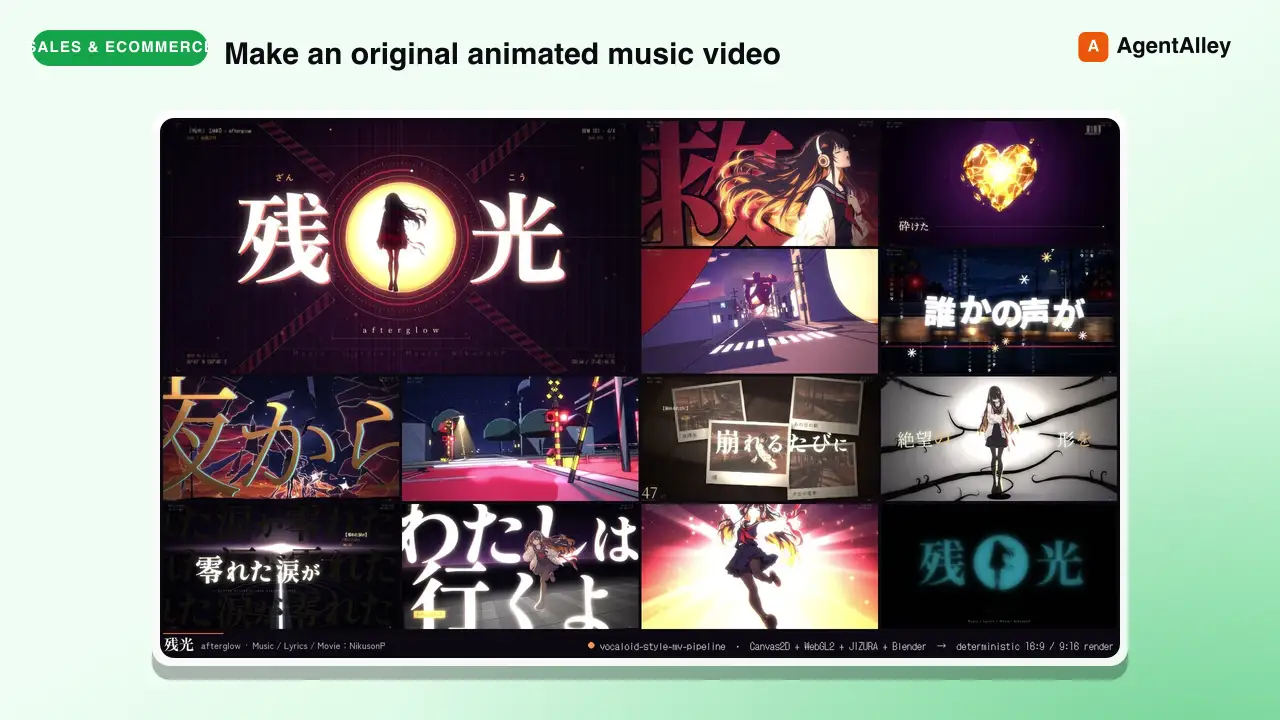 SkillVocaloid Music Video Builder
 EGSECDA/vocaloid-style-mv-pipeline · by EGSECDAMake an original animated music video (MV / PV) for a song from its audio file plus lyrics, in the Vocaloid / J-pop lyric-video tradition: 手書き/tegaki (V家手书, 手描きMV, ボカロPV), 文字PV and kinetic typography (リリックモーション, リリックビデオ, 歌詞動画, 歌词视频, 动态歌词), anime-illustration MVs with an original character — for any mood, from dark ballads to bright upbeat summer pop. Renders to MP4 with a deterministic Canvas2D/WebGL2 engine in a headless browser: JIZURA lyric motion, AI-generated art, optional Blender toon 3D, beat-locked editing, 9:16 vertical/Shorts version. Use it whenever the user wants a music video, MV, PV, lyric video or beat-synced animation for a song, e.g. make an MV for my song", "turn this track into a lyric video", "给这首歌做个MV/PV", "做个V家手书", "この曲のMVを作って", ボカロPV作って", "縦型ショートも" — even if they only give a .wav/.mp3 and say "make a cool video for it". Not for editing existing footage or clip compilations.★ 169 GitHub stars
 SkillConstruction Project Manager
 hewi333/Mom-n-Pop-Skills · by hewi333Construction company AI agent — orchestrates email (Google Workspace), project management (JobTread Pave API), and file routing for a construction business. Handles email triage, attachment routing to JobTread, project status, task management, and daily briefings via Telegram. Reference implementation for a construction/trades business with an existing email→Drive→PM pipeline.★ 122 GitHub stars
 SkillLightweight SQLite CRMhewi333/Mom-n-Pop-Skills · by hewi333Use when tracking customer interactions, managing leads, or building a lightweight CRM for small businesses without dedicated CRM software. Stores contacts, leads, activities, estimates, and communications in local SQLite.★ 122 GitHub stars
 SkillShort Video Pipeline
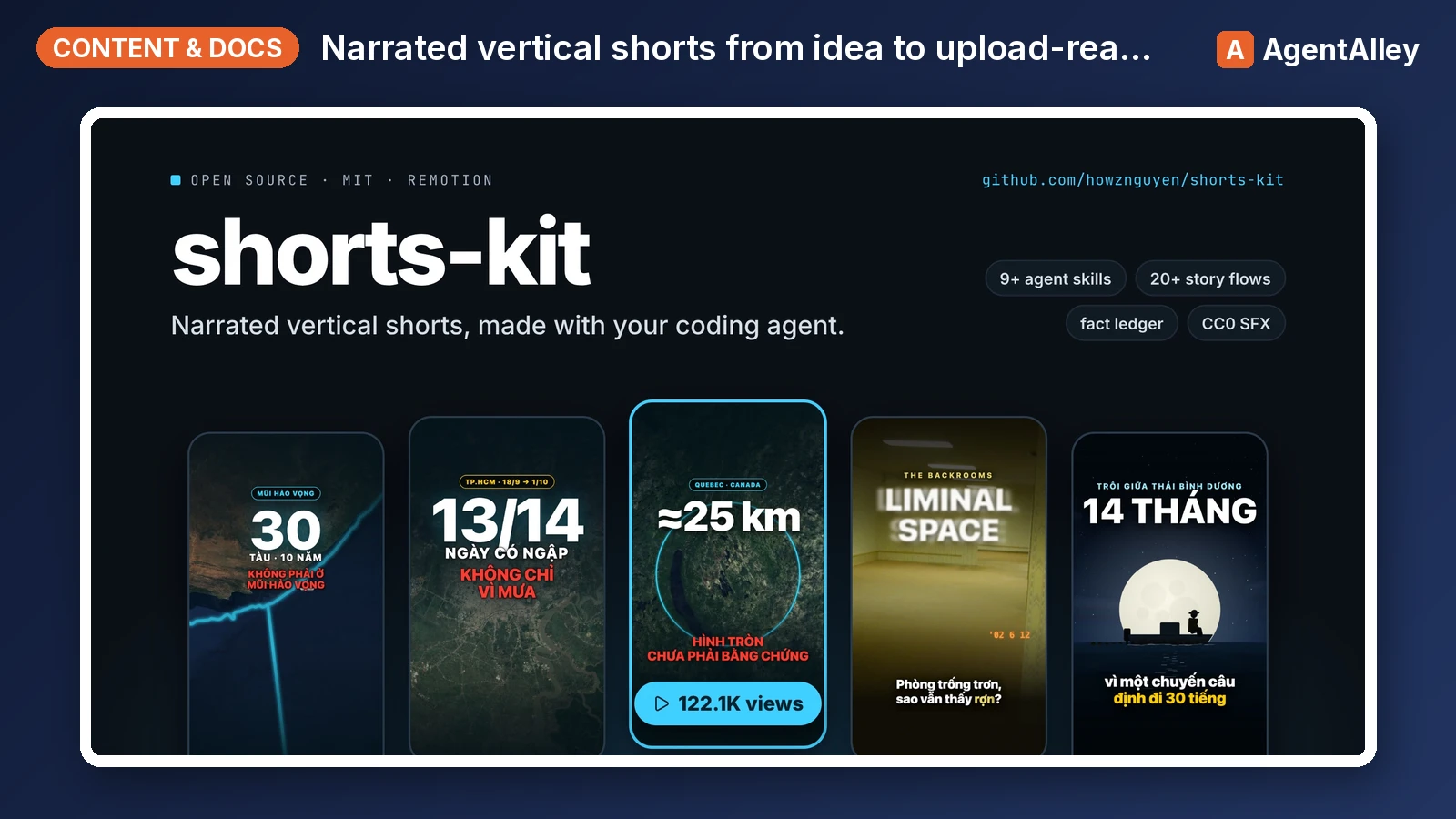
 howznguyen/shorts-kit · by howznguyenOrchestrates one narrated vertical short (TikTok, YouTube Shorts, Reels) from idea to upload-ready hand-off files, in the fixed order idea, facts, flow and visual choice, brief, narration, TTS, lint, scenes, still review, render, cover, normalize, encode, hand-off. Use when the user says "make a video about X", "start a new short", "take this idea to a finished video", "what's the next step", "where was I on this video", or asks how the whole pipeline fits together. Also when the user gives a video or audio file (or a folder of clips) to edit: "edit this video", "dựng video này", a .mov/.mp4 path. Points at the skill and the SOUL section that governs each step.★ 69 GitHub stars
More from timscheuerai
 SkillLaunch Video Creator
 timscheuerai/content-vault · by timscheueraiBuild a 30-60s motion-graphics launch video for a <YOUR_BRAND> product or feature. Remotion 4 React composition + ElevenLabs AI narration + sound effects + background music, beat-anchored timing, brand-aligned design system. Use when asked to "create a launch video", "make a product video", "video for X feature", "launch a new feature", or "/launch-video".★ 37 GitHub stars
 SkillLinkedIn Voice Copywritertimscheuerai/content-vault · by timscheueraiDraft LinkedIn posts in YOUR voice. Pulls hook frameworks, structural patterns, and CTA shapes from your real top-performing posts (corpus.md), runs the draft through a strict AI-slop blacklist, and outputs a post that reads like you wrote it. Use when asked to "write a linkedin post", "draft a post about X", "linkedin copy", "post idea", or "/linkedin-copywriter".★ 37 GitHub stars
 SkillLong-Form Draftertimscheuerai/content-vault · by timscheueraiDraft written long-form content (newsletter issue, blog post, Substack issue) in your voice. 800-2000 words, structured intro + body + CTA, paragraph-by-paragraph not list-by-list. Pulls voice from /linkedin-copywriter's corpus (same author, same register · longer arc). Runs the brand-doc skill checklist before output. Logs the row in the Notion Content DB and (for newsletters) drafts a separate punchy subject line. Use when asked to "write a newsletter", "draft a blog post", "long-form X", "Substack issue about Y", "weekly newsletter", or "/long-form". For spoken video scripts (YouTube longs / shorts) use /youtube-script instead · the cadence is fundamentally different.★ 37 GitHub stars
 SkillContent Repurposertimscheuerai/content-vault · by timscheueraiTake one master content piece (Notion row, transcript, video, paragraph, URL) and spin off variants across channels. Hub-and-spoke repurposing engine. Reads the source, identifies key insights / hooks / quotable moments, then creates child rows in the Notion Content DB with drafts already written by calling sub-skills (linkedin-copywriter, x-copywriter, lead-magnet-creator, etc.). Use when asked to "repurpose this", "spin off variants", "turn this into LinkedIn + X + ...", "make derivatives of this webinar / video / post", or "/repurpose".★ 37 GitHub stars
 SkillContent Idea Pipelinetimscheuerai/content-vault · by timscheueraiThe single idea-generation pipeline for marketing content. Three input modes converging on Notion Status=Idea rows. Trend scan (X + LinkedIn creators + topic search) finds what's hot in the world. Performance scan (your own published rows + their engagement metrics) finds what's working for you so you can double down. Customer scan (HUMAN NOTES DB user-interview transcripts) finds the words, pains, and themes from real customer conversations. Hybrid mode runs all three, dedupes, and outputs a balanced backlog. Use when asked to "find content ideas", "what's working", "what's hot", "what are customers saying", "research", "scan trends", "give me ideas for the week", "/researcher", or proactively when the Notion Idea queue is empty.★ 37 GitHub stars
 SkillTalking Head Audio Cleanertimscheuerai/content-vault · by timscheueraiClean the audio on a talking-head recording without making it sound processed — constant-gain loudness, rumble removal, and when (not) to denoise. Use when recording audio sounds weird, artificial, pumping, quiet, or noisy, or when asked to denoise or normalize a video's audio.★ 37 GitHub stars