Human Text Detector
Li human
Strip the machine fingerprint out of any draft - em dashes, AI slop words, invisible watermark characters - and score it against a five-check detection panel before it goes out. Use whenever text needs to sound human, when the user says…
---
name: li-human
description: >-
  Strip the machine fingerprint out of any draft - em dashes, AI slop words,
  invisible watermark characters - and score it against a five-check detection
  panel before it goes out. Use whenever text needs to sound human, when the
  user says humanize, "does this sound like AI", "remove the em dashes", "de-slop
  this", "will this get flagged", or before any LinkedIn post, comment, reply
  or DM is shown to the user.
---

# li-human

Two tools live in this folder and they both actually run. Use them. Do not
eyeball this.

```bash
python3 humanize.py draft.txt --report        # clean it, show what changed
Overview
Two tools live in this folder and they both actually run. Use them. Do not eyeball this.
Manual install (npx, ZIP)
npx skills add Jakeschincariol/linkedin-agent-skill --skill li-human -g -a claude-codenpx degit Jakeschincariol/linkedin-agent-skill/skills/li-human#main ~/.claude/skills/li-humanConnects with Agent Alley MCP · agentalley.io/mcp
Files included
SKILL.md4.4 KB
Read SKILL.md here
Show the full text99 lines
li-human
Two tools live in this folder and they both actually run. Use them. Do not eyeball this.
python3 humanize.py draft.txt --report        # clean it, show what changed
python3 detect.py draft.txt                    # score it, five checks
python3 detect.py before.txt after.txt         # prove the delta
Both read slop.json, which is the lexicon: 100+ stock words and phrases with
plain-English replacements, 17 invisible character classes, 11 typographic
substitutions, and 11 structural tells. It is meant to be edited. If the user
has a word they always use that the lexicon strips, remove it from the file.
What gets fixed automatically
1. Invisible characters. Zero-width spaces and joiners, word joiners,
soft hyphens, byte-order marks, Unicode tag characters, non-breaking and
narrow spaces. A keyboard does not produce these. They survive copy-paste,
they are invisible in every editor, and they are the single most mechanical
thing in generated text. humanize.py deletes every one, including any
remaining Unicode format character it does not have a name for.
2. Typography. Em dash to comma, en dash to hyphen, curly quotes to
straight, ellipsis to three dots, bullet character to hyphen. The em dash pass
is the one that matters: it collapses — to , and then cleans up the
double punctuation that leaves behind.
3. The slop lexicon. delve, leverage, robust, seamless, crucial, tapestry, testament to, moreover, "in today's fast-paced world", "let that sink in" and the rest, each swapped for a plain word, with capitalisation preserved and URLs left untouched.
What does NOT get fixed automatically
Structural tells get flagged, not rewritten, because changing the shape of a sentence needs judgement:
- "It's not just X, it's Y" and "not only X but also Y"
- Rule-of-three triads
- Rhetorical one-word question lines: "The result?"
- Rocket, fire, bulb, sparkle and dart emoji
- Hashtag walls
- Reflex engagement bait: "Thoughts?", "Agree?", "Who else?"
- Uniform sentence length and uniform bullet length
That list is your job. Rewrite each flagged line by hand, keeping the meaning,
then re-run detect.py. This is the part that moves the score from REVIEW to
PASS, and it is the part a script cannot do.
The five checks
detect.py scores five signals 0-100, higher is more human:
| check | what it measures | machine looks like |
|---|---|---|
| BURSTINESS | sentence-length variation | every sentence the same length |
| SPECIFICITY | numbers, names, concrete markers per 100 words | abstract nouns, no figures |
| SLOP DENSITY | lexicon hits per 100 words | stock vocabulary |
| FINGERPRINT | invisible chars, em dashes, curly quotes per 1k chars | typographically perfect |
| VOICE | contractions, person, structural tells | no contractions, staged reveals |
The verdict weights the mean at 60% and the weakest single check at 40%, because a detector only needs one signal to fire. PASS needs an overall of 70+ with no check below 55.
Say this honestly
These are five local heuristics modelled on the signals public detectors key on. They run entirely on the user's machine and nothing is uploaded. They are not GPTZero, Originality, Copyleaks, Winston or Turnitin, they do not call those APIs, and they cannot promise those verdicts. Fixing what they measure does tend to move those numbers, because they are measuring the same underlying things. That is the claim. Do not make a bigger one on the user's behalf, and do not tell a user their text is undetectable.
Order of operations
humanize.py draft.txt -o clean.txt --report- Read the structural flags. Rewrite those lines yourself.
detect.py draft.txt clean.txtto show the before and after.- If the verdict is not PASS, fix the weakest check named in the output and go again. Two rounds is normal. Five means the draft was written by formula, and the fix is a different draft, not more passes.
- Show the user the cleaned text and the score. Never the score alone.
| 1 | |
| 2 | name li-human |
| 3 | description >- |
| 4 | Strip the machine fingerprint out of any draft - em dashes, AI slop words, |
| 5 | invisible watermark characters - and score it against a five-check detection |
| 6 | panel before it goes out. Use whenever text needs to sound human, when the |
| 7 | user says humanize, "does this sound like AI", "remove the em dashes", "de-slop |
| 8 | this", "will this get flagged", or before any LinkedIn post, comment, reply |
| 9 | or DM is shown to the user. |
| 10 | |
| 11 | |
| 12 | # li-human |
| 13 | |
| 14 | Two tools live in this folder and they both actually run. Use them. Do not |
| 15 | eyeball this. |
| 16 | |
| 17 | |
| 18 | python3 humanize.py draft.txt --report # clean it, show what changed |
| 19 | python3 detect.py draft.txt # score it, five checks |
| 20 | python3 detect.py before.txt after.txt # prove the delta |
| 21 | |
| 22 | |
| 23 | Both read `slop.json`, which is the lexicon: 100+ stock words and phrases with |
| 24 | plain-English replacements, 17 invisible character classes, 11 typographic |
| 25 | substitutions, and 11 structural tells. It is meant to be edited. If the user |
| 26 | has a word they always use that the lexicon strips, remove it from the file. |
| 27 | |
| 28 | ## What gets fixed automatically |
| 29 | |
| 30 | **1. Invisible characters.** Zero-width spaces and joiners, word joiners, |
| 31 | soft hyphens, byte-order marks, Unicode tag characters, non-breaking and |
| 32 | narrow spaces. A keyboard does not produce these. They survive copy-paste, |
| 33 | they are invisible in every editor, and they are the single most mechanical |
| 34 | thing in generated text. `humanize.py` deletes every one, including any |
| 35 | remaining Unicode format character it does not have a name for. |
| 36 | |
| 37 | **2. Typography.** Em dash to comma, en dash to hyphen, curly quotes to |
| 38 | straight, ellipsis to three dots, bullet character to hyphen. The em dash pass |
| 39 | is the one that matters: it collapses ` — ` to `, ` and then cleans up the |
| 40 | double punctuation that leaves behind. |
| 41 | |
| 42 | **3. The slop lexicon.** delve, leverage, robust, seamless, crucial, tapestry, |
| 43 | testament to, moreover, "in today's fast-paced world", "let that sink in" and |
| 44 | the rest, each swapped for a plain word, with capitalisation preserved and |
| 45 | URLs left untouched. |
| 46 | |
| 47 | ## What does NOT get fixed automatically |
| 48 | |
| 49 | Structural tells get **flagged, not rewritten**, because changing the shape of |
| 50 | a sentence needs judgement: |
| 51 | |
| 52 | "It's not just X, it's Y" and "not only X but also Y" |
| 53 | Rule-of-three triads |
| 54 | Rhetorical one-word question lines: "The result?" |
| 55 | Rocket, fire, bulb, sparkle and dart emoji |
| 56 | Hashtag walls |
| 57 | Reflex engagement bait: "Thoughts?", "Agree?", "Who else?" |
| 58 | Uniform sentence length and uniform bullet length |
| 59 | |
| 60 | That list is your job. Rewrite each flagged line by hand, keeping the meaning, |
| 61 | then re-run `detect.py`. This is the part that moves the score from REVIEW to |
| 62 | PASS, and it is the part a script cannot do. |
| 63 | |
| 64 | ## The five checks |
| 65 | |
| 66 | `detect.py` scores five signals 0-100, higher is more human: |
| 67 | |
| 68 | | check | what it measures | machine looks like | |
| 69 | | --- | --- | --- | |
| 70 | | BURSTINESS | sentence-length variation | every sentence the same length | |
| 71 | | SPECIFICITY | numbers, names, concrete markers per 100 words | abstract nouns, no figures | |
| 72 | | SLOP DENSITY | lexicon hits per 100 words | stock vocabulary | |
| 73 | | FINGERPRINT | invisible chars, em dashes, curly quotes per 1k chars | typographically perfect | |
| 74 | | VOICE | contractions, person, structural tells | no contractions, staged reveals | |
| 75 | |
| 76 | The verdict weights the mean at 60% and the **weakest single check** at 40%, |
| 77 | because a detector only needs one signal to fire. PASS needs an overall of 70+ |
| 78 | with no check below 55. |
| 79 | |
| 80 | ## Say this honestly |
| 81 | |
| 82 | These are five local heuristics modelled on the signals public detectors key |
| 83 | on. They run entirely on the user's machine and nothing is uploaded. They are |
| 84 | **not** GPTZero, Originality, Copyleaks, Winston or Turnitin, they do not call |
| 85 | those APIs, and they cannot promise those verdicts. Fixing what they measure |
| 86 | does tend to move those numbers, because they are measuring the same |
| 87 | underlying things. That is the claim. Do not make a bigger one on the user's |
| 88 | behalf, and do not tell a user their text is undetectable. |
| 89 | |
| 90 | ## Order of operations |
| 91 | |
| 92 | `humanize.py draft.txt -o clean.txt --report` |
| 93 | Read the structural flags. Rewrite those lines yourself. |
| 94 | `detect.py draft.txt clean.txt` to show the before and after. |
| 95 | If the verdict is not PASS, fix the weakest check named in the output and |
| 96 | go again. Two rounds is normal. Five means the draft was written by |
| 97 | formula, and the fix is a different draft, not more passes. |
| 98 | Show the user the cleaned text and the score. Never the score alone. |
| 99 |
Details
- License
- MIT
- Stars on the repo
- ★ 1,856
- Checked
- Source
- Jakeschincariol/linkedin-agent-skill ↗
- Creator
- Jakeschincariol · 34 listings
Similar skills
See all →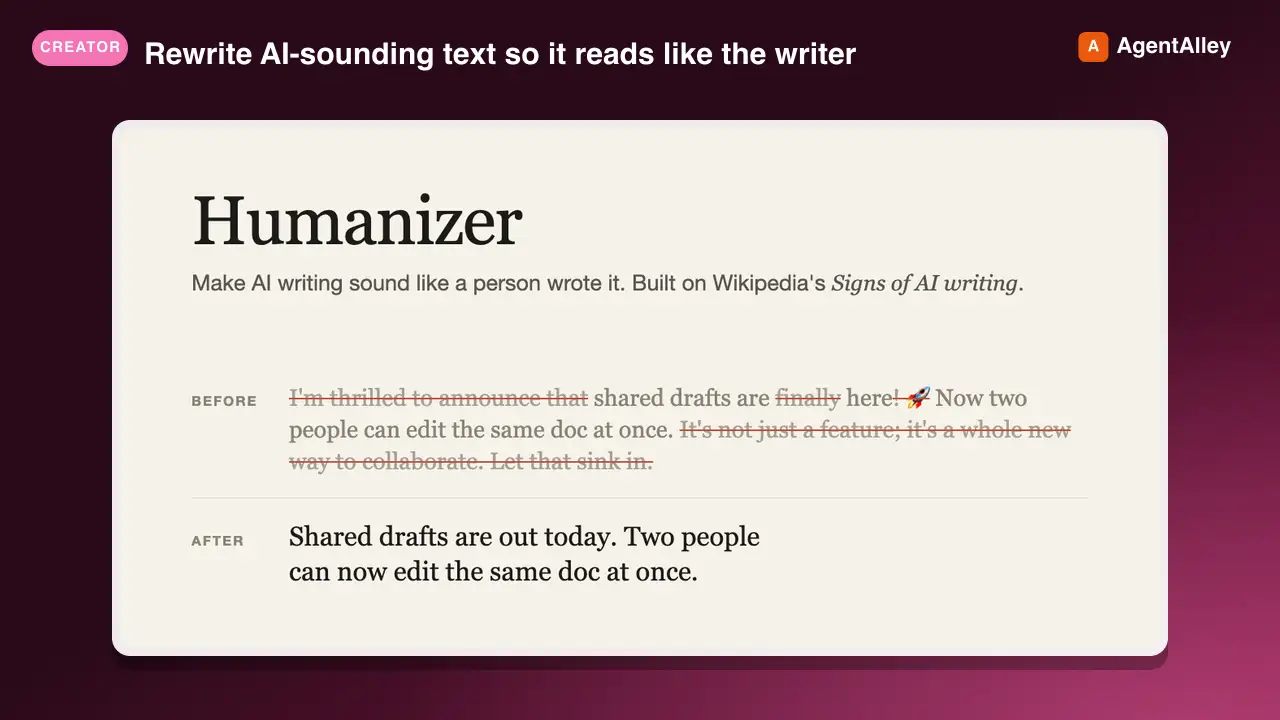 SkillProse Naturalizer
 blader/humanizer · by bladerRewrite AI-sounding text so it reads like the writer without changing what it says. Use when editing or reviewing prose for AI tells: not-X-but-Y contrasts, one-line closers, staged openers, forced triads, dashes everywhere, inflated claims, sales language, stock AI words, bold labels, or filler. Based on Wikipedia's "Signs of AI writing.★ 53.6k GitHub stars
 SkillAI Pattern Remover
 hardikpandya/stop-slop · by hardikpandyaRemove AI writing patterns from prose. Use when drafting, editing, or reviewing text to eliminate predictable AI tells.★ 17.8k GitHub stars
 SkillAI Slop Editor
 petergyang/no-ai-slop · by petergyangEdit drafts into sharper, more human writing while preserving the writer's personal voice, or detect AI-slop patterns without rewriting. Use when the user wants a draft clearer, more direct, more opinionated, or less AI-sounding, or asks whether writing reads as AI.★ 12k GitHub stars
 SkillAI Writing Pattern Detector
 conorbronsdon/avoid-ai-writing · by conorbronsdonUse when the user asks to detect, scan, audit, score, or flag AI-writing patterns without rewriting the text, including requests for a deterministic local detector result when the host can execute Node.★ 4.7k GitHub stars
 SkillAI Writing Auditorconorbronsdon/avoid-ai-writing · by conorbronsdonAudit and rewrite content to remove AI writing patterns ("AI-isms"). Use this skill when asked to "remove AI-isms," "clean up AI writing," "edit writing for AI patterns," "audit writing for AI tells," or "make this sound less like AI." Supports a detect-only mode, an edit-in-place mode for files, an optional voice profile (casual / professional / technical / warm / blunt), and an iterate-to-convergence pass.★ 4.7k GitHub stars
 SkillDe-AI Writing
 Nanako0129/sepia · by Nanako0129Make AI-generated writing read as human-written, in fiction and in professional prose. Repairs the narrative architecture of fiction and stories (based on StoryScope, arXiv:2604.03136); routes professional text through domain rules for release notes, announcements, PR and issue replies, code-review comments, incident postmortems, tickets, work orders, technical articles, blog posts, and long-form journalism. Four operations - write, review (diagnose AI tells without editing), refactor (minimal in-place edits), recreate (full rewrite). Use when asked to humanize, de-AI, unslop, or strip AI flavor from any text; when writing or revising any of these document types; or whenever output must not read as machine-written.★ 3.1k GitHub stars
More from Jakeschincariol
 SkillIG Story Writer
 Jakeschincariol/instagram-agent-skill · by JakeschincariolWrite the day's Instagram Stories - the frame-by-frame sequence, which stickers to use where, and the one that moves people into the DMs. Use when the user says "stories", "what do I post on my story", "story sequence", poll idea", "I have nothing to story about", or wants to sell something without making a post about it.★ 6k GitHub stars
 SkillLinkedIn Post AuditJakeschincariol/linkedin-agent-skill · by JakeschincariolPost-mortem on what the user has already published - which posts actually worked, why, and what to stop doing. Use when the user pastes their LinkedIn analytics or past posts and asks "what's working", "why did this flop", "read my analytics", "audit my content", or wants to know what to double down on.★ 1.9k GitHub stars
 SkillLinkedIn Carousel BuilderJakeschincariol/linkedin-agent-skill · by JakeschincariolBuild a LinkedIn document post (carousel) - slide-by-slide copy, the cover that earns the swipe, and the PDF to upload. Use when the user says carousel", "document post", "slides for LinkedIn", "turn this into a carousel", or has a list-shaped idea that would die as a text post.★ 1.9k GitHub stars
 SkillLinkedIn Comment WriterJakeschincariol/linkedin-agent-skill · by JakeschincariolWrite comments on other people's LinkedIn posts that read as a person with an opinion, not a bot. Use when the user pastes a post and wants a comment, says comment on this", "engage with this", "what do I say here", or wants a batch of comments for their engagement round.★ 1.9k GitHub stars
 SkillYouTube Channel AuditorJakeschincariol/youtube-agent-skill · by JakeschincariolAudit a YouTube channel end to end - packaging, consistency, the first fifteen seconds, and what to fix first. Use for "audit my channel", "why isn't my channel growing", "review my videos", or a pasted channel URL.★ 1.1k GitHub stars
 SkillYouTube Chapter WriterJakeschincariol/youtube-agent-skill · by JakeschincariolWrite YouTube chapters from a transcript, validated against YouTube's own rules so they actually render. Use for "add chapters", "timestamps", break this video into sections".★ 1.1k GitHub stars