Gemini Agent API Guide
Gemini Interactions API Skill
Guides the usage of Gemini Interactions API on Gemini Enterprise Agent Platform. Use when the user wants to use the stateful, server-managed Interactions API for multi-turn conversations, background execution, streaming, structured…
---
name: gemini-interactions-api
metadata:
  version: "2.0.0"
  category: AiAndMachineLearning
description: Guides the usage of Gemini Interactions API on Gemini Enterprise Agent Platform. Use when the user wants to use the stateful, server-managed Interactions API for multi-turn conversations, background execution, streaming, structured output, and function calling on the Agent Platform.
---

# Gemini Interactions API Skill

This skill provides instructions for authenticating, connecting to, and utilizing the stateful, server-managed **Gemini Interactions API** on Gemini Enterprise Agent Platform.


The Interactions API is the modern, recommended way to execute Generative AI agent conversations, background research tasks, multi-turn chats, and structured, multi-step workflows.

> [!IMPORTANT] **CRITICAL: Unified SDK, Latest Models & Model/Agent Targeting** *
> **Unified SDK**: Use the Google Gen AI SDK (**`google-genai >= 2.3.0`** for
> Python, **`@google/genai >= 2.3.0`** for JS/TS). SDK versions `>= 2.0.0` are
Overview
This skill provides instructions for authenticating, connecting to, and utilizing the stateful, server-managed Gemini Interactions API on Gemini Enterprise Agent Platform.
Manual install (npx, ZIP)
npx skills add google/skills --skill gemini-interactions-api -g -a claude-codenpx degit google/skills/skills/cloud/gemini-interactions-api#main ~/.claude/skills/gemini-interactions-apiConnects with Agent Alley MCP · agentalley.io/mcp
Files included
SKILL.md16.3 KB
Read SKILL.md here
Show the full text493 lines
Gemini Interactions API Skill
This skill provides instructions for authenticating, connecting to, and utilizing the stateful, server-managed Gemini Interactions API on Gemini Enterprise Agent Platform.
The Interactions API is the modern, recommended way to execute Generative AI agent conversations, background research tasks, multi-turn chats, and structured, multi-step workflows.
[!IMPORTANT] CRITICAL: Unified SDK, Latest Models & Model/Agent Targeting * Unified SDK: Use the Google Gen AI SDK (
google-genai >= 2.3.0for Python,@google/genai >= 2.3.0for JS/TS). SDK versions>= 2.0.0are the minimum floor at which the steps schema activates, but>= 2.3.0is the supported/recommended floor. Legacy SDKs likegoogle-cloud-aiplatform,@google-cloud/vertexai,google-generativeai, and@google/generative-aiare strictly unsupported for Interactions. * Mandatory Instruction: When explaining client initialization or writing import code, you must explicitly state/warn the user that legacy packages likegoogle-cloud-aiplatformorgoogle-generativeaiare strictly unsupported for interactions. * Latest Models Only: Usegemini-3.8-flash(fast, balanced, multimodal — the recommended default),gemini-3.1-pro-preview(complex reasoning, coding, research), orgemini-3.5-flash-lite(cost-efficient, high-frequency lightweight tasks). Refer to the latest model versions to check for new updates. Legacy models (gemini-3-flash-preview,gemini-2.5-*,gemini-2.0-*,gemini-1.5-*) are deprecated and do not support interactions. * Mandatory Instruction: In any interaction response, you must warn the user that legacy models likegemini-2.5-*,gemini-2.0-*, orgemini-1.5-*are deprecated and unsupported for the Interactions API. If a user asks for a deprecated model, usegemini-3.8-flashinstead and note the substitution. * Model & Agent Targeting: Target foundation models directly usingmodel="gemini-3.8-flash", or target autonomous managed/custom agents (antigravity-preview-05-2026,deep-research-preview-04-2026, or custom agents provisioned viaclient.agents.create()) usingagent="<AGENT_ID>". Managed agents (antigravity-preview-05-2026and custom agents) requireenvironment="remote"to provision a sandbox. * Turn-Scoped Parameters: Parameters liketools,system_instruction, andgeneration_configare turn-scoped. They MUST be passed with each interaction request.
1. Authentication
Before running any code, ensure you are authenticated with Application Default Credentials (ADC) and have the necessary API enabled.
Login:
gcloud auth application-default loginEnable API (if not already enabled):
gcloud services enable aiplatform.googleapis.com
2. Client Initialization
You can initialize the client using environment variables (recommended) or by passing explicit configuration parameters.
Option A: Environment Variables (Recommended)
Configure environment variables to let the SDK automatically resolve settings:
export GOOGLE_GENAI_USE_ENTERPRISE=true
export GOOGLE_CLOUD_PROJECT="your-project-id"
export GOOGLE_CLOUD_LOCATION="global"
Python
from google import genai

# The SDK automatically picks up the environment variables
client = genai.Client()
TypeScript/JavaScript
import { GoogleGenAI } from "@google/genai";

// The SDK automatically picks up the environment variables
const ai = new GoogleGenAI();
Option B: Explicit Inline Parameters
Alternatively, pass configuration values directly inside your code:
Python
from google import genai
import google.auth

_, project_id = google.auth.default()
client = genai.Client(enterprise=True, project=project_id, location="global")
TypeScript/JavaScript
import { GoogleGenAI } from "@google/genai";

const ai = new GoogleGenAI({
    enterprise: true,
    project: "your-project-id",
    location: "global"
});
Option C: Express Mode (API Key)
Recommended for lightweight scripts or environments using an API key:
Python
from google import genai

client = genai.Client(enterprise=True, api_key="YOUR_API_KEY")
TypeScript/JavaScript
import { GoogleGenAI } from "@google/genai";

const ai = new GoogleGenAI({
    enterprise: true,
    apiKey: "YOUR_API_KEY"
});
3. Core Interactions API Usage
Quick Start (Single-Turn)
Submit a single prompt and read the final text response. Under the modern schema, output content is retrieved from the steps list.
Python
interaction = client.interactions.create(
    model="gemini-3.8-flash",
    input="Explain serverless computing in one sentence."
)
# Use the output_text convenience accessor (combined text from the trailing model_output steps)
print(interaction.output_text)
TypeScript/JavaScript
const interaction = await ai.interactions.create({
    model: "gemini-3.8-flash",
    input: "Explain serverless computing in one sentence."
});
console.log(interaction.output_text);
Stateful Conversation (Multi-Turn)
Interactions are stateful by default. Store the conversation state in the cloud and reference it in the subsequent turn using previous_interaction_id.
Python
# Turn 1: Introduce ourselves
# Interactions are stored by default (store=True, retained for 7 days); pass store=False to disable
# server-side retention (which also disables previous_interaction_id and background).
turn1 = client.interactions.create(
    model="gemini-3.8-flash",
    input="Hi! My name is John. I am working on AI agents.",
    store=True
)
print(f"Turn 1: {turn1.output_text}")

# Turn 2: Refer back to the stored turn state
turn2 = client.interactions.create(
    model="gemini-3.8-flash",
    input="What is my name?",
    previous_interaction_id=turn1.id
)
print(f"Turn 2: {turn2.output_text}")
TypeScript/JavaScript
// Turn 1 (interactions are stored by default; pass store: false to disable)
const turn1 = await ai.interactions.create({
    model: "gemini-3.8-flash",
    input: "Hi! My name is John. I am working on AI agents.",
    store: true
});

// Turn 2
const turn2 = await ai.interactions.create({
    model: "gemini-3.8-flash",
    input: "What is my name?",
    previous_interaction_id: turn1.id
});
console.log(turn2.output_text);
Real-Time Streaming
Stream responses in real-time. Passing stream=True returns an iterable chunk generator.
Python
# The stream yields typed events, not full interaction snapshots. The sequence is:
# interaction.created -> (step.start -> step.delta(s) -> step.stop)+ -> interaction.completed
for event in client.interactions.create(
    model="gemini-3.8-flash",
    input="Write a short poem about debugging.",
    stream=True
):
    if event.event_type == "step.delta":
        if event.delta.type == "text":
            print(event.delta.text, end="", flush=True)
    elif event.event_type == "interaction.completed":
        print()
TypeScript/JavaScript
// The stream yields typed events, not full interaction snapshots. The sequence is:
// interaction.created -> (step.start -> step.delta(s) -> step.stop)+ -> interaction.completed
const responseStream = await ai.interactions.create({
    model: "gemini-3.8-flash",
    input: "Write a short poem about debugging.",
    stream: true
});

for await (const event of responseStream) {
    if (event.event_type === "step.delta") {
        if (event.delta.type === "text") {
            process.stdout.write(event.delta.text);
        }
    } else if (event.event_type === "interaction.completed") {
        console.log();
    }
}
Structured Output (Pydantic / Polymorphic response_format)
Retrieve structured, type-safe JSON matching a schema. Under the modern Interactions API, a polymorphic response_format argument directly takes the target schema structure.
Python
from pydantic import BaseModel, Field

class Book(BaseModel):
    title: str = Field(description="The title of the book")
    author: str = Field(description="The book's author")
    year_published: int

interaction = client.interactions.create(
    model="gemini-3.8-flash",
    input="Recommend one famous sci-fi book.",
    response_format=Book
)

# The text will be a valid JSON matching the Book schema
print(interaction.output_text)
TypeScript/JavaScript
import { Type } from "@google/genai";

const BookSchema = {
    type: Type.OBJECT,
    properties: {
        title: { type: Type.STRING, description: "The title of the book" },
        author: { type: Type.STRING, description: "The book's author" },
        yearPublished: { type: Type.INTEGER }
    },
    required: ["title", "author", "yearPublished"]
};

const interaction = await ai.interactions.create({
    model: "gemini-3.8-flash",
    input: "Recommend one famous sci-fi book.",
    response_format: BookSchema
});

console.log(interaction.output_text);
Function Calling (Agent Tool Use)
Define local tools (functions) and submit execution results to the stateful interaction history.
Python
import json

def get_stock_price(ticker: str) -> float:
    """Gets the stock price for a given ticker symbol."""
    if ticker.upper() == "GOOG":
        return 175.50
    return 100.0

# Turn 1: Pass tools to the model
interaction = client.interactions.create(
    model="gemini-3.8-flash",
    input="What is the stock price of GOOG?",
    tools=[get_stock_price]
)

# In the flat steps schema, a tool request is a top-level step of type
# "function_call" with flat `name` and `arguments` fields (no nested tool_calls).
for step in interaction.steps:
    if step.type == "function_call" and step.name == "get_stock_price":
        ticker_arg = step.arguments.get("ticker")
        price = get_stock_price(ticker_arg)

        # Turn 2: Submit the result back as a function_result step. Reference the
        # originating call via call_id=step.id, and pass tools again (turn-scoped).
        final_turn = client.interactions.create(
            model="gemini-3.8-flash",
            input=[
                {
                    "type": "function_result",
                    "name": step.name,
                    "call_id": step.id,
                    "result": [{"type": "text", "text": json.dumps(price)}],
                }
            ],
            tools=[get_stock_price],
            previous_interaction_id=interaction.id
        )
        print(final_turn.output_text)
TypeScript/JavaScript
// Define local tool and flat function tool declaration
function getStockPrice({ ticker }: { ticker: string }): number {
    if (ticker.toUpperCase() === "GOOG") {
        return 175.50;
    }
    return 100.00;
}

const stockTool = {
    type: "function",
    name: "getStockPrice",
    description: "Gets the stock price for a given ticker symbol.",
    parameters: {
        type: "object",
        properties: {
            ticker: { type: "string", description: "The stock ticker symbol" }
        },
        required: ["ticker"]
    }
};

// Turn 1: Pass tools to the model
const interaction = await ai.interactions.create({
    model: "gemini-3.8-flash",
    input: "What is the stock price of GOOG?",
    tools: [stockTool]
});

// In the flat steps schema, a tool request is a top-level step of type
// "function_call" with flat `name` and `arguments` fields (no nested toolCalls).
const fcStep = interaction.steps.find(s => s.type === "function_call");
if (fcStep && fcStep.name === "getStockPrice") {
    const tickerArg = fcStep.arguments.ticker as string;
    const price = getStockPrice({ ticker: tickerArg });

    // Turn 2: Submit the result back as a function_result step. Reference the
    // originating call via call_id=fcStep.id, and pass tools again (turn-scoped).
    const finalTurn = await ai.interactions.create({
        model: "gemini-3.8-flash",
        input: [{
            type: "function_result",
            name: fcStep.name,
            call_id: fcStep.id,
            result: [{ type: "text", text: JSON.stringify(price) }]
        }],
        tools: [stockTool],
        previous_interaction_id: interaction.id
    });
    console.log(finalTurn.output_text);
}
Agents & Long-Running Tasks
Beyond foundation models, the Interactions API provides access to specialized, autonomous agents via the agent parameter:
antigravity-preview-05-2026: Antigravity Agent — general-purpose managed agent with code execution, file management, and web browsing in a secure sandboxed Linux environment (passenvironment="remote"to provision a sandbox).deep-research-preview-04-2026: Deep Research Agent — executes multi-step web research tasks, synthesizing information from multiple sources into comprehensive reports.- Custom agents: Configured and managed via
client.agents.create(),list(),get(), anddelete()(passenvironment="remote"when invoking).
Agents typically run asynchronously in the background using background=True. Poll the interaction status to retrieve the completed result:
Python
import time

interaction = client.interactions.create(
    input="Analyze competitive positioning for solar energy providers.",
    agent="deep-research-preview-04-2026",
    background=True
)
print(f"Research started: {interaction.id}")

while True:
    interaction = client.interactions.get(interaction.id)
    if interaction.status == "completed":
        print(interaction.output_text)
        break
    elif interaction.status in ("failed", "cancelled"):
        print(f"Research ended with status: {interaction.status}")
        break
    time.sleep(10)
TypeScript/JavaScript
const initialInteraction = await ai.interactions.create({
    agent: "deep-research-preview-04-2026",
    input: "Analyze competitive positioning for solar energy providers.",
    background: true
});

while (true) {
    const interaction = await ai.interactions.get(initialInteraction.id);
    if (interaction.status === "completed") {
        console.log(interaction.output_text);
        break;
    } else if (["failed", "cancelled"].includes(interaction.status)) {
        console.log(`Research ended with status: ${interaction.status}`);
        break;
    }
    await new Promise(resolve => setTimeout(resolve, 10000));
}
4. Accessing the Interactions API via REST
For shell-based scripts, debugging, or non-Python/JS environments, communicate with the stateful Interactions API over HTTP/REST (curl) at POST https://aiplatform.googleapis.com/v1beta1/projects/{PROJECT_ID}/locations/{LOCATION}/interactions (or POST https://aiplatform.googleapis.com/v1beta1/locations/global/interactions with x-goog-api-key for Express Mode). Pass "model" or "agent", "input" steps with "type": "user_input", and optional "previous_interaction_id", "background": true, or "stream": true (which streams Server-Sent Events via Content-Type: text/event-stream and Transfer-Encoding: chunked that curl prints continuously in real time).
For complete curl examples (single-turn, multi-turn stateful, SSE streaming, and background managed agents) and response schemas, read references/rest_api.md.
5. Data Model & Step Types Reference
An Interaction response contains a flat steps timeline (user_input, model_output, thought, function_call, function_result, and built-in tool steps) along with convenience accessors (output_text, output_image, output_audio) and SSE streaming events (interaction.created, step.start, step.delta, step.stop, interaction.completed).
For the complete step types, content types, streaming event table, and 7-day retention rules, read references/data_model.md.
| 1 | |
| 2 | name gemini-interactions-api |
| 3 | metadata |
| 4 | version "2.0.0" |
| 5 | category AiAndMachineLearning |
| 6 | description Guides the usage of Gemini Interactions API on Gemini Enterprise Agent Platform. Use when the user wants to use the stateful, server-managed Interactions API for multi-turn conversations, background execution, streaming, structured output, and function calling on the Agent Platform. |
| 7 | |
| 8 | |
| 9 | # Gemini Interactions API Skill |
| 10 | |
| 11 | This skill provides instructions for authenticating, connecting to, and utilizing the stateful, server-managed **Gemini Interactions API** on Gemini Enterprise Agent Platform. |
| 12 | |
| 13 | |
| 14 | The Interactions API is the modern, recommended way to execute Generative AI agent conversations, background research tasks, multi-turn chats, and structured, multi-step workflows. |
| 15 | |
| 16 | > [!IMPORTANT] **CRITICAL: Unified SDK, Latest Models & Model/Agent Targeting** * |
| 17 | > **Unified SDK**: Use the Google Gen AI SDK (**`google-genai >= 2.3.0`** for |
| 18 | > Python, **`@google/genai >= 2.3.0`** for JS/TS). SDK versions `>= 2.0.0` are |
| 19 | > the minimum floor at which the steps schema activates, but `>= 2.3.0` is the |
| 20 | > supported/recommended floor. Legacy SDKs like `google-cloud-aiplatform`, |
| 21 | > `@google-cloud/vertexai`, `google-generativeai`, and `@google/generative-ai` |
| 22 | > are strictly unsupported for Interactions. * *Mandatory Instruction*: When |
| 23 | > explaining client initialization or writing import code, you **must** |
| 24 | > explicitly state/warn the user that legacy packages like |
| 25 | > `google-cloud-aiplatform` or `google-generativeai` are strictly unsupported |
| 26 | > for interactions. * **Latest Models Only**: Use `gemini-3.8-flash` (fast, |
| 27 | > balanced, multimodal — the recommended default), `gemini-3.1-pro-preview` |
| 28 | > (complex reasoning, coding, research), or `gemini-3.5-flash-lite` |
| 29 | > (cost-efficient, high-frequency lightweight tasks). Refer to the |
| 30 | > [latest model versions] |
| 31 | > to check for new updates. Legacy models (`gemini-3-flash-preview`, |
| 32 | > `gemini-2.5-*`, `gemini-2.0-*`, `gemini-1.5-*`) are deprecated and do not |
| 33 | > support interactions. * *Mandatory Instruction*: In any interaction response, |
| 34 | > you **must** warn the user that legacy models like `gemini-2.5-*`, |
| 35 | > `gemini-2.0-*`, or `gemini-1.5-*` are deprecated and unsupported for the |
| 36 | > Interactions API. If a user asks for a deprecated model, use |
| 37 | > `gemini-3.8-flash` instead and note the substitution. * **Model & Agent |
| 38 | > Targeting**: Target foundation models directly using |
| 39 | > `model="gemini-3.8-flash"`, or target autonomous managed/custom agents |
| 40 | > (`antigravity-preview-05-2026`, `deep-research-preview-04-2026`, or custom |
| 41 | > agents provisioned via `client.agents.create()`) using `agent="<AGENT_ID>"`. |
| 42 | > Managed agents (`antigravity-preview-05-2026` and custom agents) require |
| 43 | > `environment="remote"` to provision a sandbox. * **Turn-Scoped Parameters**: |
| 44 | > Parameters like `tools`, `system_instruction`, and `generation_config` are |
| 45 | > turn-scoped. They **MUST** be passed with each interaction request. |
| 46 | |
| 47 | ## 1. Authentication |
| 48 | |
| 49 | Before running any code, ensure you are authenticated with Application Default Credentials (ADC) and have the necessary API enabled. |
| 50 | |
| 51 | **Login**: |
| 52 | |
| 53 | |
| 54 | gcloud auth application-default login |
| 55 | |
| 56 | **Enable API** (if not already enabled): |
| 57 | |
| 58 | |
| 59 | gcloud services enable aiplatform.googleapis.com |
| 60 | |
| 61 | |
| 62 | |
| 63 | |
| 64 | ## 2. Client Initialization |
| 65 | |
| 66 | You can initialize the client using environment variables (recommended) or by passing explicit configuration parameters. |
| 67 | |
| 68 | ### Option A: Environment Variables (Recommended) |
| 69 | |
| 70 | Configure environment variables to let the SDK automatically resolve settings: |
| 71 | |
| 72 | |
| 73 | export GOOGLE_GENAI_USE_ENTERPRISE=true |
| 74 | export GOOGLE_CLOUD_PROJECT="your-project-id" |
| 75 | export GOOGLE_CLOUD_LOCATION="global" |
| 76 | |
| 77 | |
| 78 | #### Python |
| 79 | |
| 80 | |
| 81 | from google import genai |
| 82 | |
| 83 | # The SDK automatically picks up the environment variables |
| 84 | client = genai.Client() |
| 85 | |
| 86 | |
| 87 | #### TypeScript/JavaScript |
| 88 | |
| 89 | |
| 90 | import { GoogleGenAI } from "@google/genai"; |
| 91 | |
| 92 | // The SDK automatically picks up the environment variables |
| 93 | const ai = new GoogleGenAI(); |
| 94 | |
| 95 | |
| 96 | ### Option B: Explicit Inline Parameters |
| 97 | |
| 98 | Alternatively, pass configuration values directly inside your code: |
| 99 | |
| 100 | #### Python |
| 101 | |
| 102 | |
| 103 | from google import genai |
| 104 | import google.auth |
| 105 | |
| 106 | _, project_id = google.auth.default() |
| 107 | client = genai.Client(enterprise=True, project=project_id, location="global") |
| 108 | |
| 109 | |
| 110 | #### TypeScript/JavaScript |
| 111 | |
| 112 | |
| 113 | import { GoogleGenAI } from "@google/genai"; |
| 114 | |
| 115 | const ai = new GoogleGenAI({ |
| 116 | enterprise: true, |
| 117 | project: "your-project-id", |
| 118 | location: "global" |
| 119 | }); |
| 120 | |
| 121 | |
| 122 | ### Option C: Express Mode (API Key) |
| 123 | |
| 124 | Recommended for lightweight scripts or environments using an API key: |
| 125 | |
| 126 | #### Python |
| 127 | |
| 128 | |
| 129 | from google import genai |
| 130 | |
| 131 | client = genai.Client(enterprise=True, api_key="YOUR_API_KEY") |
| 132 | |
| 133 | |
| 134 | #### TypeScript/JavaScript |
| 135 | |
| 136 | |
| 137 | import { GoogleGenAI } from "@google/genai"; |
| 138 | |
| 139 | const ai = new GoogleGenAI({ |
| 140 | enterprise: true, |
| 141 | apiKey: "YOUR_API_KEY" |
| 142 | }); |
| 143 | |
| 144 | |
| 145 | |
| 146 | |
| 147 | ## 3. Core Interactions API Usage |
| 148 | |
| 149 | ### Quick Start (Single-Turn) |
| 150 | |
| 151 | Submit a single prompt and read the final text response. Under the modern schema, output content is retrieved from the `steps` list. |
| 152 | |
| 153 | #### Python |
| 154 | |
| 155 | |
| 156 | interaction = client.interactions.create( |
| 157 | model="gemini-3.8-flash", |
| 158 | input="Explain serverless computing in one sentence." |
| 159 | ) |
| 160 | # Use the output_text convenience accessor (combined text from the trailing model_output steps) |
| 161 | print(interaction.output_text) |
| 162 | |
| 163 | |
| 164 | #### TypeScript/JavaScript |
| 165 | |
| 166 | |
| 167 | const interaction = await ai.interactions.create({ |
| 168 | model: "gemini-3.8-flash", |
| 169 | input: "Explain serverless computing in one sentence." |
| 170 | }); |
| 171 | console.log(interaction.output_text); |
| 172 | |
| 173 | |
| 174 | |
| 175 | |
| 176 | ### Stateful Conversation (Multi-Turn) |
| 177 | |
| 178 | Interactions are stateful by default. Store the conversation state in the cloud and reference it in the subsequent turn using `previous_interaction_id`. |
| 179 | |
| 180 | #### Python |
| 181 | |
| 182 | |
| 183 | # Turn 1: Introduce ourselves |
| 184 | # Interactions are stored by default (store=True, retained for 7 days); pass store=False to disable |
| 185 | # server-side retention (which also disables previous_interaction_id and background). |
| 186 | turn1 = client.interactions.create( |
| 187 | model="gemini-3.8-flash", |
| 188 | input="Hi! My name is John. I am working on AI agents.", |
| 189 | store=True |
| 190 | ) |
| 191 | print(f"Turn 1: {turn1.output_text}") |
| 192 | |
| 193 | # Turn 2: Refer back to the stored turn state |
| 194 | turn2 = client.interactions.create( |
| 195 | model="gemini-3.8-flash", |
| 196 | input="What is my name?", |
| 197 | previous_interaction_id=turn1.id |
| 198 | ) |
| 199 | print(f"Turn 2: {turn2.output_text}") |
| 200 | |
| 201 | |
| 202 | #### TypeScript/JavaScript |
| 203 | |
| 204 | |
| 205 | // Turn 1 (interactions are stored by default; pass store: false to disable) |
| 206 | const turn1 = await ai.interactions.create({ |
| 207 | model: "gemini-3.8-flash", |
| 208 | input: "Hi! My name is John. I am working on AI agents.", |
| 209 | store: true |
| 210 | }); |
| 211 | |
| 212 | // Turn 2 |
| 213 | const turn2 = await ai.interactions.create({ |
| 214 | model: "gemini-3.8-flash", |
| 215 | input: "What is my name?", |
| 216 | previous_interaction_id: turn1.id |
| 217 | }); |
| 218 | console.log(turn2.output_text); |
| 219 | |
| 220 | |
| 221 | |
| 222 | |
| 223 | ### Real-Time Streaming |
| 224 | |
| 225 | Stream responses in real-time. Passing `stream=True` returns an iterable chunk generator. |
| 226 | |
| 227 | #### Python |
| 228 | |
| 229 | |
| 230 | # The stream yields typed events, not full interaction snapshots. The sequence is: |
| 231 | # interaction.created -> (step.start -> step.delta(s) -> step.stop)+ -> interaction.completed |
| 232 | for event in client.interactions.create( |
| 233 | model="gemini-3.8-flash", |
| 234 | input="Write a short poem about debugging.", |
| 235 | stream=True |
| 236 | ): |
| 237 | if event.event_type == "step.delta": |
| 238 | if event.delta.type == "text": |
| 239 | print(event.delta.text, end="", flush=True) |
| 240 | elif event.event_type == "interaction.completed": |
| 241 | print() |
| 242 | |
| 243 | |
| 244 | #### TypeScript/JavaScript |
| 245 | |
| 246 | |
| 247 | // The stream yields typed events, not full interaction snapshots. The sequence is: |
| 248 | // interaction.created -> (step.start -> step.delta(s) -> step.stop)+ -> interaction.completed |
| 249 | const responseStream = await ai.interactions.create({ |
| 250 | model: "gemini-3.8-flash", |
| 251 | input: "Write a short poem about debugging.", |
| 252 | stream: true |
| 253 | }); |
| 254 | |
| 255 | for await (const event of responseStream) { |
| 256 | if (event.event_type === "step.delta") { |
| 257 | if (event.delta.type === "text") { |
| 258 | process.stdout.write(event.delta.text); |
| 259 | } |
| 260 | } else if (event.event_type === "interaction.completed") { |
| 261 | console.log(); |
| 262 | } |
| 263 | } |
| 264 | |
| 265 | |
| 266 | |
| 267 | |
| 268 | ### Structured Output (Pydantic / Polymorphic `response_format`) |
| 269 | |
| 270 | Retrieve structured, type-safe JSON matching a schema. Under the modern Interactions API, a polymorphic `response_format` argument directly takes the target schema structure. |
| 271 | |
| 272 | #### Python |
| 273 | |
| 274 | |
| 275 | from pydantic import BaseModel, Field |
| 276 | |
| 277 | class Book(BaseModel): |
| 278 | title: str = Field(description="The title of the book") |
| 279 | author: str = Field(description="The book's author") |
| 280 | year_published: int |
| 281 | |
| 282 | interaction = client.interactions.create( |
| 283 | model="gemini-3.8-flash", |
| 284 | input="Recommend one famous sci-fi book.", |
| 285 | response_format=Book |
| 286 | ) |
| 287 | |
| 288 | # The text will be a valid JSON matching the Book schema |
| 289 | print(interaction.output_text) |
| 290 | |
| 291 | |
| 292 | #### TypeScript/JavaScript |
| 293 | |
| 294 | |
| 295 | import { Type } from "@google/genai"; |
| 296 | |
| 297 | const BookSchema = { |
| 298 | type: Type.OBJECT, |
| 299 | properties: { |
| 300 | title: { type: Type.STRING, description: "The title of the book" }, |
| 301 | author: { type: Type.STRING, description: "The book's author" }, |
| 302 | yearPublished: { type: Type.INTEGER } |
| 303 | }, |
| 304 | required: ["title", "author", "yearPublished"] |
| 305 | }; |
| 306 | |
| 307 | const interaction = await ai.interactions.create({ |
| 308 | model: "gemini-3.8-flash", |
| 309 | input: "Recommend one famous sci-fi book.", |
| 310 | response_format: BookSchema |
| 311 | }); |
| 312 | |
| 313 | console.log(interaction.output_text); |
| 314 | |
| 315 | |
| 316 | |
| 317 | |
| 318 | ### Function Calling (Agent Tool Use) |
| 319 | |
| 320 | Define local tools (functions) and submit execution results to the stateful interaction history. |
| 321 | |
| 322 | #### Python |
| 323 | |
| 324 | |
| 325 | import json |
| 326 | |
| 327 | def get_stock_price(ticker: str) -> float: |
| 328 | """Gets the stock price for a given ticker symbol.""" |
| 329 | if ticker.upper() == "GOOG": |
| 330 | return 175.50 |
| 331 | return 100.0 |
| 332 | |
| 333 | # Turn 1: Pass tools to the model |
| 334 | interaction = client.interactions.create( |
| 335 | model="gemini-3.8-flash", |
| 336 | input="What is the stock price of GOOG?", |
| 337 | tools=[get_stock_price] |
| 338 | ) |
| 339 | |
| 340 | # In the flat steps schema, a tool request is a top-level step of type |
| 341 | # "function_call" with flat `name` and `arguments` fields (no nested tool_calls). |
| 342 | for step in interaction.steps: |
| 343 | if step.type == "function_call" and step.name == "get_stock_price": |
| 344 | ticker_arg = step.arguments.get("ticker") |
| 345 | price = get_stock_price(ticker_arg) |
| 346 | |
| 347 | # Turn 2: Submit the result back as a function_result step. Reference the |
| 348 | # originating call via call_id=step.id, and pass tools again (turn-scoped). |
| 349 | final_turn = client.interactions.create( |
| 350 | model="gemini-3.8-flash", |
| 351 | input=[ |
| 352 | { |
| 353 | "type": "function_result", |
| 354 | "name": step.name, |
| 355 | "call_id": step.id, |
| 356 | "result": [{"type": "text", "text": json.dumps(price)}], |
| 357 | } |
| 358 | ], |
| 359 | tools=[get_stock_price], |
| 360 | previous_interaction_id=interaction.id |
| 361 | ) |
| 362 | print(final_turn.output_text) |
| 363 | |
| 364 | |
| 365 | #### TypeScript/JavaScript |
| 366 | |
| 367 | |
| 368 | // Define local tool and flat function tool declaration |
| 369 | function getStockPrice({ ticker }: { ticker: string }): number { |
| 370 | if (ticker.toUpperCase() === "GOOG") { |
| 371 | return 175.50; |
| 372 | } |
| 373 | return 100.00; |
| 374 | } |
| 375 | |
| 376 | const stockTool = { |
| 377 | type: "function", |
| 378 | name: "getStockPrice", |
| 379 | description: "Gets the stock price for a given ticker symbol.", |
| 380 | parameters: { |
| 381 | type: "object", |
| 382 | properties: { |
| 383 | ticker: { type: "string", description: "The stock ticker symbol" } |
| 384 | }, |
| 385 | required: ["ticker"] |
| 386 | } |
| 387 | }; |
| 388 | |
| 389 | // Turn 1: Pass tools to the model |
| 390 | const interaction = await ai.interactions.create({ |
| 391 | model: "gemini-3.8-flash", |
| 392 | input: "What is the stock price of GOOG?", |
| 393 | tools: [stockTool] |
| 394 | }); |
| 395 | |
| 396 | // In the flat steps schema, a tool request is a top-level step of type |
| 397 | // "function_call" with flat `name` and `arguments` fields (no nested toolCalls). |
| 398 | const fcStep = interaction.steps.find(s => s.type === "function_call"); |
| 399 | if (fcStep && fcStep.name === "getStockPrice") { |
| 400 | const tickerArg = fcStep.arguments.ticker as string; |
| 401 | const price = getStockPrice({ ticker: tickerArg }); |
| 402 | |
| 403 | // Turn 2: Submit the result back as a function_result step. Reference the |
| 404 | // originating call via call_id=fcStep.id, and pass tools again (turn-scoped). |
| 405 | const finalTurn = await ai.interactions.create({ |
| 406 | model: "gemini-3.8-flash", |
| 407 | input: [{ |
| 408 | type: "function_result", |
| 409 | name: fcStep.name, |
| 410 | call_id: fcStep.id, |
| 411 | result: [{ type: "text", text: JSON.stringify(price) }] |
| 412 | }], |
| 413 | tools: [stockTool], |
| 414 | previous_interaction_id: interaction.id |
| 415 | }); |
| 416 | console.log(finalTurn.output_text); |
| 417 | } |
| 418 | |
| 419 | |
| 420 | |
| 421 | |
| 422 | ### Agents & Long-Running Tasks |
| 423 | |
| 424 | Beyond foundation models, the Interactions API provides access to specialized, autonomous agents via the `agent` parameter: |
| 425 | |
| 426 | **`antigravity-preview-05-2026`**: Antigravity Agent — general-purpose managed agent with code execution, file management, and web browsing in a secure sandboxed Linux environment (pass `environment="remote"` to provision a sandbox). |
| 427 | **`deep-research-preview-04-2026`**: Deep Research Agent — executes multi-step web research tasks, synthesizing information from multiple sources into comprehensive reports. |
| 428 | **Custom agents**: Configured and managed via `client.agents.create()`, `list()`, `get()`, and `delete()` (pass `environment="remote"` when invoking). |
| 429 | |
| 430 | Agents typically run asynchronously in the background using `background=True`. Poll the interaction status to retrieve the completed result: |
| 431 | |
| 432 | #### Python |
| 433 | |
| 434 | |
| 435 | import time |
| 436 | |
| 437 | interaction = client.interactions.create( |
| 438 | input="Analyze competitive positioning for solar energy providers.", |
| 439 | agent="deep-research-preview-04-2026", |
| 440 | background=True |
| 441 | ) |
| 442 | print(f"Research started: {interaction.id}") |
| 443 | |
| 444 | while True: |
| 445 | interaction = client.interactions.get(interaction.id) |
| 446 | if interaction.status == "completed": |
| 447 | print(interaction.output_text) |
| 448 | break |
| 449 | elif interaction.status in ("failed", "cancelled"): |
| 450 | print(f"Research ended with status: {interaction.status}") |
| 451 | break |
| 452 | time.sleep(10) |
| 453 | |
| 454 | |
| 455 | #### TypeScript/JavaScript |
| 456 | |
| 457 | |
| 458 | const initialInteraction = await ai.interactions.create({ |
| 459 | agent: "deep-research-preview-04-2026", |
| 460 | input: "Analyze competitive positioning for solar energy providers.", |
| 461 | background: true |
| 462 | }); |
| 463 | |
| 464 | while (true) { |
| 465 | const interaction = await ai.interactions.get(initialInteraction.id); |
| 466 | if (interaction.status === "completed") { |
| 467 | console.log(interaction.output_text); |
| 468 | break; |
| 469 | } else if (["failed", "cancelled"].includes(interaction.status)) { |
| 470 | console.log(`Research ended with status: ${interaction.status}`); |
| 471 | break; |
| 472 | } |
| 473 | await new Promise(resolve => setTimeout(resolve, 10000)); |
| 474 | } |
| 475 | |
| 476 | |
| 477 | |
| 478 | |
| 479 | ## 4. Accessing the Interactions API via REST |
| 480 | |
| 481 | For shell-based scripts, debugging, or non-Python/JS environments, communicate with the stateful Interactions API over HTTP/REST (`curl`) at `POST https://aiplatform.googleapis.com/v1beta1/projects/{PROJECT_ID}/locations/{LOCATION}/interactions` (or `POST https://aiplatform.googleapis.com/v1beta1/locations/global/interactions` with `x-goog-api-key` for Express Mode). Pass `"model"` or `"agent"`, `"input"` steps with `"type": "user_input"`, and optional `"previous_interaction_id"`, `"background": true`, or `"stream": true` (which streams Server-Sent Events via `Content-Type: text/event-stream` and `Transfer-Encoding: chunked` that `curl` prints continuously in real time). |
| 482 | |
| 483 | For complete `curl` examples (single-turn, multi-turn stateful, SSE streaming, and background managed agents) and response schemas, read [references/rest_api.md]. |
| 484 | |
| 485 | |
| 486 | |
| 487 | ## 5. Data Model & Step Types Reference |
| 488 | |
| 489 | An `Interaction` response contains a flat `steps` timeline (`user_input`, `model_output`, `thought`, `function_call`, `function_result`, and built-in tool steps) along with convenience accessors (`output_text`, `output_image`, `output_audio`) and SSE streaming events (`interaction.created`, `step.start`, `step.delta`, `step.stop`, `interaction.completed`). |
| 490 | |
| 491 | For the complete step types, content types, streaming event table, and 7-day retention rules, read [references/data_model.md]. |
| 492 | |
| 493 |
Details
- License
- Apache-2.0
- Stars on the repo
- ★ 20,901
- Checked
- Source
- google/skills ↗
- Creator
- google · 7 listings
Similar skills
See all → SkillAPI Interface Design
 addyosmani/agent-skills · by addyosmaniGuides stable API and interface design. Use when designing APIs, module boundaries, or any public interface. Use when creating REST or GraphQL endpoints, defining type contracts between modules, or establishing boundaries between frontend and backend.★ 98.7k GitHub stars
 AgentVersion-Specific Docs Lookup
 upstash/context7 · by upstashPulls up-to-date, version-specific library docs and code examples into the prompt so the AI stops inventing old APIs.★ 62.3k GitHub stars
 SkillAdaptyv Bio Foundry API
 K-Dense-AI/scientific-agent-skills · by K-Dense-AIHow to use the Adaptyv Bio Foundry API and Python SDK for protein experiment design, submission, and results retrieval. Use this skill whenever the user mentions Adaptyv, Foundry API, protein binding assays, protein screening experiments, BLI/SPR assays, thermostability assays, or wants to submit protein sequences for experimental characterization. Also trigger when code imports `adaptyv`, `adaptyv_sdk`, or `FoundryClient`, or references `foundry-api-public.adaptyvbio.com`.★ 46k GitHub stars
 Skill.NET Backend Developer
 wshobson/agents · by wshobsonMaster C#/.NET backend development patterns for building robust APIs, MCP servers, and enterprise applications. Covers async/await, dependency injection, Entity Framework Core, Dapper, configuration, caching, and testing with xUnit. Use when developing .NET backends, reviewing C# code, or designing API architectures.★ 39.9k GitHub stars
 SkillGemini Notebook Automation
 teng-lin/notebooklm-py · by teng-linInstall, authenticate, troubleshoot, and operate Gemini Notebook through the notebooklm-py CLI or typed async Python API. Use for notebook and source management, grounded chat and research, and artifact generation or download when the user mentions Gemini Notebook, notebooklm-py, the notebooklm CLI, or its Python API. Do not use for the generic Gemini API or unrelated content creation.★ 19.6k GitHub stars
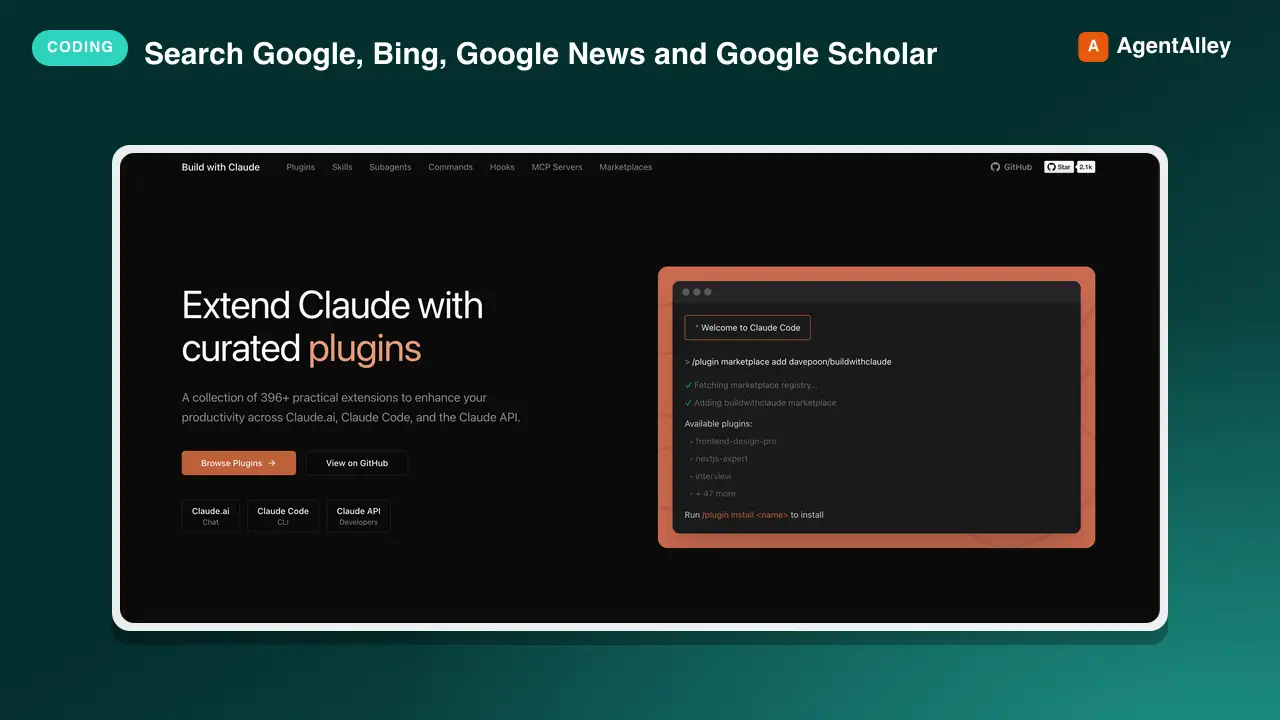 SkillMulti-Engine Web Search
 davepoon/buildwithclaude · by davepoonSearch Google, Bing, Google News and Google Scholar, and read public pages, through the Serply MCP server. Use when you need current information beyond training data, recent news coverage, or academic papers, with source URLs. Remote server at https://api.serply.io/mcp with an API key from https://serply.io sent in the X-Api-Key header.★ 3.6k GitHub stars
More from google
 SkillSnowflake to BigQuery Translator
 google/skills · by googleTranslates Snowflake dbt SQL models to Standardized BigQuery SQL. Handles SQL compilation, Jinja macro placeholder masking, BigQuery Translation Service migration workflows, AST-based config transformations, explicit type casting, JSON extraction standardization, and deduplication. Use when migrating Snowflake dbt pipelines or models to Google Cloud BigQuery. Don't use for generic BigQuery queries or non-Snowflake SQL migrations.★ 20.9k GitHub stars
 SkillGKE Golden Path Validatorgoogle/skills · by googleProvides GKE golden path configuration defaults, production readiness checklists, and cluster default patterns. Use when designing GKE clusters, verifying GKE production readiness, or checking configurations against GKE defaults. Don't use for setting up workload autoscaling specifically (use gke-workload-scaling instead).★ 20.9k GitHub stars
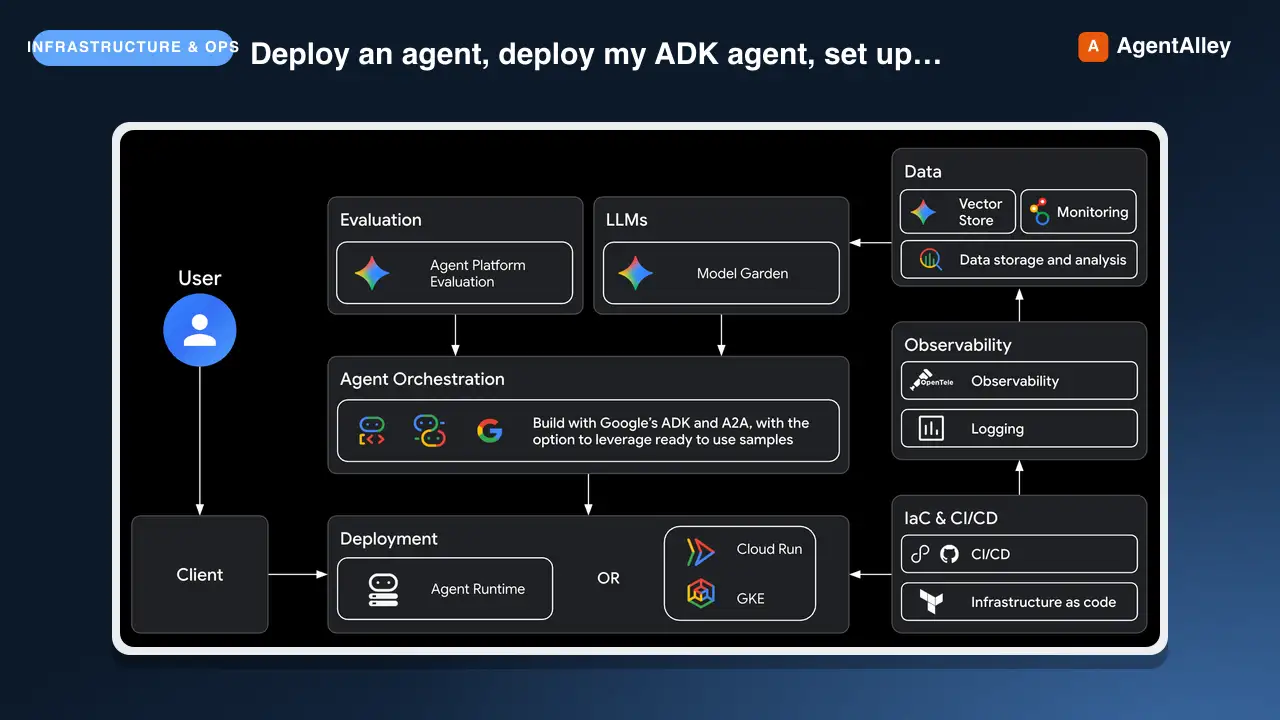 SkillGoogle Agent Deployment Guidegoogle/agents-cli · by googleThis skill should be used when the user wants to "deploy an agent", deploy my ADK agent", "set up CI/CD", "configure secrets", troubleshoot a deployment", or needs guidance on Agent Runtime, Cloud Run, or GKE deployment targets, or binding an agent to an Agent Gateway. Covers deployment workflows, service accounts, rollback, and production infrastructure. Applies to any framework agents-cli deploys (ADK, LangChain, ...). Part of the agents-cli skills suite. Do NOT use for agent API code patterns (ADK: use google-agents-cli-adk-code), evaluation (use google-agents-cli-eval), or project scaffolding (use google-agents-cli-scaffold).★ 6.2k GitHub stars
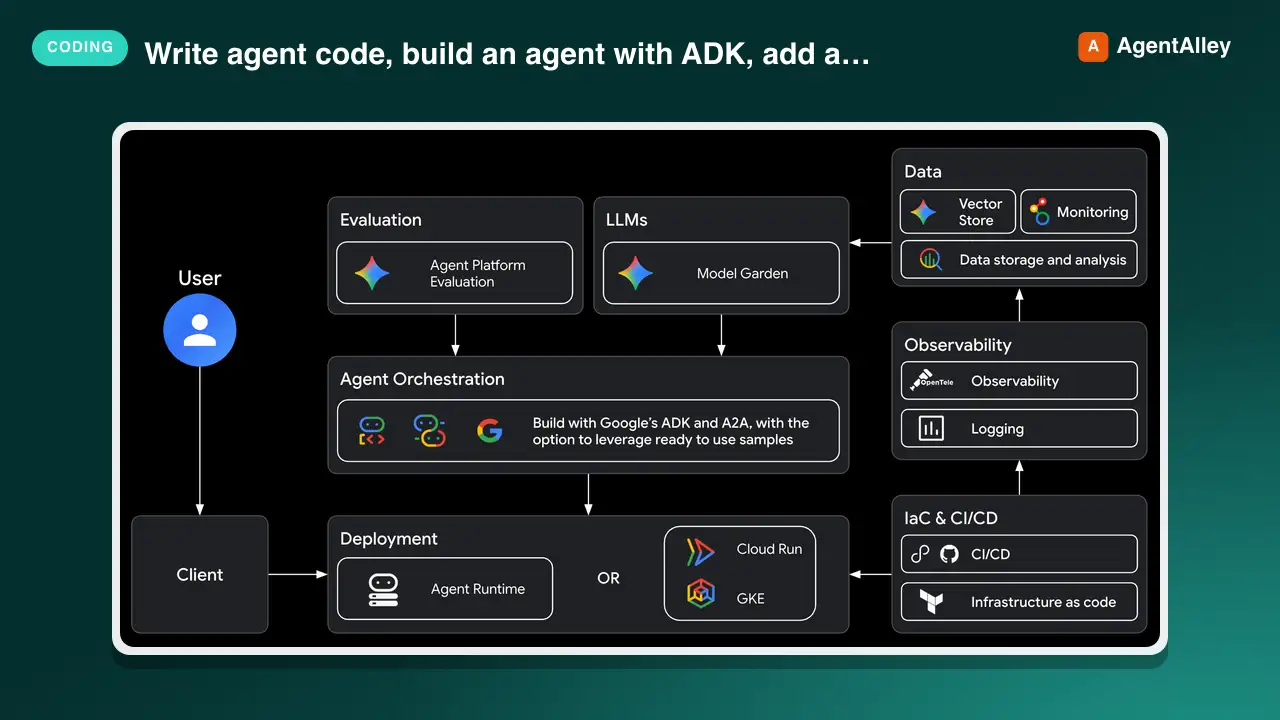 SkillGoogle Agent ADK Guidegoogle/agents-cli · by googleThis skill should be used when the user wants to "write agent code", build an agent with ADK", "add a tool", "create a callback", "define an agent", use state management" — in a project that needs ADK (Agent Development Kit) API patterns and code examples. It provides a quick reference for agent types, tool definitions, orchestration patterns, callbacks, state management, the graph Workflow API, and reference recipes to study. Do NOT use for scaffolding (use google-agents-cli-scaffold) or deployment (use google-agents-cli-deploy).★ 6k GitHub stars
 SkillGoogle Cloud Cost Optimizergoogle/skills · by googleEvaluates Google Cloud workloads for cost efficiency and FinOps alignment using the Google Cloud Well-Architected Framework Cost Optimization pillar. Use when the user asks to analyze Google Cloud spend, reduce cloud bills, rightsize resources (for example, Compute, GKE, Storage, Databases), evaluate discount options (for example, CUDs, SUDs, Spot VMs), or eliminate idle capacity. Do not use for standalone product pricing lookups or non-cost architecture design.★ 20.9k GitHub stars
 SkillCloud Spanner Assistantgoogle/skills · by googleAssists in provisioning instances and databases, designing performant schemas, and querying data in Spanner. Use when designing primary keys, writing SQL queries or client library code, or diagnosing performance issues.★ 20.9k GitHub stars