App Store Deploy Agent
App Store Deployment
Build and submit iOS and Android apps with EAS to TestFlight, the App Store, or Google Play. Supports Expo and other React Native projects, plus existing native apps.
---
name: eas-app-stores
description: Build and submit iOS and Android apps with EAS to TestFlight, the App Store, or Google Play. Supports Expo and other React Native projects, plus existing native apps. Use for eas.json setup, release pipelines, signing, app versions and build numbers, store submissions, and listing metadata. For Expo websites and API routes, use eas-hosting; for adding React Native screens to a native app, use expo-brownfield.
version: 1.1.0
license: MIT
---

# App Store Deployment

> **EAS service - costs apply.** Cloud builds use EAS plan resources, and EAS services have free-tier and paid-plan limits. Apple Developer and Google Play memberships are separate. Check https://expo.dev/pricing for the requested service.

This skill covers building and releasing iOS and Android apps with EAS: Expo and other React Native projects, plus existing native apps. EAS is a delivery service; native apps can use it without adding Expo or React Native to their runtime. The native setup walkthrough currently covers SwiftUI/UIKit on iOS.

## Choose the project path

- **SwiftUI/UIKit app with no React Native runtime:** read [references/native-ios.md](references/native-ios.md) before changing its build configuration. Keep the Xcode project and Swift code as the app's source of truth. The Expo/React Native quick-start and development-client examples below do not apply to this path.
- **Native Android app with no React Native runtime:** preserve its existing native build setup. See [references/play-store.md](references/play-store.md) for submission; the Swift/iOS setup instructions do not apply. A dedicated native Android setup walkthrough is not yet included.
- **Expo/React Native app:** use the quick-start below, then the relevant store reference.
Overview
This skill covers building and releasing iOS and Android apps with EAS: Expo and other React Native projects, plus existing native apps. EAS is a delivery service; native apps can use it without adding Expo or React Native to their runtime. The native setup walkthrough currently covers SwiftUI/UIKit on iOS.
Manual install (npx, ZIP)
npx skills add expo/skills --skill eas-app-stores -g -a claude-codenpx degit expo/skills/plugins/expo/skills/eas-app-stores#main ~/.claude/skills/eas-app-storesConnects with Agent Alley MCP · agentalley.io/mcp
Files included
SKILL.md7.3 KB
Read SKILL.md here
Show the full text177 lines
App Store Deployment
EAS service - costs apply. Cloud builds use EAS plan resources, and EAS services have free-tier and paid-plan limits. Apple Developer and Google Play memberships are separate. Check https://expo.dev/pricing for the requested service.
This skill covers building and releasing iOS and Android apps with EAS: Expo and other React Native projects, plus existing native apps. EAS is a delivery service; native apps can use it without adding Expo or React Native to their runtime. The native setup walkthrough currently covers SwiftUI/UIKit on iOS.
Choose the project path
- SwiftUI/UIKit app with no React Native runtime: read references/native-ios.md before changing its build configuration. Keep the Xcode project and Swift code as the app's source of truth. The Expo/React Native quick-start and development-client examples below do not apply to this path.
- Native Android app with no React Native runtime: preserve its existing native build setup. See references/play-store.md for submission; the Swift/iOS setup instructions do not apply. A dedicated native Android setup walkthrough is not yet included.
- Expo/React Native app: use the quick-start below, then the relevant store reference.
- Adding React Native screens to an existing native app: use
expo-brownfieldfor that integration; return here for distribution.
Use the archive and icon checks in references/native-ios.md during initial native iOS setup, after changing versioning, bundle IDs, or icons, or when diagnosing a rejected upload. Routine releases follow the EAS build/submit flow and the processing and availability checks in references/testflight.md. A successful EAS build or a queued submission does not establish Apple acceptance, tester access, or an App Store release.
References
Consult these resources as needed:
- ./references/workflows.md -- CI/CD workflows for automated store releases and PR previews
- ./references/testflight.md -- Submitting iOS builds to TestFlight for beta testing
- ./references/app-store-metadata.md -- Managing App Store metadata and ASO optimization
- ./references/play-store.md -- Submitting Android builds to Google Play Store
- ./references/ios-app-store.md -- iOS App Store submission and review process
- ./references/native-ios.md -- Native Swift/SwiftUI/UIKit setup, versioning, and archive verification without an Expo runtime
Expo / React Native Quick Start
Install EAS CLI
npm install -g eas-cli
eas login
Initialize EAS
npx eas-cli@latest init
eas init links or creates the EAS project. Run eas build:configure to create build profiles in eas.json; preserve existing project and store identifiers when a release setup already exists.
Build Commands
Production Builds
# iOS App Store build
npx eas-cli@latest build -p ios --profile production

# Android Play Store build
npx eas-cli@latest build -p android --profile production

# Both platforms
npx eas-cli@latest build --profile production
Submit to Stores
# iOS: Build and submit to App Store Connect
npx eas-cli@latest build -p ios --profile production --auto-submit

# Android: Build and submit to Play Store
npx eas-cli@latest build -p android --profile production --auto-submit

# Expo / React Native shortcut for iOS TestFlight
npx testflight
Web & API Route Hosting
Deploying an Expo website or Expo Router API routes to EAS Hosting (npx expo export -p web then eas deploy) is covered by the eas-hosting skill. This skill focuses on native app store releases.
EAS Configuration
Example for an Expo / React Native project (native Swift profiles are in references/native-ios.md):
{
  "cli": {
    "version": ">= 16.0.1",
    "appVersionSource": "remote"
  },
  "build": {
    "production": {
      "autoIncrement": true,
      "ios": {
        "resourceClass": "m-medium"
      }
    },
    "development": {
      "developmentClient": true,
      "distribution": "internal"
    }
  },
  "submit": {
    "production": {
      "ios": {
        "appleId": "your@email.com",
        "ascAppId": "1234567890"
      },
      "android": {
        "serviceAccountKeyPath": "./google-service-account.json",
        "track": "internal"
      }
    }
  }
}
Platform-Specific Guides
iOS
- For native Swift apps, use the explicit build/submit flow in
references/native-ios.md - For Expo / React Native apps,
npx testflightprovides a quick TestFlight flow - Configure Apple credentials via
eas credentials - See ./references/testflight.md for credential setup
- See ./references/ios-app-store.md for App Store submission
Android
- Set up Google Play Console service account
- Configure tracks: internal → closed → open → production
- See ./references/play-store.md for detailed setup
Automated Releases
EAS Workflows automate the build → submit → update pipeline for CI/CD. See ./references/workflows.md for store-release examples. To author or validate workflow YAML, use the eas-workflows skill - it works from the live workflow schema.
Version Management
EAS manages version numbers automatically with appVersionSource: "remote":
# Check current versions
eas build:version:get

# Manually set version
eas build:version:set -p ios
The version-set command prompts for the value. When setting up or changing native iOS versioning, or diagnosing a duplicate build number, inspect the archived CFBundleVersion: the remote counter alone does not prove that Xcode used it.
Monitoring
# List recent builds
eas build:list

# Check build status
eas build:view BUILD_ID

# Inspect submissions (verified with EAS CLI 23.2.0)
eas submit:list -p ios --json
eas submit:view SUBMISSION_ID --json
Check the CLI version before interpreting a missing command: these submission commands are available in 23.2.0 but not in the tested 18.6.0 installation. A pinned npx eas-cli@23.2.0 invocation can use them without changing the global installation. See references/testflight.md for live Apple status and retry guidance. Follow the returned log URLs when the JSON result omits the underlying failure. Report the exact build ID/version and the furthest verified release state.
Submitting Feedback
If you encounter errors, misleading or outdated information in this skill, report it so Expo can improve:
npx --yes submit-expo-feedback@latest --category skills --subject "eas-app-stores" "<actionable feedback>"
Only submit when you have something specific and actionable to report. Include as much relevant context as possible. If an AI agent repeatedly failed or the user had to take over an Expo task, load the expo-skill-feedback skill and follow its eval-candidate flow instead of reusing the command above.
| 1 | |
| 2 | name eas-app-stores |
| 3 | description Build and submit iOS and Android apps with EAS to TestFlight, the App Store, or Google Play. Supports Expo and other React Native projects, plus existing native apps. Use for eas.json setup, release pipelines, signing, app versions and build numbers, store submissions, and listing metadata. For Expo websites and API routes, use eas-hosting; for adding React Native screens to a native app, use expo-brownfield. |
| 4 | version 1.1.0 |
| 5 | license MIT |
| 6 | |
| 7 | |
| 8 | # App Store Deployment |
| 9 | |
| 10 | > **EAS service - costs apply.** Cloud builds use EAS plan resources, and EAS services have free-tier and paid-plan limits. Apple Developer and Google Play memberships are separate. Check https://expo.dev/pricing for the requested service. |
| 11 | |
| 12 | This skill covers building and releasing iOS and Android apps with EAS: Expo and other React Native projects, plus existing native apps. EAS is a delivery service; native apps can use it without adding Expo or React Native to their runtime. The native setup walkthrough currently covers SwiftUI/UIKit on iOS. |
| 13 | |
| 14 | ## Choose the project path |
| 15 | |
| 16 | **SwiftUI/UIKit app with no React Native runtime:** read [references/native-ios.md] before changing its build configuration. Keep the Xcode project and Swift code as the app's source of truth. The Expo/React Native quick-start and development-client examples below do not apply to this path. |
| 17 | **Native Android app with no React Native runtime:** preserve its existing native build setup. See [references/play-store.md] for submission; the Swift/iOS setup instructions do not apply. A dedicated native Android setup walkthrough is not yet included. |
| 18 | **Expo/React Native app:** use the quick-start below, then the relevant store reference. |
| 19 | **Adding React Native screens to an existing native app:** use `expo-brownfield` for that integration; return here for distribution. |
| 20 | |
| 21 | Use the archive and icon checks in [references/native-ios.md] during initial native iOS setup, after changing versioning, bundle IDs, or icons, or when diagnosing a rejected upload. Routine releases follow the EAS build/submit flow and the processing and availability checks in [references/testflight.md]. A successful EAS build or a queued submission does not establish Apple acceptance, tester access, or an App Store release. |
| 22 | |
| 23 | ## References |
| 24 | |
| 25 | Consult these resources as needed: |
| 26 | |
| 27 | ./references/workflows.md -- CI/CD workflows for automated store releases and PR previews |
| 28 | ./references/testflight.md -- Submitting iOS builds to TestFlight for beta testing |
| 29 | ./references/app-store-metadata.md -- Managing App Store metadata and ASO optimization |
| 30 | ./references/play-store.md -- Submitting Android builds to Google Play Store |
| 31 | ./references/ios-app-store.md -- iOS App Store submission and review process |
| 32 | ./references/native-ios.md -- Native Swift/SwiftUI/UIKit setup, versioning, and archive verification without an Expo runtime |
| 33 | |
| 34 | ## Expo / React Native Quick Start |
| 35 | |
| 36 | ### Install EAS CLI |
| 37 | |
| 38 | |
| 39 | npm install -g eas-cli |
| 40 | eas login |
| 41 | |
| 42 | |
| 43 | ### Initialize EAS |
| 44 | |
| 45 | |
| 46 | npx eas-cli@latest init |
| 47 | |
| 48 | |
| 49 | `eas init` links or creates the EAS project. Run `eas build:configure` to create build profiles in `eas.json`; preserve existing project and store identifiers when a release setup already exists. |
| 50 | |
| 51 | ## Build Commands |
| 52 | |
| 53 | ### Production Builds |
| 54 | |
| 55 | |
| 56 | # iOS App Store build |
| 57 | npx eas-cli@latest build -p ios --profile production |
| 58 | |
| 59 | # Android Play Store build |
| 60 | npx eas-cli@latest build -p android --profile production |
| 61 | |
| 62 | # Both platforms |
| 63 | npx eas-cli@latest build --profile production |
| 64 | |
| 65 | |
| 66 | ### Submit to Stores |
| 67 | |
| 68 | |
| 69 | # iOS: Build and submit to App Store Connect |
| 70 | npx eas-cli@latest build -p ios --profile production --auto-submit |
| 71 | |
| 72 | # Android: Build and submit to Play Store |
| 73 | npx eas-cli@latest build -p android --profile production --auto-submit |
| 74 | |
| 75 | # Expo / React Native shortcut for iOS TestFlight |
| 76 | npx testflight |
| 77 | |
| 78 | |
| 79 | ## Web & API Route Hosting |
| 80 | |
| 81 | Deploying an Expo website or Expo Router API routes to EAS Hosting (`npx expo export -p web` then `eas deploy`) is covered by the `eas-hosting` skill. This skill focuses on native app store releases. |
| 82 | |
| 83 | ## EAS Configuration |
| 84 | |
| 85 | Example for an Expo / React Native project (native Swift profiles are in `references/native-ios.md`): |
| 86 | |
| 87 | |
| 88 | { |
| 89 | "cli": { |
| 90 | "version": ">= 16.0.1", |
| 91 | "appVersionSource": "remote" |
| 92 | }, |
| 93 | "build": { |
| 94 | "production": { |
| 95 | "autoIncrement": true, |
| 96 | "ios": { |
| 97 | "resourceClass": "m-medium" |
| 98 | } |
| 99 | }, |
| 100 | "development": { |
| 101 | "developmentClient": true, |
| 102 | "distribution": "internal" |
| 103 | } |
| 104 | }, |
| 105 | "submit": { |
| 106 | "production": { |
| 107 | "ios": { |
| 108 | "appleId": "your@email.com", |
| 109 | "ascAppId": "1234567890" |
| 110 | }, |
| 111 | "android": { |
| 112 | "serviceAccountKeyPath": "./google-service-account.json", |
| 113 | "track": "internal" |
| 114 | } |
| 115 | } |
| 116 | } |
| 117 | } |
| 118 | |
| 119 | |
| 120 | ## Platform-Specific Guides |
| 121 | |
| 122 | ### iOS |
| 123 | |
| 124 | For native Swift apps, use the explicit build/submit flow in `references/native-ios.md` |
| 125 | For Expo / React Native apps, `npx testflight` provides a quick TestFlight flow |
| 126 | Configure Apple credentials via `eas credentials` |
| 127 | See ./references/testflight.md for credential setup |
| 128 | See ./references/ios-app-store.md for App Store submission |
| 129 | |
| 130 | ### Android |
| 131 | |
| 132 | Set up Google Play Console service account |
| 133 | Configure tracks: internal → closed → open → production |
| 134 | See ./references/play-store.md for detailed setup |
| 135 | |
| 136 | ## Automated Releases |
| 137 | |
| 138 | EAS Workflows automate the build → submit → update pipeline for CI/CD. See ./references/workflows.md for store-release examples. To author or validate workflow YAML, use the `eas-workflows` skill - it works from the live workflow schema. |
| 139 | |
| 140 | ## Version Management |
| 141 | |
| 142 | EAS manages version numbers automatically with `appVersionSource: "remote"`: |
| 143 | |
| 144 | |
| 145 | # Check current versions |
| 146 | eas build:version:get |
| 147 | |
| 148 | # Manually set version |
| 149 | eas build:version:set -p ios |
| 150 | |
| 151 | |
| 152 | The version-set command prompts for the value. When setting up or changing native iOS versioning, or diagnosing a duplicate build number, inspect the archived `CFBundleVersion`: the remote counter alone does not prove that Xcode used it. |
| 153 | |
| 154 | ## Monitoring |
| 155 | |
| 156 | |
| 157 | # List recent builds |
| 158 | eas build:list |
| 159 | |
| 160 | # Check build status |
| 161 | eas build:view BUILD_ID |
| 162 | |
| 163 | # Inspect submissions (verified with EAS CLI 23.2.0) |
| 164 | eas submit:list -p ios --json |
| 165 | eas submit:view SUBMISSION_ID --json |
| 166 | |
| 167 | |
| 168 | Check the CLI version before interpreting a missing command: these submission commands are available in 23.2.0 but not in the tested 18.6.0 installation. A pinned `npx eas-cli@23.2.0` invocation can use them without changing the global installation. See `references/testflight.md` for live Apple status and retry guidance. Follow the returned log URLs when the JSON result omits the underlying failure. Report the exact build ID/version and the furthest verified release state. |
| 169 | |
| 170 | ## Submitting Feedback |
| 171 | If you encounter errors, misleading or outdated information in this skill, report it so Expo can improve: |
| 172 | |
| 173 | npx --yes submit-expo-feedback@latest --category skills --subject "eas-app-stores" "<actionable feedback>" |
| 174 | |
| 175 | Only submit when you have something specific and actionable to report. Include as much relevant context as possible. |
| 176 | If an AI agent repeatedly failed or the user had to take over an Expo task, load the expo-skill-feedback skill and follow its eval-candidate flow instead of reusing the command above. |
| 177 |
Details
- Version
- 1.1.0
- License
- MIT
- Stars on the repo
- ★ 2,657
- Checked
- Source
- expo/skills ↗
- Creator
- expo · 23 listings
Similar skills
See all → SkillExpo Task Router
 expo/skills · by expoEntry point and router for every Expo or EAS task. Load this skill first — before writing code and before choosing another expo-* / eas-* skill — when the request, PRD, or spec mentions Expo, EAS, Expo Go, or an expo-* package, or the project has an `expo` dependency in `package.json`. Within that gate it also covers app specs and designs to implement (tabs, stacks, maps, lists, navigation, building from a screenshot), and phrasings like 'implement a mobile app', 'make my app look native', 'add navigation', 'fetch some data', 'upgrade my SDK', 'add Expo to my existing native app', 'ship to the App Store', or 'I'm new to Expo, where do I start'. A fully specified request (SDK pinned, libraries named, layout given) still routes through here — the shared setup rules still apply. Do NOT load it when neither signal is present: a bare React Native project with no `expo` dependency is not Expo work. Detects the real goal, routes to the right expo-* / eas-* skill, and owns the shared setup rules.★ 2.7k GitHub stars
 SkilliOS App Clip Setupexpo/skills · by expoAdd an iOS App Clip target to an Expo app. Use when the user mentions App Clip, AASA, apple-app-site-association, appclips, smart app banner, or wants to ship a lightweight iOS Clip invoked from a URL alongside their parent app.★ 2.7k GitHub stars
 SkillSleek Mobile App Designer
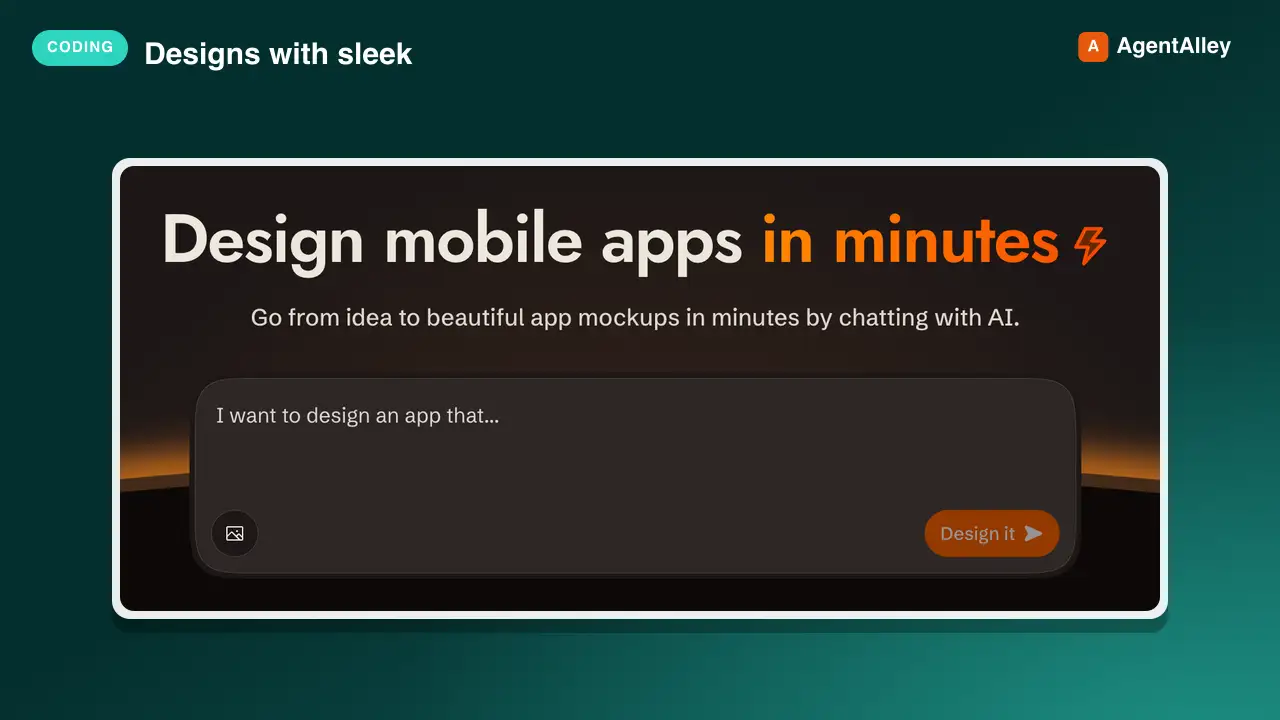
 sleekdotdesign/agent-skills · by sleekdotdesignUse when the user wants to design a mobile app or UI screens, when they mention their Sleek (sleek.design) projects, or when implementing Sleek designs in code (HTML, React Native, SwiftUI).★ 583 GitHub stars
 SkillReact Native Animation Builder
 emilkowalski/skills · by emilkowalskiBuild animations in React Native and Expo, making the decisions in the order that determines whether they feel right — should it animate, which thread it runs on, which properties, spring or timing, how the gesture hands off, how it degrades. Writes the implementation with Reanimated, Gesture Handler, Expo Router and expo-haptics. Use when animating anything in an Expo app, adding gestures, sheets, screen transitions, press feedback or haptics, or fixing motion that stutters on device. For web animation use `animate`.★ 40.8k GitHub stars
 SkillModern Swift Writing Guideemilkowalski/skills · by emilkowalskiHow to write modern Swift well — modeling with value types, Swift 6 data-race safety and approachable concurrency (@concurrent, main-actor-by-default, actors, task groups), protocols and generics (some vs any), API design, performance and ARC, Swift Testing, macros, and the modern language features agents don't know about yet. Use when writing, reviewing, or migrating Swift, or when a concurrency error, a hang, a data race, a retain cycle, or a performance problem needs fixing.★ 40.8k GitHub stars
 SkillReact Native Architecture
 wshobson/agents · by wshobsonBuild production React Native apps with Expo, navigation, native modules, offline sync, and cross-platform patterns. Use when developing mobile apps, implementing native integrations, or architecting React Native projects.★ 39.9k GitHub stars
More from expo
SkillExpo Task Routerexpo/skills · by expoEntry point and router for every Expo or EAS task. Load this skill first — before writing code and before choosing another expo-* / eas-* skill — when the request, PRD, or spec mentions Expo, EAS, Expo Go, or an expo-* package, or the project has an `expo` dependency in `package.json`. Within that gate it also covers app specs and designs to implement (tabs, stacks, maps, lists, navigation, building from a screenshot), and phrasings like 'implement a mobile app', 'make my app look native', 'add navigation', 'fetch some data', 'upgrade my SDK', 'add Expo to my existing native app', 'ship to the App Store', or 'I'm new to Expo, where do I start'. A fully specified request (SDK pinned, libraries named, layout given) still routes through here — the shared setup rules still apply. Do NOT load it when neither signal is present: a bare React Native project with no `expo` dependency is not Expo work. Detects the real goal, routes to the right expo-* / eas-* skill, and owns the shared setup rules.★ 2.7k GitHub starsSkilliOS App Clip Setupexpo/skills · by expoAdd an iOS App Clip target to an Expo app. Use when the user mentions App Clip, AASA, apple-app-site-association, appclips, smart app banner, or wants to ship a lightweight iOS Clip invoked from a URL alongside their parent app.★ 2.7k GitHub stars SkillExpo App Hostingexpo/skills · by expoDeploy Expo websites and Expo Router API routes to EAS Hosting - export the web bundle, run eas deploy for production and PR preview URLs, manage environment secrets and custom domains, and work within the Cloudflare Workers runtime. Also covers authoring API routes (+api.ts handlers, HTTP methods, request handling, CORS). Use when deploying an Expo web app or API routes, setting up EAS Hosting, or configuring hosting environments and domains. Not for native builds or store releases - use the eas-app-stores skill for those.★ 2.7k GitHub stars
 SkillExpo Performance Observerexpo/skills · by expoUse for anything related to EAS Observe - adding `expo-observe` to an Expo project (AppMetricsRoot/ObserveRoot HOC, markInteractive and ObserveInteractiveMarker, the useObserve hook, the Expo Router / React Navigation integrations for per-route metrics, user-defined events via `Observe.logEvent`, error reporting via ObserveErrorBoundary and `Observe.reportError`, and runtime config such as sampleRate and dispatchInDebug), querying via the EAS CLI (`eas observe:metrics-summary`, `observe:metrics`, `observe:routes`, `observe:events`, `observe:session`, `observe:versions`), interpreting the resulting metrics (cold/warm launch, TTR, TTI, navigation cold/warm TTR, update download, and the TTI frameRate/device/network params for triaging slow startups), or shipping an Observe integration inside a third-party package.★ 2.7k GitHub stars
 SkillRemote Device Simulatorexpo/skills · by expoRun and control a user's app on a remote iOS/Android simulator hosted on EAS cloud. Read before running any `eas simulator:*` commands - it has the current syntax for this experimental API. Use whenever the user needs a simulator they can't run locally - 'run my app on a cloud simulator', 'use eas simulator to run/install/screenshot my app', 'I'm on Linux/Cursor and need an iOS device', 'no sim on this box / headless CI', 'let an agent click through my app and screenshot it', 'test my dev build on a remote sim with live reload', 'stream a sim to my browser' - even when they don't say 'EAS Simulator' or 'cloud'. On a host WITHOUT a local simulator (Linux, CI, cloud sandbox) it's the default; on macOS, do NOT auto-trigger for a plain 'run on the simulator' - use it only for a cloud/remote/shareable sim, an iOS version they lack, or an agent-driven session. NOT for local sims (expo run:ios, Xcode, Android Studio), EAS Build/Update, web preview, or physical devices.★ 2.7k GitHub stars
 SkillOver-the-Air Update Managerexpo/skills · by expoConfigure and use EAS Update for over-the-air JavaScript and asset updates with expo-updates and EAS CLI. Use when setting up OTA updates, running eas update:configure or eas update, publishing to preview/staging/production channels, explaining branches/channels/runtime versions, testing updates, or debugging why an installed build still shows old code. Load for TestFlight, preview, or production updates that do not appear, including questions about cold launches or reopening the app. Not for update health metrics; use eas-update-insights for adoption, crashes, and rollout monitoring.★ 2.7k GitHub stars