YouTube Transcript Downloader
YouTube Transcript
Downloads YouTube video transcripts/subtitles and cover images by URL or video ID. Supports multiple languages, translation, chapters, and speaker identification.
---
name: baoyu-youtube-transcript
description: Downloads YouTube video transcripts/subtitles and cover images by URL or video ID. Supports multiple languages, translation, chapters, and speaker identification. Caches raw data for fast re-formatting. Use when user asks to "get YouTube transcript", "download subtitles", "get captions", "YouTube字幕", "YouTube封面", "视频封面", "video thumbnail", "video cover image", or provides a YouTube URL and wants the transcript/subtitle text or cover image extracted.
version: 1.1.0
metadata:
  openclaw:
    homepage: https://github.com/JimLiu/baoyu-skills#baoyu-youtube-transcript
    requires:
      anyBins:
        - bun
        - npx
---

# YouTube Transcript

Downloads transcripts (subtitles/captions) from YouTube videos. Works with both manually created and auto-generated transcripts. No API key or browser required — uses YouTube's InnerTube API directly and automatically falls back to `yt-dlp` when YouTube blocks the direct API path.

Fetches video metadata and cover image on first run, caches raw data for fast re-formatting.
Overview
Downloads transcripts (subtitles/captions) from YouTube videos. Works with both manually created and auto-generated transcripts. No API key or browser required — uses YouTube's InnerTube API directly and automatically falls back to yt-dlp when YouTube blocks the direct API path.
What you get
- {channel-slug}: Channel name in kebab-case
- {title-full-slug}: Full video title in kebab-case
Manual install (npx, ZIP)
npx skills add JimLiu/baoyu-skills --skill baoyu-youtube-transcript -g -a claude-codenpx degit JimLiu/baoyu-skills/skills/baoyu-youtube-transcript#main ~/.claude/skills/baoyu-youtube-transcriptConnects with Agent Alley MCP · agentalley.io/mcp
Files included
SKILL.md9.5 KB
Read SKILL.md here
Show the full text187 lines
YouTube Transcript
Downloads transcripts (subtitles/captions) from YouTube videos. Works with both manually created and auto-generated transcripts. No API key or browser required — uses YouTube's InnerTube API directly and automatically falls back to yt-dlp when YouTube blocks the direct API path.
Fetches video metadata and cover image on first run, caches raw data for fast re-formatting.
Script Directory
Scripts in scripts/ subdirectory. {baseDir} = this SKILL.md's directory path. Resolve ${BUN_X} runtime: if bun installed → bun; if npx available → npx -y bun; else suggest installing bun. Replace {baseDir} and ${BUN_X} with actual values.
| Script | Purpose |
|---|---|
scripts/main.ts |
Transcript download CLI |
Usage
# Default: markdown with timestamps (English)
${BUN_X} {baseDir}/scripts/main.ts <youtube-url-or-id>

# Specify languages (priority order)
${BUN_X} {baseDir}/scripts/main.ts <url> --languages zh,en,ja

# Without timestamps
${BUN_X} {baseDir}/scripts/main.ts <url> --no-timestamps

# With chapter segmentation
${BUN_X} {baseDir}/scripts/main.ts <url> --chapters

# With speaker identification (requires AI post-processing)
${BUN_X} {baseDir}/scripts/main.ts <url> --speakers

# SRT subtitle file
${BUN_X} {baseDir}/scripts/main.ts <url> --format srt

# Translate transcript
${BUN_X} {baseDir}/scripts/main.ts <url> --translate zh-Hans

# List available transcripts
${BUN_X} {baseDir}/scripts/main.ts <url> --list

# Force re-fetch (ignore cache)
${BUN_X} {baseDir}/scripts/main.ts <url> --refresh
Options
| Option | Description | Default |
|---|---|---|
<url-or-id> |
YouTube URL or video ID (multiple allowed) | Required |
--languages <codes> |
Language codes, comma-separated, in priority order | en |
--format <fmt> |
Output format: text, srt |
text |
--translate <code> |
Translate to specified language code | |
--list |
List available transcripts instead of fetching | |
--timestamps |
Include [HH:MM:SS → HH:MM:SS] timestamps per paragraph |
on |
--no-timestamps |
Disable timestamps | |
--chapters |
Chapter segmentation from video description | |
--speakers |
Raw transcript with metadata for speaker identification | |
--exclude-generated |
Skip auto-generated transcripts | |
--exclude-manually-created |
Skip manually created transcripts | |
--refresh |
Force re-fetch, ignore cached data | |
-o, --output <path> |
Save to specific file path | auto-generated |
--output-dir <dir> |
Base output directory | youtube-transcript |
Optional Environment Variables
| Variable | Description |
|---|---|
YOUTUBE_TRANSCRIPT_COOKIES_FROM_BROWSER |
Passed to yt-dlp --cookies-from-browser during fallback, e.g. chrome, safari, firefox, or chrome:Profile 1 |
Input Formats
Accepts any of these as video input:
- Full URL:
https://www.youtube.com/watch?v=dQw4w9WgXcQ - Short URL:
https://youtu.be/dQw4w9WgXcQ - Embed URL:
https://www.youtube.com/embed/dQw4w9WgXcQ - Shorts URL:
https://www.youtube.com/shorts/dQw4w9WgXcQ - Video ID:
dQw4w9WgXcQ
Output Formats
| Format | Extension | Description |
|---|---|---|
text |
.md |
Markdown with frontmatter (incl. description), title heading, summary, optional TOC/cover/timestamps/chapters/speakers |
srt |
.srt |
SubRip subtitle format for video players |
Output Directory
youtube-transcript/
├── .index.json                          # Video ID → directory path mapping (for cache lookup)
└── {channel-slug}/{title-full-slug}/
    ├── meta.json                        # Video metadata (title, channel, description, duration, chapters, etc.)
    ├── transcript-raw.json              # Raw transcript snippets from YouTube API (cached)
    ├── transcript-sentences.json        # Sentence-segmented transcript (split by punctuation, merged across snippets)
    ├── imgs/
    │   └── cover.jpg                    # Video thumbnail
    ├── transcript.md                    # Markdown transcript (generated from sentences)
    └── transcript.srt                   # SRT subtitle (generated from raw snippets, if --format srt)
{channel-slug}: Channel name in kebab-case{title-full-slug}: Full video title in kebab-case
The --list mode outputs to stdout only (no file saved).
Caching
On first fetch, the script saves:
meta.json— video metadata, chapters, cover image path, language infotranscript-raw.json— raw transcript snippets from YouTube API ({ text, start, duration }[])transcript-sentences.json— sentence-segmented transcript ({ text, start: "HH:mm:ss", end: "HH:mm:ss" }[]), split by sentence-ending punctuation (.?!…。?!etc.), timestamps proportionally allocated by character length, CJK-aware text mergingimgs/cover.jpg— video thumbnail
Subsequent runs for the same video use cached data (no network calls). Use --refresh to force re-fetch. If a different language is requested, the cache is automatically refreshed.
When YouTube returns anti-bot / blocked responses on the direct InnerTube path, the script retries with alternate client identities and then falls back to yt-dlp if available. If fallback is needed but yt-dlp is unavailable, the agent should decide how to make yt-dlp available and continue rather than pushing the installation decision to the user.
SRT output (--format srt) is generated from transcript-raw.json. Text/markdown output uses transcript-sentences.json for natural sentence boundaries.
Workflow
When user provides a YouTube URL and wants the transcript:
- Run with
--listfirst if the user hasn't specified a language, to show available options - Always single-quote the URL when running the script — zsh treats
?as a glob wildcard, so an unquoted YouTube URL causes "no matches found": use'https://www.youtube.com/watch?v=ID' - Default: run with
--chapters --speakersfor the richest output (chapters + speaker identification) - The script auto-saves cached data + output file and prints the file path
- For
--speakersmode: after the script saves the raw file, follow the speaker identification workflow below to post-process with speaker labels
When user only wants a cover image or metadata, running the script with any option will also cache meta.json and imgs/cover.jpg.
When re-formatting the same video (e.g., first text then SRT), the cached data is reused — no re-fetch needed.
Chapter & Speaker Workflow
Chapters (--chapters)
The script parses chapter timestamps from the video description (e.g., 0:00 Introduction), segments the transcript by chapter boundaries, groups snippets into readable paragraphs, and saves as .md with a Table of Contents. No further processing needed.
If no chapter timestamps exist in the description, the transcript is output as grouped paragraphs without chapter headings.
Speaker Identification (--speakers)
Speaker identification requires AI processing. The script outputs a raw .md file containing:
- YAML frontmatter with video metadata (title, channel, date, cover, description, language)
- Video description (for speaker name extraction)
- Chapter list from description (if available)
- Raw transcript in SRT format (pre-computed start/end timestamps, token-efficient)
After the script saves the raw file, spawn a sub-agent (use a cheaper model like Sonnet for cost efficiency) to process speaker identification:
- Read the saved
.mdfile - Read the prompt template at
{baseDir}/prompts/speaker-transcript.md - Process the raw transcript following the prompt:
- Identify speakers using video metadata (title → guest, channel → host, description → names)
- Detect speaker turns from conversation flow, question-answer patterns, and contextual cues
- Segment into chapters (use description chapters if available, else create from topic shifts)
- Format with
**Speaker Name:**labels, paragraph grouping (2-4 sentences), and[HH:MM:SS → HH:MM:SS]timestamps
- Overwrite the
.mdfile with the processed transcript (keep the YAML frontmatter)
When --speakers is used, --chapters is implied — the processed output always includes chapter segmentation.
Error Cases
| Error | Meaning |
|---|---|
| Transcripts disabled | Video has no captions at all |
| No transcript found | Requested language not available |
| Video unavailable | Video deleted, private, or region-locked |
| IP blocked | Too many requests, try again later |
| Age restricted | Video requires login for age verification |
| bot detected | The script retries alternate clients and then yt-dlp; if fallback tooling is missing, the agent should resolve that itself, otherwise if it still fails try YOUTUBE_TRANSCRIPT_COOKIES_FROM_BROWSER=safari (or your browser) |
| 1 | |
| 2 | name baoyu-youtube-transcript |
| 3 | description Downloads YouTube video transcripts/subtitles and cover images by URL or video ID. Supports multiple languages, translation, chapters, and speaker identification. Caches raw data for fast re-formatting. Use when user asks to "get YouTube transcript", "download subtitles", "get captions", "YouTube字幕", "YouTube封面", "视频封面", "video thumbnail", "video cover image", or provides a YouTube URL and wants the transcript/subtitle text or cover image extracted. |
| 4 | version 1.1.0 |
| 5 | metadata |
| 6 | openclaw |
| 7 | homepage https://github.com/JimLiu/baoyu-skills#baoyu-youtube-transcript |
| 8 | requires |
| 9 | anyBins |
| 10 | - bun |
| 11 | - npx |
| 12 | |
| 13 | |
| 14 | # YouTube Transcript |
| 15 | |
| 16 | Downloads transcripts (subtitles/captions) from YouTube videos. Works with both manually created and auto-generated transcripts. No API key or browser required — uses YouTube's InnerTube API directly and automatically falls back to `yt-dlp` when YouTube blocks the direct API path. |
| 17 | |
| 18 | Fetches video metadata and cover image on first run, caches raw data for fast re-formatting. |
| 19 | |
| 20 | ## Script Directory |
| 21 | |
| 22 | Scripts in `scripts/` subdirectory. `{baseDir}` = this SKILL.md's directory path. Resolve `${BUN_X}` runtime: if `bun` installed → `bun`; if `npx` available → `npx -y bun`; else suggest installing bun. Replace `{baseDir}` and `${BUN_X}` with actual values. |
| 23 | |
| 24 | | Script | Purpose | |
| 25 | |--------|---------| |
| 26 | | `scripts/main.ts` | Transcript download CLI | |
| 27 | |
| 28 | ## Usage |
| 29 | |
| 30 | |
| 31 | # Default: markdown with timestamps (English) |
| 32 | ${BUN_X} {baseDir}/scripts/main.ts <youtube-url-or-id> |
| 33 | |
| 34 | # Specify languages (priority order) |
| 35 | ${BUN_X} {baseDir}/scripts/main.ts <url> --languages zh,en,ja |
| 36 | |
| 37 | # Without timestamps |
| 38 | ${BUN_X} {baseDir}/scripts/main.ts <url> --no-timestamps |
| 39 | |
| 40 | # With chapter segmentation |
| 41 | ${BUN_X} {baseDir}/scripts/main.ts <url> --chapters |
| 42 | |
| 43 | # With speaker identification (requires AI post-processing) |
| 44 | ${BUN_X} {baseDir}/scripts/main.ts <url> --speakers |
| 45 | |
| 46 | # SRT subtitle file |
| 47 | ${BUN_X} {baseDir}/scripts/main.ts <url> --format srt |
| 48 | |
| 49 | # Translate transcript |
| 50 | ${BUN_X} {baseDir}/scripts/main.ts <url> --translate zh-Hans |
| 51 | |
| 52 | # List available transcripts |
| 53 | ${BUN_X} {baseDir}/scripts/main.ts <url> --list |
| 54 | |
| 55 | # Force re-fetch (ignore cache) |
| 56 | ${BUN_X} {baseDir}/scripts/main.ts <url> --refresh |
| 57 | |
| 58 | |
| 59 | ## Options |
| 60 | |
| 61 | | Option | Description | Default | |
| 62 | |--------|-------------|---------| |
| 63 | | `<url-or-id>` | YouTube URL or video ID (multiple allowed) | Required | |
| 64 | | `--languages <codes>` | Language codes, comma-separated, in priority order | `en` | |
| 65 | | `--format <fmt>` | Output format: `text`, `srt` | `text` | |
| 66 | | `--translate <code>` | Translate to specified language code | | |
| 67 | | `--list` | List available transcripts instead of fetching | | |
| 68 | | `--timestamps` | Include `[HH:MM:SS → HH:MM:SS]` timestamps per paragraph | on | |
| 69 | | `--no-timestamps` | Disable timestamps | | |
| 70 | | `--chapters` | Chapter segmentation from video description | | |
| 71 | | `--speakers` | Raw transcript with metadata for speaker identification | | |
| 72 | | `--exclude-generated` | Skip auto-generated transcripts | | |
| 73 | | `--exclude-manually-created` | Skip manually created transcripts | | |
| 74 | | `--refresh` | Force re-fetch, ignore cached data | | |
| 75 | | `-o, --output <path>` | Save to specific file path | auto-generated | |
| 76 | | `--output-dir <dir>` | Base output directory | `youtube-transcript` | |
| 77 | |
| 78 | ## Optional Environment Variables |
| 79 | |
| 80 | | Variable | Description | |
| 81 | |----------|-------------| |
| 82 | | `YOUTUBE_TRANSCRIPT_COOKIES_FROM_BROWSER` | Passed to `yt-dlp --cookies-from-browser` during fallback, e.g. `chrome`, `safari`, `firefox`, or `chrome:Profile 1` | |
| 83 | |
| 84 | ## Input Formats |
| 85 | |
| 86 | Accepts any of these as video input: |
| 87 | Full URL: `https://www.youtube.com/watch?v=dQw4w9WgXcQ` |
| 88 | Short URL: `https://youtu.be/dQw4w9WgXcQ` |
| 89 | Embed URL: `https://www.youtube.com/embed/dQw4w9WgXcQ` |
| 90 | Shorts URL: `https://www.youtube.com/shorts/dQw4w9WgXcQ` |
| 91 | Video ID: `dQw4w9WgXcQ` |
| 92 | |
| 93 | ## Output Formats |
| 94 | |
| 95 | | Format | Extension | Description | |
| 96 | |--------|-----------|-------------| |
| 97 | | `text` | `.md` | Markdown with frontmatter (incl. `description`), title heading, summary, optional TOC/cover/timestamps/chapters/speakers | |
| 98 | | `srt` | `.srt` | SubRip subtitle format for video players | |
| 99 | |
| 100 | ## Output Directory |
| 101 | |
| 102 | |
| 103 | youtube-transcript/ |
| 104 | ├── .index.json # Video ID → directory path mapping (for cache lookup) |
| 105 | └── {channel-slug}/{title-full-slug}/ |
| 106 | ├── meta.json # Video metadata (title, channel, description, duration, chapters, etc.) |
| 107 | ├── transcript-raw.json # Raw transcript snippets from YouTube API (cached) |
| 108 | ├── transcript-sentences.json # Sentence-segmented transcript (split by punctuation, merged across snippets) |
| 109 | ├── imgs/ |
| 110 | │ └── cover.jpg # Video thumbnail |
| 111 | ├── transcript.md # Markdown transcript (generated from sentences) |
| 112 | └── transcript.srt # SRT subtitle (generated from raw snippets, if --format srt) |
| 113 | |
| 114 | |
| 115 | `{channel-slug}`: Channel name in kebab-case |
| 116 | `{title-full-slug}`: Full video title in kebab-case |
| 117 | |
| 118 | The `--list` mode outputs to stdout only (no file saved). |
| 119 | |
| 120 | ## Caching |
| 121 | |
| 122 | On first fetch, the script saves: |
| 123 | `meta.json` — video metadata, chapters, cover image path, language info |
| 124 | `transcript-raw.json` — raw transcript snippets from YouTube API (`{ text, start, duration }[]`) |
| 125 | `transcript-sentences.json` — sentence-segmented transcript (`{ text, start: "HH:mm:ss", end: "HH:mm:ss" }[]`), split by sentence-ending punctuation (`.?!…。?!` etc.), timestamps proportionally allocated by character length, CJK-aware text merging |
| 126 | `imgs/cover.jpg` — video thumbnail |
| 127 | |
| 128 | Subsequent runs for the same video use cached data (no network calls). Use `--refresh` to force re-fetch. If a different language is requested, the cache is automatically refreshed. |
| 129 | |
| 130 | When YouTube returns anti-bot / blocked responses on the direct InnerTube path, the script retries with alternate client identities and then falls back to `yt-dlp` if available. If fallback is needed but `yt-dlp` is unavailable, the agent should decide how to make `yt-dlp` available and continue rather than pushing the installation decision to the user. |
| 131 | |
| 132 | SRT output (`--format srt`) is generated from `transcript-raw.json`. Text/markdown output uses `transcript-sentences.json` for natural sentence boundaries. |
| 133 | |
| 134 | ## Workflow |
| 135 | |
| 136 | When user provides a YouTube URL and wants the transcript: |
| 137 | |
| 138 | Run with `--list` first if the user hasn't specified a language, to show available options |
| 139 | **Always single-quote the URL** when running the script — zsh treats `?` as a glob wildcard, so an unquoted YouTube URL causes "no matches found": use `'https://www.youtube.com/watch?v=ID'` |
| 140 | Default: run with `--chapters --speakers` for the richest output (chapters + speaker identification) |
| 141 | The script auto-saves cached data + output file and prints the file path |
| 142 | For `--speakers` mode: after the script saves the raw file, follow the speaker identification workflow below to post-process with speaker labels |
| 143 | |
| 144 | When user only wants a cover image or metadata, running the script with any option will also cache `meta.json` and `imgs/cover.jpg`. |
| 145 | |
| 146 | When re-formatting the same video (e.g., first text then SRT), the cached data is reused — no re-fetch needed. |
| 147 | |
| 148 | ## Chapter & Speaker Workflow |
| 149 | |
| 150 | ### Chapters (`--chapters`) |
| 151 | |
| 152 | The script parses chapter timestamps from the video description (e.g., `0:00 Introduction`), segments the transcript by chapter boundaries, groups snippets into readable paragraphs, and saves as `.md` with a Table of Contents. No further processing needed. |
| 153 | |
| 154 | If no chapter timestamps exist in the description, the transcript is output as grouped paragraphs without chapter headings. |
| 155 | |
| 156 | ### Speaker Identification (`--speakers`) |
| 157 | |
| 158 | Speaker identification requires AI processing. The script outputs a raw `.md` file containing: |
| 159 | YAML frontmatter with video metadata (title, channel, date, cover, description, language) |
| 160 | Video description (for speaker name extraction) |
| 161 | Chapter list from description (if available) |
| 162 | Raw transcript in SRT format (pre-computed start/end timestamps, token-efficient) |
| 163 | |
| 164 | After the script saves the raw file, spawn a sub-agent (use a cheaper model like Sonnet for cost efficiency) to process speaker identification: |
| 165 | |
| 166 | Read the saved `.md` file |
| 167 | Read the prompt template at `{baseDir}/prompts/speaker-transcript.md` |
| 168 | Process the raw transcript following the prompt: |
| 169 | Identify speakers using video metadata (title → guest, channel → host, description → names) |
| 170 | Detect speaker turns from conversation flow, question-answer patterns, and contextual cues |
| 171 | Segment into chapters (use description chapters if available, else create from topic shifts) |
| 172 | Format with `**Speaker Name:**` labels, paragraph grouping (2-4 sentences), and `[HH:MM:SS → HH:MM:SS]` timestamps |
| 173 | Overwrite the `.md` file with the processed transcript (keep the YAML frontmatter) |
| 174 | |
| 175 | When `--speakers` is used, `--chapters` is implied — the processed output always includes chapter segmentation. |
| 176 | |
| 177 | ## Error Cases |
| 178 | |
| 179 | | Error | Meaning | |
| 180 | |-------|---------| |
| 181 | | Transcripts disabled | Video has no captions at all | |
| 182 | | No transcript found | Requested language not available | |
| 183 | | Video unavailable | Video deleted, private, or region-locked | |
| 184 | | IP blocked | Too many requests, try again later | |
| 185 | | Age restricted | Video requires login for age verification | |
| 186 | | bot detected | The script retries alternate clients and then `yt-dlp`; if fallback tooling is missing, the agent should resolve that itself, otherwise if it still fails try `YOUTUBE_TRANSCRIPT_COOKIES_FROM_BROWSER=safari` (or your browser) | |
| 187 |
Details
- Version
- 1.1.0
- License
- MIT
- Stars on the repo
- ★ 26,555
- Checked
- Source
- JimLiu/baoyu-skills ↗
- Creator
- JimLiu · 13 listings
Similar skills
See all → SkillVideo Caption Extractor
 ZeroPointRepo/youtube-skills · by ZeroPointRepoUse when captions, subtitles, or the spoken text of a YouTube video is needed — even if not explicitly requested: pasted video links or IDs, requests to read, quote, or translate a video, accessibility needs, deaf/HoH use cases, content review, or language learning. Fetches timestamped caption data from any YouTube video. Not for uploading subtitles or account management.★ 945 GitHub stars
 SkillVideo Subtitle ExtractorZeroPointRepo/youtube-skills · by ZeroPointRepoUse when subtitles or the spoken text of a YouTube video is needed: pasted video links or IDs, requests to translate a video, read along, follow foreign-language content, or extract what was said. Also use for language learning or accessibility. Fetches timestamped subtitles from any YouTube video. Not for uploading subtitles or account management.★ 945 GitHub stars
 SkillVideo Transcript Extractor
 michalparkola/tapestry-skills-for-claude-code · by michalparkolaDownload YouTube video transcripts when user provides a YouTube URL or asks to download/get/fetch a transcript from YouTube. Also use when user wants to transcribe or get captions/subtitles from a YouTube video.★ 547 GitHub stars
 SkillShort Video Editor
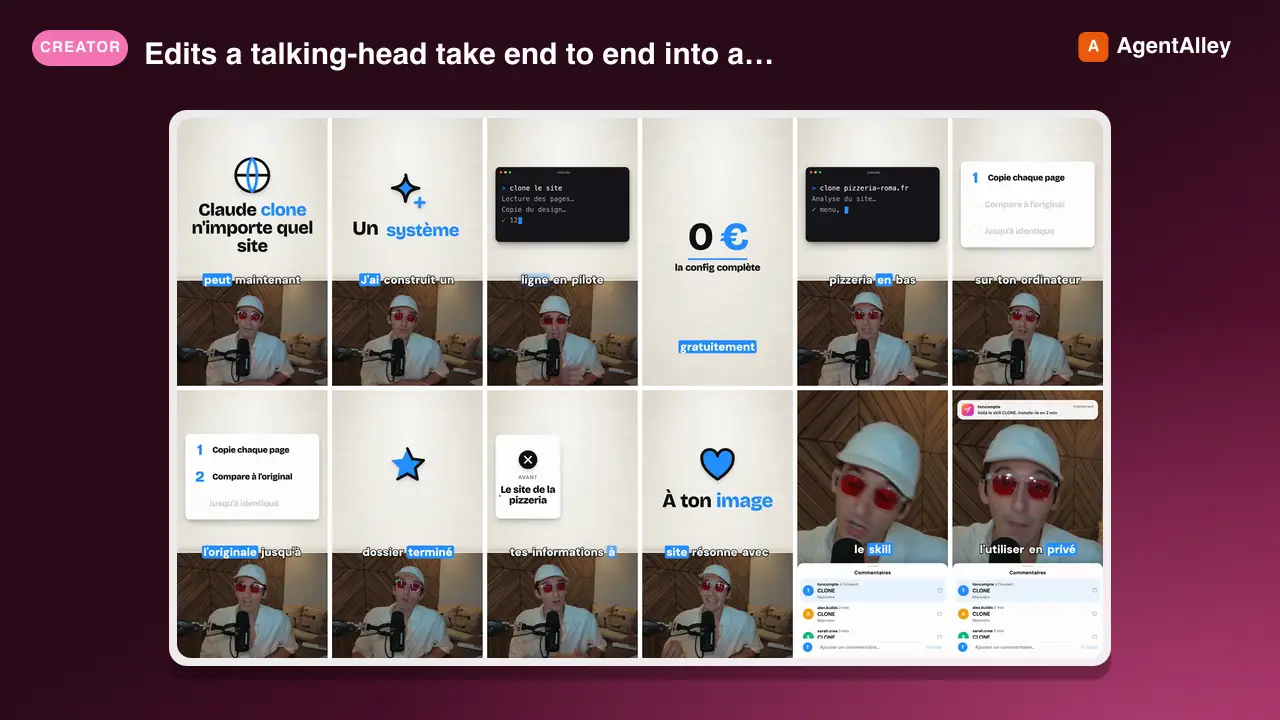
 Melvynx/video-agent-skills · by MelvynxEdits a talking-head take end to end into a paper-style motion design short (1080x1920, also 1:1 and 16:9) with its own render engine (Node + Chrome + ffmpeg, free, offline). Use when the user says edit, cut, captions, subtitles, motion design, montage, "make it a short", render, or gives a recording from video-agent/takes/. Transcribes locally with word timings (whisper.cpp, or ElevenLabs when a key is set), cuts every silence, lays the boards on a textured paper above the camera card (counters, terminals, logos, trees, real screens, HTML motion components), word-by-word captions, a calm music bed, a few designed hits, -14 LUFS, and writes the mp4, an .srt and the post copy.★ 29 GitHub stars
 AgentSocial Video Clip Creator
 davila7/claude-code-templates · by davila7Social media video clip optimization specialist. Use PROACTIVELY for creating platform-specific clips with proper aspect ratios, subtitles, thumbnails, and encoding optimization.★ 32.3k GitHub stars
 SkillYouTube Search and Transcripts
 alirezarezvani/claude-skills · by alirezarezvaniUse when the user needs YouTube transcripts, video search, channel browsing, playlist extraction, or content monitoring. Trigger phrases: 'get the transcript for', 'search YouTube for', 'what are the latest videos on', 'list this playlist', 'monitor this channel', or any request involving a YouTube URL, video ID, or @handle. Do NOT use for downloading video or audio files, YouTube engagement data (likes, comments), or private/age-restricted videos.★ 26.3k GitHub stars
More from JimLiu
 SkillArticle Illustration Generator
 JimLiu/baoyu-skills · by JimLiuAnalyzes article structure, identifies positions requiring visual aids, generates illustrations with Type × Style × Palette three-dimension approach. Use when user asks to "illustrate article", "add images", "generate images for article", or "为文章配图".★ 26.6k GitHub stars
 SkillArticle Cover DesignerJimLiu/baoyu-skills · by JimLiuGenerates article cover images with 5 dimensions (type, palette, rendering, text, mood) combining 11 color palettes and 7 rendering styles. Supports cinematic (2.35:1), widescreen (16:9), and square (1:1) aspects. Use when user asks to "generate cover image", "create article cover", or "make cover".★ 26.6k GitHub stars
 SkillSVG Diagram CreatorJimLiu/baoyu-skills · by JimLiuCreate professional, dark-themed SVG diagrams of any type — architecture diagrams, flowcharts, sequence diagrams, structural diagrams, mind maps, timelines, illustrative/conceptual diagrams, and more. Use this skill whenever the user asks for any kind of technical or conceptual diagram, visualization of a system, process flow, data flow, component relationship, network topology, decision tree, org chart, state machine, or any visual representation of structure/logic/process. Also trigger when the user says "画个图" "画一个架构图" "diagram" "flowchart" "sequence diagram" "draw me a ..." or uploads content and asks to visualize it. Output is always a standalone .svg file.★ 26.6k GitHub stars
 SkillSocial Card Series CreatorJimLiu/baoyu-skills · by JimLiuGenerates infographic image card series with 12 visual styles, 8 layouts, and 3 color palettes. Breaks content into 1-10 cartoon-style image cards optimized for social media engagement. Use when user mentions "小红书图片", "小红书种草", "小绿书", "微信图文", "微信贴图", "image cards", "图片卡片", baoyu-xhs-images, or wants social media infographic series.★ 26.6k GitHub stars
 SkillMulti-Model Image GeneratorJimLiu/baoyu-skills · by JimLiuAI image generation with OpenAI GPT Image 2.5, Azure OpenAI, Google, OpenRouter, DashScope, Z.AI GLM-Image, MiniMax, Jimeng, Seedream, Replicate and Agnes APIs. Supports text-to-image, reference images, aspect ratios, and batch generation from saved prompt files. Sequential by default; use batch parallel generation when the user already has multiple prompts or wants stable multi-image throughput. Use when user asks to generate, create, or draw images.★ 26.6k GitHub stars
 SkillData Visualization CreatorJimLiu/baoyu-skills · by JimLiuGenerate professional infographics with 21 layout types and 22 visual styles. Analyzes content, recommends layout×style combinations, and generates publication-ready infographics. Use when user asks to create "infographic", "信息图", "visual summary", "可视化", or "高密度信息大图".★ 26.6k GitHub stars