Static Image Brief Generator
42 image brief global
Use when ONE static image needs a full brief for a designer or photographer — visual objective, concept and mood, composition, overlay copy, colors and fonts read from the brand guideline, per-channel dimensions, deliverables, and…
---
name: 42-image-brief-global
description: "Use when ONE static image needs a full brief for a designer or photographer — visual objective, concept and mood, composition, overlay copy, colors and fonts read from the brand guideline, per-channel dimensions, deliverables, and approval criteria. Trigger on 'image brief', 'banner brief', 'thumbnail brief', 'brief for the designer', 'how should this graphic look', 'the design came back wrong again'. Also use when the user has a post idea and needs to explain the visual. Not for — a multi-slide sequence, see `43-carousel-brief-global`; tool-level production steps in Canva or Figma, see `45-design-tool-brief-global`; generating the image with AI, see `30-design-master-global`; an urgent same-day swap, see `48-quick-visual-brief-global`."
metadata:
  version: 1.0.1
  category: content
license: MIT
triggers:
  - "image brief"
  - "visual brief"
  - "banner brief"
  - "thumbnail brief"
  - "static brief"
  - "brief for the designer"
  - "graphic brief"
  - "photo brief"
output: "File .md — full image brief: overview, concept and mood, composition, overlay copy, platform specs, deliverables, review process. The designer can execute without a follow-up call."
related:
Overview
A good image brief means the designer finishes without a single clarifying call. Communicate the feeling you want, not just "make it look good". Colors, fonts, and logo usage come from the brand guideline (46-brand-guideline-global), never invented here.
Manual install (npx, ZIP)
npx skills add minhnv0807/ai-business-skills --skill 42-image-brief-global -g -a claude-codenpx degit minhnv0807/ai-business-skills/skills/en/42-image-brief-global#master ~/.claude/skills/42-image-brief-globalConnects with Agent Alley MCP · agentalley.io/mcp
Files included
SKILL.md9.0 KB
Read SKILL.md here
Show the full text191 lines
Image Brief (Global)
A good image brief means the designer finishes without a single clarifying call. Communicate the feeling you want, not just "make it look good". Colors, fonts, and logo usage come from the brand guideline (46-brand-guideline-global), never invented here.
Information gathering
Read .agents/product-marketing-context-global.md, the brand guideline, and the asset list (41-campaign-asset-list-global) if available. If information is missing, ask up to 4 questions:
- Image type and subject? Social post, ad banner, thumbnail, product shot, lifestyle, or infographic — attached to which campaign or content piece?
- Channel and dimensions? Meta, TikTok, LinkedIn, Pinterest, website, or email — ratio 1:1, 4:5, 9:16, 16:9, 2:3, or custom?
- Visual objective and copy? Stop the scroll, build trust, or drive the click — is the headline, subtext, and CTA written and approved?
- Constraints? Reference images (link or file), deadline, maximum number of revision rounds?
Principles
- Complete enough that nobody has to ask. Any blank field means the brief is not finished. If a decision is genuinely open, write "designer's call, per brand guideline".
- Copy is approved before it is set. Do not rewrite copy after the layout exists.
- References are mandatory. One reference image replaces a thousand words. "Make it look clean and professional" is not a brief.
- One image, one visual objective. Do not stack three messages into one frame.
- More than two revision rounds usually means the brief was unclear, not that the designer is weak.
- If multiple sizes are needed, state the adaptation rules for each one (see
50-asset-resize-global).
Workflow
1. Define the visual objective
Before briefing the concept, decide what this image must accomplish in the first three seconds of attention.
| Objective | Visual direction |
|---|---|
| Stop the scroll | Strong hook, high contrast, pattern interrupt |
| Build trust | Clean, professional, visible social proof |
| Drive the click | Prominent CTA, explicit offer, urgency if it is real |
2. Write the full brief
Fill every section of the template below. Leave nothing blank.
3. Attach references
Always include 2-3 specific reference images, each annotated with what to learn from it (color? composition? mood?) and what not to copy.
Output structure
File name: image-brief-[asset-name]-[YYYYMMDD].md
# Image Brief — [Asset name]

## Overview
| Item | Detail |
|------|--------|
| Project / campaign | |
| Image type | |
| Channel / placement | |
| Dimensions (px) + ratio | |
| Visual objective | Stop the scroll / Build trust / Drive the click |
| Export format | JPG / PNG / WebP |
| Number of deliverables | |
| Designer | |
| Deadline | |
| Max revision rounds | |

## Concept and mood
- One-sentence idea: [what this image is about — readable in one pass]
- Feeling to convey: [Professional / Warm / Playful / Urgent / Minimal / Bold]
- Mood board references:
  - Ref 1: [link or file — learn: color? layout? photographic style?]
  - Ref 2: [...]
  - Ref 3: [...] — do not copy: [...]
- Colors (from the brand guideline):
  - Primary: [primary color]
  - Secondary / accent: [secondary color]
  - Background: [white / solid / gradient / photographic]
  - Text: [dark text on light ground / light text on dark ground]
- Avoid entirely: color [...], style [...], element [...]

## Composition
- Main subject: [real person / product / abstract / type-led / illustration]
- Background: [white / solid / lifestyle scene / studio / blur / texture]
- Focal point: [centered / rule of thirds left or right / full bleed]
- Clear space for text overlay: [yes/no — which corner, roughly which third]
- Visual hierarchy:
  1. [most important element — where the eye lands first]
  2. [second element]
  3. [third element — CTA / logo]

## Overlay copy (approved before it is set)
| Element | Content | Font | Size | Color | Position |
|---------|---------|------|------|-------|----------|
| Headline | | [heading font] Bold | | | |
| Subtext | | [body font] Regular | | | |
| CTA button | | [heading font] Bold | | | |
| Logo | [version: horizontal / stacked / icon only] | — | — | — | [per brand guideline] |

Copy limits: headline max [X] characters, subtext max [X] characters, no more than three text colors in one image.

## Deliverables
- [ ] Source file (share link, not a flattened export)
- [ ] Export [format] — [exact dimensions]
- [ ] Variants if needed: [light/dark version, alternate crop]
- [ ] Remaining sizes per the asset list

## Review process
- Draft 1 due: [date] — feedback within [X] hours
- Max revision rounds: [X] — final approval by: [lead]
- Final deadline: [date]
Platform specs
| Channel | Dimensions | Safe zone | Export | Max file size |
|---|---|---|---|---|
| Meta Feed (FB/IG) | 1080x1080 (1:1) or 1080x1350 (4:5) | 20px each edge | JPG, RGB | 30MB |
| Meta Story / Reels | 1080x1920 (9:16) | 250px top / 250px bottom | JPG, RGB | 30MB |
| Meta link/landscape | 1200x628 (1.91:1) | 40px each edge | JPG, RGB | 30MB |
| TikTok cover | 1080x1920 (9:16) | 150px top / 300px bottom | JPG | 10MB |
| LinkedIn single image | 1200x627 (1.91:1) | 40px each edge | JPG/PNG | 5MB |
| Pinterest pin | 1000x1500 (2:3) | 60px each edge | JPG/PNG | 20MB |
| YouTube thumbnail | 1280x720 (16:9) | 60px each edge, avoid bottom-right timestamp | JPG/PNG | 2MB |
| Email header | 600x200 | 10px each edge | JPG | 1MB |
| Website banner | 1440x500 | 100px each edge | JPG/PNG/WebP | 500KB |
Full size matrix, crop behavior, and resize strategy: read
50-asset-resize-global.
Condensed example brief
Image brief — Meta Feed 1080x1080 — TOFU, Q3 course launch
Type: single-image ad | Channel: Meta Feed | Objective: stop the scroll within 1.5 seconds
Feeling: bold, mild urgency, professional but not corporate
Subject: type-led, gradient background from [primary color] to [secondary color]
Headline: "[core message — max 60 characters]"
Subtext: "[product name + date window]"
CTA: "Enroll now"
Ref: [link to a bold type-led example — learn contrast and typography, do not copy the palette]
Deadline: [date] | Max revisions: 2
Related skills
41-campaign-asset-list-global: where this image sits in the asset list and its deadline.46-brand-guideline-global: source of colors, fonts, and logo rules — read before writing the brief.45-design-tool-brief-global: add step-by-step production direction when the designer works in Canva, Figma, or Adobe Express.43-carousel-brief-global: use instead when the deliverable is a slide sequence rather than a single frame.47-design-review-global: score the result once the designer submits.50-asset-resize-global: adaptation rules when the same master runs at several sizes.30-design-master-global: when the image should be AI-generated instead of designed by hand.
Quality checklist
- One clear visual objective (stop the scroll / build trust / drive the click)
- Concept has a one-sentence idea plus the feeling to convey
- 2-3 references included, each annotated with what to learn and what not to copy
- Colors and fonts read from the brand guideline — no invented hex values
- Overlay copy approved before handoff
- Visual hierarchy stated in 1-2-3 order
- Dimensions, safe zone, and export format match the channel spec
- Text is legible on mobile; no more than three text colors
- Deadline and maximum revision rounds stated
- No section left blank
| 1 | |
| 2 | name 42-image-brief-global |
| 3 | description "Use when ONE static image needs a full brief for a designer or photographer — visual objective, concept and mood, composition, overlay copy, colors and fonts read from the brand guideline, per-channel dimensions, deliverables, and approval criteria. Trigger on 'image brief', 'banner brief', 'thumbnail brief', 'brief for the designer', 'how should this graphic look', 'the design came back wrong again'. Also use when the user has a post idea and needs to explain the visual. Not for — a multi-slide sequence, see `43-carousel-brief-global`; tool-level production steps in Canva or Figma, see `45-design-tool-brief-global`; generating the image with AI, see `30-design-master-global`; an urgent same-day swap, see `48-quick-visual-brief-global`." |
| 4 | metadata |
| 5 | version 1.0.1 |
| 6 | category content |
| 7 | license MIT |
| 8 | triggers |
| 9 | - "image brief" |
| 10 | - "visual brief" |
| 11 | - "banner brief" |
| 12 | - "thumbnail brief" |
| 13 | - "static brief" |
| 14 | - "brief for the designer" |
| 15 | - "graphic brief" |
| 16 | - "photo brief" |
| 17 | output "File .md — full image brief: overview, concept and mood, composition, overlay copy, platform specs, deliverables, review process. The designer can execute without a follow-up call." |
| 18 | related |
| 19 | - product-marketing-context-global |
| 20 | - 36-content-brief-global |
| 21 | - 41-campaign-asset-list-global |
| 22 | - 43-carousel-brief-global |
| 23 | - 45-design-tool-brief-global |
| 24 | - 46-brand-guideline-global |
| 25 | - 47-design-review-global |
| 26 | - 50-asset-resize-global |
| 27 | - 30-design-master-global |
| 28 | |
| 29 | |
| 30 | # Image Brief (Global) |
| 31 | |
| 32 | A good image brief means the designer finishes without a single clarifying call. Communicate the feeling you want, not just "make it look good". Colors, fonts, and logo usage come from the brand guideline (`46-brand-guideline-global`), never invented here. |
| 33 | |
| 34 | ## Information gathering |
| 35 | |
| 36 | Read `.agents/product-marketing-context-global.md`, the brand guideline, and the asset list (`41-campaign-asset-list-global`) if available. If information is missing, ask up to 4 questions: |
| 37 | |
| 38 | **Image type and subject?** Social post, ad banner, thumbnail, product shot, lifestyle, or infographic — attached to which campaign or content piece? |
| 39 | **Channel and dimensions?** Meta, TikTok, LinkedIn, Pinterest, website, or email — ratio 1:1, 4:5, 9:16, 16:9, 2:3, or custom? |
| 40 | **Visual objective and copy?** Stop the scroll, build trust, or drive the click — is the headline, subtext, and CTA written and approved? |
| 41 | **Constraints?** Reference images (link or file), deadline, maximum number of revision rounds? |
| 42 | |
| 43 | ## Principles |
| 44 | |
| 45 | **Complete enough that nobody has to ask.** Any blank field means the brief is not finished. If a decision is genuinely open, write "designer's call, per brand guideline". |
| 46 | **Copy is approved before it is set.** Do not rewrite copy after the layout exists. |
| 47 | **References are mandatory.** One reference image replaces a thousand words. "Make it look clean and professional" is not a brief. |
| 48 | **One image, one visual objective.** Do not stack three messages into one frame. |
| 49 | **More than two revision rounds usually means the brief was unclear,** not that the designer is weak. |
| 50 | **If multiple sizes are needed, state the adaptation rules** for each one (see `50-asset-resize-global`). |
| 51 | |
| 52 | ## Workflow |
| 53 | |
| 54 | ### 1. Define the visual objective |
| 55 | |
| 56 | Before briefing the concept, decide what this image must accomplish in the first three seconds of attention. |
| 57 | |
| 58 | | Objective | Visual direction | |
| 59 | |-----------|------------------| |
| 60 | | Stop the scroll | Strong hook, high contrast, pattern interrupt | |
| 61 | | Build trust | Clean, professional, visible social proof | |
| 62 | | Drive the click | Prominent CTA, explicit offer, urgency if it is real | |
| 63 | |
| 64 | ### 2. Write the full brief |
| 65 | |
| 66 | Fill every section of the template below. Leave nothing blank. |
| 67 | |
| 68 | ### 3. Attach references |
| 69 | |
| 70 | Always include 2-3 specific reference images, each annotated with what to learn from it (color? composition? mood?) and what not to copy. |
| 71 | |
| 72 | ## Output structure |
| 73 | |
| 74 | File name: `image-brief-[asset-name]-[YYYYMMDD].md` |
| 75 | |
| 76 | |
| 77 | # Image Brief — [Asset name] |
| 78 | |
| 79 | ## Overview |
| 80 | | Item | Detail | |
| 81 | |------|--------| |
| 82 | | Project / campaign | | |
| 83 | | Image type | | |
| 84 | | Channel / placement | | |
| 85 | | Dimensions (px) + ratio | | |
| 86 | | Visual objective | Stop the scroll / Build trust / Drive the click | |
| 87 | | Export format | JPG / PNG / WebP | |
| 88 | | Number of deliverables | | |
| 89 | | Designer | | |
| 90 | | Deadline | | |
| 91 | | Max revision rounds | | |
| 92 | |
| 93 | ## Concept and mood |
| 94 | - One-sentence idea: [what this image is about — readable in one pass] |
| 95 | - Feeling to convey: [Professional / Warm / Playful / Urgent / Minimal / Bold] |
| 96 | - Mood board references: |
| 97 | - Ref 1: [link or file — learn: color? layout? photographic style?] |
| 98 | - Ref 2: [...] |
| 99 | - Ref 3: [...] — do not copy: [...] |
| 100 | - Colors (from the brand guideline): |
| 101 | - Primary: [primary color] |
| 102 | - Secondary / accent: [secondary color] |
| 103 | - Background: [white / solid / gradient / photographic] |
| 104 | - Text: [dark text on light ground / light text on dark ground] |
| 105 | - Avoid entirely: color [...], style [...], element [...] |
| 106 | |
| 107 | ## Composition |
| 108 | - Main subject: [real person / product / abstract / type-led / illustration] |
| 109 | - Background: [white / solid / lifestyle scene / studio / blur / texture] |
| 110 | - Focal point: [centered / rule of thirds left or right / full bleed] |
| 111 | - Clear space for text overlay: [yes/no — which corner, roughly which third] |
| 112 | - Visual hierarchy: |
| 113 | 1. [most important element — where the eye lands first] |
| 114 | 2. [second element] |
| 115 | 3. [third element — CTA / logo] |
| 116 | |
| 117 | ## Overlay copy (approved before it is set) |
| 118 | | Element | Content | Font | Size | Color | Position | |
| 119 | |---------|---------|------|------|-------|----------| |
| 120 | | Headline | | [heading font] Bold | | | | |
| 121 | | Subtext | | [body font] Regular | | | | |
| 122 | | CTA button | | [heading font] Bold | | | | |
| 123 | | Logo | [version: horizontal / stacked / icon only] | — | — | — | [per brand guideline] | |
| 124 | |
| 125 | Copy limits: headline max [X] characters, subtext max [X] characters, no more than three text colors in one image. |
| 126 | |
| 127 | ## Deliverables |
| 128 | - [ ] Source file (share link, not a flattened export) |
| 129 | - [ ] Export [format] — [exact dimensions] |
| 130 | - [ ] Variants if needed: [light/dark version, alternate crop] |
| 131 | - [ ] Remaining sizes per the asset list |
| 132 | |
| 133 | ## Review process |
| 134 | - Draft 1 due: [date] — feedback within [X] hours |
| 135 | - Max revision rounds: [X] — final approval by: [lead] |
| 136 | - Final deadline: [date] |
| 137 | |
| 138 | |
| 139 | ## Platform specs |
| 140 | |
| 141 | | Channel | Dimensions | Safe zone | Export | Max file size | |
| 142 | |---------|-----------|-----------|--------|---------------| |
| 143 | | Meta Feed (FB/IG) | 1080x1080 (1:1) or 1080x1350 (4:5) | 20px each edge | JPG, RGB | 30MB | |
| 144 | | Meta Story / Reels | 1080x1920 (9:16) | 250px top / 250px bottom | JPG, RGB | 30MB | |
| 145 | | Meta link/landscape | 1200x628 (1.91:1) | 40px each edge | JPG, RGB | 30MB | |
| 146 | | TikTok cover | 1080x1920 (9:16) | 150px top / 300px bottom | JPG | 10MB | |
| 147 | | LinkedIn single image | 1200x627 (1.91:1) | 40px each edge | JPG/PNG | 5MB | |
| 148 | | Pinterest pin | 1000x1500 (2:3) | 60px each edge | JPG/PNG | 20MB | |
| 149 | | YouTube thumbnail | 1280x720 (16:9) | 60px each edge, avoid bottom-right timestamp | JPG/PNG | 2MB | |
| 150 | | Email header | 600x200 | 10px each edge | JPG | 1MB | |
| 151 | | Website banner | 1440x500 | 100px each edge | JPG/PNG/WebP | 500KB | |
| 152 | |
| 153 | > Full size matrix, crop behavior, and resize strategy: read `50-asset-resize-global`. |
| 154 | |
| 155 | ## Condensed example brief |
| 156 | |
| 157 | |
| 158 | Image brief — Meta Feed 1080x1080 — TOFU, Q3 course launch |
| 159 | Type: single-image ad | Channel: Meta Feed | Objective: stop the scroll within 1.5 seconds |
| 160 | Feeling: bold, mild urgency, professional but not corporate |
| 161 | Subject: type-led, gradient background from [primary color] to [secondary color] |
| 162 | Headline: "[core message — max 60 characters]" |
| 163 | Subtext: "[product name + date window]" |
| 164 | CTA: "Enroll now" |
| 165 | Ref: [link to a bold type-led example — learn contrast and typography, do not copy the palette] |
| 166 | Deadline: [date] | Max revisions: 2 |
| 167 | |
| 168 | |
| 169 | ## Related skills |
| 170 | |
| 171 | `41-campaign-asset-list-global`: where this image sits in the asset list and its deadline. |
| 172 | `46-brand-guideline-global`: source of colors, fonts, and logo rules — read before writing the brief. |
| 173 | `45-design-tool-brief-global`: add step-by-step production direction when the designer works in Canva, Figma, or Adobe Express. |
| 174 | `43-carousel-brief-global`: use instead when the deliverable is a slide sequence rather than a single frame. |
| 175 | `47-design-review-global`: score the result once the designer submits. |
| 176 | `50-asset-resize-global`: adaptation rules when the same master runs at several sizes. |
| 177 | `30-design-master-global`: when the image should be AI-generated instead of designed by hand. |
| 178 | |
| 179 | ## Quality checklist |
| 180 | |
| 181 | [ ] One clear visual objective (stop the scroll / build trust / drive the click) |
| 182 | [ ] Concept has a one-sentence idea plus the feeling to convey |
| 183 | [ ] 2-3 references included, each annotated with what to learn and what not to copy |
| 184 | [ ] Colors and fonts read from the brand guideline — no invented hex values |
| 185 | [ ] Overlay copy approved before handoff |
| 186 | [ ] Visual hierarchy stated in 1-2-3 order |
| 187 | [ ] Dimensions, safe zone, and export format match the channel spec |
| 188 | [ ] Text is legible on mobile; no more than three text colors |
| 189 | [ ] Deadline and maximum revision rounds stated |
| 190 | [ ] No section left blank |
| 191 |
Details
- License
- MIT
- Stars on the repo
- ★ 599
- Checked
- Source
- minhnv0807/ai-business-skills ↗
- Creator
- minhnv0807 · 150 listings
Similar skills
See all → SkillBanner Design
 nextlevelbuilder/ui-ux-pro-max-skill · by claudekitTell us what your banner is for and what it should say, and get back polished, ready-to-post cover and ad images sized correctly for each platform.★ 130k GitHub stars
 SkillAcademic Poster Builder
 wanshuiyin/Auto-claude-code-research-in-sleep · by wanshuiyinDEFAULT poster pipeline — build an academic conference poster (ICML/NeurIPS/ICLR/CVPR/...) as a single HTML/CSS file with measurement-driven hard gates, real paper figures, a two-hue design-token system, and print-ready PDF via headless Chromium. Use when the★ 16.5k GitHub stars
 SkillAI Image Generator
 joeseesun/qiaomu-codex-imagegen · by joeseesunGenerate or edit images with Codex's built-in image generation from any agent, through an MCP tool or a plain CLI. For every image request it first proposes at least four divergent style directions (24 distilled templates, 48 presets, 20 Mondo poster artists), lets the user pick, expands the prompt, generates, and checks the result. Scenario craft for 视频封面, 视频海报, 小红书配图, 公众号封面, X 封面, 朋友圈海报, 书籍封面, 专辑封面, 产品海报, 人物写真, 节气海报, 展览海报, PPT 页面, 图生图. Use for 生图, 配图, 海报, 封面, "给我几个风格", "用 Codex 画一张". Excludes: editing photos with local tools, charts or diagrams from data, UI mockups, video generation, or anything that needs an API key-based image service.★ 133 GitHub stars
 SkillText-to-Motion Graphics
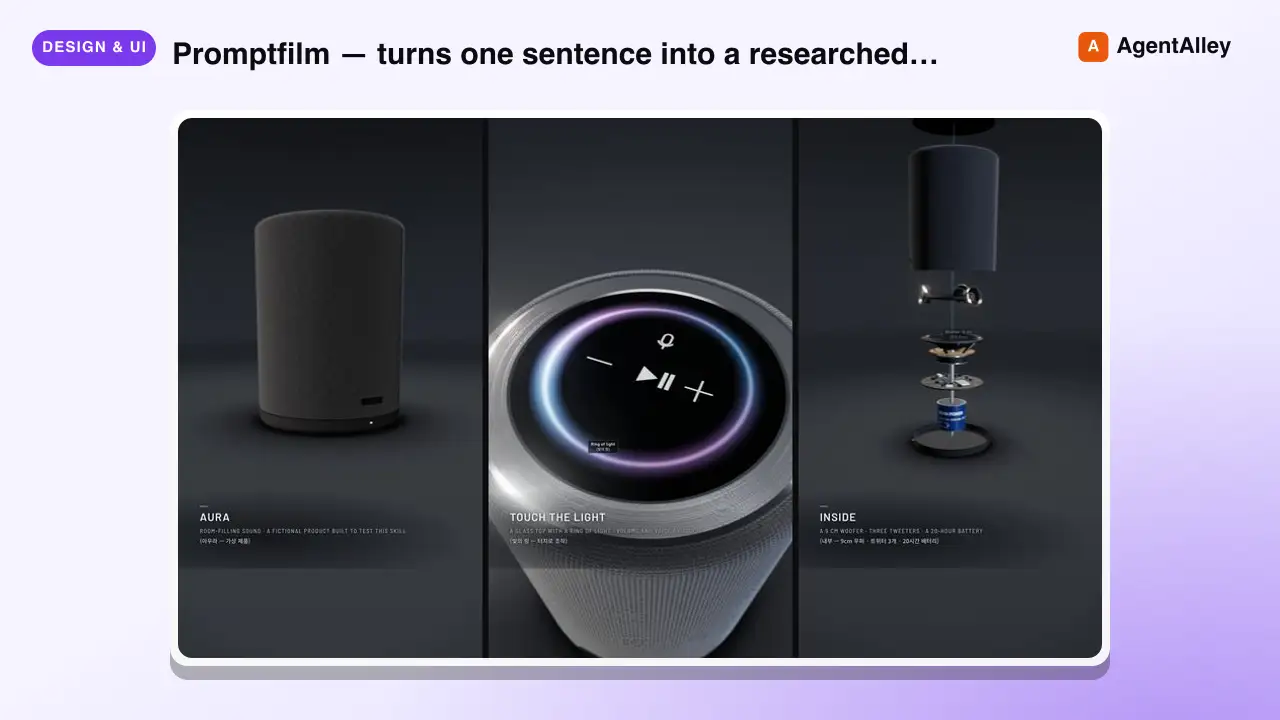
 Seokwoooo/promptfilm · by SeokwooooPromptfilm — turns one sentence into a researched 3D motion graphic — one self-contained real-time HTML file (Three.js) that loops seamlessly and records straight into a video — 9:16 for Shorts/Reels by default, or 16:9, 1:1, 4:5; captions in one or two languages (English + the requester's language by default); paced the way the requester edits; checked by automated QA, a fresh-eyes visual review and a delivery gate; reviewed and exported as a frame-exact MP4 in a local Studio. Use it for any motion graphic — product ads, game or app demos, journeys through scale (Earth to the universe, a chip down to atoms), how-it-works explainers, recreations of a known scene, logo stings, data stories — when the user asks for a motion graphic, a 3D animation or video as HTML, or "an HTML like the cosmic-scale / Blackwell one", even naming only a topic (often in Korean, e.g. "…모션그래픽 만들어줘", "…부터 …까지 확대하는 영상 html 만들어줘"); and for follow-ups on such a film ("리뷰 반영해줘", "mp4로 뽑아줘", "스튜디오 열어줘").★ 26 GitHub stars
 SkillCustom Map Creator
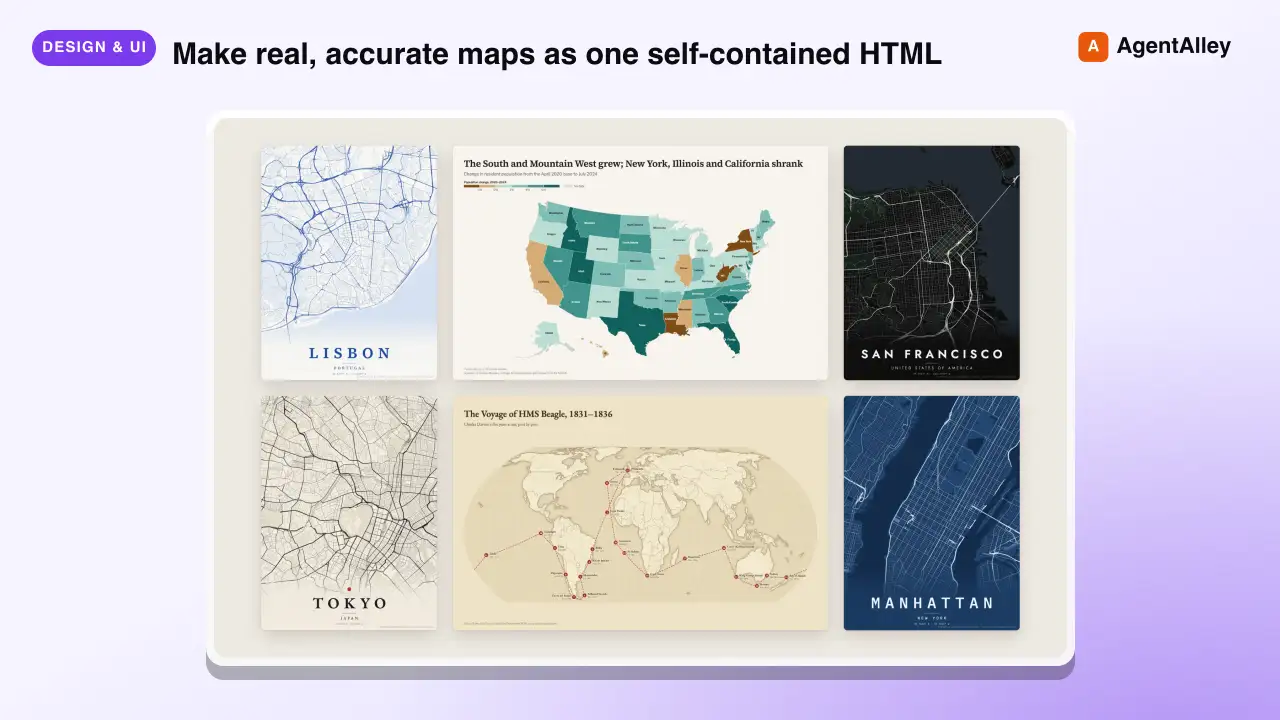
 incline-ltd/map-design · by incline-ltdMake real, accurate maps as one self-contained HTML, SVG and PNG. Choropleths by country, state, province or US county; bubble, spike and point maps; routes and voyages; flow maps; locator maps with an inset globe; and OpenStreetMap city posters. Use whenever the user asks for a map, a "where is" graphic, data by country/state/county/region, a trip, flight or shipping route, a city poster, or any geographic visualization. Ships Natural Earth, US Census and OurAirports data, so coastlines, borders and coordinates are real rather than drawn from memory.★ 8 GitHub stars
 SkillLinkedIn Graphics Designer
 charlie947/social-media-skills · by charlie947Create LinkedIn post graphics. Decides between an HTML/CSS structured graphic or an AI-generated infographic based on the post content. Use this skill whenever the user says "design a graphic", "create a visual", "make an image", "graphic for my post", "LinkedIn image", or wants any visual content to pair with a LinkedIn post. Also trigger when the user finishes writing a post and wants a matching graphic.★ 3.7k GitHub stars
More from minhnv0807
 SkillMarketing Plan Builder
 minhnv0807/ai-business-skills · by minhnv0807Dung khi can ke hoach marketing tong the cho mot ky — muc tieu, phan khuc, kenh, ngan sach, timeline, KPI va ma tran rui ro. Co ca che do ban day du va che do ke hoach 1 trang cho chu doanh nghiep nho. Kich hoat khi user nhac 'lap ke hoach marketing', 'ke hoach MKT', 'marketing plan', 'chien luoc marketing nam', 'plan quy toi', 'ke hoach 1 trang'. Khong dung cho — tinh nguoc ngan sach tu doanh thu thi dung skill 10-tinh-kpi-nguoc; phan bo ngan sach chi tiet theo kenh thi dung skill 61-budget-planning; brief mot chien dich cu the thi dung skill 02-brief-chien-dich.★ 599 GitHub stars
 SkillOverall Marketing Strategyminhnv0807/ai-business-skills · by minhnv0807Use when the user needs an overall marketing plan for a period — objectives, segments, positioning, channel mix, content direction, budget, timeline, KPIs, and a risk matrix, adapted to US, EU, SEA, or LATAM. Trigger on 'marketing plan', 'marketing strategy for next year', 'go-to-market roadmap', 'plan for Q3', 'we have no marketing plan', 'where should we spend next quarter'. Also use when a founder only says the business needs to grow and has no idea which channel to start with. Not for — one specific campaign, see `02-campaign-brief-global`; working backward from a revenue goal to spend, see `10-reverse-kpi-global`; splitting a budget across channels and months, see `61-budget-planning-global`; taking a brand new product to market, see `59-go-to-market-global`.★ 599 GitHub stars
 SkillContent Calendar Plannerminhnv0807/ai-business-skills · by minhnv0807Use when the user needs a monthly or weekly content calendar — posting schedule per channel, funnel ratio, content pillars, repurposing matrix, and an owner per slot. Trigger on 'content calendar', 'posting schedule', 'what should we post this month', 'editorial calendar', 'social media plan', 'we post randomly with no plan'. Also use when the user only says the team keeps running out of things to post. Not for — the brief for one specific post, see `36-content-brief-global`; the caption text itself, see `37-social-caption-global`; deciding next period content from last period data, see `40-next-content-plan-global`; a paid campaign timeline, see `02-campaign-brief-global`.★ 599 GitHub stars
 SkillContent Posting Scheduleminhnv0807/ai-business-skills · by minhnv0807Dung khi can lich dang bai cho ca thang — chot content pillar va ti le, xep bai theo ngay va khung gio, ma tran tai su dung noi dung, va gan muc tieu cho tung tru cot. Kich hoat khi user nhac 'lich noi dung', 'content calendar', 'thang nay dang gi', 'len lich dang bai', 'ke hoach content thang', 'phan bo noi dung'. Khong dung cho — brief tung bai truoc khi viet thi dung skill 36-content-brief; viet caption thanh pham thi dung skill 37-caption-social; lap plan ky sau tu data thi dung skill 40-next-content-plan.★ 599 GitHub stars
 SkillCampaign Execution Briefminhnv0807/ai-business-skills · by minhnv0807Dung khi can brief mot chien dich cu the cho ca team thuc thi — muc tieu, thong diep, deliverable, timeline phan cong theo tuan, gate duyet va ma tran rui ro. Kich hoat khi user nhac 'brief chien dich', 'ke hoach campaign', 'len brief cho team', 'chien dich thang toi', 'phan cong campaign', 'timeline chien dich'. Khong dung cho — ke hoach marketing ca ky thi dung skill 00-ke-hoach-mkt; danh sach asset can thiet ke thi dung skill 41-campaign-asset-list; giao viec cho tung nguoi thi dung skill 64-team-brief.★ 599 GitHub stars
 SkillCampaign Brief Frameworkminhnv0807/ai-business-skills · by minhnv0807Use when a specific campaign needs a brief the whole team can execute from — context, objective, audience, core message, creative direction, channels, deliverables, week-by-week timeline, approval gates, and risks. Trigger on 'campaign brief', 'creative brief', 'launch brief', 'brief the team on this campaign', 'we are running a promo next month', 'what is the plan for this campaign'. Also use when the user describes a promotion out loud and asks for something the team can actually run. Not for — the whole period plan, see `00-marketing-plan-global`; the list of design files needed, see `41-campaign-asset-list-global`; assigning work to one person, see `64-team-brief-global`; a new product launch sequence, see `59-go-to-market-global`.★ 599 GitHub stars